Feature Summary
The contact question allows respondents to select contacts from Contacts, used for filling in related contact information, such as selecting a task owner, evaluation target, etc., ensuring contact information is accurate and consistent.
Feature Description
| Feature Dimension | Description |
|---|---|
| Membership Restriction | No membership restriction |
| Version Restriction | No version restriction |
Steps
Adding a Contact Question
Feature Entry
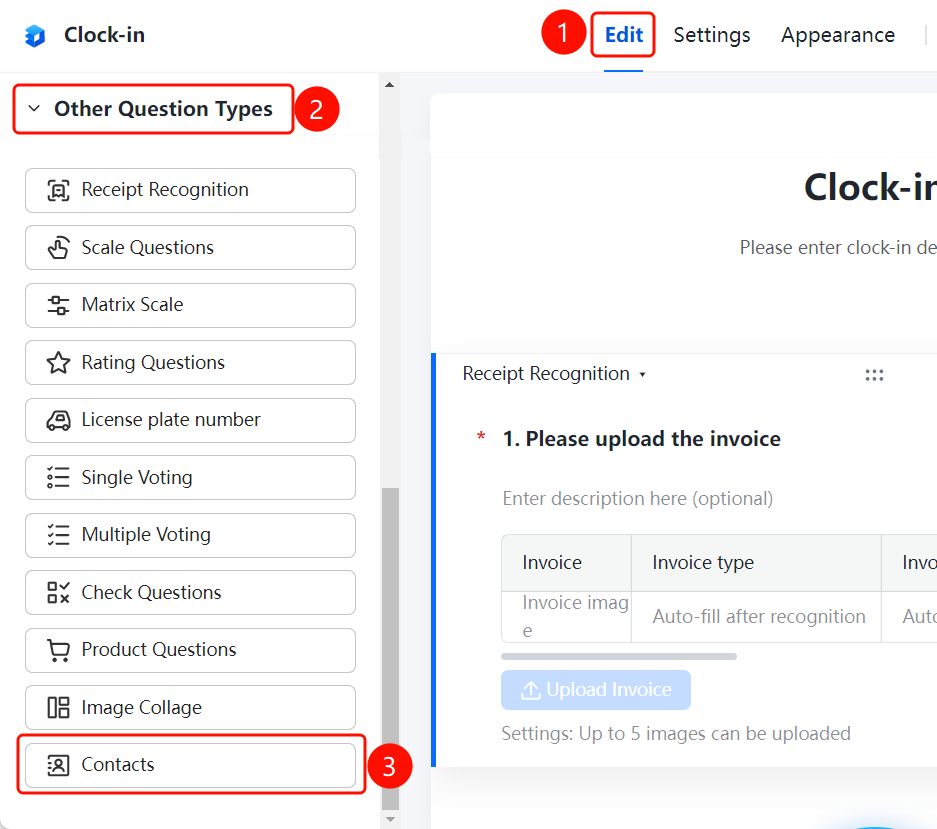
「Edit」 tab → 「Question Type」 → 「Contact」 button
- Click the top 「Edit」 tab
- Expand the 「Question Type」 area in the left panel
- Click the 「Contact」 button to add a contact question to the form
- Enter the question content in the question editing area, such as "Please select a contact"
Allowing Multiple Contacts to be Selected
Feature Entry
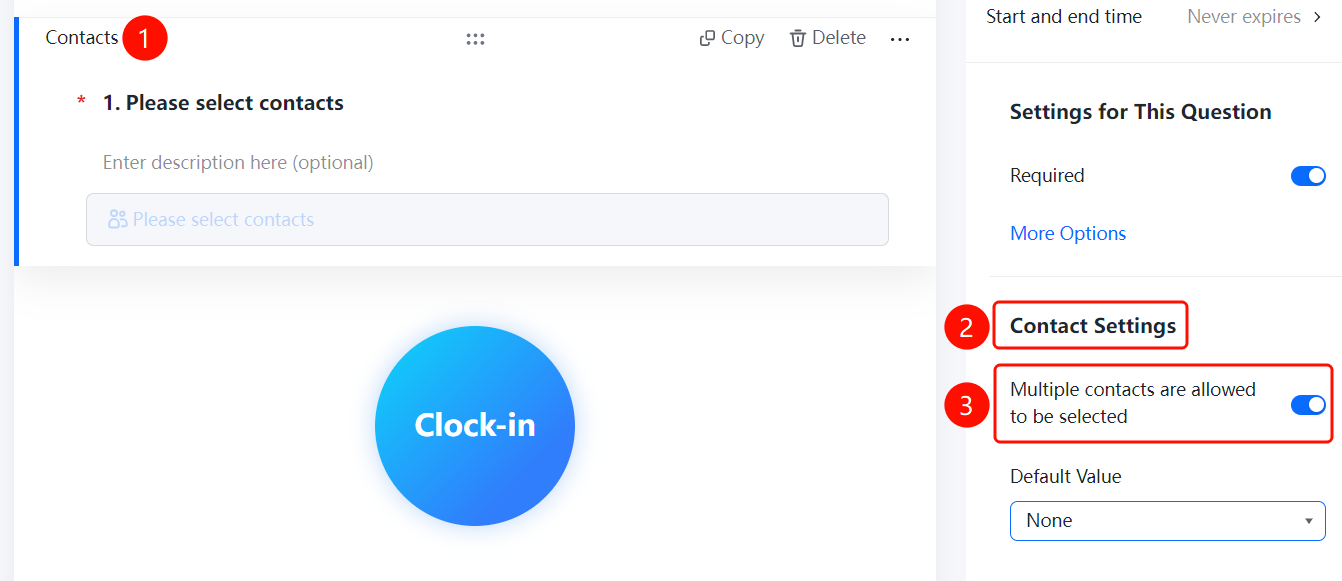
Contact question → 「Contact Settings」 → 「Allow selecting multiple contacts」 toggle
- Click the added contact question
- In the right-side 「Contact Settings」 panel, turn on the 「Allow selecting multiple contacts」 toggle
- After turning it on, respondents can select multiple contacts
Setting Default Value
Feature Entry
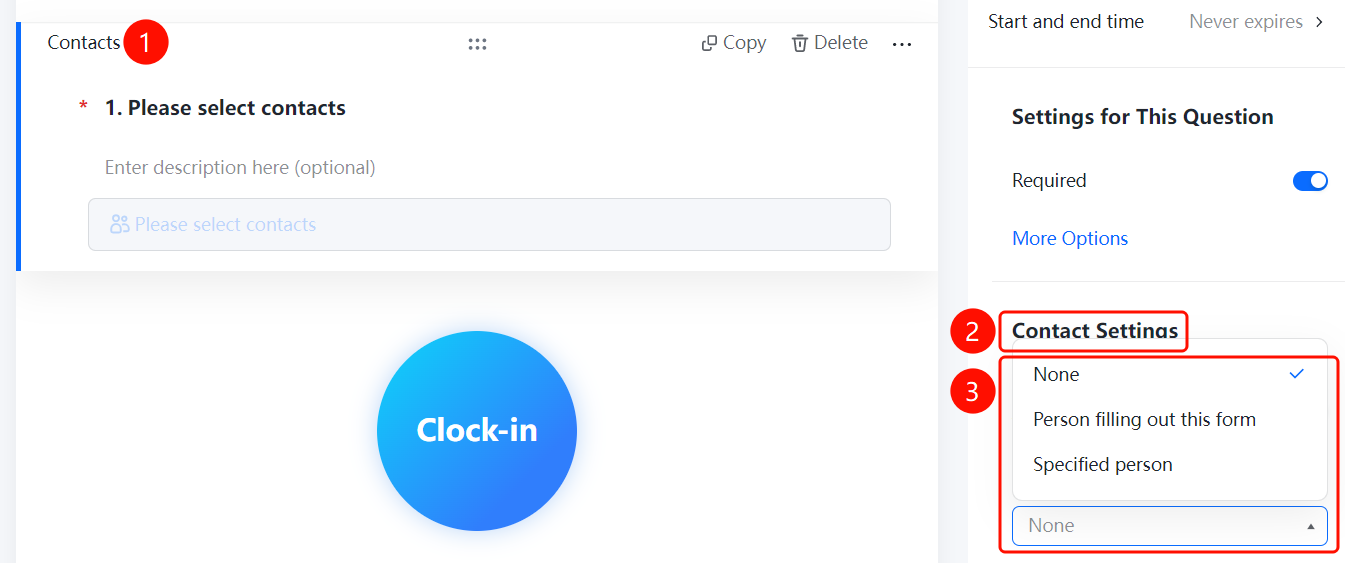
Contact question → 「Contact Settings」 → 「Default Value」 option
- Click the added contact question
- In the right-side 「Contact Settings」 panel, click the 「Default Value」 option
- Select the default value source: 「None」, 「The person filling out this form」, or 「Specified person」
FAQ
Q1: How to allow respondents to select multiple contacts?
- Solution: Click the contact question, and in the 「Contact Settings」 panel, turn on the 「Allow selecting multiple contacts」 toggle.
Q2: How to set the default value for a contact?
- Solution: Click the contact question, and in the 「Contact Settings」 panel, click 「Default Value」, then you can select 「None」, 「The person filling out this form」, or 「Specified person」 as the default value.
Q3: Where do the contacts in the contact question come from?
- Solution: The contacts in the contact question come from Contacts. Respondents can select contacts from Contacts, ensuring contact information is accurate and consistent.
Notes
- The contact question is suitable for scenarios that require referencing contacts from Contacts, such as selecting a task owner or evaluation target.
- When the default value is set to 「The person filling out this form」, the system will automatically populate the current respondent's information.