Feature Summary
The auto-increment sheet question is used to collect multiple pieces of information uploaded by respondents, and the number of information items uploaded by each respondent may vary. Respondents can add or delete record rows as needed.
Feature Description
| Feature Dimension | Description |
|---|---|
| Membership Restriction | No membership restriction |
| Version Restriction | No version restriction |
Operation Steps
Add an Auto-Increment Sheet Question
Feature Entry
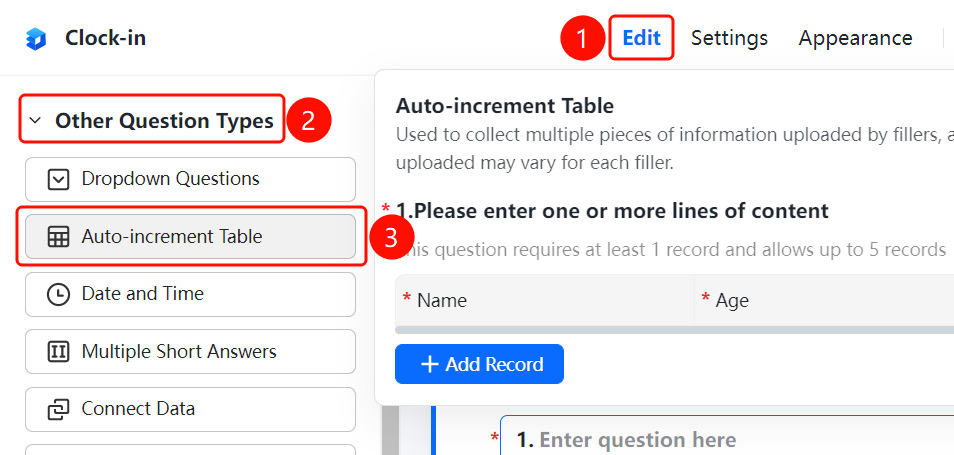
「Edit」 tab → 「Question Type」 → 「Auto-Increment Sheet」 button
- Click the top 「Edit」 tab
- Expand the 「Question Type」 area in the left panel
- Click the 「Auto-Increment Sheet」 button to add the auto-increment sheet question to the form
- Click 「Edit Sheet Question」 to set the column fields of the sheet, such as Name, Age, Gender, etc.
Set the Minimum Number of Rows to Fill
Feature Entry
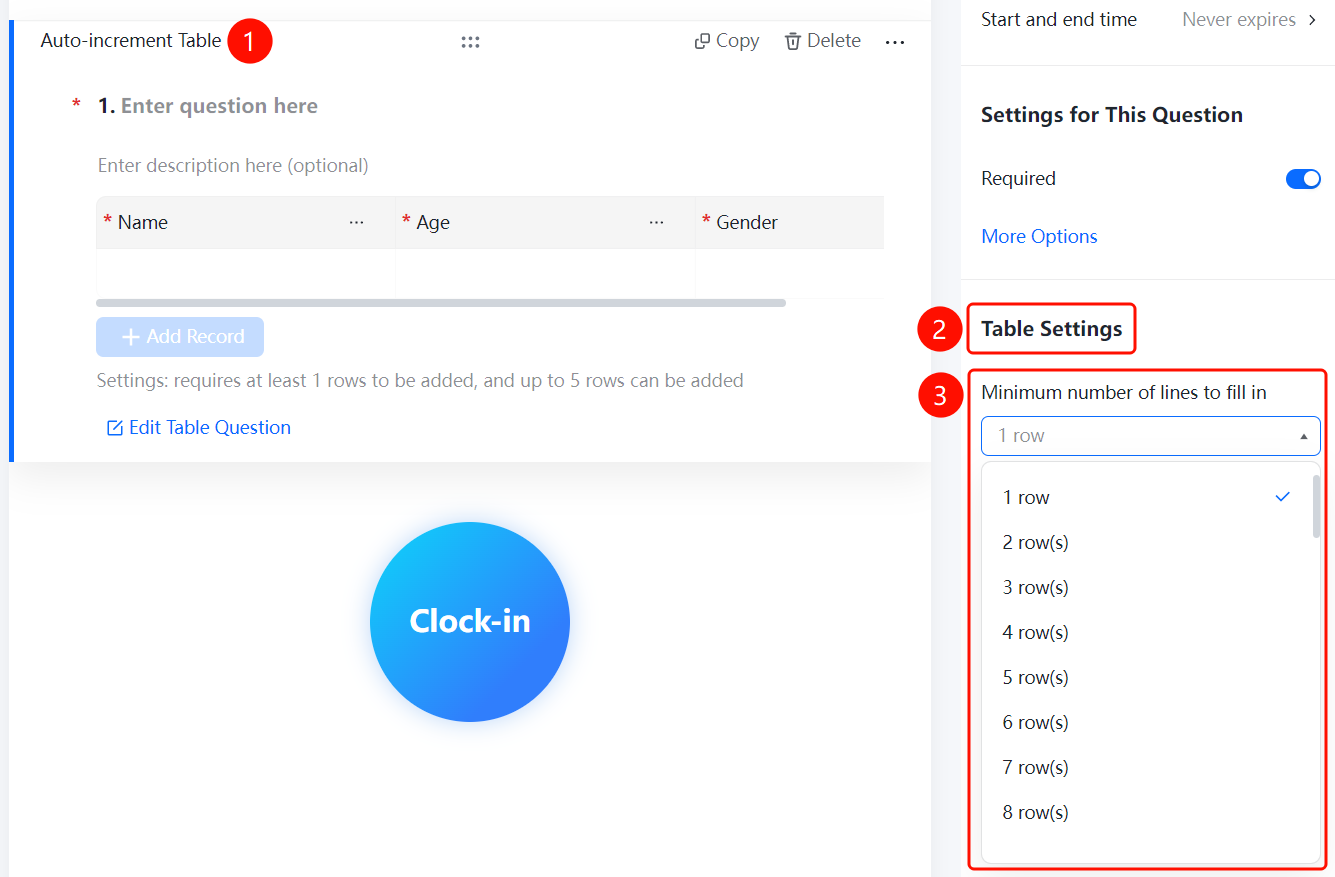
Auto-Increment Sheet Question → 「Sheet Settings」 → 「Minimum Rows to Fill」 option
- Click the added auto-increment sheet question
- In the right 「Sheet Settings」 panel, click the 「Minimum Rows to Fill」 option
- Select the minimum number of rows that must be filled, such as 「1 Row」
Set the Maximum Number of Rows to Fill
Feature Entry
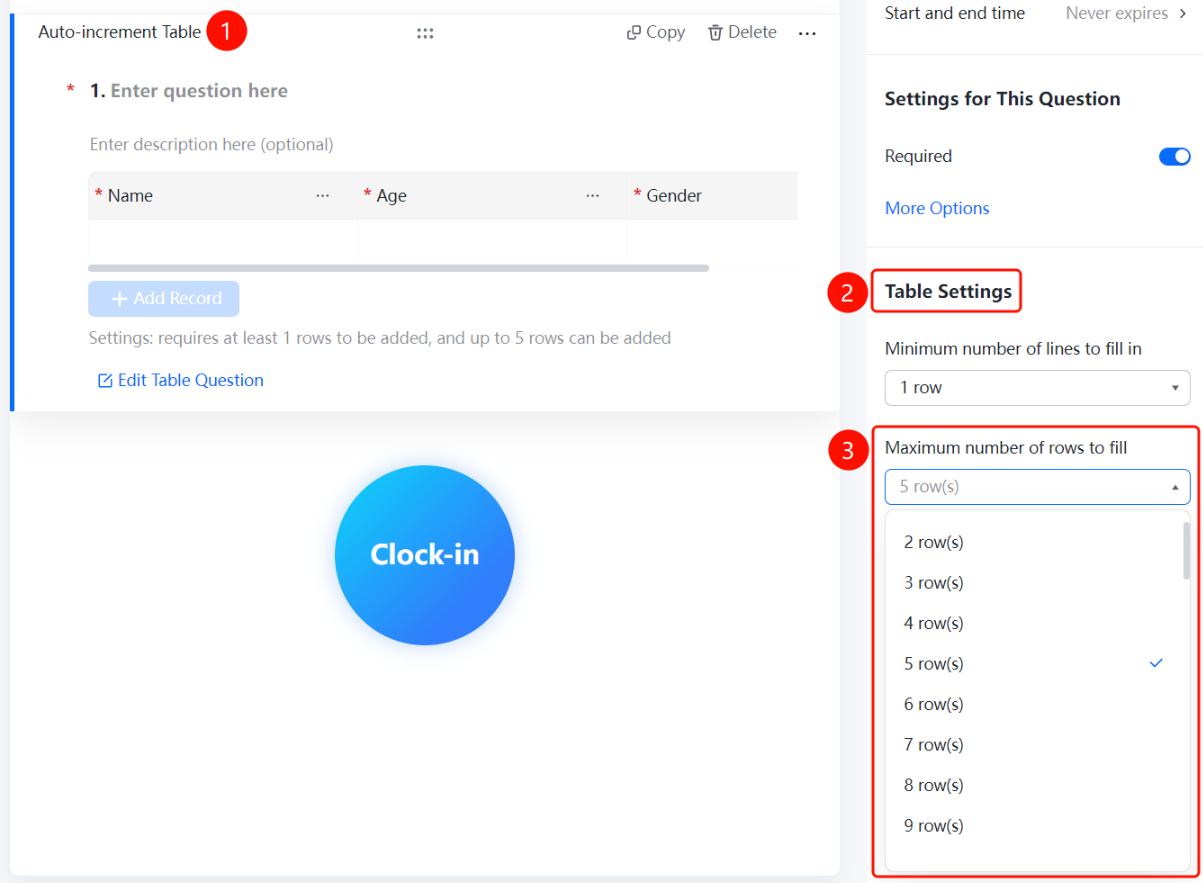
Auto-Increment Sheet Question → 「Sheet Settings」 → 「Maximum Rows to Fill」 option
- Click the added auto-increment sheet question
- In the right 「Sheet Settings」 panel, click the 「Maximum Rows to Fill」 option
- Select the maximum number of rows that can be filled, such as 「5 Rows」
FAQ
Q1: How to limit the minimum and maximum number of rows a respondent can fill?
- Solution: Click the auto-increment sheet question, and set the 「Minimum Rows to Fill」 and 「Maximum Rows to Fill」 in the 「Sheet Settings」 panel respectively.
Q2: How to set the column fields of the auto-increment sheet?
- Solution: Click the auto-increment sheet question, then click 「Edit Sheet Question」 to add, modify, or delete the column fields of the sheet.
Q3: Can respondents add record rows by themselves?
- Solution: Yes. Respondents can click 「Add a Record」 to add a new row of records. The number of rows added must be within the set minimum and maximum row range.
Notes
- The auto-increment sheet is suitable for scenarios where the number of information items uploaded by each respondent may vary.