Feature Summary
The cascading option field supports setting up linkage relationships for multi-level options. After selecting a parent option, the corresponding child options will be automatically filtered and displayed. It is suitable for scenarios requiring hierarchical selection, such as province/city/district selection, product category filtering, and departmental levels.
Feature Description
| Feature Dimension | Description |
|---|---|
| Membership Restriction | No membership restriction |
| Version Restriction | No version restriction |
Operation Steps
Create a New Field
Feature Entry
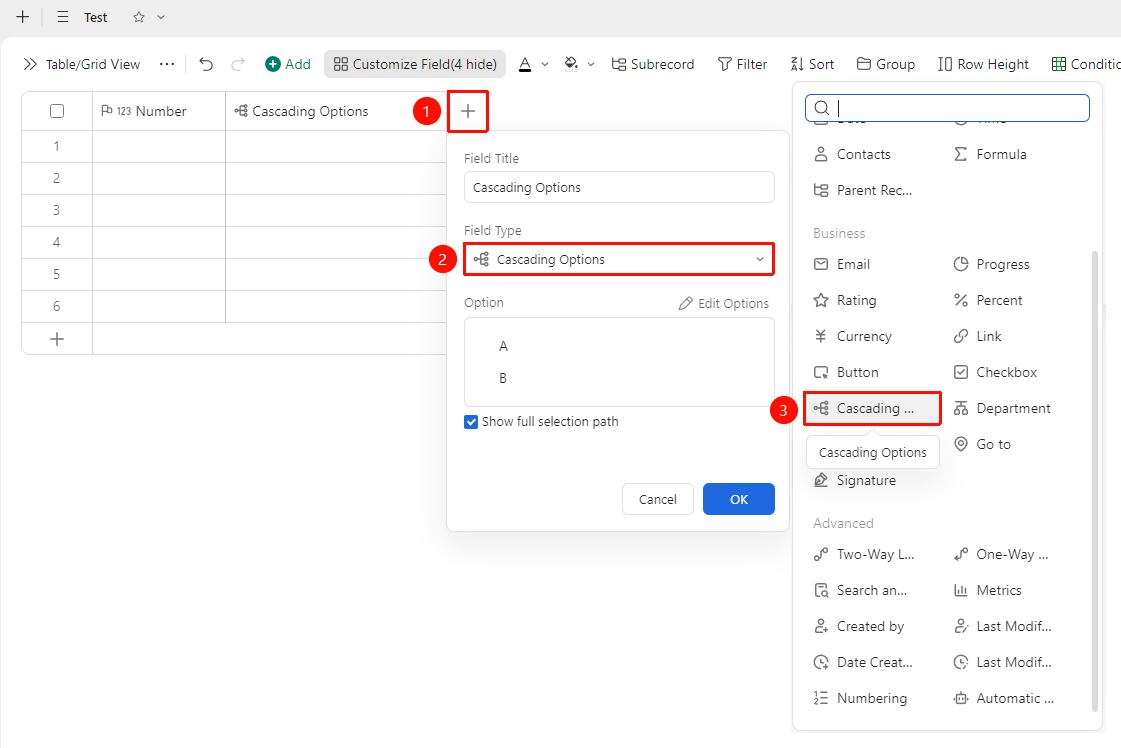
「+」 button on the right side of the table header → 「Cascading Option」 option
- Click the 「+」 button on the right side of the table header
- In the field type list, select the 「Cascading Option」 field
- Edit the options and enter the field name and click "OK" to complete the creation
Set Cascading Option Content
Feature Entry
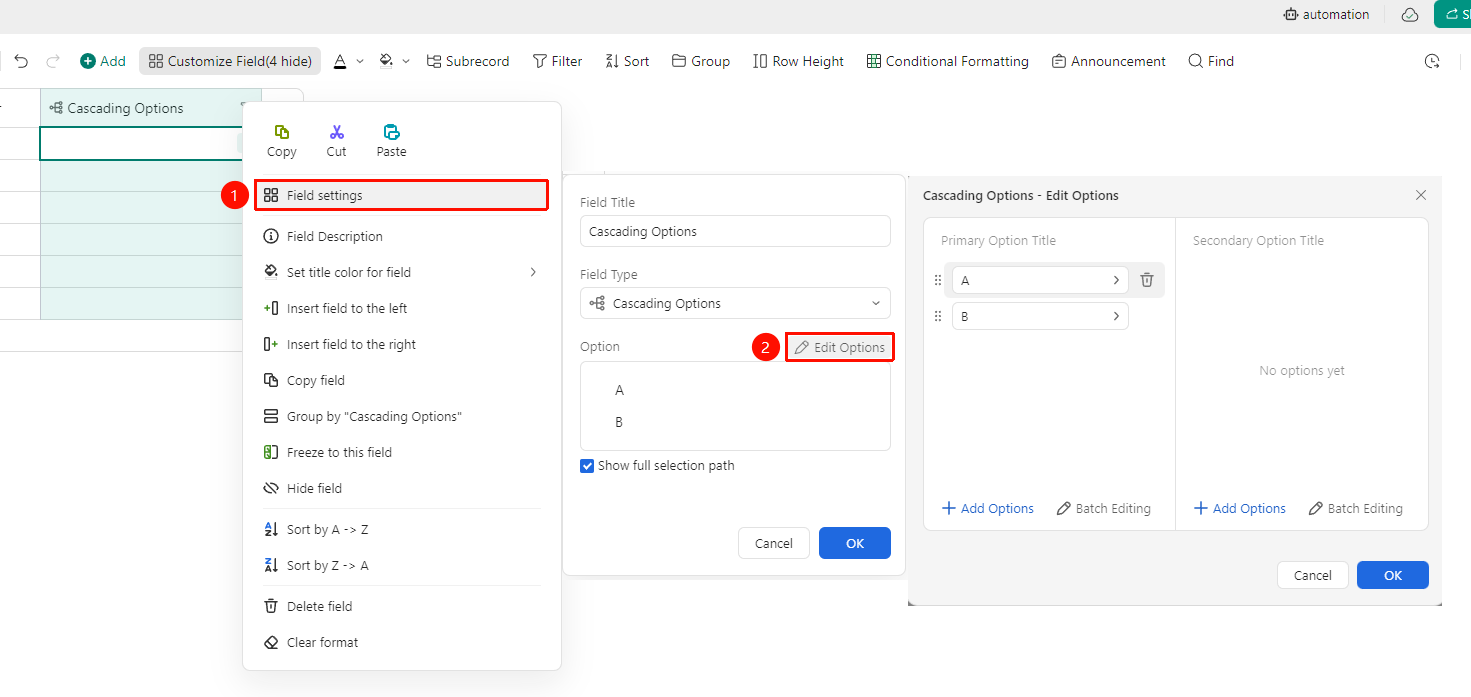
Right-click 「Field Title」 → 「Field Settings」 → 「Edit Options」 button
- Right-click the field title of the cascading option field and select 「Field Settings」
- Click the 「Edit Options」 button
- In the pop-up editing window, you can adjust the first-level option title, second-level option title, and third-level option title
- For each option title, you can click 「+ Add Option」 or 「Batch Edit」 to add new options
- Click Confirm to complete editing
Frequently Asked Questions
Question 1: How many levels of cascading options are supported at most?
- Solution: The cascading option field supports setting up to 3 levels of cascading option linkage relationships.