Feature Summary
The Announcement feature allows you to publish important information to team members in a multidimensional table, ensuring key notifications are viewed promptly. Core capabilities include:
- Publishing announcements to all collaborators
- Announcements are displayed prominently at the top of the data table
Feature Description
| Feature Dimension | Description |
|---|---|
| Membership Restrictions | No membership restrictions |
| Version Restrictions | No version restrictions |
Steps
Publishing an Announcement
Feature Entry
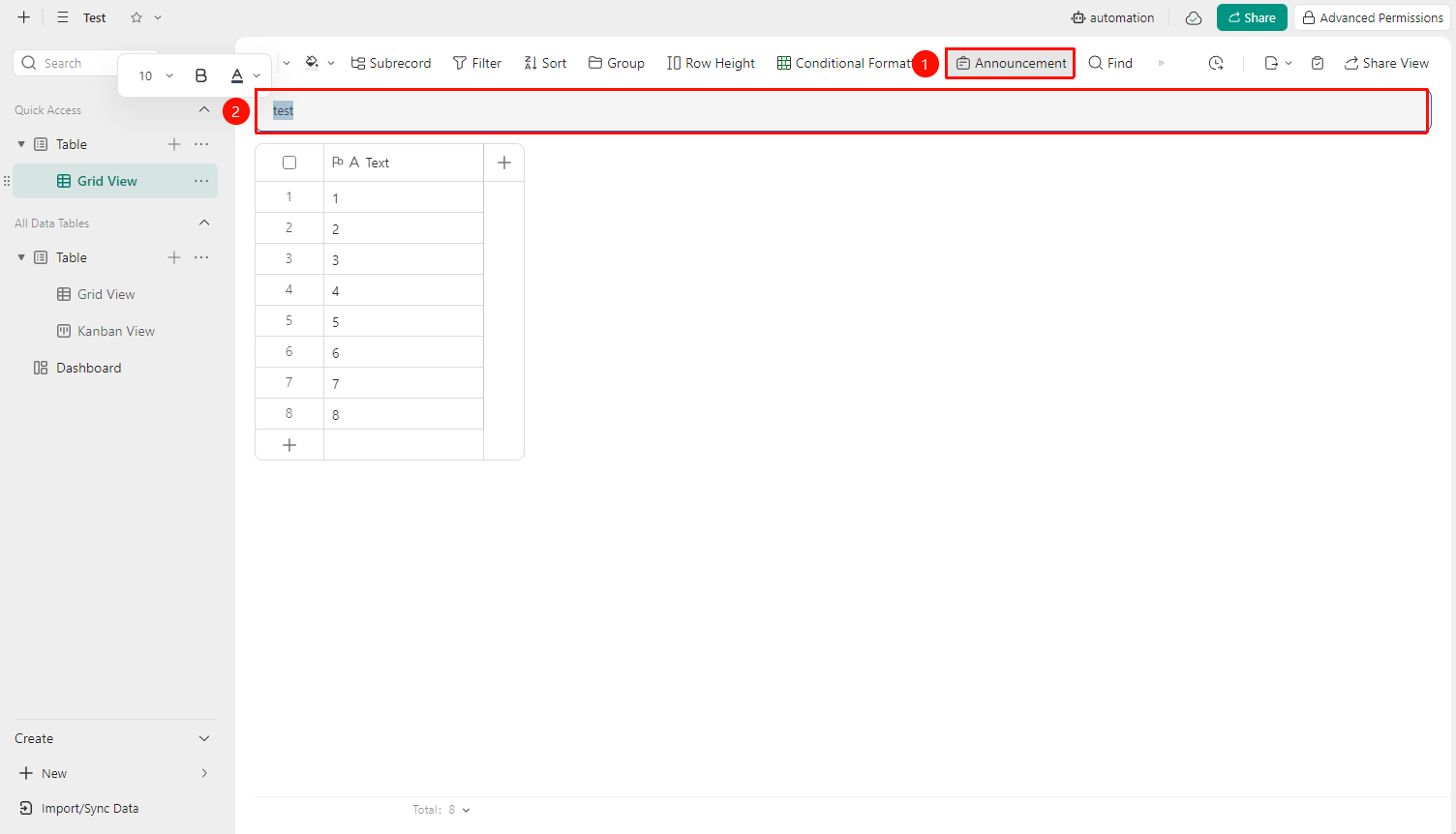
"Toolbar" → "Announcement" button →
- Open the target multidimensional table and click the "Announcement" button in the toolbar
- Enter the announcement content in the pop-up editing box
- Double-click to adjust the text format of the announcement content (font, color, bold)
3.Announcements are independent across different data tables and table views
FAQ
Q1: Can everyone see the announcement?
- Solution: Announcements are only displayed to collaborators of the multidimensional table who have been granted access (including viewers and editors). External unauthorized users cannot see the announcement content.
Q2: Does the announcement content support images or links?
- Solution: Currently, announcements support text and link content, but do not support images.
Notes
- It is recommended to keep the announcement content concise and clear, highlighting key information