Feature Summary
Form view transforms a data table into a fillable online form, suitable for external data collection, questionnaire completion, information registration, and similar scenarios.
Feature Description
| Feature Dimension | Description |
|---|---|
| Membership Restriction | No membership restriction |
| Version Restriction | No version restriction |
Steps
Creating a Form View
Feature Entry
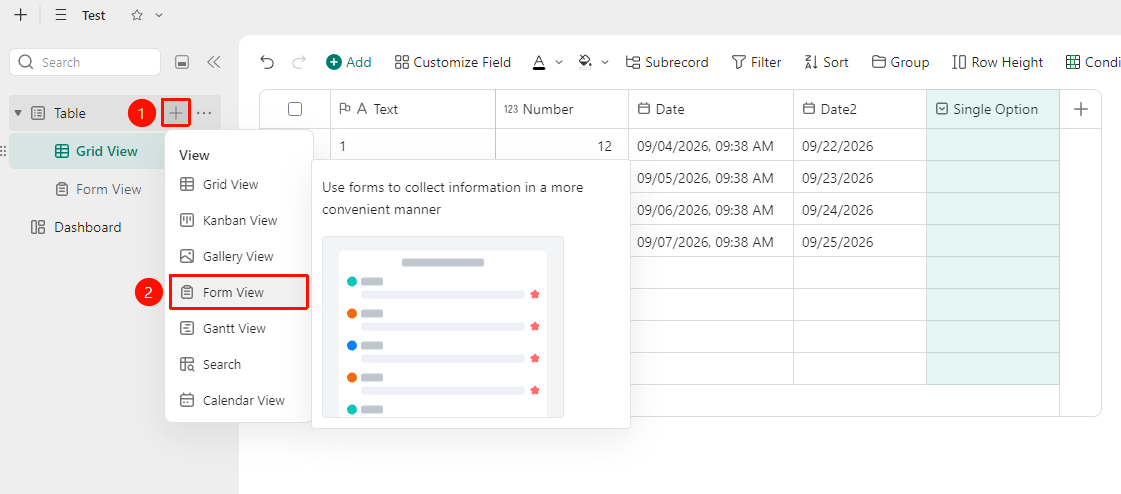
「Sheets」→「+」icon →「Form View」option
- Open the multidimensional table and click the 「+」 icon on the right side of the data table
- Select Form View
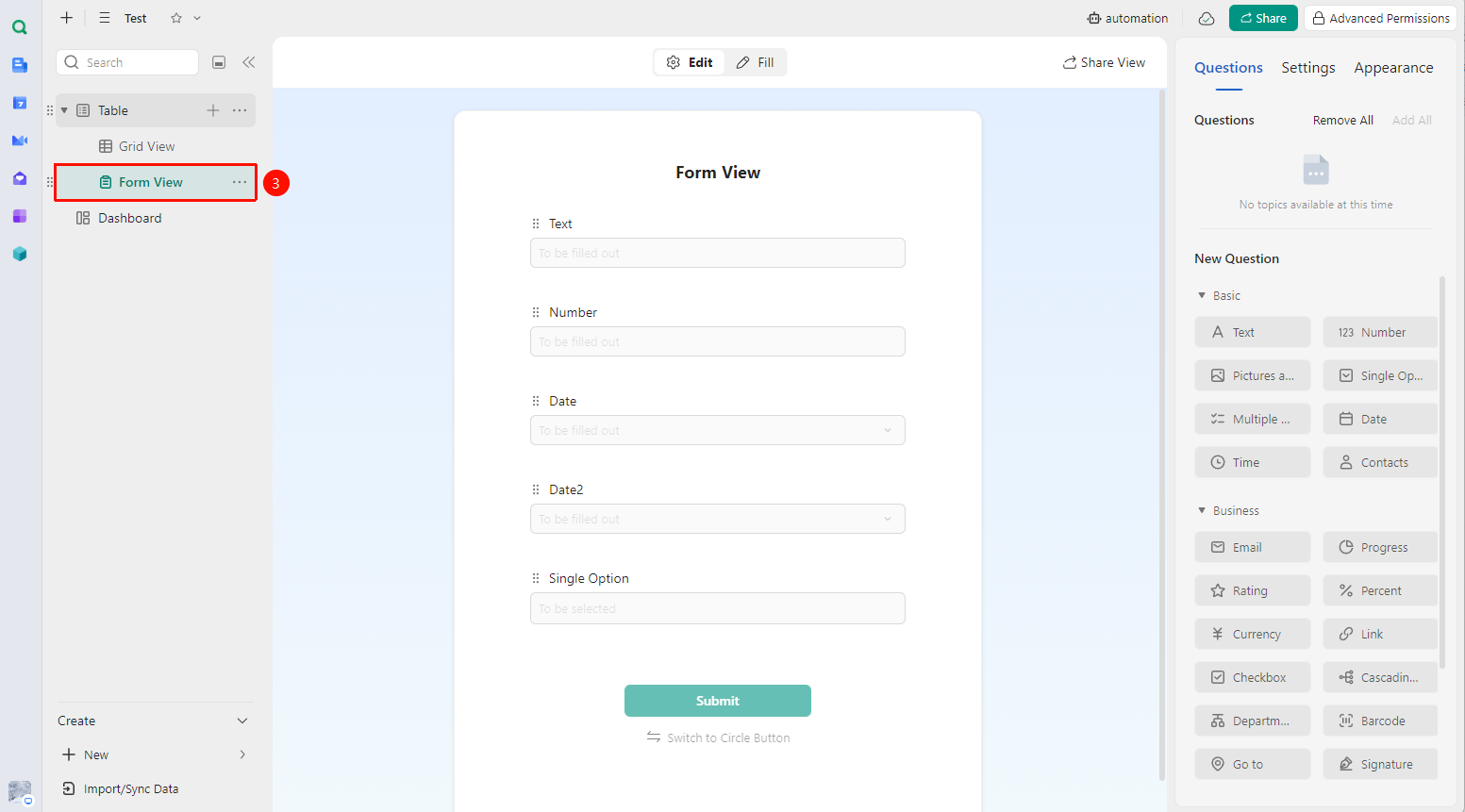
- Enter the form editing interface. By default, fields will be generated based on the fields in the current data table's table view
- You can preview the form effect and save it
Deleting Form Fields
Feature Entry
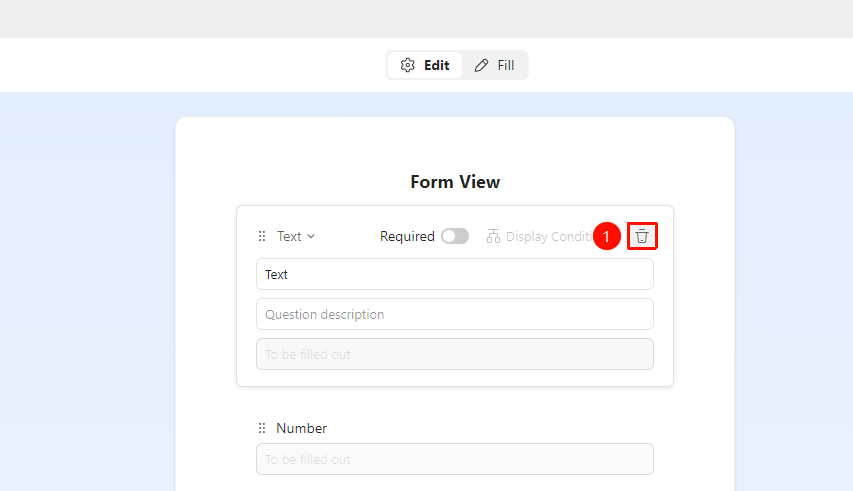
「Form View」→ 「Remove Field」button
- Open the form view
- Click the field you want to delete, then click the 「Remove Field」 button on the right
- Click to complete the deletion
Changing the Order of Form Fields
Feature Entry
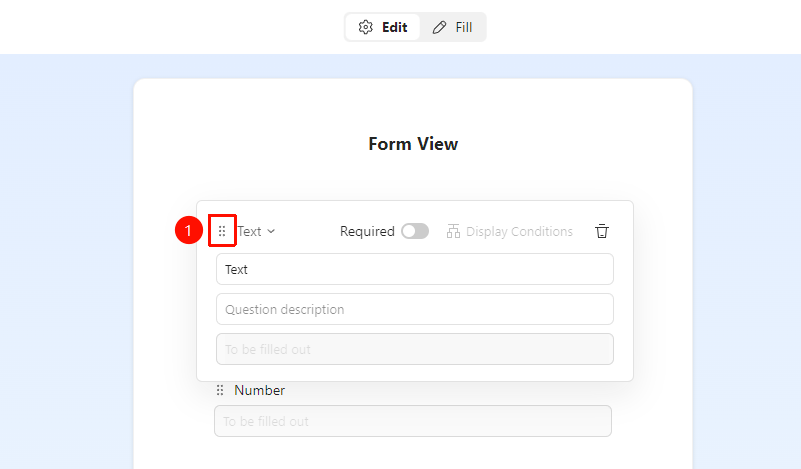
「Form View」→ 「⠿」icon
- Open the form view
- Drag the 「⠿」 icon in front of the question to adjust the field order
Setting Required Form Fields
Feature Entry
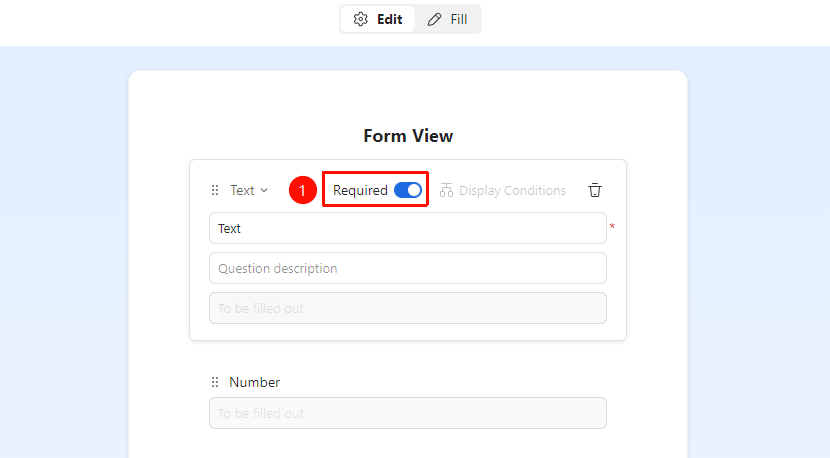
「Form View」→ 「Required」toggle option
- Open the form view
- Click the field you want to set as required
- Turn on the 「Required」 toggle option on the right
Adding Form Fields
Feature Entry
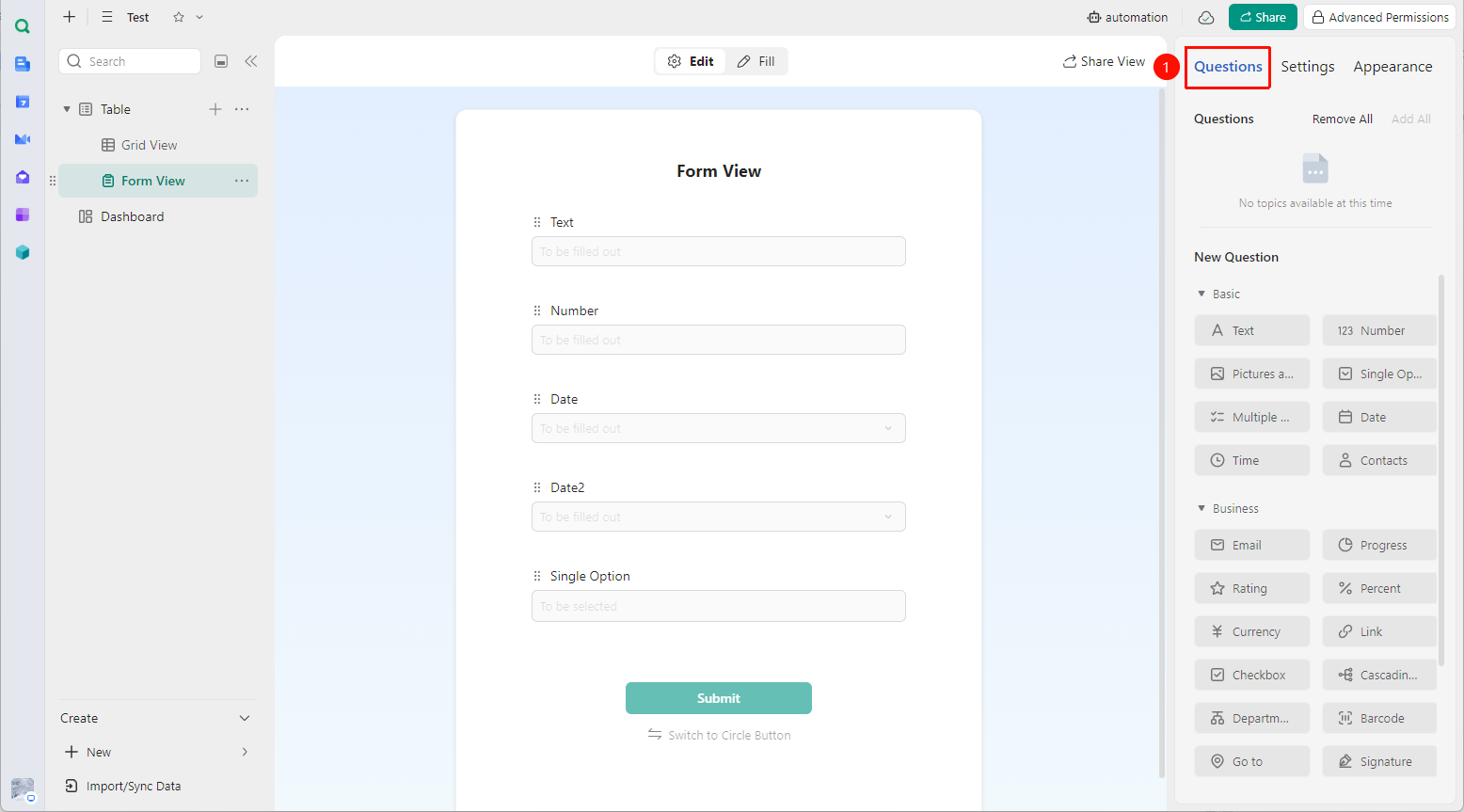
「Form View」→ 「Questions」tab in the right panel
- Open the form view
- In the right panel, select the 「Questions」 tab and click the field you want to add
Common Form View Settings
Feature Entry
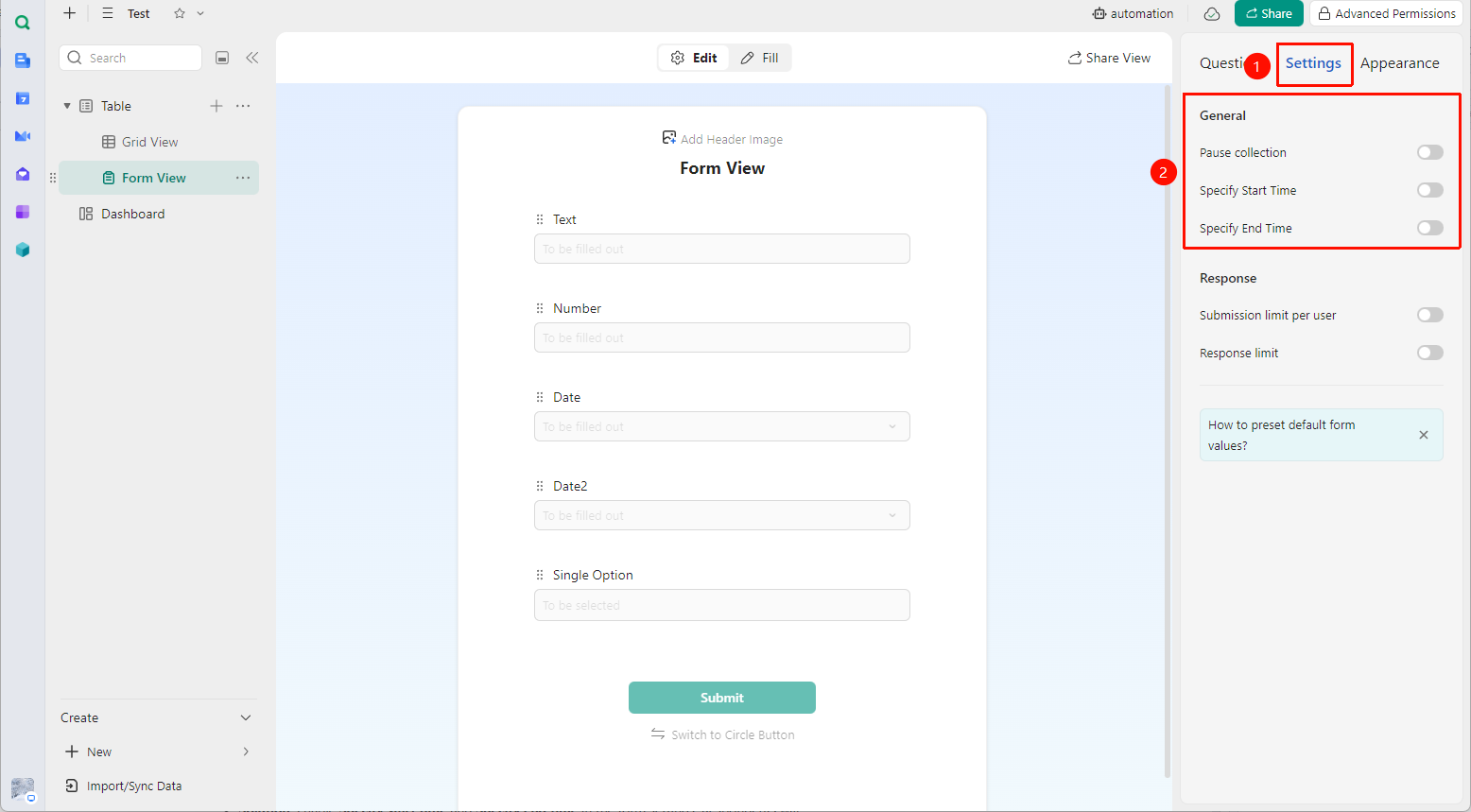
「Form View」→ 「Settings」tab in the right panel
- Open the form view
- In the right panel, select the 「Settings」 tab
- Adjust the form view settings:
- Pause collection
- Specify start time
- Specify end time
FAQ
Q1: Can I set a deadline for form submission?
- Solution: Enable Specify start time and Specify end time in the form settings. Respondents will not be able to submit after the deadline.
Notes
- It is recommended to set form fields as Required to avoid incomplete information
- Each form corresponds to one data table; data cannot be collected across forms