Feature Summary
The Gantt view displays task progress and time spans in the form of a timeline bar chart, suitable for project progress tracking, task scheduling, and similar work scenarios.
Feature Dimensions
| Feature Dimension | Description |
|---|---|
| Membership Restriction | No membership restriction |
| Version Restriction | No version restriction |
Steps
Creating a Gantt View
Feature Entry
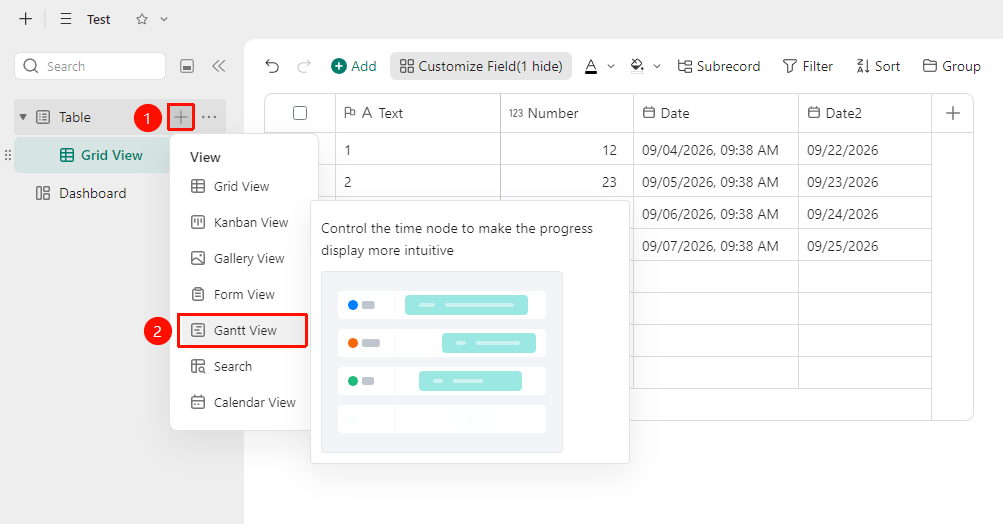
「Data Table」→「+」Icon →「Gantt View」Option
- Open the target multi-dimensional table and click the 「+」 icon on the right side of the data table
- Select Gantt View
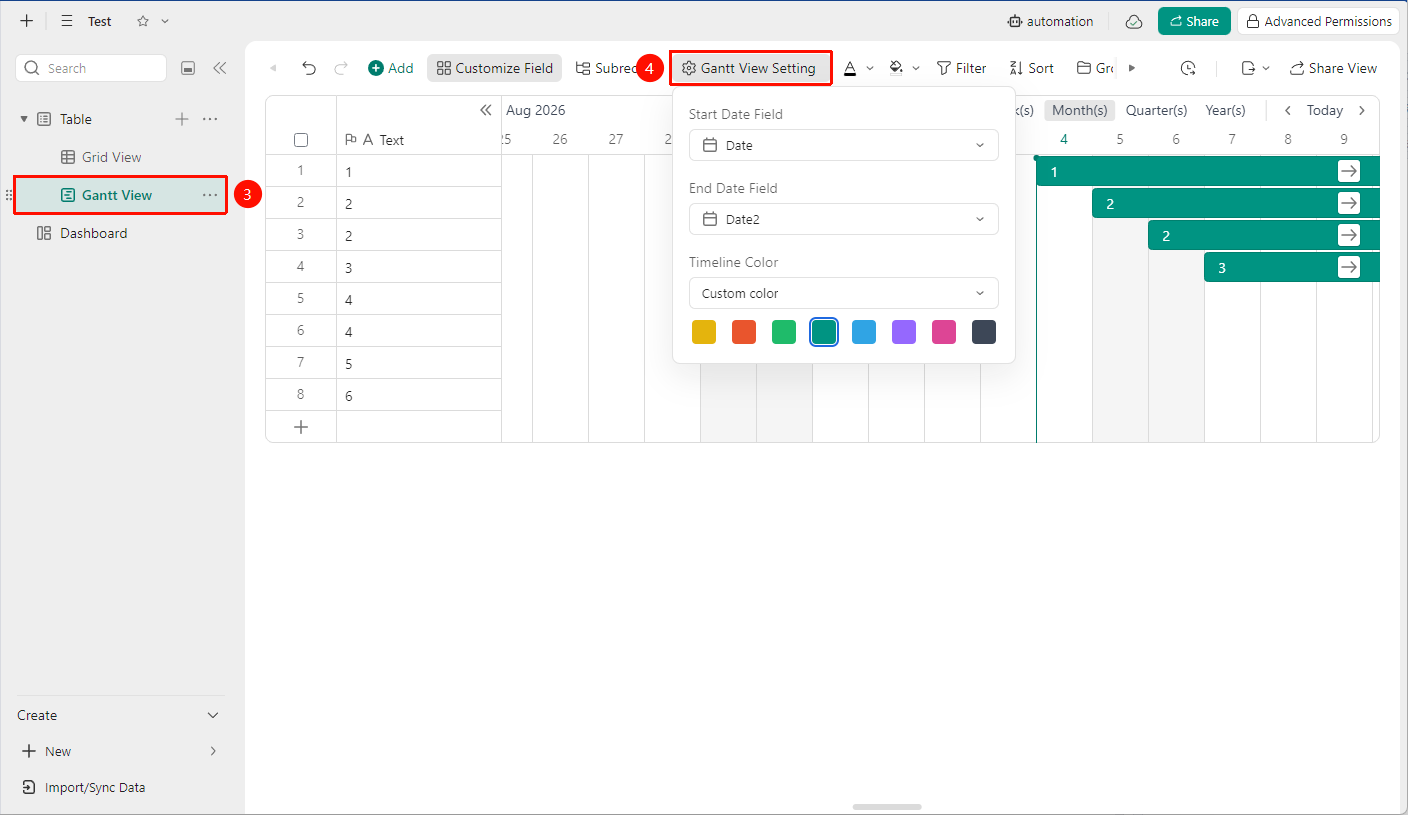
- Click the Gantt Chart Configuration button to set the Start Date Field and End Date Field (must be date type fields)
Notes
- The Gantt chart depends on date type fields; it cannot be rendered without date data
- The start date must be earlier than the end date, otherwise the Gantt bar will not be displayed