Feature Summary
The Contact field is one of the basic field types in a multidimensional table. It is used to associate document collaborators or contacts from the system Contacts, and is suitable for scenarios such as marking task owners and project contacts. After a contact is selected, related notifications can be automatically pushed.
Feature Description
| Feature Dimension | Description |
|---|---|
| Membership Restriction | No membership restriction |
| Version Restriction | No version restriction |
Steps
Create a New Contact Field
Feature Entry
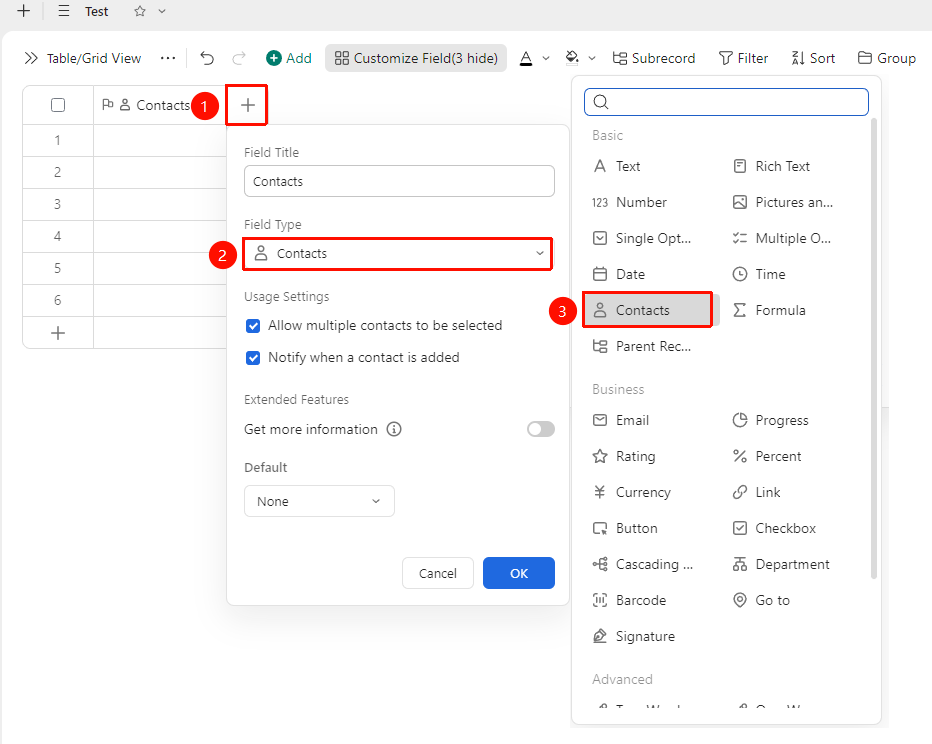
「+」 button on the right side of the header → 「Contact」 field
- Click the 「+」 button on the right side of the table header
- Select the 「Contact」 field from the field type list that appears
- Enter the field name and click 「Confirm」 to complete the creation
Add a Contact
Feature Entry
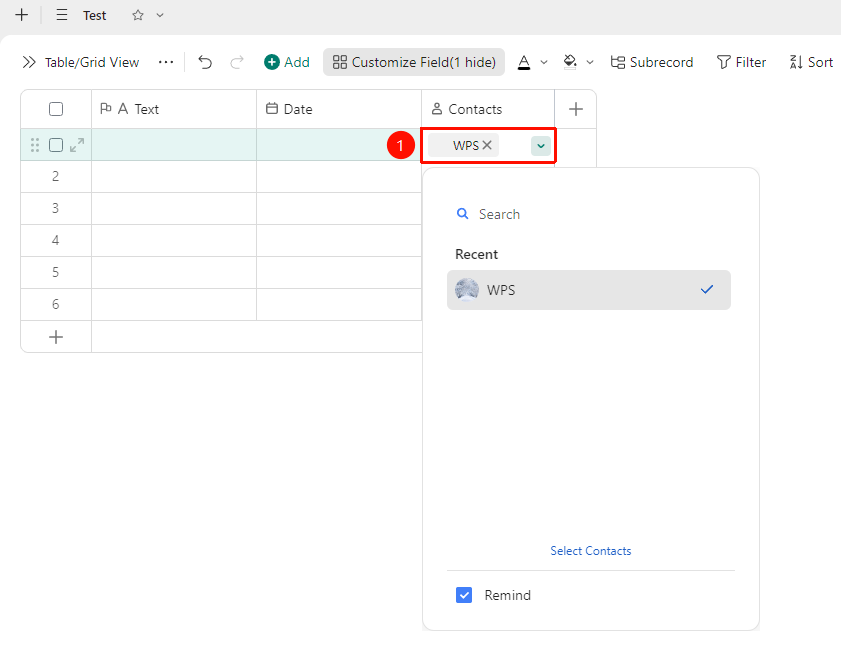
「Target cell」 → Search for a contact → Select and confirm
- Click the target cell to open the contact selection panel
- Enter the contact's name or a keyword in the search box to search
- Click the target contact from the search results to complete the selection
- The contact information will be automatically associated with the system Contacts
Set Default Value
Feature Entry
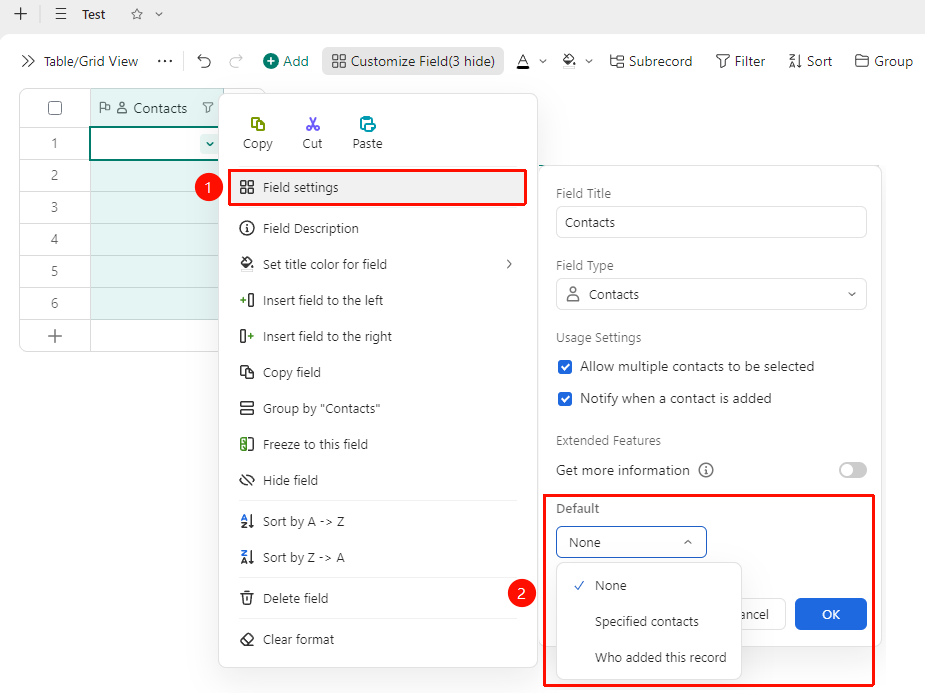
Right-click the 「Field title」 → 「Field settings」 → 「Default value」 option
- Right-click the Contact field title and select 「Field settings」
- In the 「Default value」 dropdown, you can select:
- Specified person: Search for or select a specified contact
- Person who added this record: The collaborator account that added the record
- When a new record is added, this default contact will be automatically filled in
FAQ
Q1: Will related notifications still be sent after a contact is deleted?
- Solution: If notifications based on the Contact field are configured in advanced features such as automated tasks, related notifications will no longer be sent after the contact is deleted.
Q2: Does the Contact field support selecting multiple people?
- Solution: The Contact field supports adding multiple contacts in one cell. After clicking the cell, you can continuously search for and add multiple contacts.
Notes
- The Contact field depends on the system Contacts. Ensure that the target person has been added to the organization's Contacts.
- In the automated task notification feature of advanced fields, the Contact field must be relied upon to use notification push normally.
- After a contact is removed from Contacts, the contact information in the associated records may not display properly.