Feature Summary
A dashboard is a data visualization panel for a multidimensional table. It supports combining statistical components such as charts, number cards, and progress bars into an intuitive data board, helping you quickly grasp the overall business situation. Core capabilities include:
- Drag-and-drop dashboard layout design
- Multiple visualization components (charts, statistical cards, etc.)
- Real-time automatic data refresh
- Save and share dashboard views
Feature Description
| Feature Dimension | Description |
|---|---|
| Membership Restriction | No membership restriction |
| Version Restriction | No version restriction |
Operation Steps
Create a New Dashboard
Feature Entry
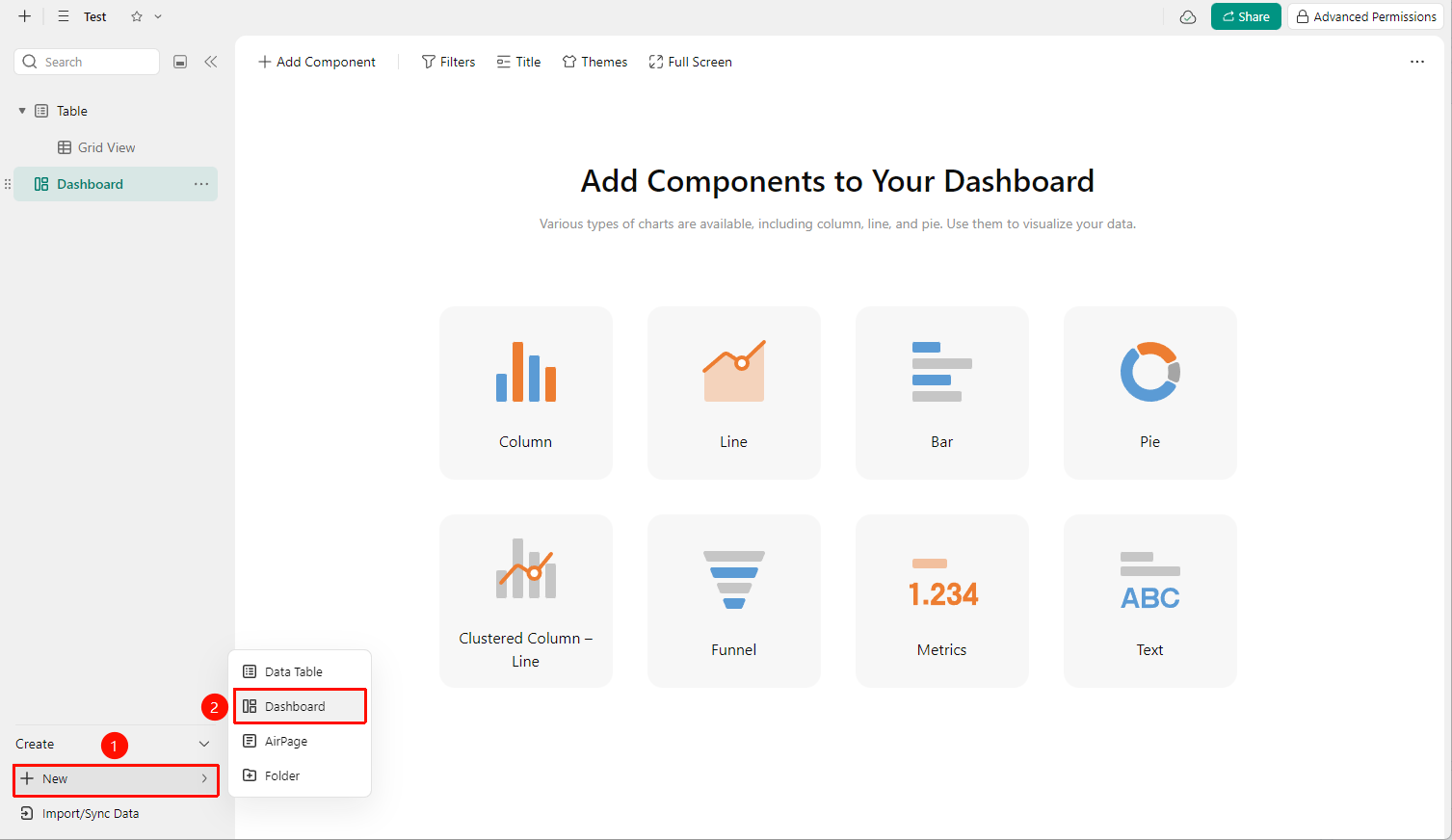
"New" button → "Dashboard" option
- Open the target multidimensional table and click the New button at the bottom left
- Select Dashboard from the pop-up menu
Add Chart Component
Feature Entry
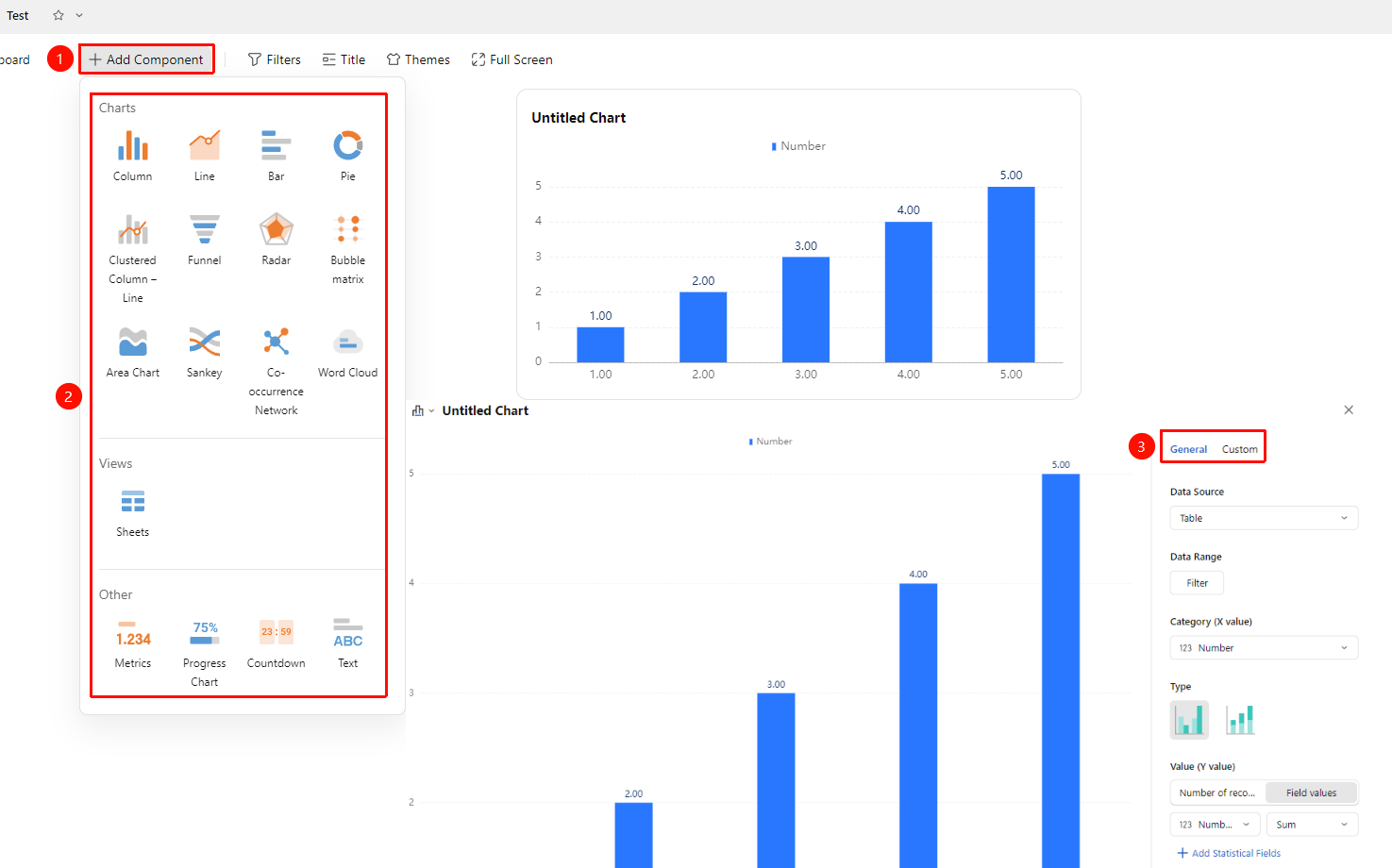
Dashboard → "Add Component" → Select chart type and data source
- On the dashboard editing page, click the Add Component button
- Select a chart type (bar chart, pie chart, line chart, radar chart, etc.)
- Configure the chart data source fields and statistical method (sum, count, average, etc.)
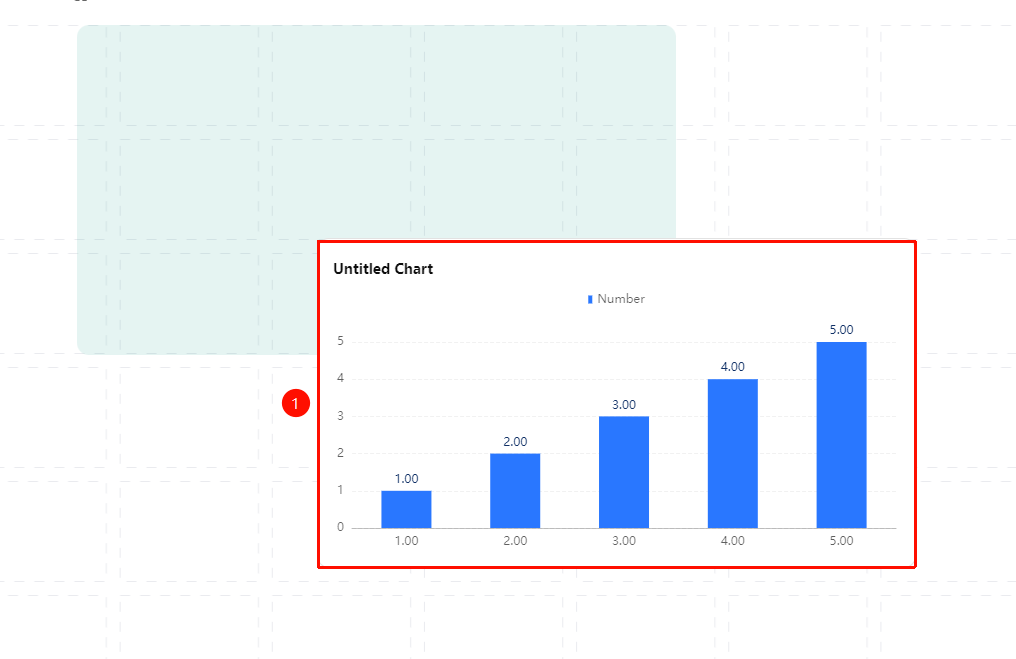
- Adjust the chart size and position
FAQ
Q1: The dashboard data is not updating?
- Solution: Dashboard data usually refreshes automatically in real time. If it does not update, please check your network connection.
Q2: How to delete a chart from the dashboard?
- Solution: Click the target chart component, click the "…" icon at the top right of the chart, and select Delete from the pop-up menu.
Q3: Can the dashboard be shared with external personnel?
- Solution: Yes. Click the Share button at the top right of the dashboard to generate a sharing link, allowing others to view the current dashboard view.
Notes
- The data source for the dashboard is the data in the current multidimensional table. Charts will update automatically when data changes.
- Complex charts (such as bar charts with large data volumes) may take some time to load.
- It is recommended to keep the number of dashboard charts within a reasonable range. Too many charts may affect loading performance.