Feature Summary
Dashboard filters are interactive components within a dashboard that enable global filtering across all charts, helping users view statistical data under specific conditions. Core capabilities include:
- Adding global filter controls at the top of the dashboard
- Supporting simultaneous filtering across multiple charts
- Supporting various field types as filter criteria
- Saving filter states to the dashboard view configuration
Feature Details
| Feature Dimension | Description |
|---|---|
| Membership Restrictions | No membership restrictions |
| Version Restrictions | No version restrictions |
Operational Steps
Adding a Dashboard Filter
Feature Entry Point
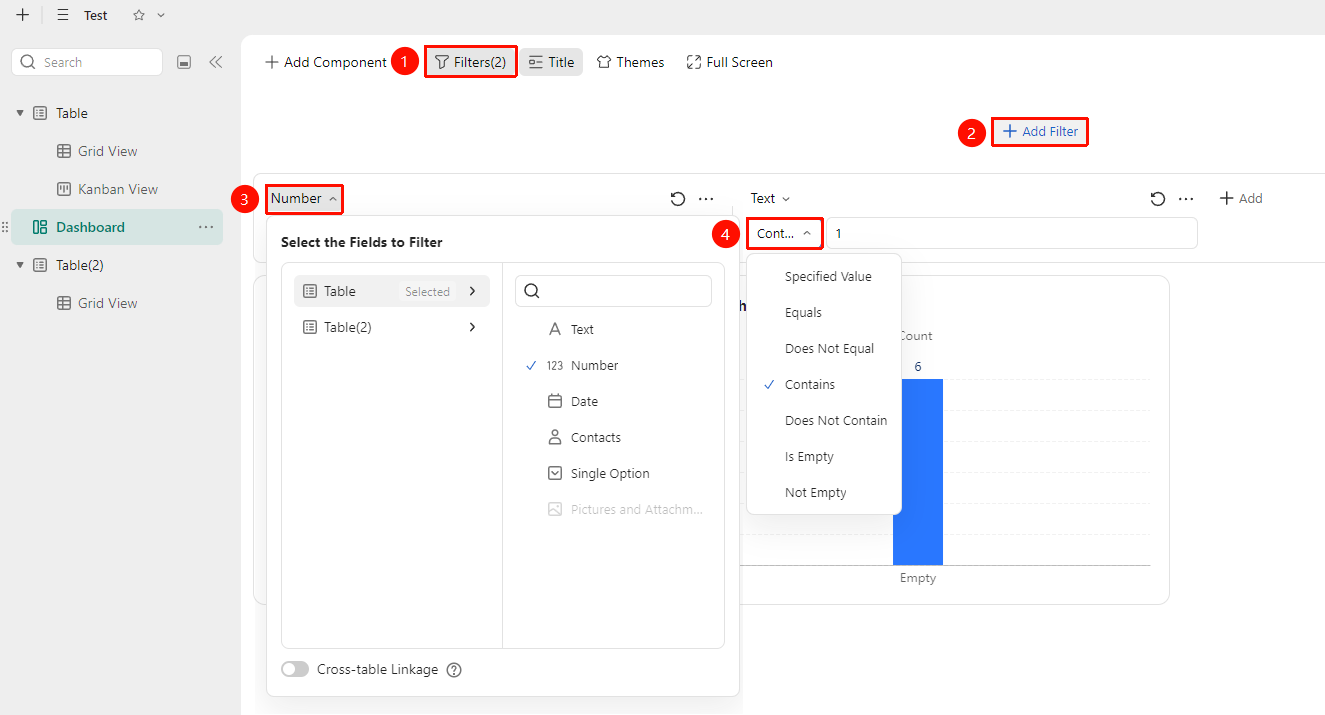
"Dashboard" → "Filter" button → Select filter field
- Click the Filter button within the dashboard
- Click the "Add Filter" button, select the field to use for filtering (e.g., date, text, etc.)
- Configure the filter logic options
- After saving, the filter will appear at the top of the dashboard
Multi-Table Linked Filtering
Feature Entry Point
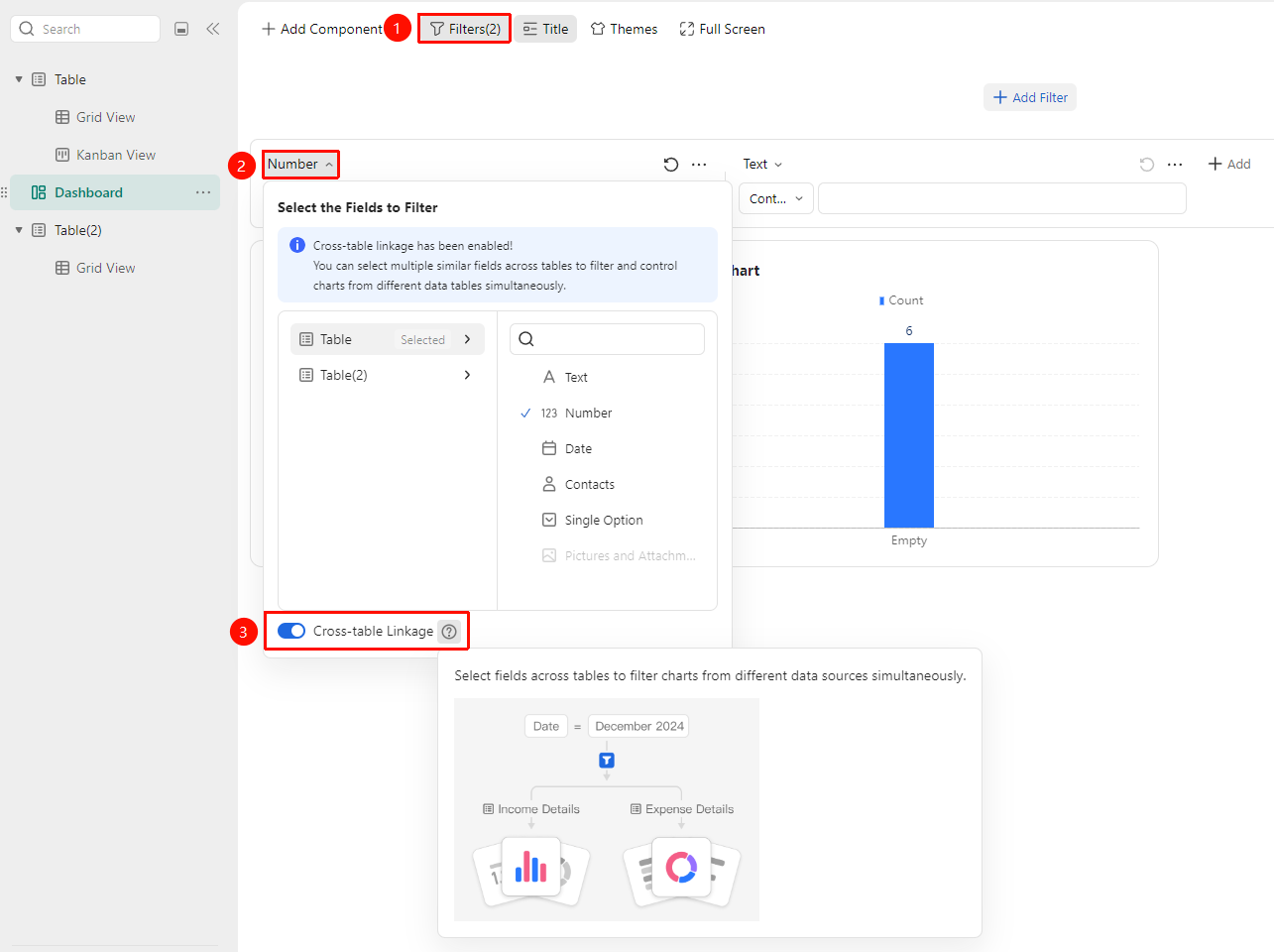
"Dashboard" → "Filter" button → "Multi-Table Linking" toggle
- Click the Filter button within the dashboard
- At the bottom of the filter logic configuration interface, click to enable the Multi-Table Linking toggle
- Once enabled, you can select fields from different data tables to simultaneously filter charts from various data sources
Frequently Asked Questions
Q1: Why isn't the filter affecting the charts?
- Solution: Please verify that the field associated with the filter uses the same field as the chart's data source. If the chart does not contain data for that field, the filter cannot affect it. Ensure the field in the chart's data source matches the field used in the filter.
Q2: Can I apply multiple filter conditions at once?
- Solution: Yes. You can add multiple filters to the dashboard, each selecting a different field, to achieve combined multi-condition filtering and precisely focus on the desired data range.
Important Notes
- Filter settings only affect the current dashboard view and do not alter the source data.
- Adding an excessive number of filters may impact loading performance.