Feature Summary
The dashboard theme feature allows you to quickly select different visual styles for your dashboard, including color schemes, fonts, and overall appearance, enhancing the dashboard's professional feel and recognizability. Core capabilities include:
- Built-in multiple preset theme styles
- Support for one-click dashboard theme switching
- Maintain consistent styling across all components
- Customizable theme colors and images
Feature Description
| Feature Dimension | Description |
|---|---|
| Membership Restriction | No membership restriction |
| Version Restriction | No version restriction |
Operation Steps
Switching Dashboard Themes
Feature Entry
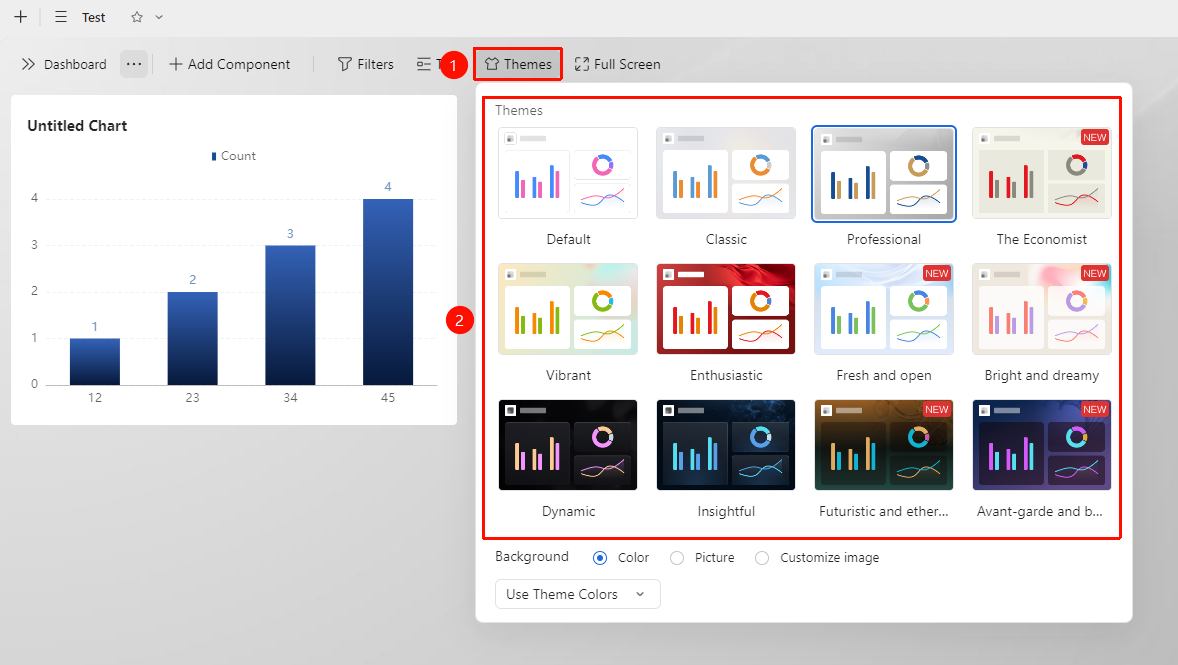
「Dashboard」→「Theme」button
- Open the dashboard view and click the Theme button in the upper left corner
- Browse the list of preset themes and select a preset theme style
- Click the style to apply it immediately
Switching Theme Colors
Feature Entry
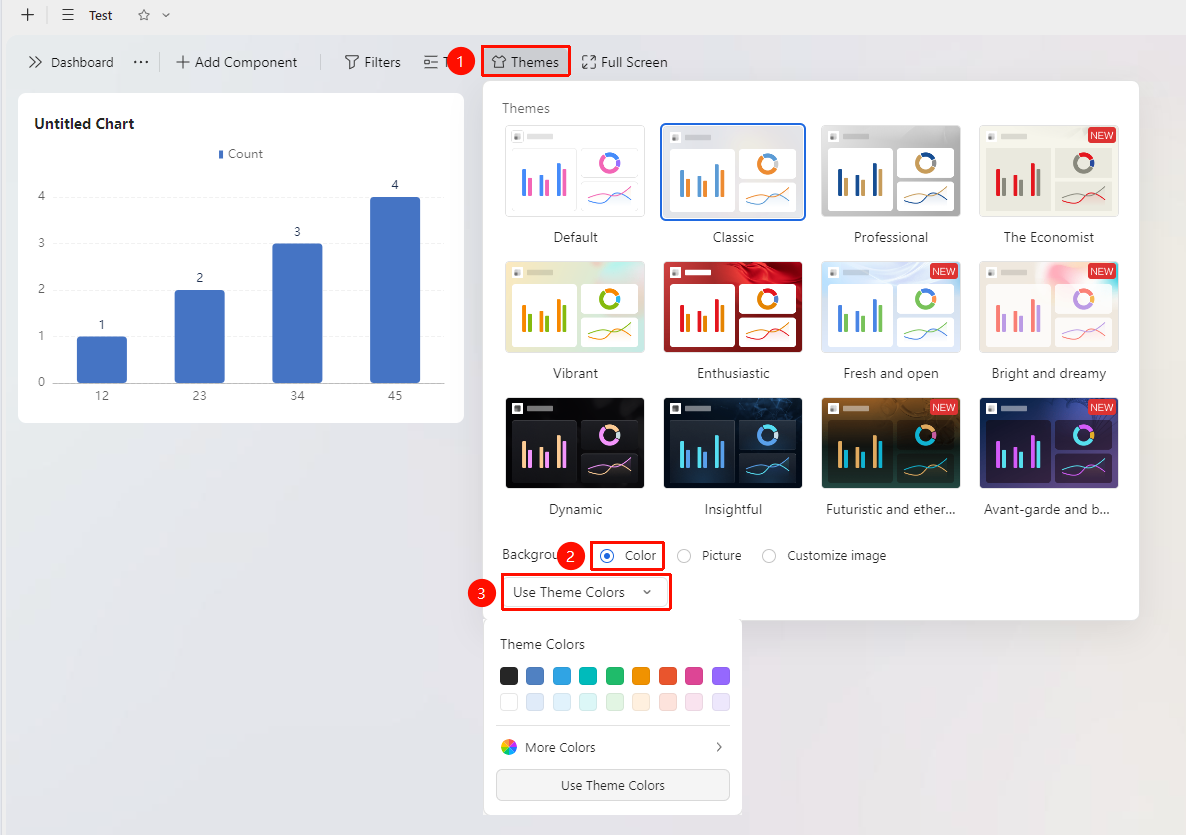
「Dashboard」→「Theme」button →「Color」option
- Open the dashboard view and click the Theme button in the upper left corner
- In the pop-up settings window, click the Color option
- Select a Color from the dropdown list, or choose Follow Theme Background
Switching Theme Images
Feature Entry
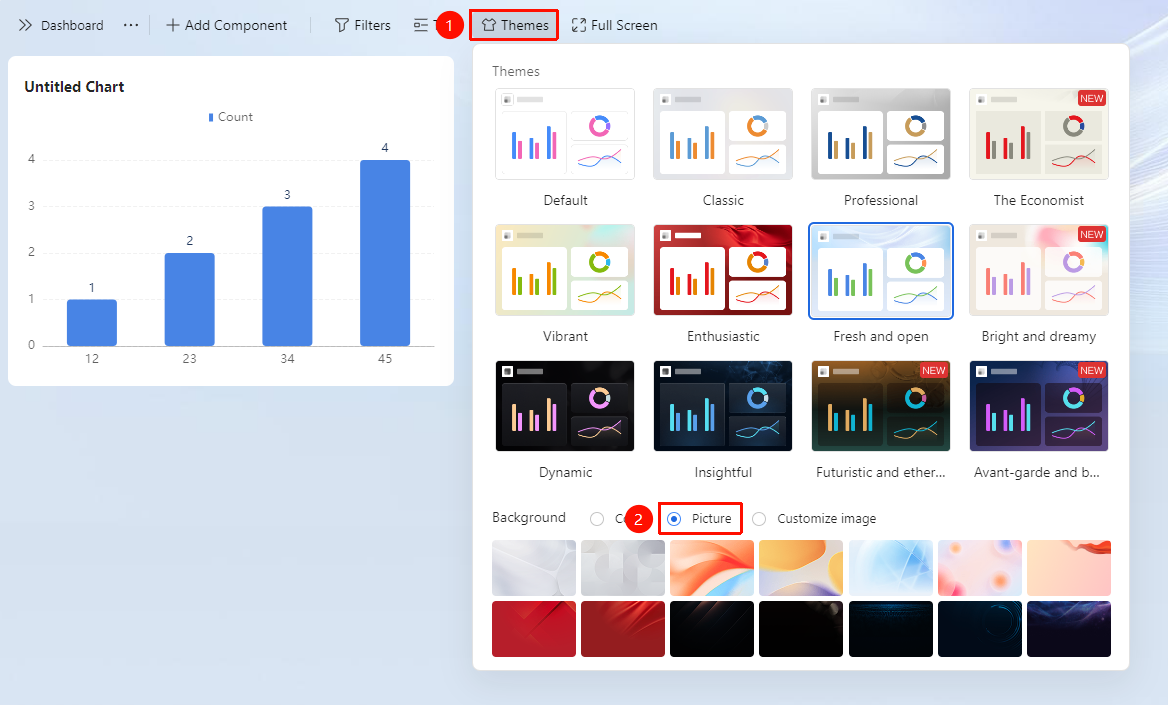
「Dashboard」→「Theme」button →「Image」option
- Open the dashboard view and click the Theme button in the upper left corner
- In the pop-up settings window, click the Image option
- Select a preset image from the list
Customizing Theme Images
Feature Entry
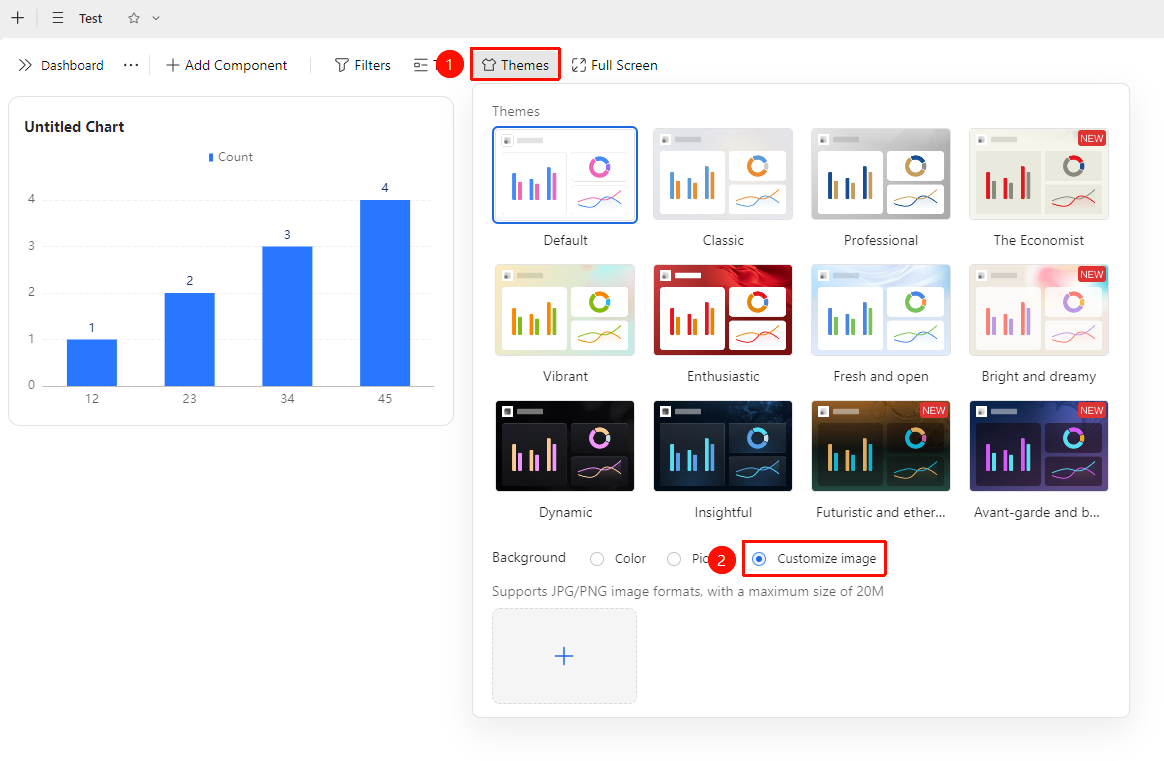
「Dashboard」→「Theme」button →「Custom Image」option
- Open the dashboard view and click the Theme button in the upper left corner
- In the pop-up settings window, click the Custom Image option
- Click the 「+」icon to upload an image. The image file size must not exceed 20m, and JPG and PNG formats are supported
FAQ
Q1: Will switching themes affect my data?
- Solution: No. Theme switching only changes the visual style of the dashboard (colors, fonts, etc.) and will not modify any data content or chart configurations.
Q2: Can I use different themes for different dashboards?
- Solution: Yes. Each dashboard view can have its theme set independently, allowing different dashboards to use different themes, making it easy to distinguish dashboards for different business scenarios.
Notes
- Theme settings only affect the current dashboard view and do not affect data sheets or other views
- It is recommended to use a unified theme for the same set of dashboards (within the same multi-dimensional table) to maintain visual consistency
- When exporting a dashboard screenshot, the visual style of the applied theme will be preserved