Feature Summary
The Two-Way Link field establishes a bidirectional association relationship between the current table and the target table, generating association fields in both data tables simultaneously. It is suitable for scenarios requiring bidirectional synchronous referencing and mutual viewing.
Feature Description
| Feature Dimension | Description |
|---|---|
| Membership Restriction | No membership restriction |
| Version Restriction | No version restriction |
Operation Steps
Create a New Field
Feature Entry
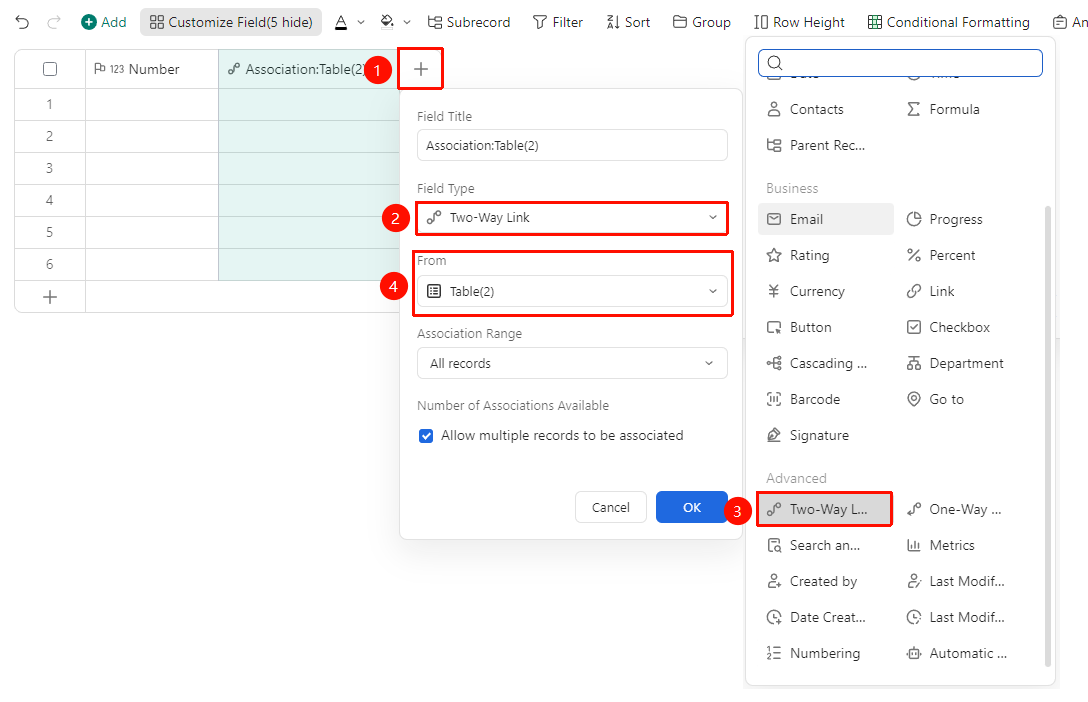
「Right side of table header」→「+」button →「Two-Way Link」option
- Click the 「+」 button on the right side of the table header
- In the field type list, select the corresponding field type
- Select the sheet to be associated
- Enter the field name and click 「OK」 to complete creation
Associate All Records
Feature Entry
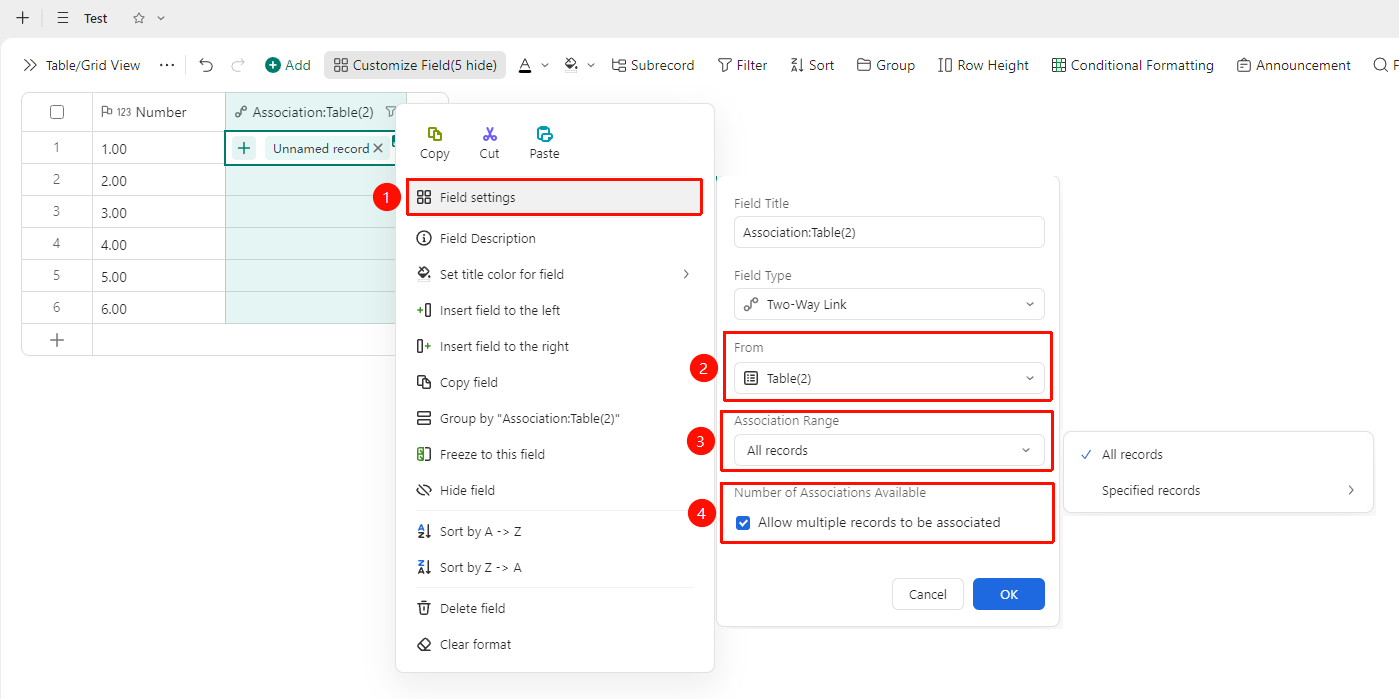
Right-click 「Field Title」→「Field Settings」→ Associable record range →「All Records」option
- Right-click the field title of this field and select 「Field Settings」
- Select the sheet to be associated
- Find Associable record range in the settings panel
- Select the 「All Records」 option
- Check the 「Allow associating multiple records」 option
- After completing the settings, click OK to save the configuration
Associate Specified Records
Feature Entry
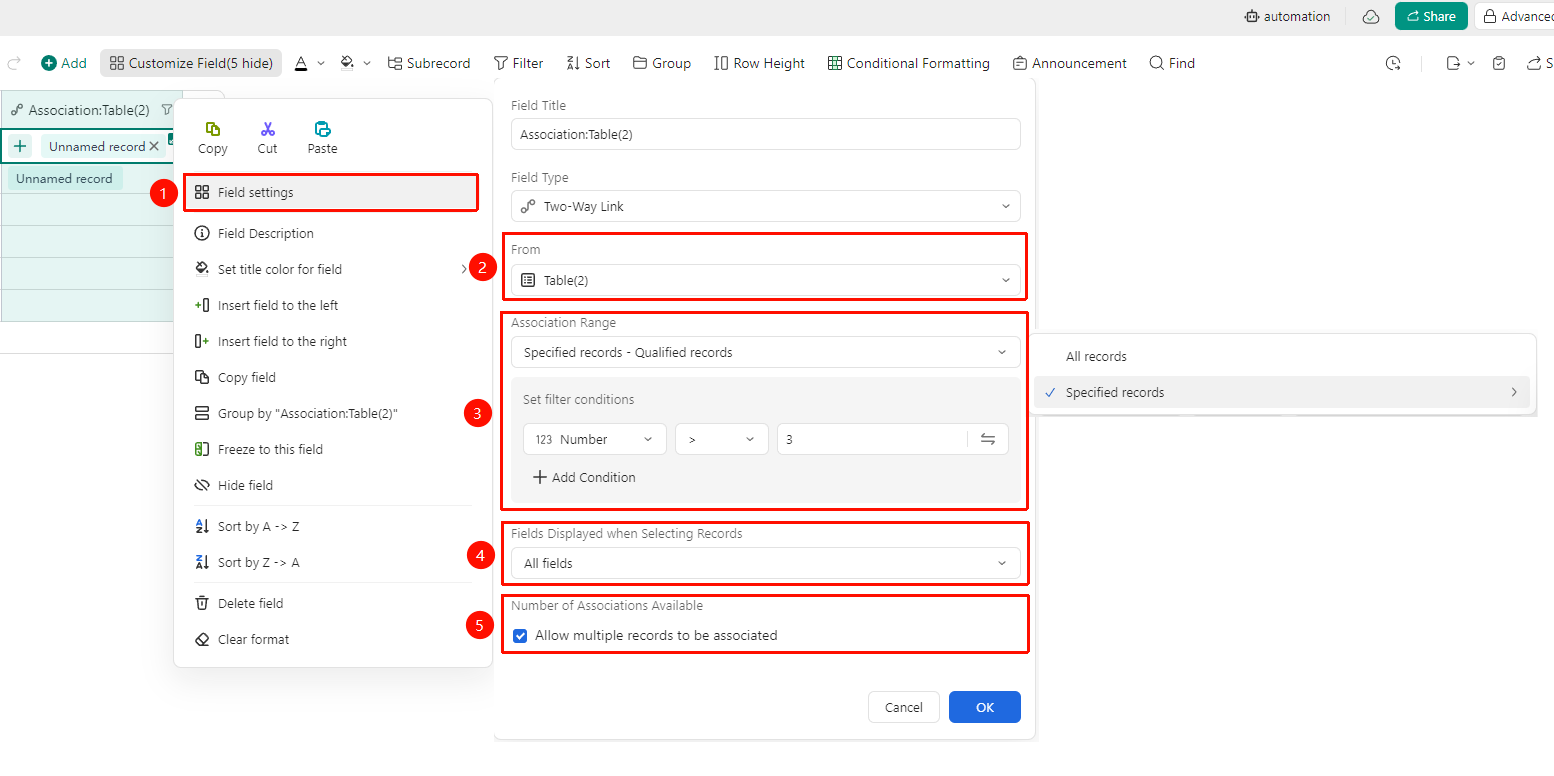
Right-click 「Field Title」→「Field Settings」→ Associable record range →「Specified Records」option
- Right-click the field title of this field and select 「Field Settings」
- Select the sheet to be associated
- Find Associable record range in the settings panel
- Select the 「Specified Records」 option
- Records meeting conditions: You can set association conditions to associate only records that meet the conditions
- Specified view: Associate data from a specific view in the data table
5.Set the fields displayed when selecting records
6.Check the 「Allow associating multiple records」 option
7.After completing the settings, click OK to save the configuration
FAQ
Q1: Does Two-Way Link occupy two field columns?
- Solution: Yes, Two-Way Link generates one association field in both the current table and the target table. If you only need one-way referencing, it is recommended to use one-way association to save field space.
Notes
- After a Two-Way Link field is created, related parameters can be modified in the field settings
- Please note that changing the field type may affect the display format of existing data
- This field supports use in conjunction with lookup reference and statistics fields