Feature Summary
The one-way Link field is used to establish relationships between the current data table and other data tables, enabling cross-table data referencing. It is suitable for cross-table collaboration scenarios such as referencing product information in an order table or referencing project information in a task table.
Feature Description
| Feature Dimension | Description |
|---|---|
| Membership Restriction | No membership restriction |
| Version Restriction | No version restriction |
Operation Steps
Create a Field
Feature Entry
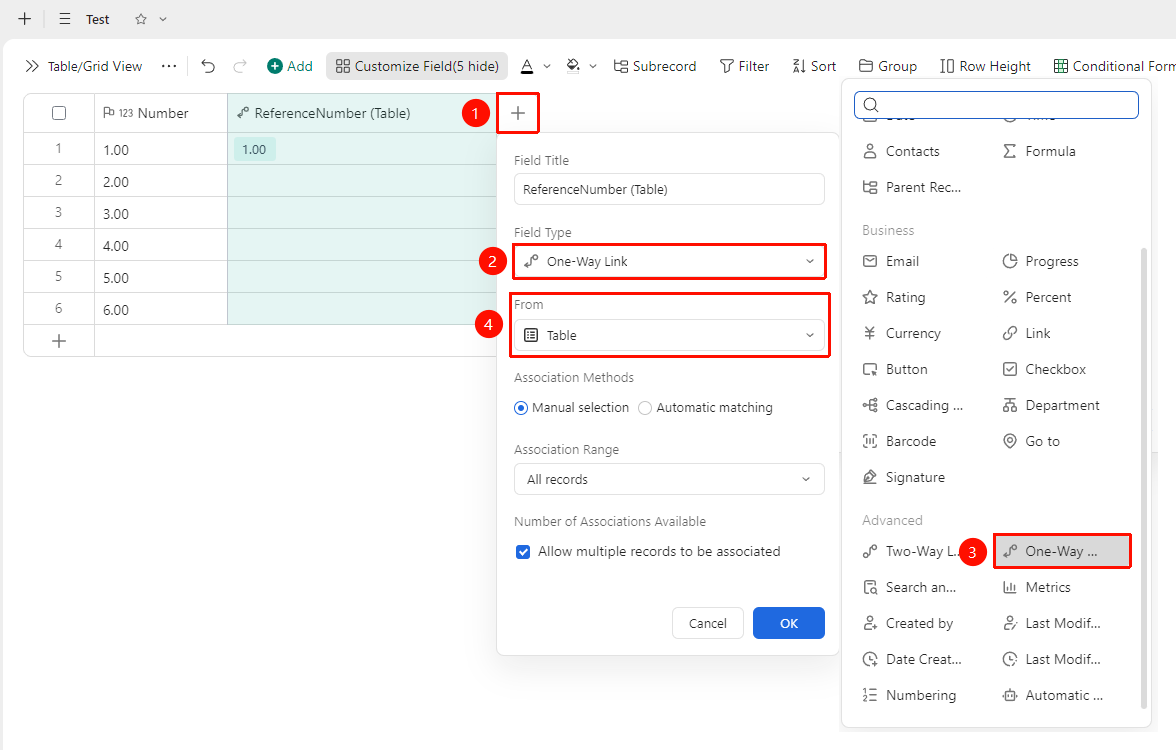
「+」 button on the right side of the header → 「One-Way Link」option
- Click the 「+」 button on the right side of the header
- Select the corresponding field type from the field type list
- Select the data table to link
- Enter the field name and click 「OK」 to complete creation
Manually Link Data One-Way
Feature Entry
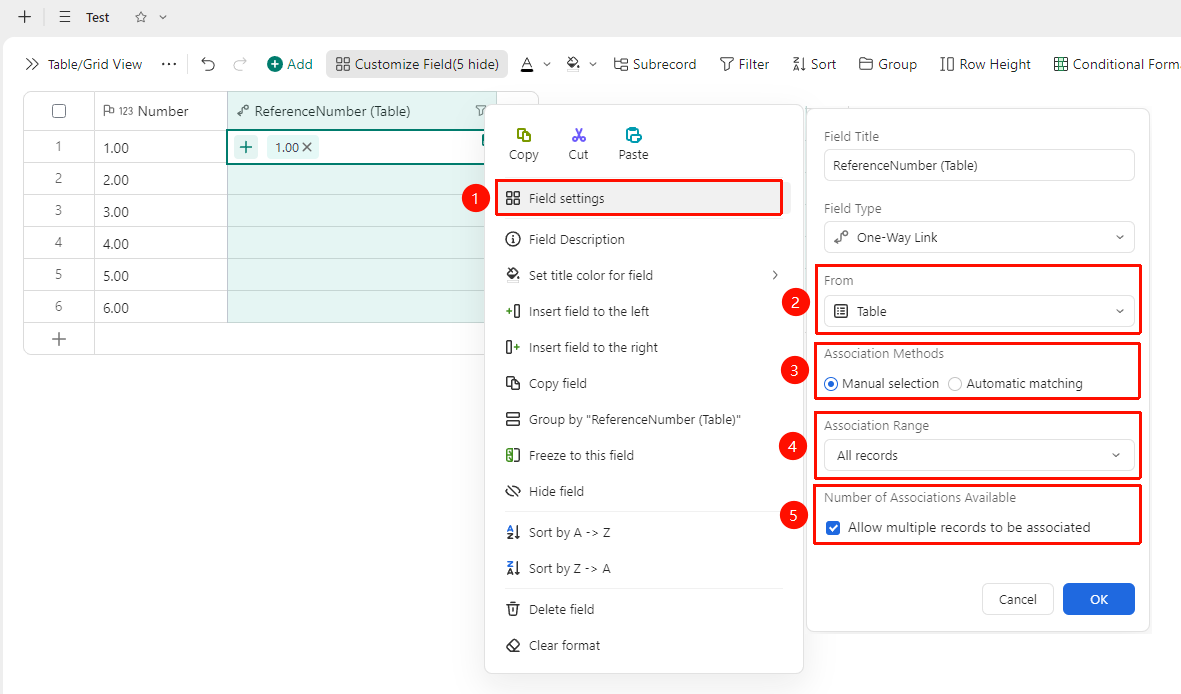
Right-click 「Field Title」 → 「Field Settings」 → Select the target sheet to link → 「Manual Link」 option
- Right-click the field title of this field and select 「Field Settings」
- Select the sheet to link, and choose 「Manual Link」 as the link method
- Adjust the scope of linked Records and whether to allow linking multiple Records
- After completing the settings, click OK to save the configuration
- Click in the cell to select the linked data
Set Up Automatic Matching for One-Way Linked Data
Feature Entry
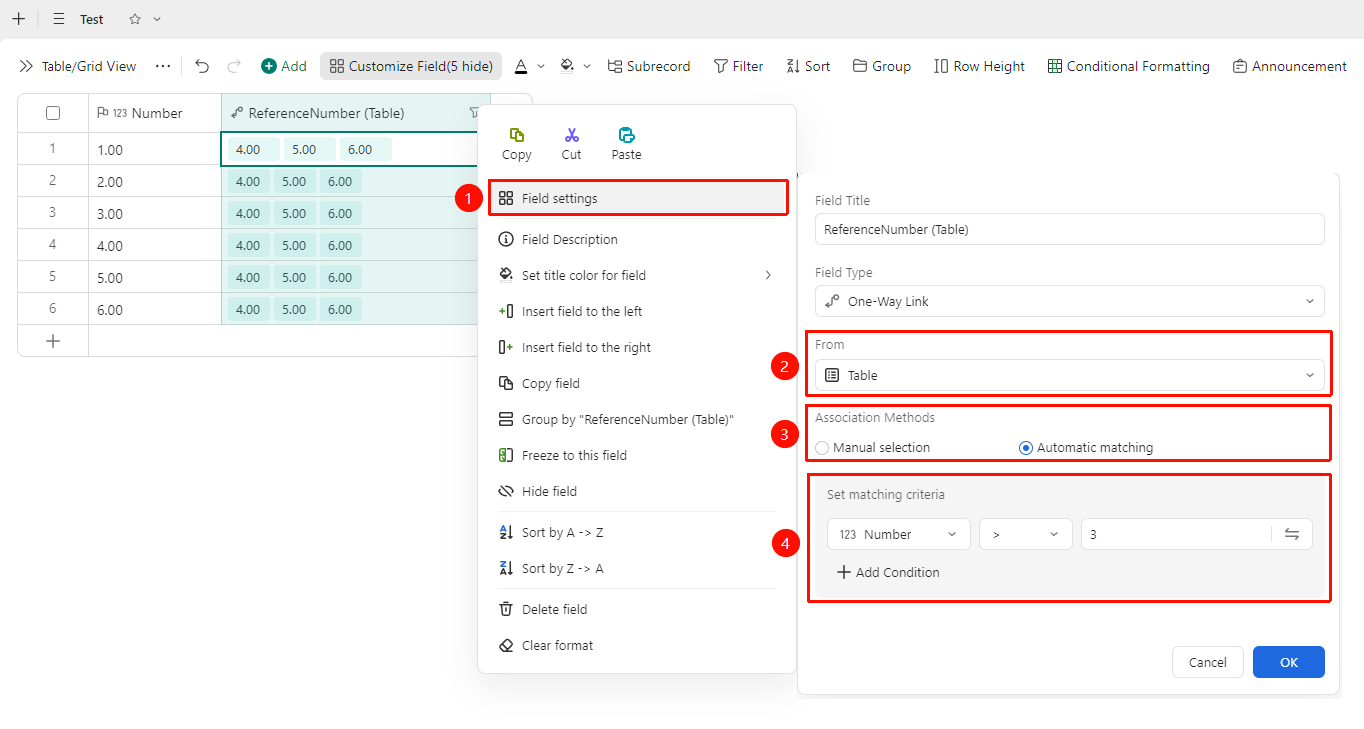
Right-click 「Field Title」 → 「Field Settings」 → Select the target sheet to link → 「Automatic Matching」 option
- Right-click the field title of this field and select 「Field Settings」
- Select the sheet to link, and choose 「Automatic Matching」 as the link method
- Set the matching conditions
- After completing the settings, click OK to save the configuration
- Records that meet the conditions will be automatically linked
FAQ
Q1: What is the difference between one-way link and two-way link?
- Solution: One-way link only displays the linked field in the current sheet; two-way link generates linked fields in both the current sheet and the target sheet simultaneously, enabling two-way synchronized referencing.
Notes
- After a one-way linked field is created, related parameters can be modified in Field Settings
- Please note that changing the field type may affect the display format of existing data