Feature Summary
The Lookup & Reference field automatically references the values of corresponding fields from a linked data table via an association field, enabling automatic cross-table data synchronization and display. It is suitable for scenarios such as summarizing order product information and synchronizing linked record content.
Feature Description
| Feature Dimension | Description |
|---|---|
| Membership Restriction | No membership restriction |
| Version Restriction | No version restriction |
Operation Steps
Create a Field
Feature Entry
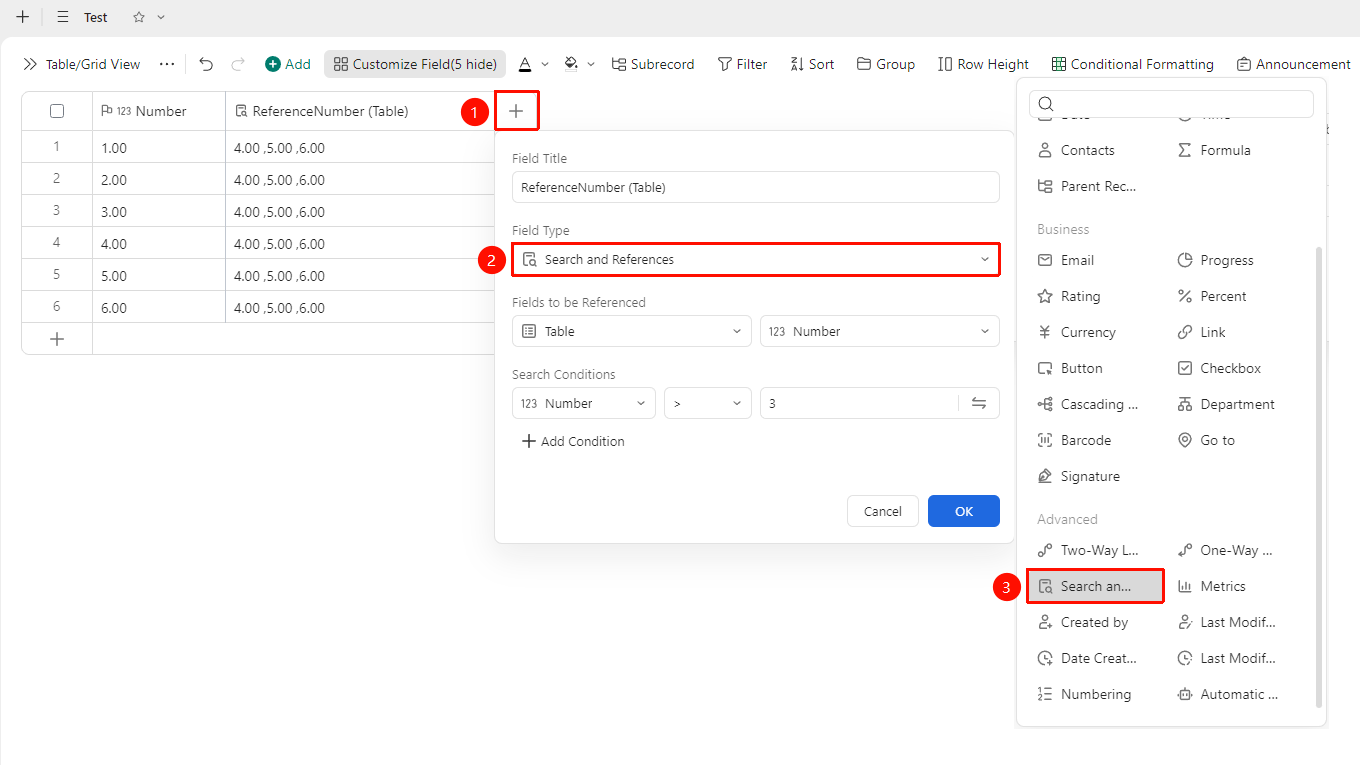
「Right side of header」→「+」button →「Lookup & Reference」field
- Click the 「+」 button on the right side of the header
- In the field type list, select the 「Lookup & Reference」 field
- Set the fields to be referenced and the search criteria
- Enter the field name and click 「OK」 to complete creation
Configure Field Properties
Feature Entry
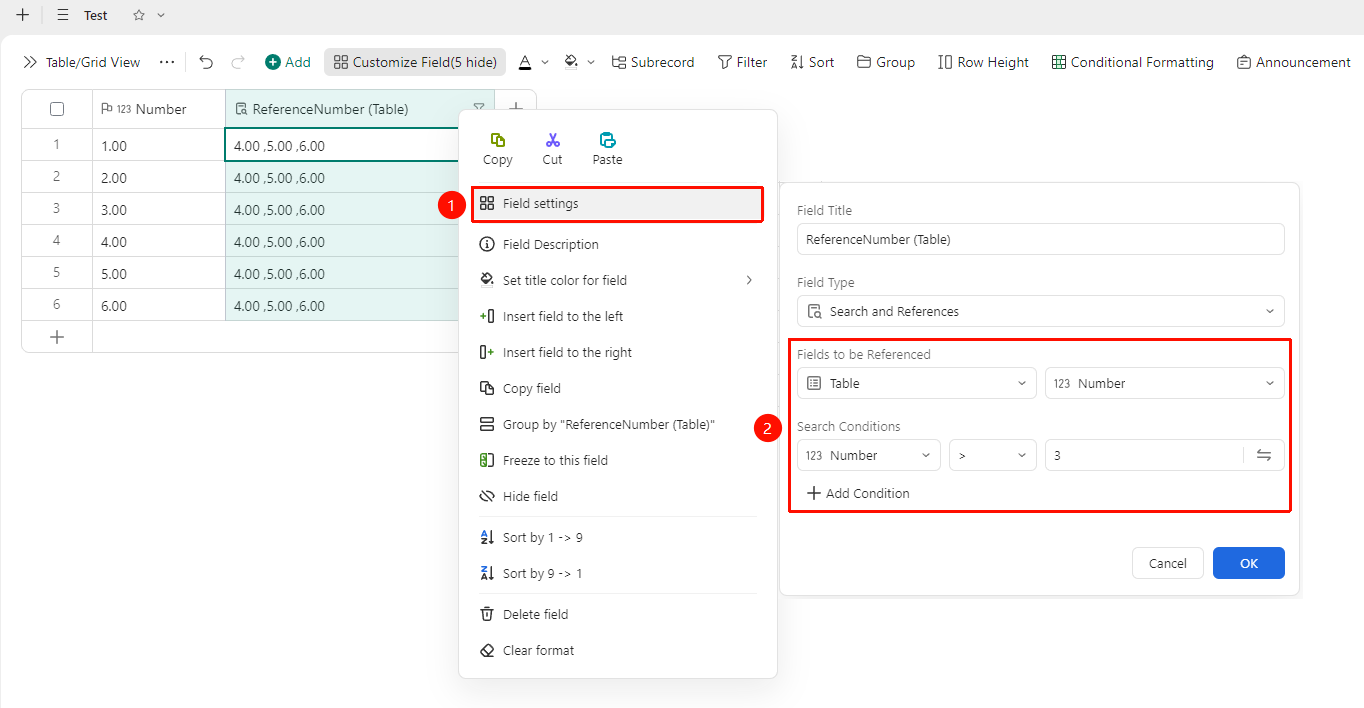
Select the association field and the target field to reference
- Right-click the field title of this field and select 「Field Settings」
- In the settings panel, configure the field to be referenced and the lookup conditions
- Click OK to complete configuration
FAQ
Q1: Will the data in the Lookup & Reference field update automatically?
- Solution: The Lookup & Reference field automatically references values from the linked sheet via an association field. You can adjust the relevant configuration in Field Settings.
Notes
- After creation, you can modify the relevant parameters of the Lookup & Reference field in Field Settings
- Please note that changing the field type may affect the display format of existing data
- This field supports use in conjunction with Lookup & Reference and Statistics fields