Feature Summary
Metrics fields automatically aggregate statistical data from linked records through associated fields, supporting statistical methods such as count, sum, and average. They are suitable for aggregate calculation scenarios like task progress summaries, working hour statistics, and expense totals.
Feature Description
| Feature Dimension | Description |
|---|---|
| Membership Restriction | No membership restriction |
| Version Restriction | No version restriction |
Operation Steps
Create a New Metrics Field
Feature Entry
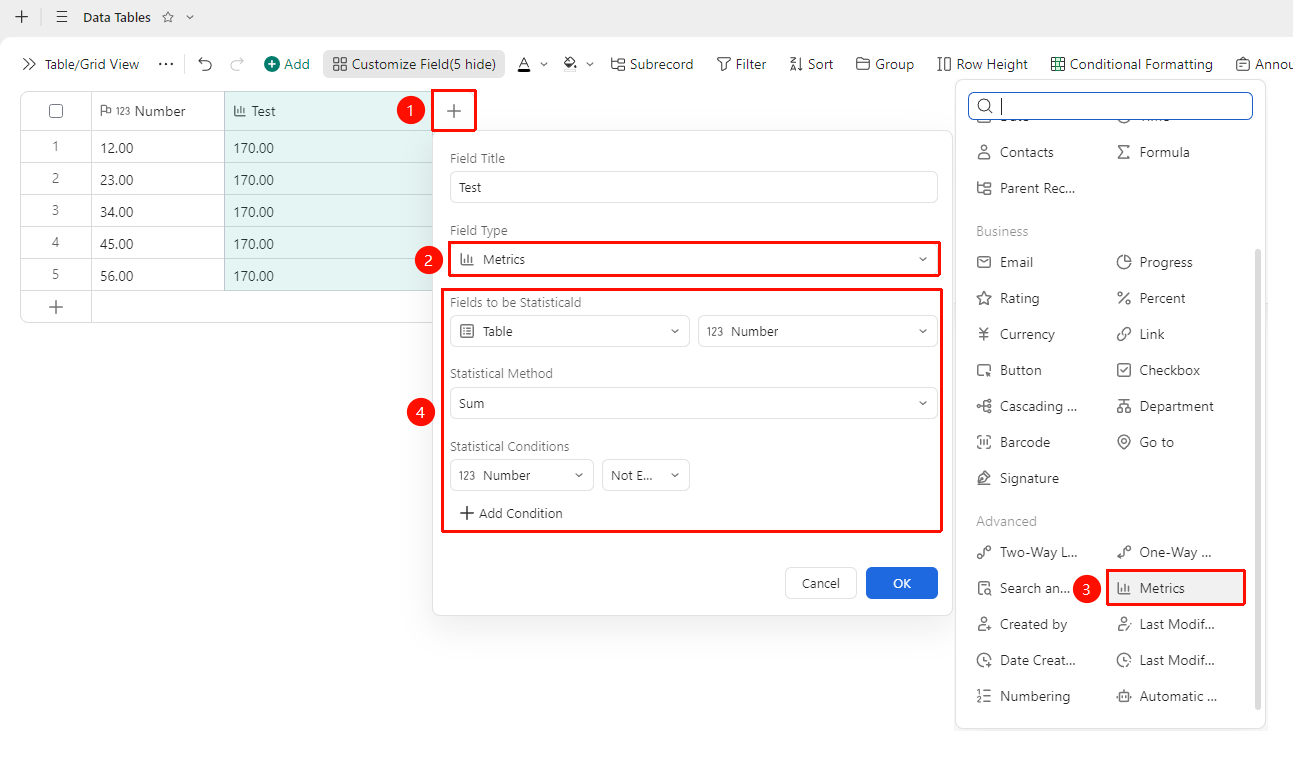
Click the "+" button on the right side of the header → "Metrics" option
- Click the "+" button on the right side of the header
- In the field type list, select the corresponding field type
- Select the fields to be analyzed, the analysis method, and the analysis conditions
- Enter the field name and click "OK" to complete the creation
Configure Statistical Field Properties
Feature Entry
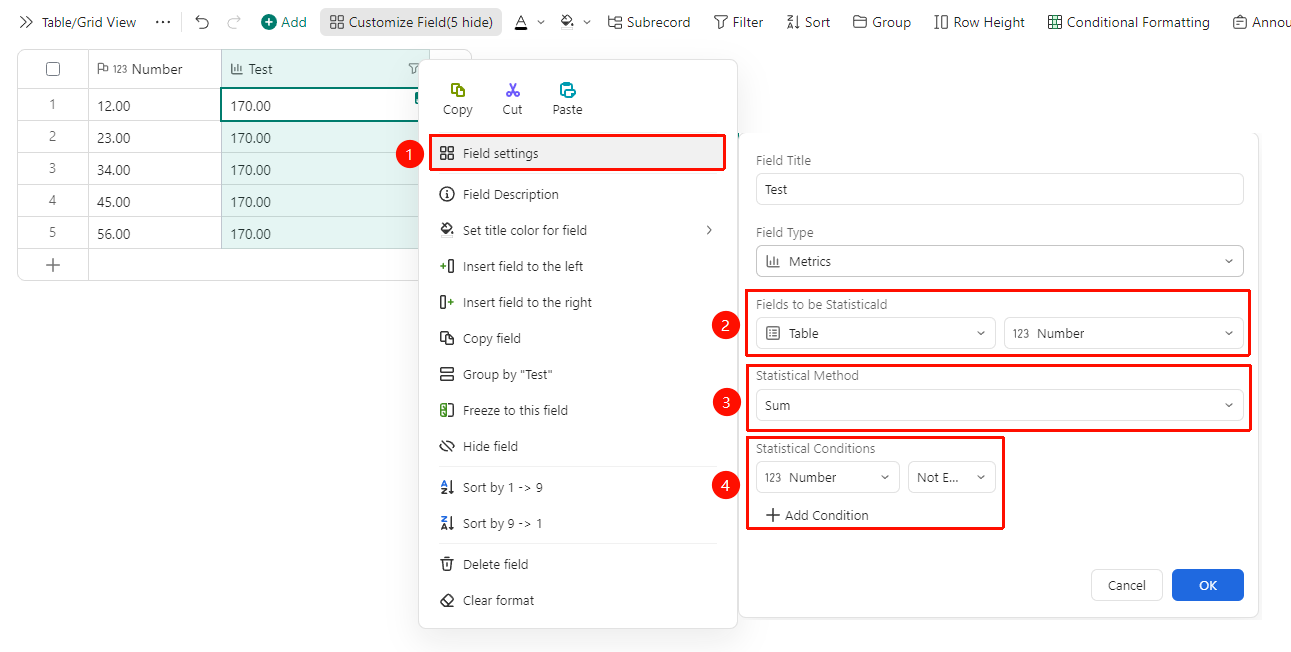
Right-click the "Field Title" → "Field Settings" option
- Right-click the Field Title of the field and select "Field Settings"
- Configure statistical parameters in the settings panel:
- Field to be counted: Select the data Sheets and the field within that Sheets
- Statistical Method: You can choose Sum, Count, Average, Maximum, Minimum, Deduplication, Deduplicated Count, and Concatenate Strings
- Statistical Condition: Set statistical conditions to count only data that meets the criteria. Click "+ Add Condition" to add a new condition
FAQ
Q1: What statistical methods are supported by the Metrics Field?
- Solution: The Metrics Field automatically aggregates statistical data from linked Records through associated fields. You can adjust the relevant configuration in the field settings.
Q2: It supports statistical methods such as Count, Sum, Average, Maximum, and Minimum. You can choose the appropriate statistical function based on business needs.
- Solution: Right-click the field title and select "Field Settings" to view the available configuration options.
Notes
- After the Metrics Field is created, you can modify the relevant parameters in the field settings
- Please note that changing the field type may affect the display format of existing data
- This field supports use in conjunction with Lookup & Reference and Statistical Fields