Feature Summary
The Last Modified Date field is used to automatically display the last modification time of each row record. It supports selecting "All Fields" or "Specified Fields" as the update trigger condition, making it suitable for scenarios such as change auditing and time tracking.
Feature Description
| Feature Dimension | Description |
|---|---|
| Membership Restriction | No membership restriction |
| Version Restriction | No version restriction |
| Trigger Condition | All fields / Specified fields |
Operation Steps
Create a New Last Modified Date Field
Feature Entry
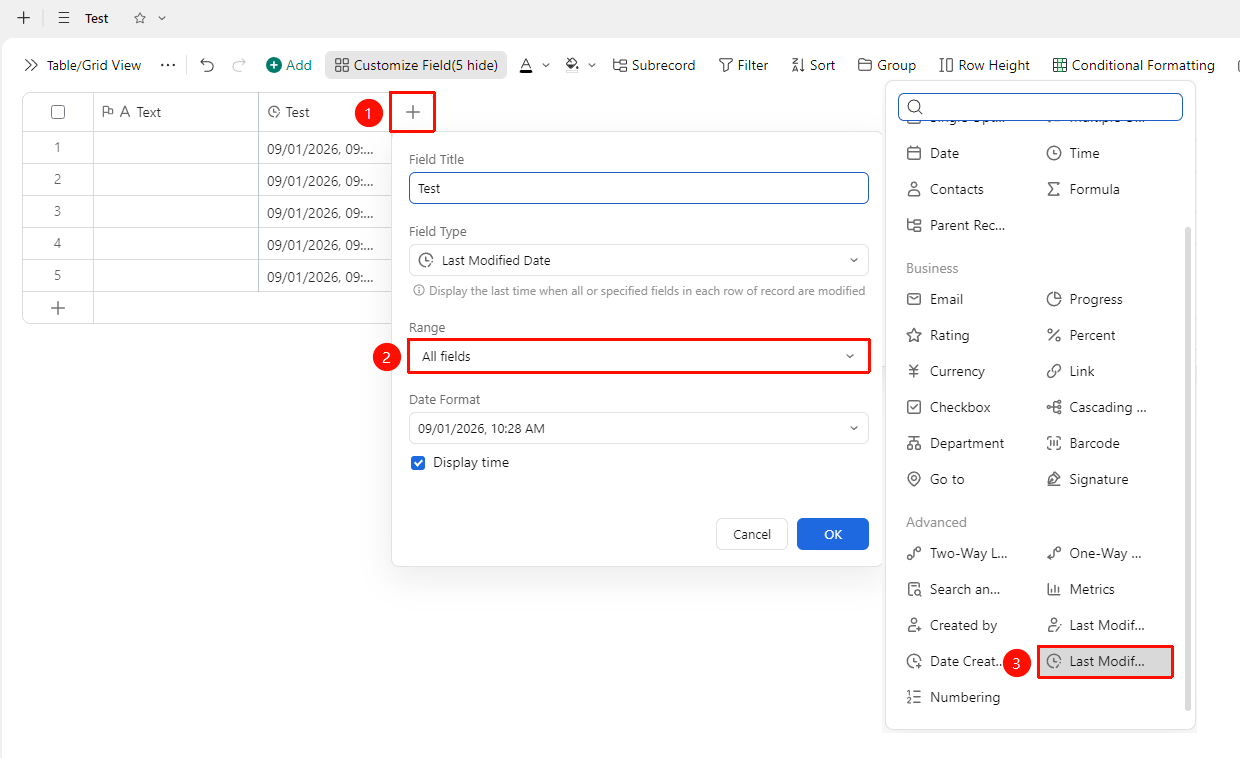
"+" button on the right side of the table header → "Field Type" dropdown list → "Last Modified Date" option
- Click the "+" button on the right side of the table header
- Select the "Last Modified Date" field from the pop-up field type list
- Enter the field name and click "OK" to complete creation
Set Update Scope
Feature Entry
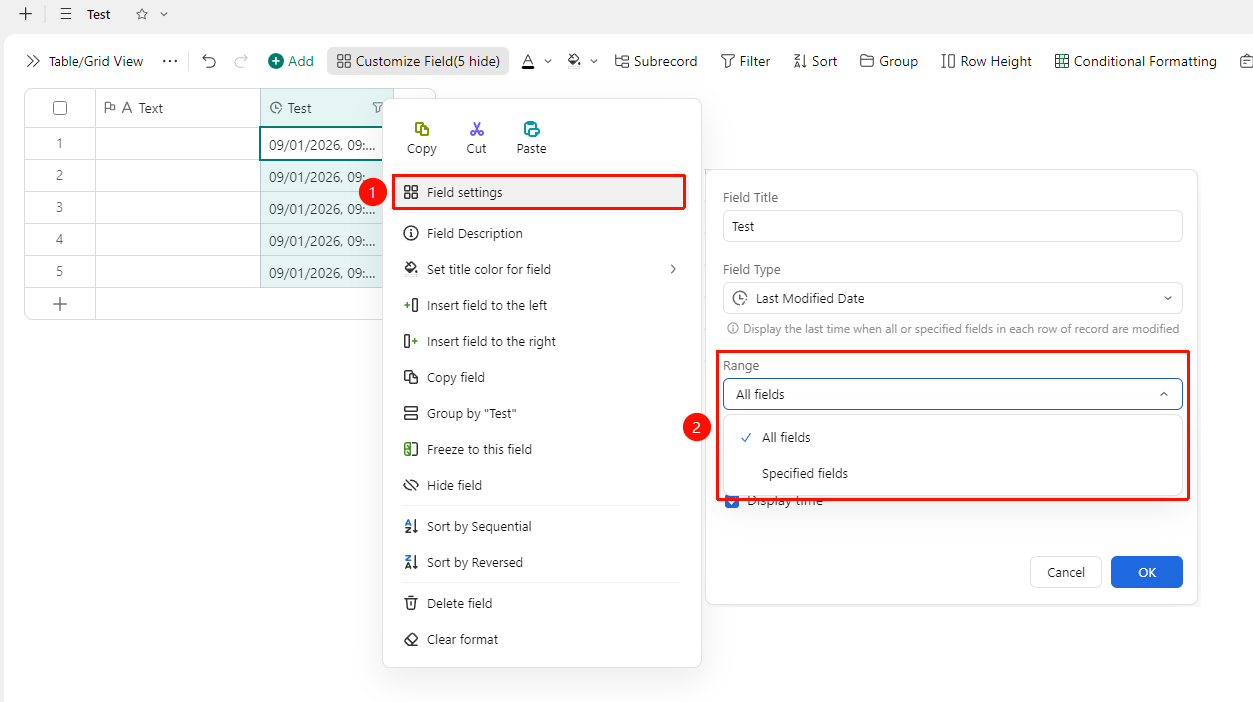
Right-click "Field Title" → "Field Settings" → "Update Scope" option
- Right-click the Last Modified Time field title and select "Field Settings"
- Select the field scope that triggers the update:
- · "All Fields" : Modifying any field will update the time
- · "Select Fields" : The time is updated only when specified fields are modified
Set Date Format
Feature Entry
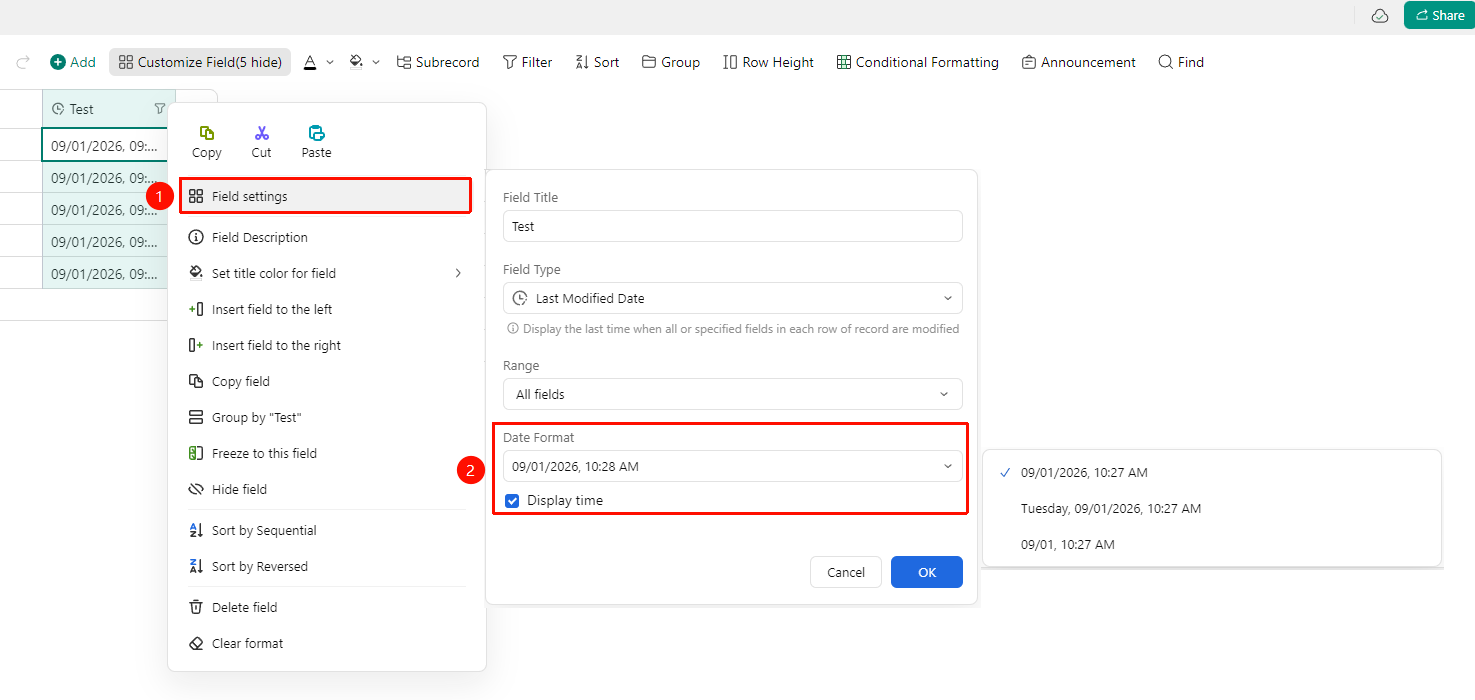
Right-click "Field Title" → "Field Settings" → "Date Format" option
- Right-click the Last Modified Time field title and select "Field Settings"
- Select the time display format in the Date Format settings panel:
- Supports multiple formats such as
yyyy/mm/dd HH:mm,yyyy-mm-dd HH
3.After selection, the time for all records will automatically update to the new format
FAQ
Q1: Can Last Modified Date and Date Created be used simultaneously?
- Solution: Yes. Using both together can completely record the entire lifecycle of a record, with Created Time corresponding to the initial creation and Last Modified Time corresponding to the most recent change.
Q2: After triggering with specified fields, will the time update if the specified fields are deselected?
- Solution: Modifying content other than the specified fields will not update the Last Modified Time. It is only recorded when the fields you specified are modified.
Notes
- The Last Modified Date is automatically recorded by the system and cannot be manually modified
- Supports multiple time display formats, consistent with the Created Time format