Feature Summary
Exam closing remarks are used to display closing information at the end of an exam form, such as thank-you messages, result announcement times, and notes, to provide candidates with a complete exam experience.
Feature Description
| Feature Dimension | Description |
|---|---|
| Member Restrictions | No member restrictions |
| Version Restrictions | No version restrictions |
Steps
Adding Exam Closing Remarks
Feature Entry
Exam Closing Remarks -> Go to Edit button -> Exam Closing Remarks panel
- Click the Edit tab at the top.
- Click the Go to Edit button.
- In the After Submission panel, select the Submission Success Page tab.
- Enter the closing remarks in the Enter custom closing remarks input box.
- Click the OK button to save the settings.
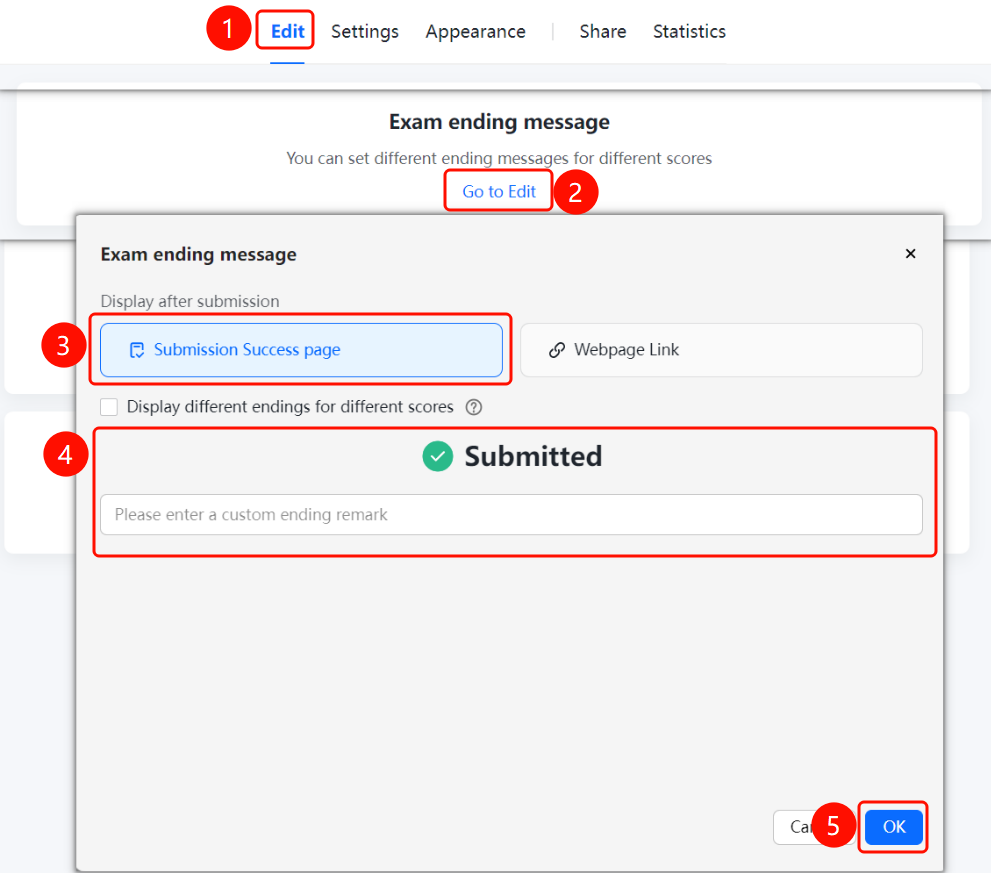
Setting Closing Remarks Style
Feature Entry
Exam Closing Remarks -> Go to Edit button -> Exam Closing Remarks panel
- Click the Edit tab at the top.
- Click the Go to Edit button.
- Switch to the Web Link tab.
- Enter the redirect URL in the Link input box.
- Click the OK button to save the settings.
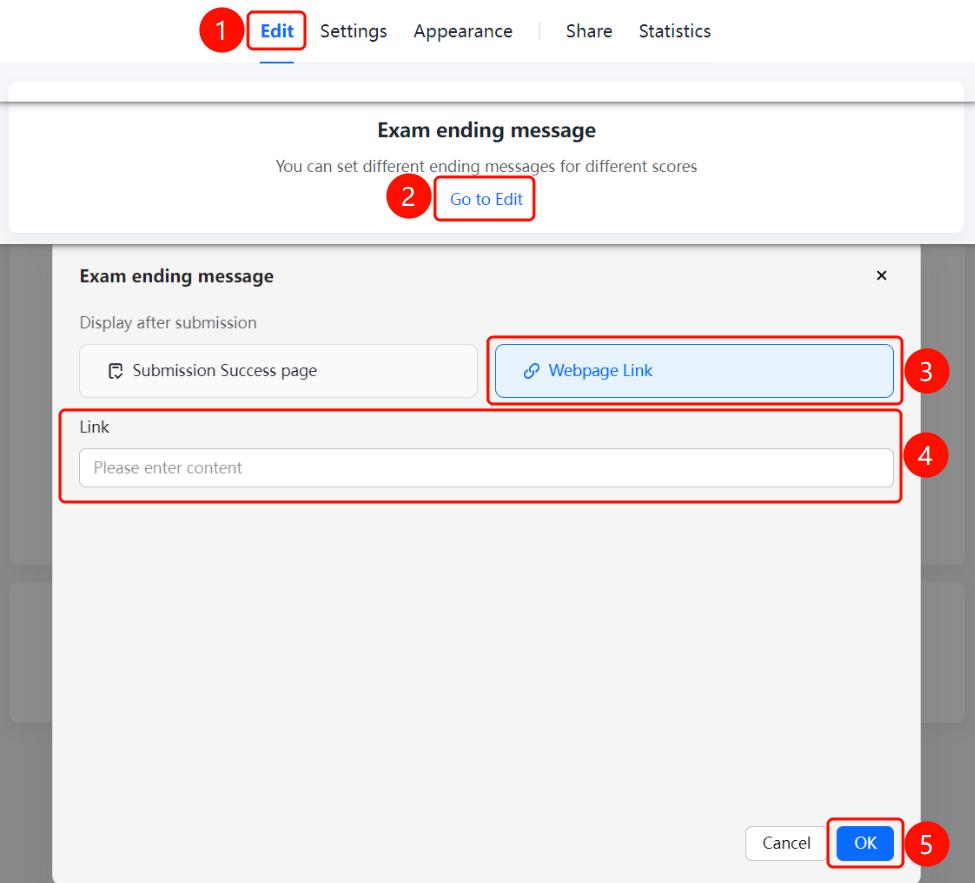
FAQ
Question 1: What is the purpose of exam closing remarks?
- Solution: Exam closing remarks are used to display closing information at the end of an exam, such as thank-you messages, result announcement times, and notes, to provide candidates with a complete exam experience.
Question 2: Can hyperlinks be added to closing remarks?
- Solution: Yes. Exam closing remarks support rich text editing, allowing you to add text, images, and hyperlinks.
Question 3: Is it mandatory to add exam closing remarks?
- Solution: No. Exam closing remarks are optional and do not need to be added if they are not required.
Notes
- Exam closing remarks are usually placed at the end of the exam form.
- We recommend explaining important information, such as the result announcement time, in the closing remarks.