Feature Summary
Rating scale questions are commonly used for evaluating user satisfaction, NPS, scoring, and other scenarios. You can set the starting value and maximum value, and respondents evaluate by selecting a scale level.
Feature Description
| Feature Dimension | Description |
|---|---|
| Membership Restriction | No membership restriction |
| Version Restriction | No version restriction |
Steps
Adding a Rating Scale Question
Feature Entry
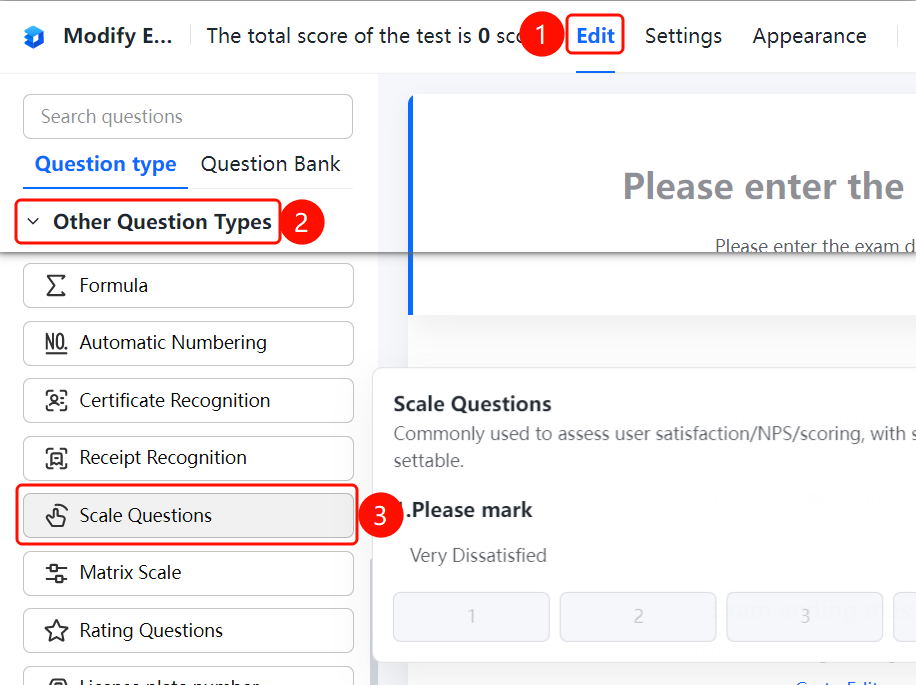
「Edit」 tab → 「Other types of questions」 → 「Rating Scale」 button
- Click the top 「Edit」 tab
- Expand the 「Other types of questions」 area in the left panel
- Click the 「Rating Scale」 button to add it to the form
Setting the Scale Type
Feature Entry
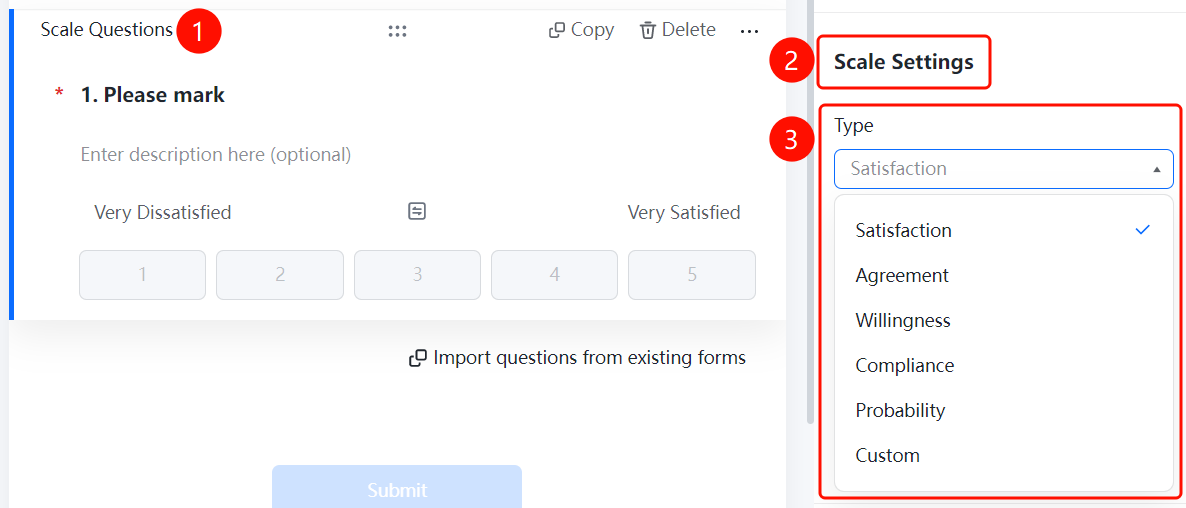
Rating Scale question → 「Scale Settings」 → 「Scale Type」 option
- Click the added rating scale question
- Click the 「Scale Type」 option in the 「Scale Settings」 panel on the right
- Select: Satisfaction / Agreement / Willingness / Conformity / Likelihood / Custom
Setting the Scale Level
Feature Entry
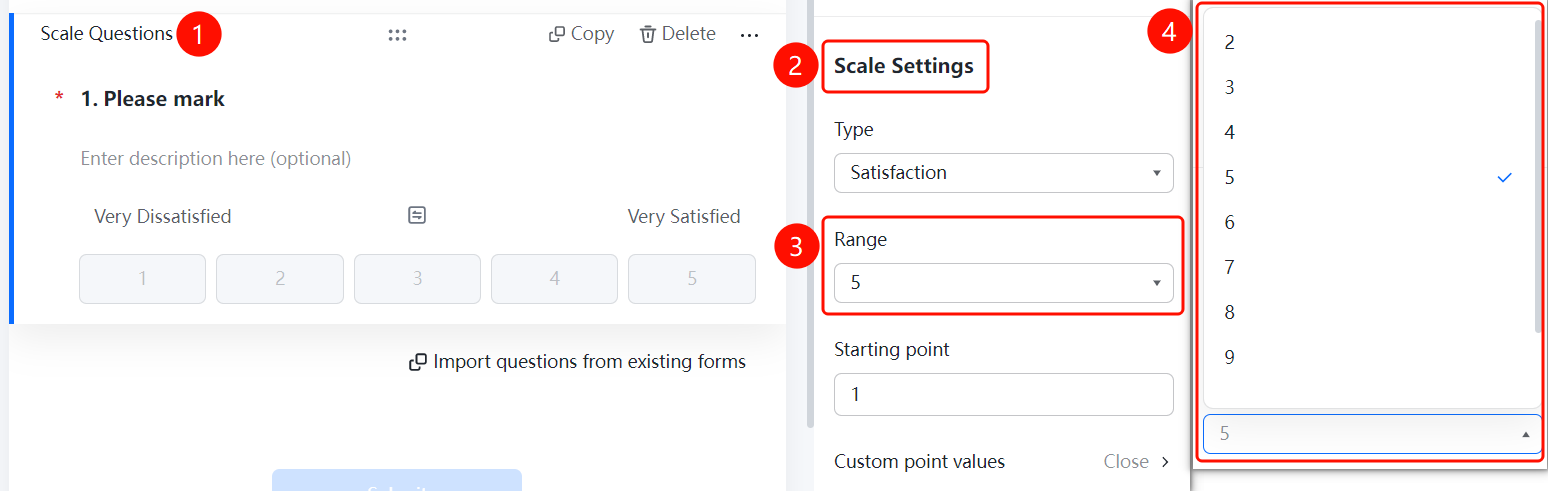
Rating Scale question → 「Scale Settings」 → 「Scale Level Settings」 option
- Click the added rating scale question
- Click the 「Scale Level Settings」 option in the 「Scale Settings」 panel on the right
- Select the number of scale levels
Setting the Starting Value
Feature Entry
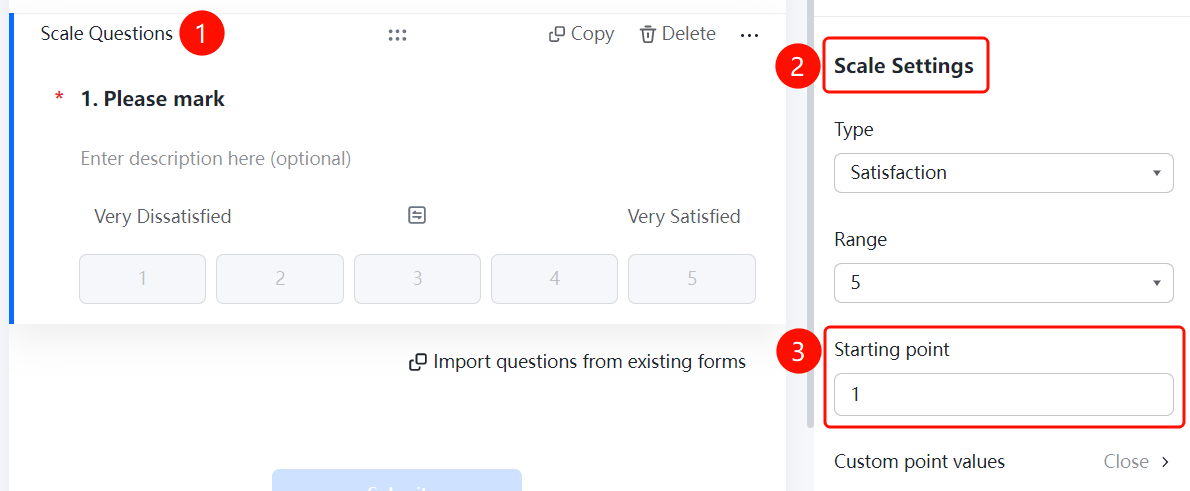
Rating Scale question → 「Scale Settings」 → 「Starting Value」 option
- Click the added rating scale question
- Click the 「Starting Value」 option in the 「Scale Settings」 panel on the right
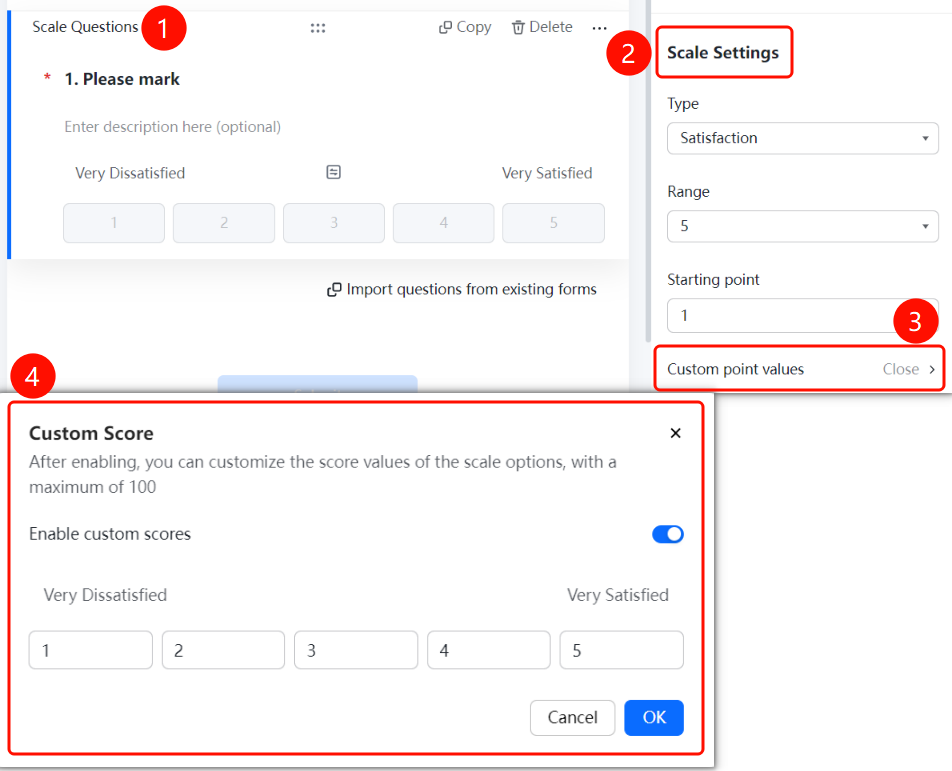
Enabling Custom Score
Feature Entry
Rating Scale question → 「Scale Settings」 → 「Custom Score Value」 → 「Enable Custom Score」 toggle
- Click the added rating scale question
- Click 「Custom Score Value」 in the 「Scale Settings」 panel on the right
- Turn on the 「Enable Custom Score」 toggle
FAQ
Q1: What scale types are supported for rating scale questions?
- Solution: Types such as Satisfaction, Agreement, Willingness, Conformity, and Likelihood are supported. You can also select 「Custom」 to set your own.
Q2: How do I set the number of scale levels?
- Solution: Click the rating scale question, then click 「Scale Level Settings」 in the 「Scale Settings」 panel, and select the desired number of scale levels.
Q3: How do I customize the score value of scale items?
- Solution: Click the rating scale question, then click 「Custom Score Value」 in the 「Scale Settings」 panel, and turn on the 「Enable Custom Score」 toggle.
Notes
- Rating scale questions are suitable for satisfaction surveys, NPS evaluation, scoring, and other scenarios
- You can set the starting value and maximum value to meet different scoring requirements