Feature Summary
Cloze test questions are used to set multiple blank spaces in a paragraph. Candidates need to fill in the correct answers, and the system automatically grades each blank, such as "1 point per blank, 2 points in total."
Feature Description
| Feature Dimension | Description |
|---|---|
| Member Limit | No member limit |
| Version Limit | No version limit |
Steps
Add a Cloze Test Question
Feature Entry
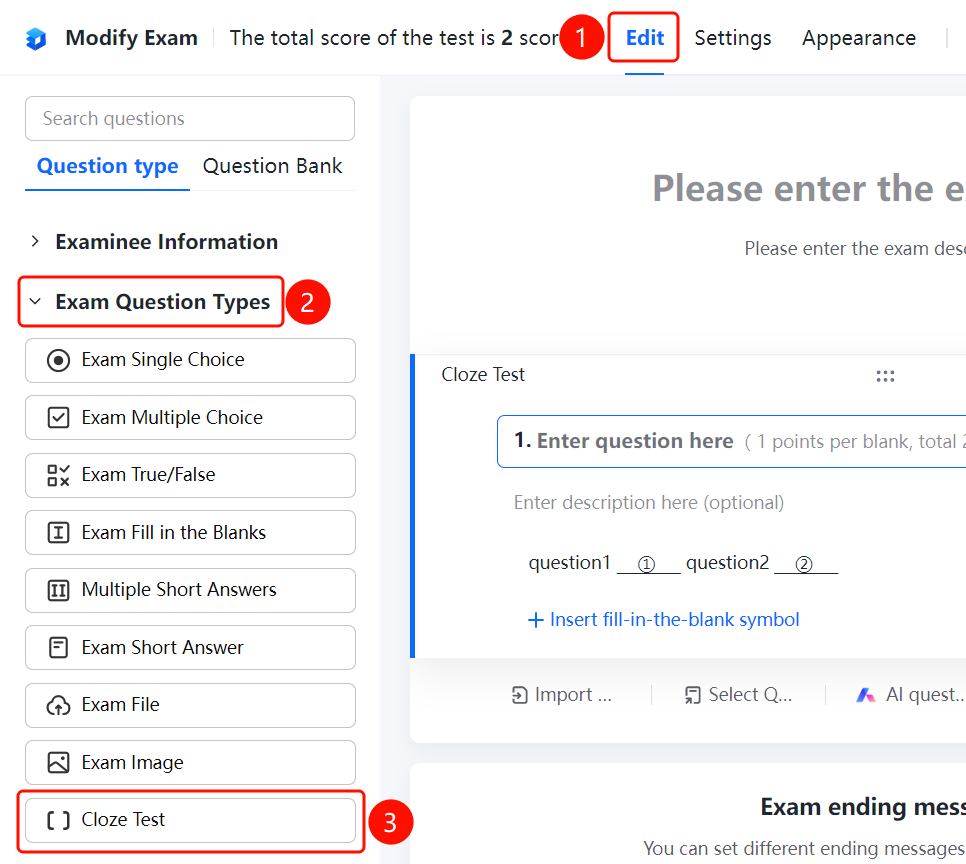
Edit tab > Question Types > Cloze Test button
- Click the Edit tab at the top.
- Expand the Question Types area in the left panel.
- Click the Cloze Test button to add a cloze test question to the exam.
- Enter the question content in the question editing area, such as "question1_①_question2", and click "Insert Blank Symbol" to insert a blank area where needed.
- The question displays the score, such as "1 point per blank, 2 points in total."
Set Answers and Scores
Feature Entry
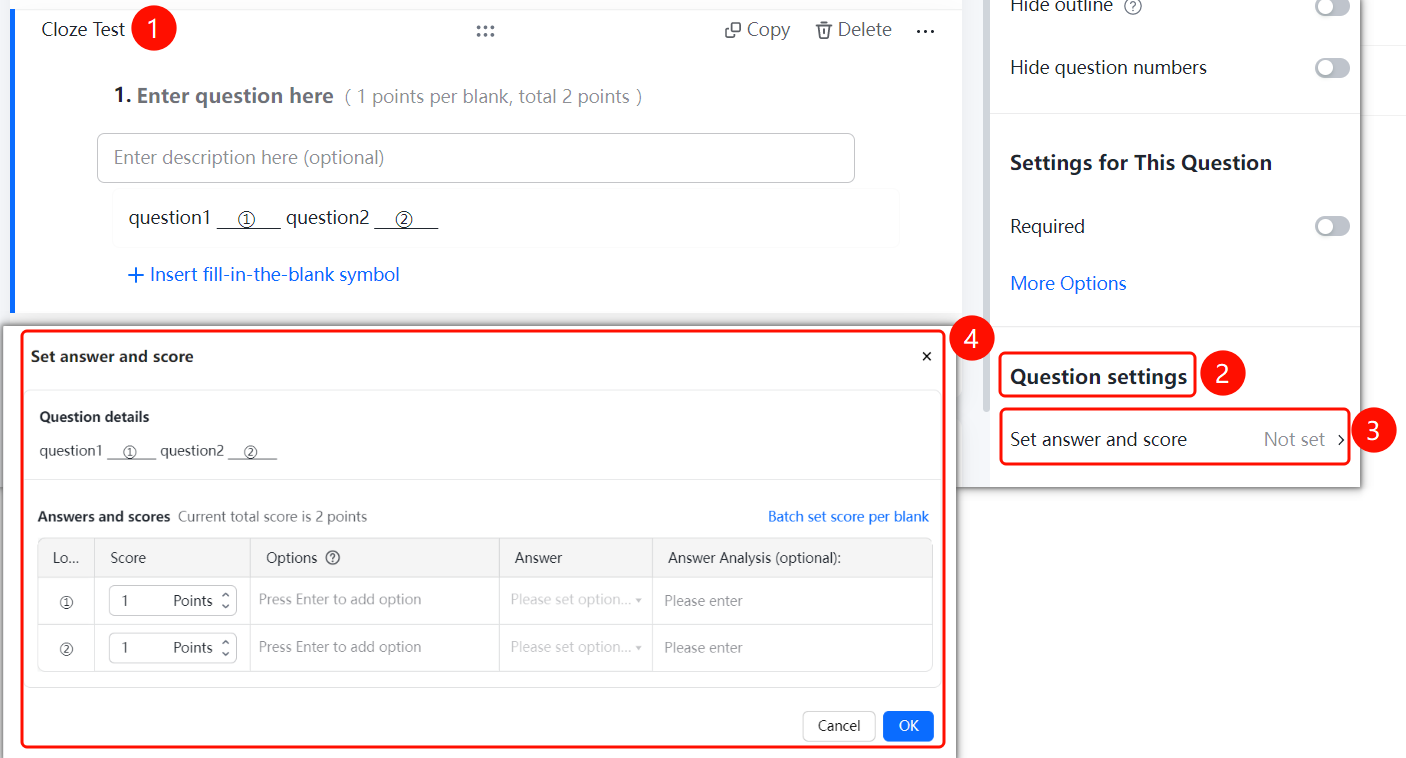
Cloze test question > Question Settings > Set Answers and Scores option
- Click the added cloze test question.
- Click Set Answers and Scores in the Question Settings panel on the right.
- In the pop-up window, Question Details displays the blank positions as "question1_①question2_②".
- You can set a score for each position individually, such as 1 point each for positions ① and ②, with a current total score of 2 points.
- Set the Answer for each blank. Press Enter after typing to add an option. You can also set Answer Analysis (Optional).
- Click OK to save.
FAQ
Question 1: How is the cloze test graded?
- Solution: The cloze test is automatically graded by blank, such as "1 point per blank, 2 points in total." The system automatically grades it.
Question 2: How do I insert multiple blank positions?
- Solution: Click "Insert Blank Symbol" to insert a blank area where needed. Each blank position is numbered as ①, ②, etc.
Question 3: Can I set different scores for each blank position?
- Solution: Yes. In the "Set Answers and Scores" window, you can set a score for each position individually.
Notes
- Cloze test is an exam-specific question type, and the system automatically grades by blank.
- Supports setting answers and scores for each blank position individually.