Feature Summary
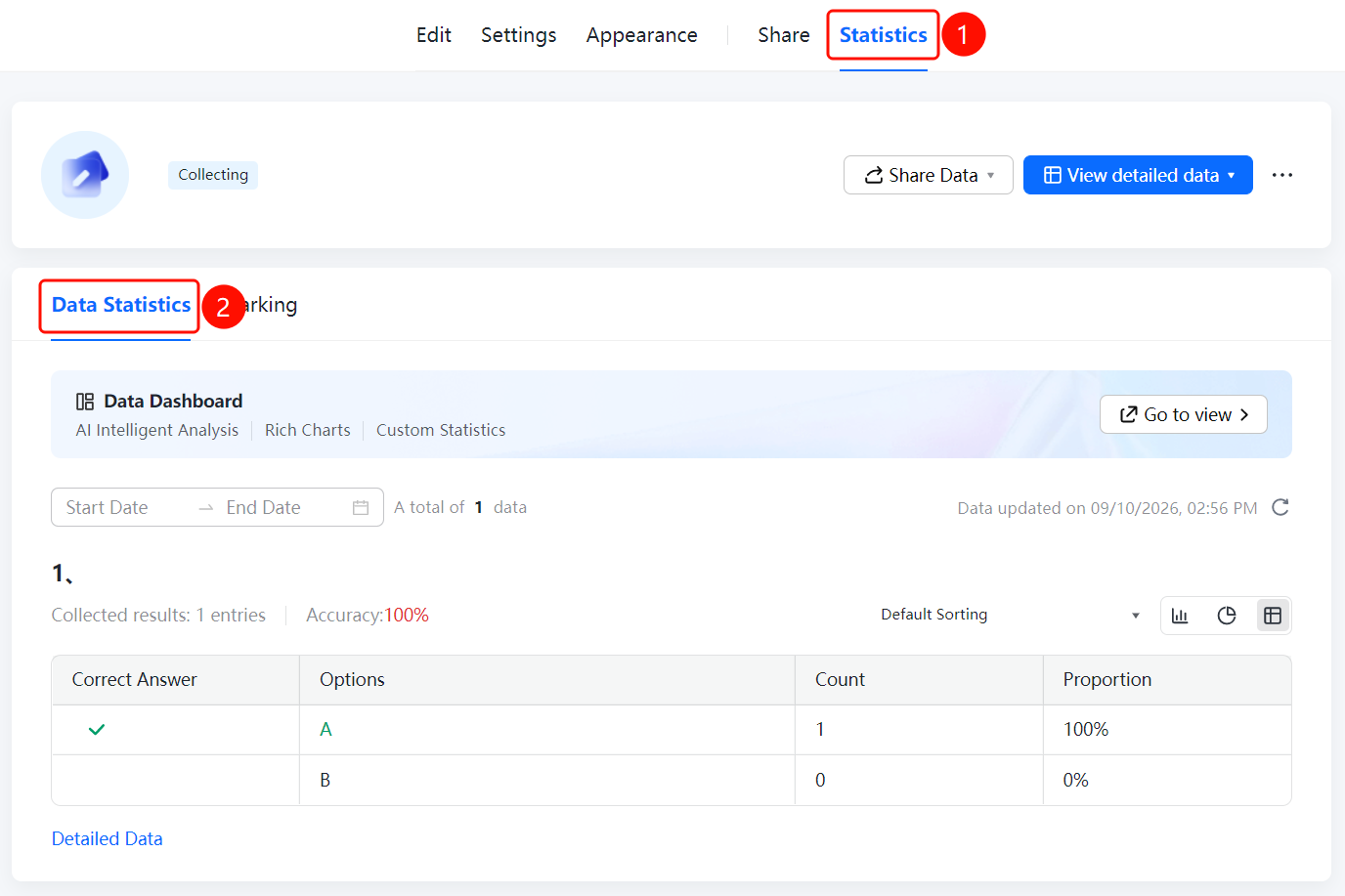
Data statistics is used to view the collection results and accuracy of exam data. It supports filtering by date range. Accuracy is displayed as a percentage, and correct answers are marked in green.
Feature Description
| Feature Dimension | Description |
|---|---|
| Subscription Limit | No subscription limit |
| Version Limit | No version limit |
Operating Steps
View Data Statistics
Feature Entry
"Statistics" tab -> "Data Statistics" option
- Click the "Statistics" tab at the top.
- Click the "Data Statistics" option in the left menu.
- You can set "Start Date" and "End Date" at the top of the page to filter the data range.
- View the collection results and accuracy of each question, such as "Accuracy: 100%". The count and proportion are displayed for each option.
- Correct answers are marked in green. Click "Detailed Data" to view detailed data.
FAQ
Question 1: How do I view the accuracy of an exam?
- Solution: On the "Data Statistics" page, the accuracy percentage is displayed for each question, and correct answers are marked in green.
Question 2: How do I filter exam data by date range?
- Solution: Set "Start Date" and "End Date" at the top of the "Data Statistics" page.
Question 3: How do I view the details of each piece of data?
- Solution: Click "Detailed Data" to view the details of each submission Record.
Notes
- Exam data statistics display accuracy, and correct answers are marked in green.