Feature Summary
The handwritten signature question is used to collect the signer's handwritten signature, which can serve as a confirmation voucher. It supports Add Watermark and custom signature image naming methods.
Feature Description
| Feature Dimension | Description |
|---|---|
| Membership Restriction | No membership restriction |
| Version Restriction | No version restriction |
Operation Steps
Add Handwritten Signature Question
Feature Entry
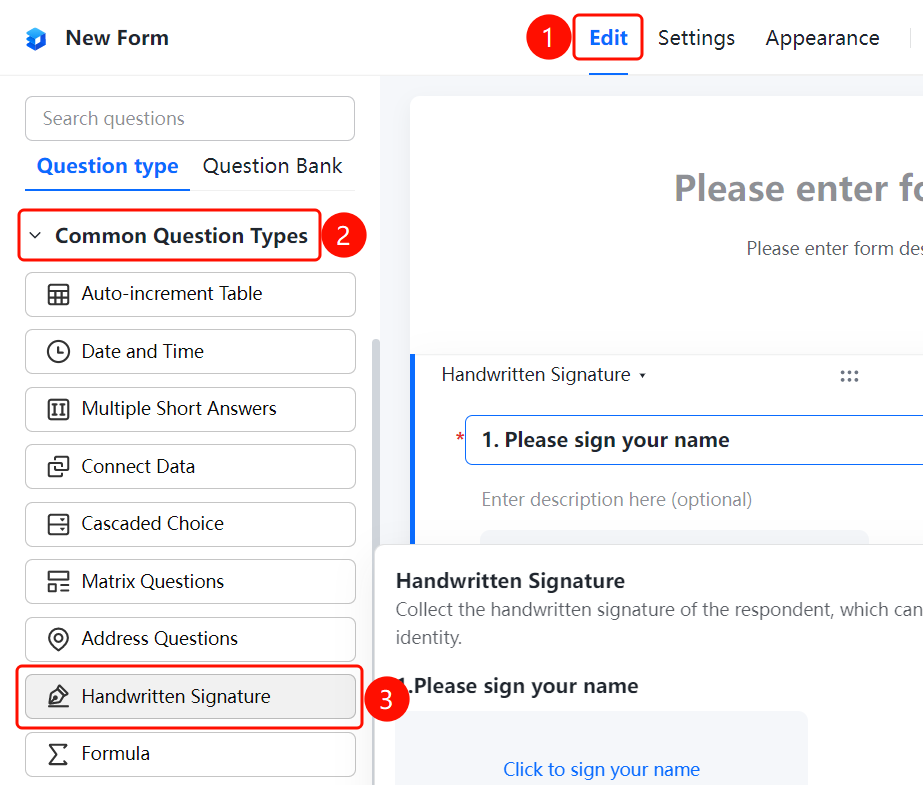
「Edit」 tab → 「Common question types」 → 「Handwritten Signature」 button
- Click the top 「Edit」 tab
- Expand the 「Common question types」 area in the left panel
- Click the 「Handwritten Signature」 button to add it to the form
Add Watermark
Feature Entry
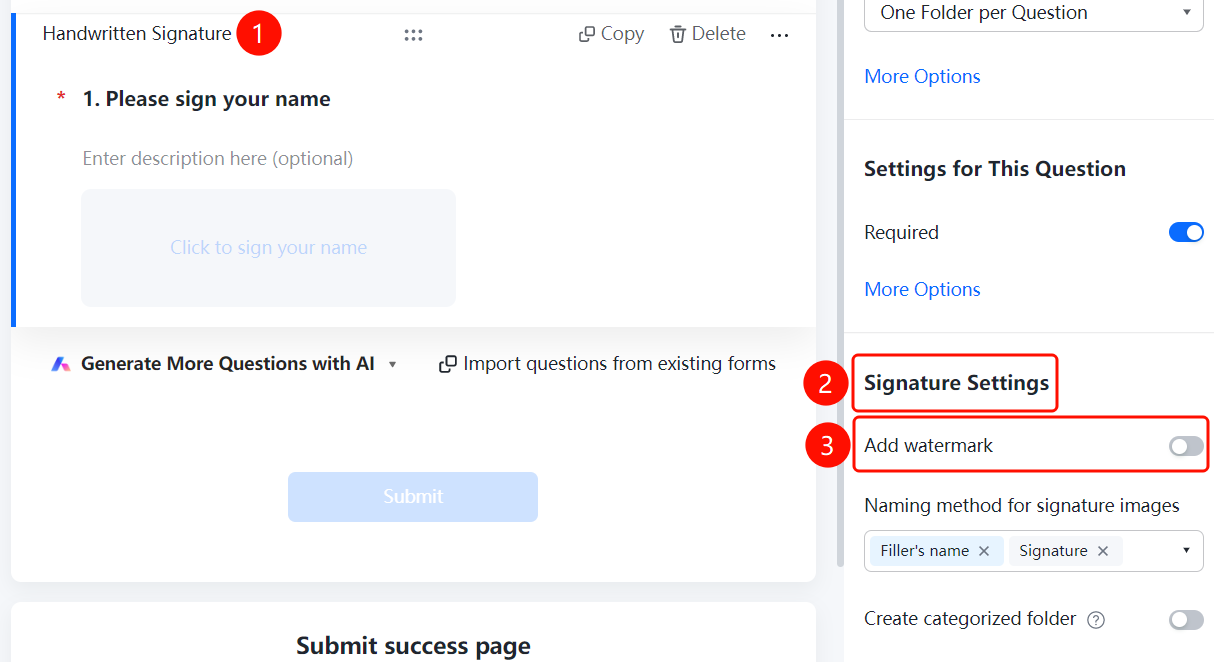
Handwritten Signature question → 「Signature Settings」 → 「Add Watermark」 option
- Click the added handwritten signature question
- Click the 「Add Watermark」 option in the 「Signature Settings」 panel on the right
Set Signature Image Naming Method
Feature Entry
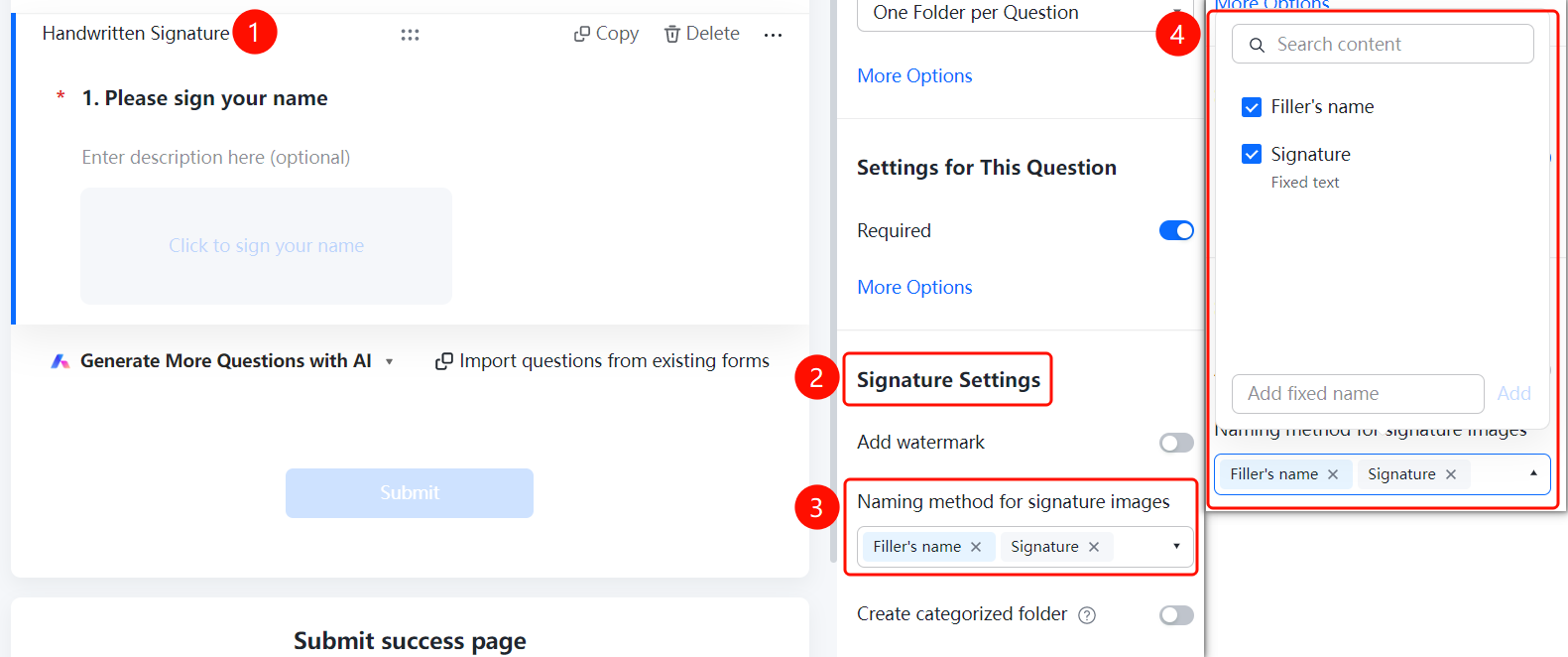
Handwritten Signature question → 「Signature Settings」 → 「Signature Image Naming Method」 option
- Click the added handwritten signature question
- Click the 「Signature Image Naming Method」 option in the 「Signature Settings」 panel on the right
- Select a naming method or add a custom name
Create Category Folder
Feature Entry
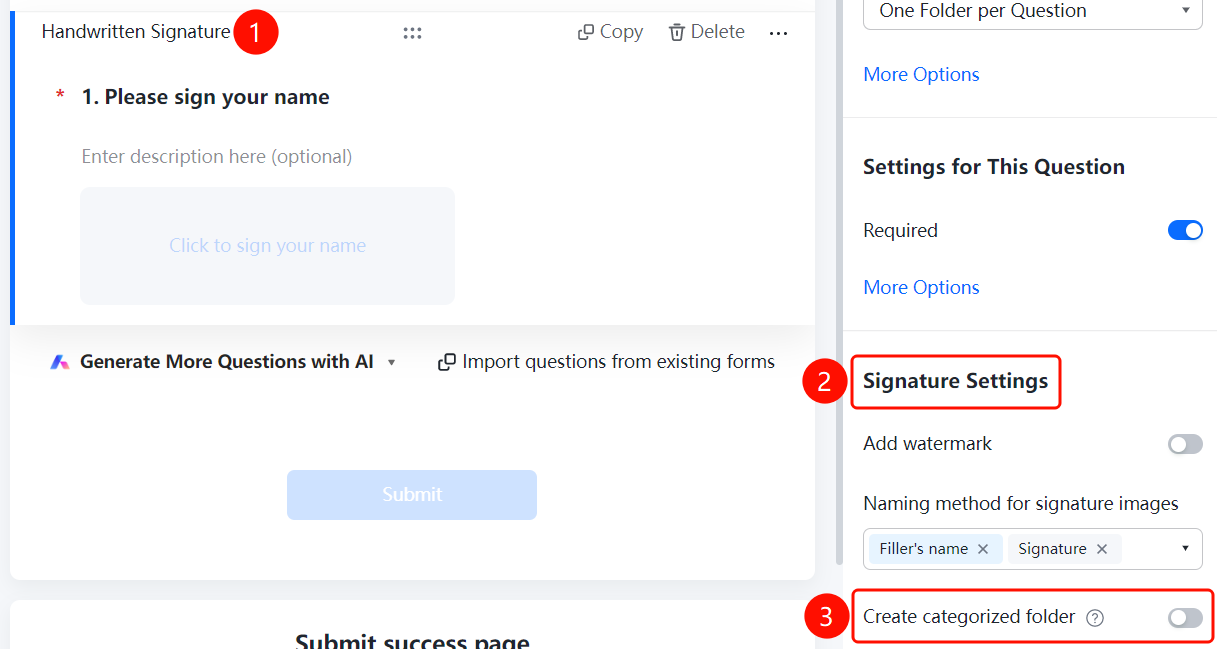
Handwritten Signature question → 「Signature Settings」 → 「Create Category Folder」 toggle
- Click the added handwritten signature question
- Turn on the 「Create Category Folder」 toggle in the 「Signature Settings」 panel on the right
FAQ
Q1: How to add a watermark to a signature?
- Solution: Click the handwritten signature question, then click 「Add Watermark」 in the 「Signature Settings」 panel.
Q2: What are the naming methods for signature images?
- Solution: Naming methods such as signer's nickname, signature, and fixed text are supported. You can also add a custom fixed name.
Q3: How to categorize and manage collected signatures?
- Solution: Turn on 「Create Category Folder」 in the 「Signature Settings」 panel.
Notes
- Handwritten signatures can serve as confirmation vouchers
- Signature images support Add Watermark to enhance security