Feature Summary
The Poll single-choice question allows selecting one option from a set of poll items. It is commonly used for voting and selection. After submission, you can view the poll results and leaderboard.
Feature Description
| Feature Dimension | Description |
|---|---|
| Membership Restriction | No membership restriction |
| Version Restriction | No version restriction |
Operation Steps
Add a Poll Single-Choice Question
Feature Entry
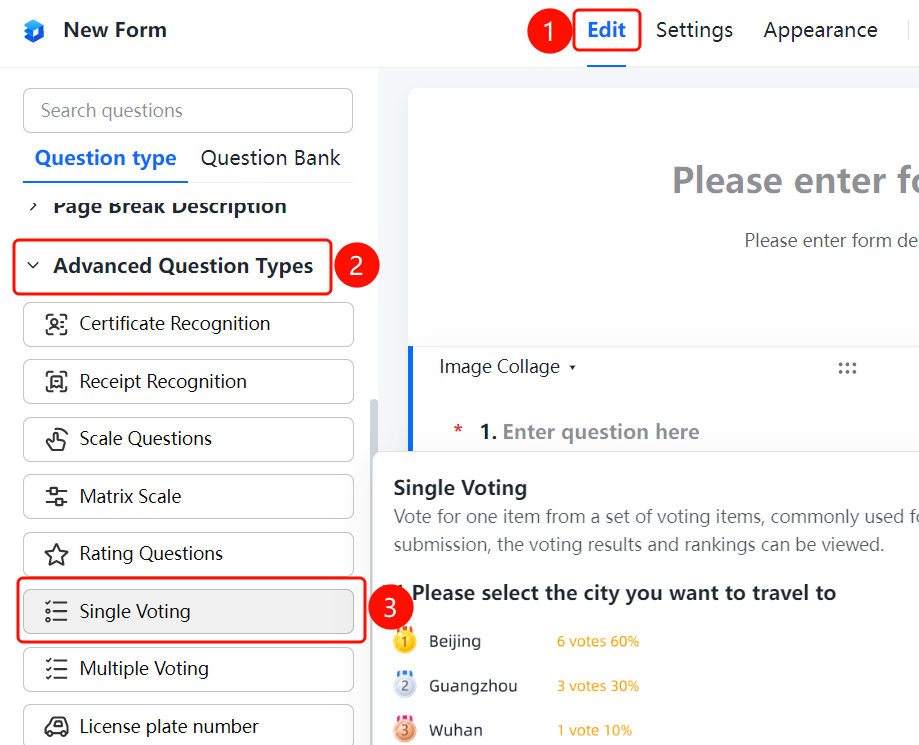
「Edit」 tab → 「Question Type」 → 「Poll Single Choice」 button
- Click the top 「Edit」 tab
- Expand the 「Question Type」 area in the left panel
- Click the 「Poll Single Choice」 button to add it to the form
Add Input Box After Option
Feature Entry
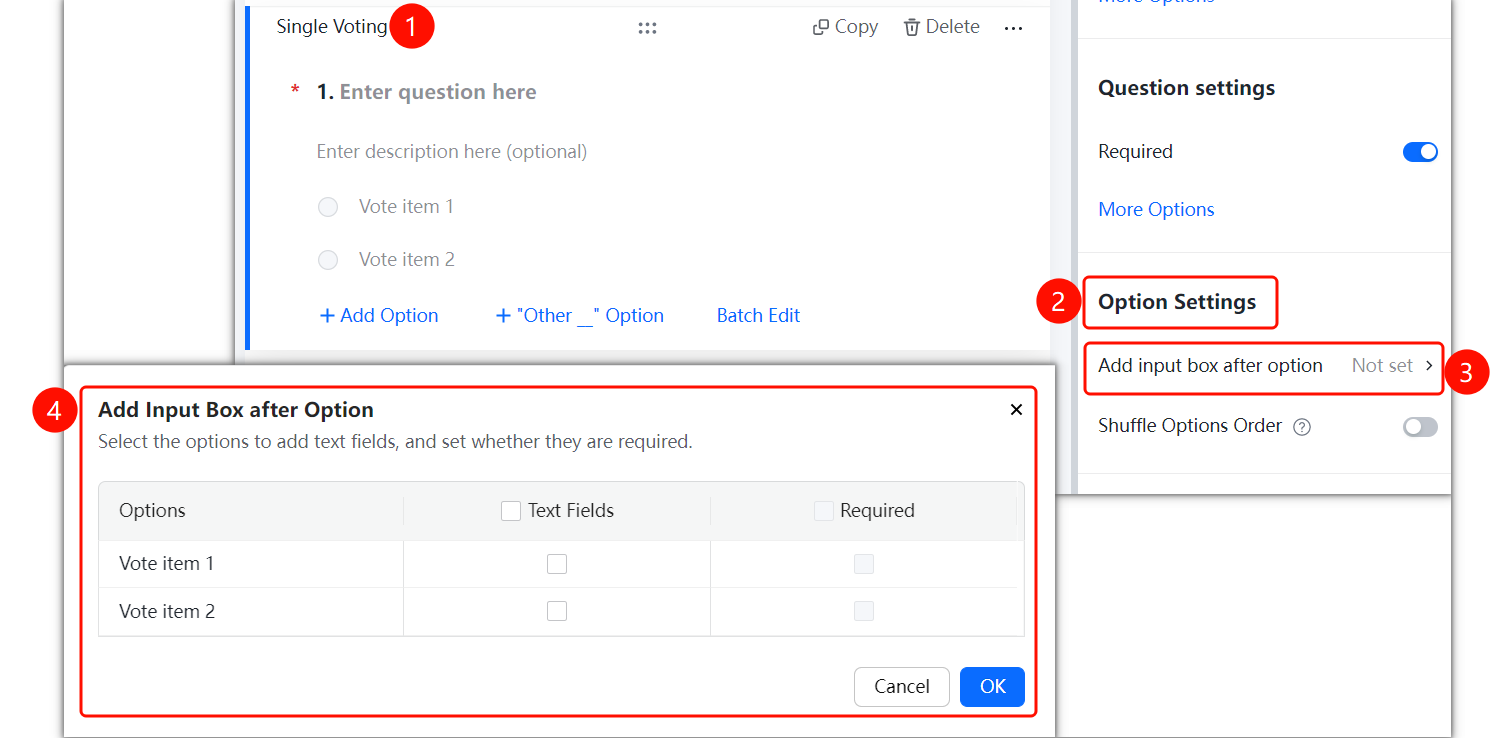
Poll Single-Choice Question → 「Option Settings」 → 「Add Input Box After Option」 option
- Click the added Poll single-choice question
- In the right 「Option Settings」 panel, click the 「Add Input Box After Option」 option
Show Poll Results/Leaderboard
Feature Entry
Poll Single-Choice Question → 「Option Settings」 → 「Show Poll Results/Leaderboard」 toggle
- Click the added Poll single-choice question
- In the right 「Option Settings」 panel, turn on the 「Show Poll Results/Leaderboard」 toggle
Shuffle Option Order
Feature Entry
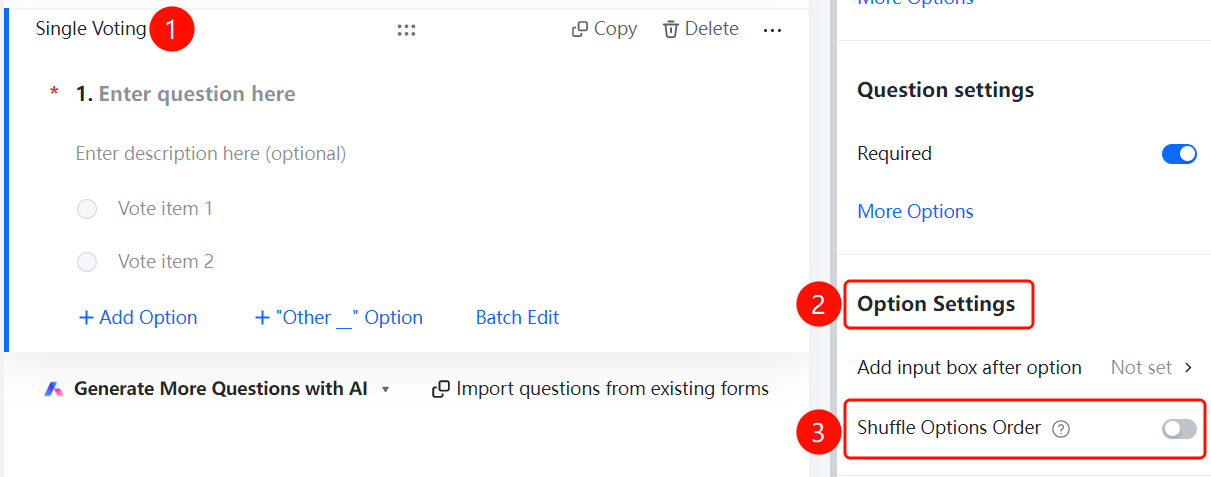
Poll Single-Choice Question → 「Option Settings」 → 「Shuffle Option Order」 toggle
- Click the added Poll single-choice question
- In the right 「Option Settings」 panel, turn on the 「Shuffle Option Order」 toggle
FAQ
Q1: What is the difference between Poll Single Choice and Poll Multiple Choice?
- Solution: Poll Single Choice allows selecting only one poll item, while Poll Multiple Choice allows selecting multiple poll items.
Q2: How to view poll results?
- Solution: After submission, poll questions with the 「Show Poll Results/Leaderboard」 toggle enabled will automatically display the vote count and percentage for each option.
Q3: How to prevent the voting order from affecting the results?
- Solution: Turn on the 「Shuffle Option Order」 toggle, and the order of options seen by each respondent will be randomly arranged.
Notes
- Poll results are displayed in the form of vote counts and percentages
- Poll Single-Choice questions are suitable for single-choice voting scenarios