Feature Summary
Data Statistics is used to view the data results of file collection, supporting filtering by time range and viewing detailed data, helping Admins fully understand the collection status.
Feature Description
| Feature Dimension | Description |
|---|---|
| Membership Restriction | No membership restriction |
| Version Restriction | No version restriction |
Operation Steps
View Data Statistics
Feature Entry
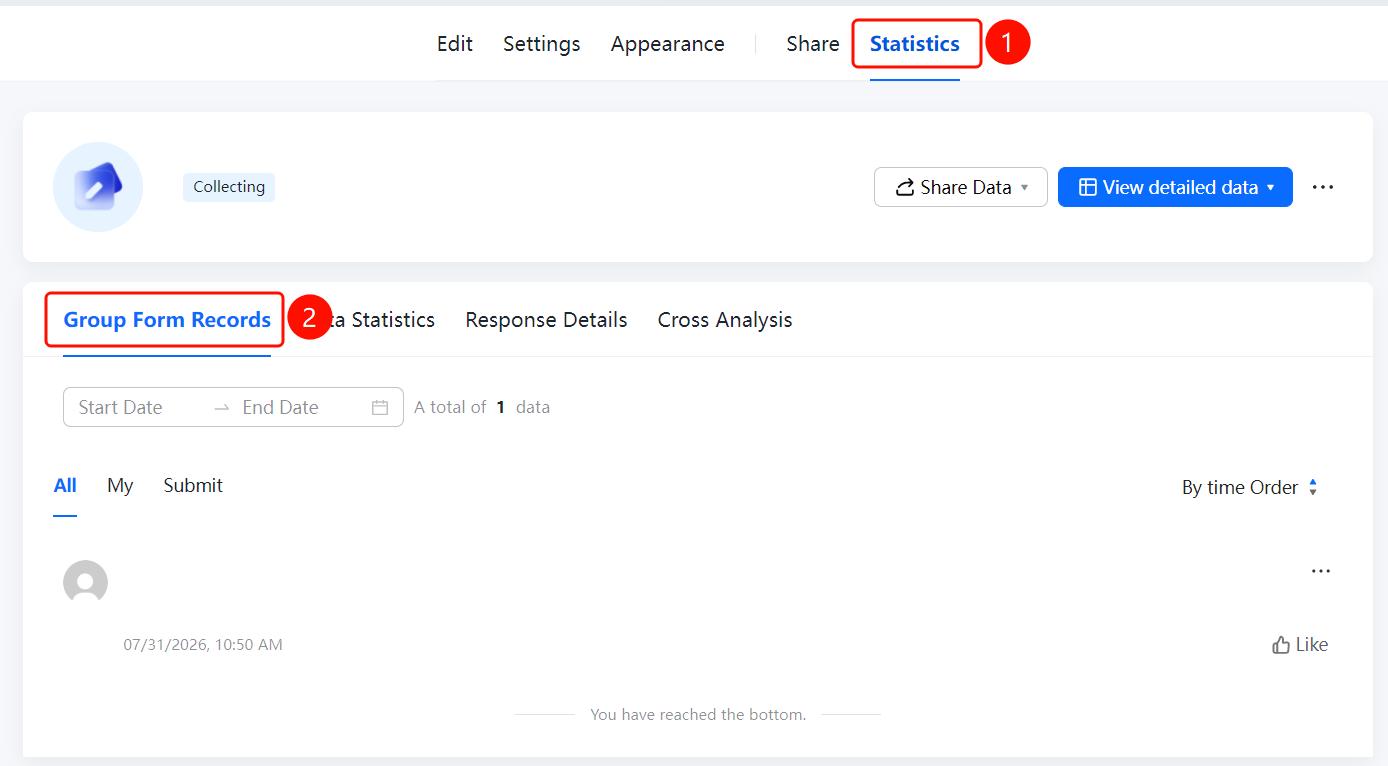
「Statistics」 tab → 「Data Statistics」 option
- Click the top 「Statistics」 tab
- Click the 「Data Statistics」 option in the left panel
- At the top of the page, you can set 「Start Date」 and 「End Date」 to filter the data range
- View the collection results and detailed data for each question
FAQ
Q1: How to filter data by time range?
- Solution: Set the 「Start Date」 and 「End Date」 at the top of the 「Data Statistics」 page.
Q2: How to view the detailed content of each piece of data?
- Solution: Click 「Detailed Data」 to can view the detailed content of each submitted Record.
Q3: What information is displayed on the Data Statistics page?
- Solution: The Data Statistics page displays the collection results for each question, serial number, content, and data update time.
Notes
- Data Statistics displays Summary statistical results. If you need to view the details of each piece of data, please click 「Detailed Data」