Feature Summary
The Date and Time question is used to collect date and time information selected by respondents, supports multiple date and time formats, and allows setting date range limits.
Feature Description
| Feature Dimension | Description |
|---|---|
| Membership Restriction | No membership restriction |
| Version Restriction | No version restriction |
Operation Steps
Add a Date and Time Question
Feature Entry
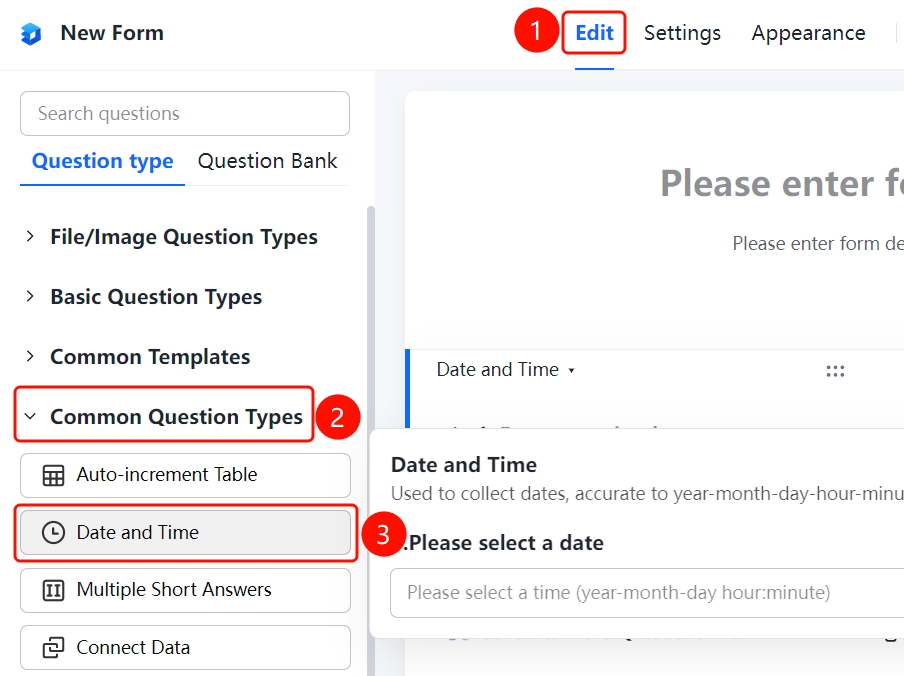
「Edit」 tab → 「Common question types」 → 「Date and Time」 button
- Click the 「Edit」 tab at the top
- Expand the 「Common question types」 area in the left panel
- Click the 「Date and Time」 button to add it to the form
Set Date and Time Format
Feature Entry
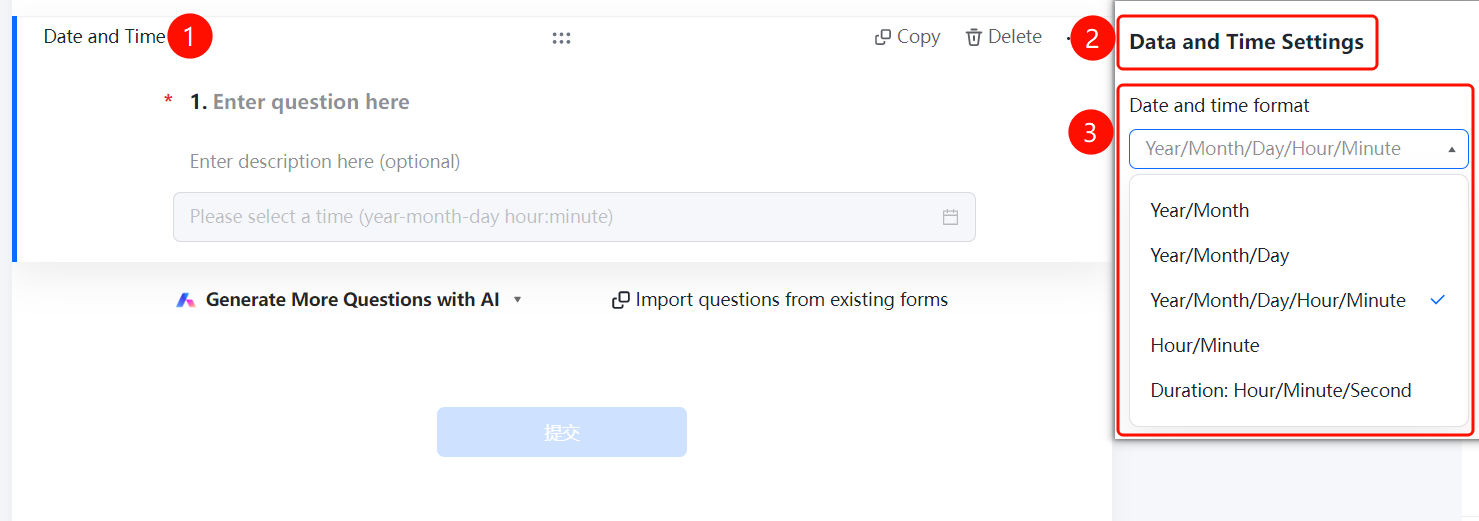
Date and Time question → 「Date and Time Settings」 → 「Date and Time Format」 option
- Click the added Date and Time question
- Click the 「Date and Time Format」 option in the 「Date and Time Settings」 panel on the right
- Select: Year/Month, Year/Month/Day, Year/Month/Day/Hour/Minute, etc.
Set Date Range Limit
Feature Entry
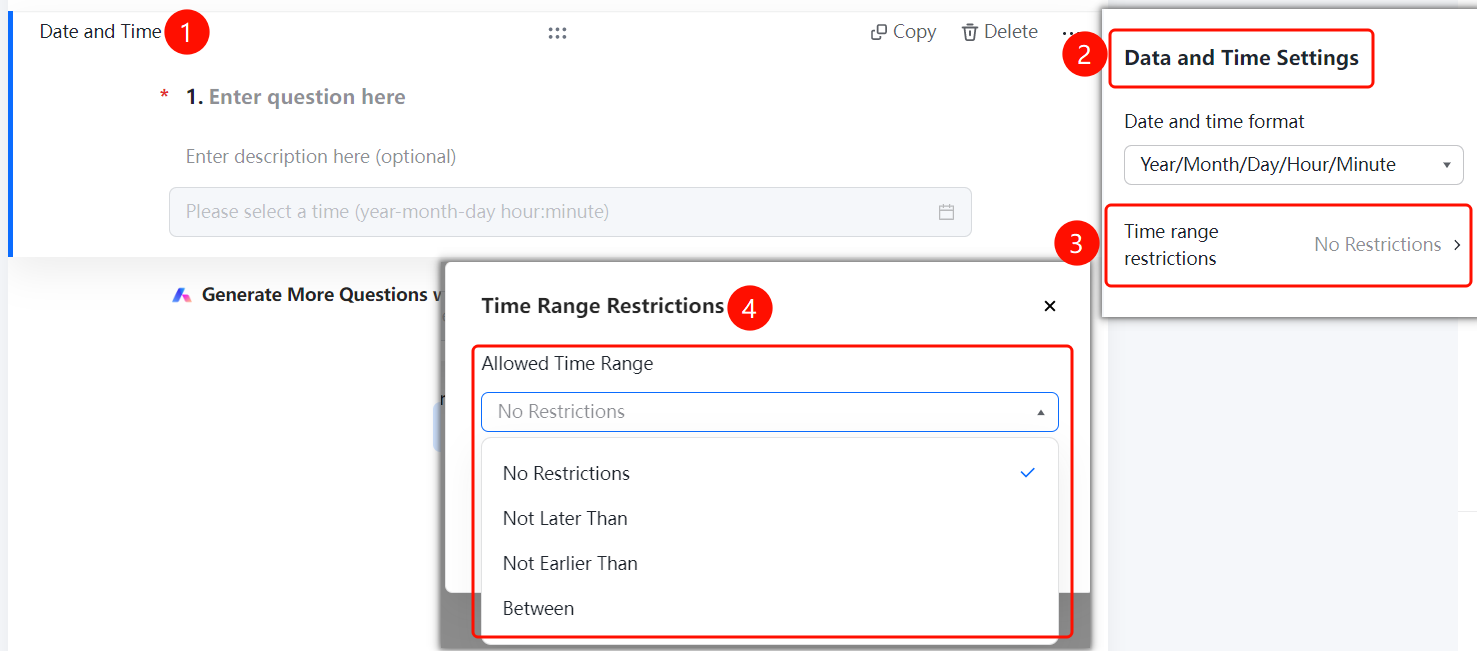
Date and Time question → 「Date and Time Settings」 → 「Date Range Limit」 option
- Click the added Date and Time question
- Click the 「Date Range Limit」 option in the 「Date and Time Settings」 panel on the right
- Select: No limit / No later than / No earlier than
FAQ
Q1: What formats does the Date and Time question support?
- Solution: Supports multiple formats such as Year/Month, Year/Month/Day, Year/Month/Day/Hour/Minute, Hour/Minute, Duration: Hour/Minute/Second, etc.
Q2: How to limit the date range that respondents can select?
- Solution: Click the Date and Time question, click 「Date Range Limit」 in 「Date and Time Settings」, select 「No later than」 or 「No earlier than」 and set a specific date.
Q3: Can the Date and Time question be set as required?
- Solution: Yes. Click the Date and Time question, and enable 「This question is required」 in 「Basic Settings」.
Notes
- The Date and Time question is suitable for scenarios such as appointment scheduling and event registration
- Date range limits ensure that the date selected by respondents falls within a reasonable range