Feature Summary
The Contacts question allows respondents to select contacts from Contacts to fill in relevant contact information.
Feature Description
| Feature Dimension | Description |
|---|---|
| Membership Restrictions | No membership restrictions |
| Version Restrictions | No version restrictions |
Operation Steps
Adding a Contacts Question
Feature Entry
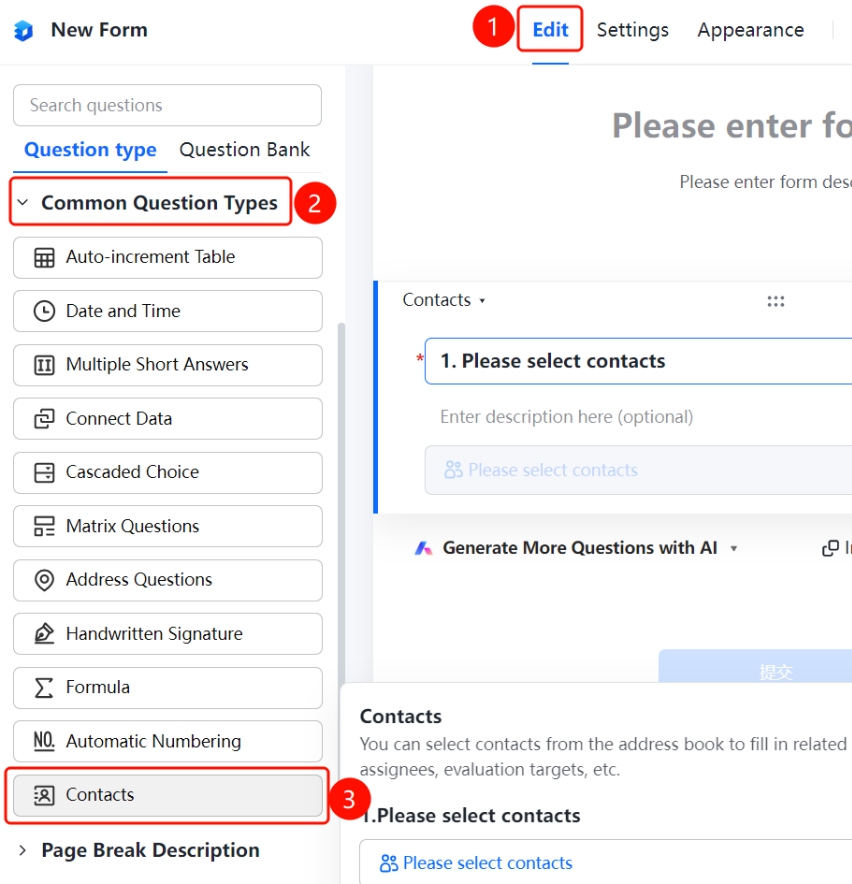
「Edit」 tab → 「Common question types」 → 「Contacts」 button
- Click the top 「Edit」 tab
- Expand the 「Common question types」 area in the left panel
- Click the 「Contacts」 button to add it to the form
Allowing Selection of Multiple Contacts
Feature Entry
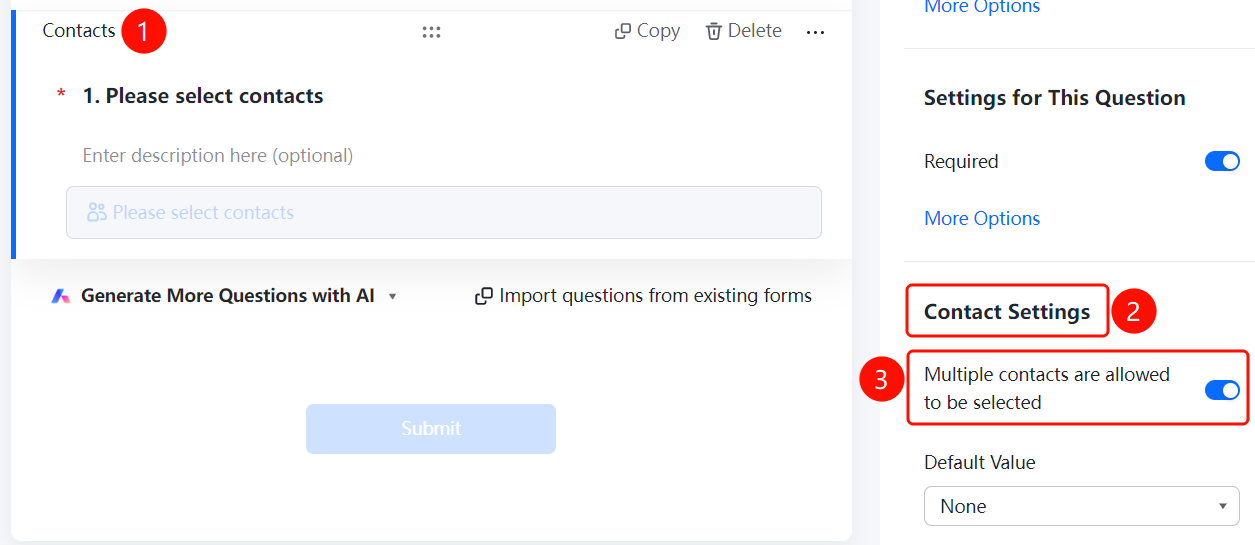
Contacts question → 「Contacts Settings」 → 「Allow selection of multiple contacts」 toggle
- Click the added Contacts question
- In the right 「Contacts Settings」 panel, enable the 「Allow selection of multiple contacts」 toggle
Setting Default Values
Feature Entry
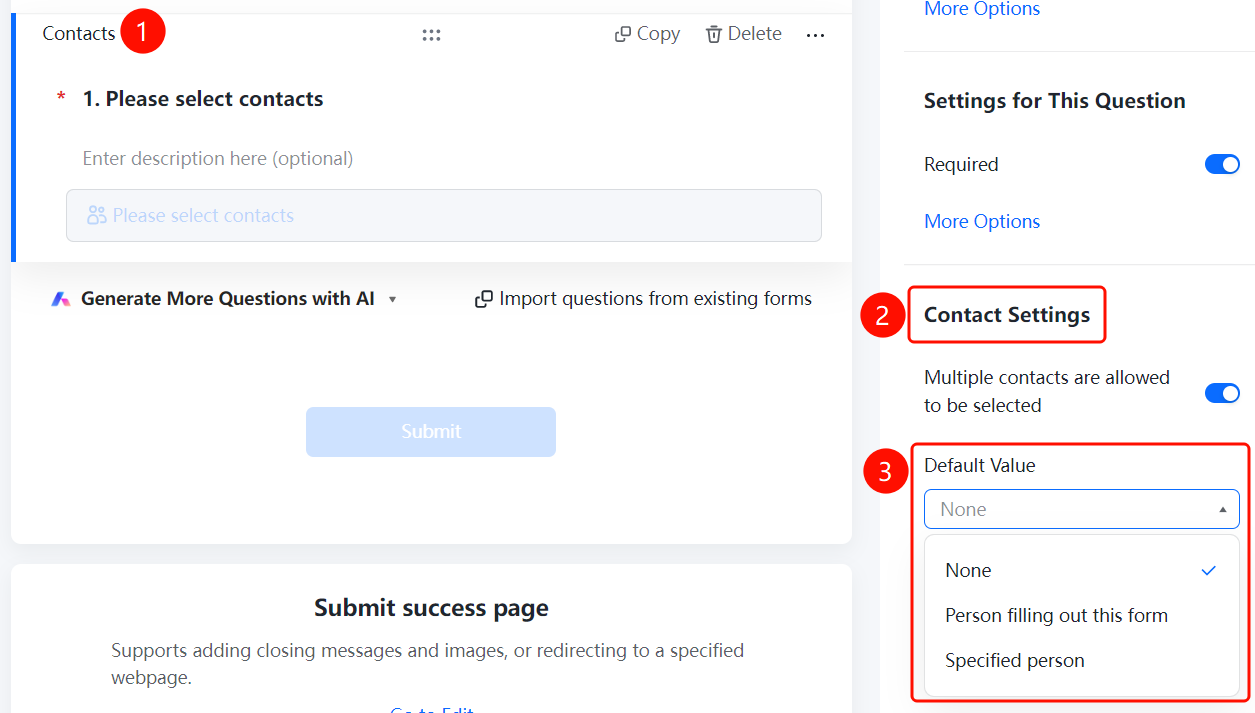
Contacts question → 「Contacts Settings」 → 「Default Value」 option
- Click the added Contacts question
- In the right 「Contacts Settings」 panel, click the 「Default Value」 option
- Select: None / The person filling out this form / Specified person
FAQ
Q1: How can respondents select multiple contacts?
- Solution: Click the Contacts question, and enable the 「Allow selection of multiple contacts」 toggle in the 「Contacts Settings」 panel.
Q2: How to set a default value for a contact?
- Solution: Click the Contacts question, and click 「Default Value」 in the 「Contacts Settings」 panel.
Q3: Where do the contacts in the Contacts question come from?
- Solution: The contacts in the Contacts question come from Contacts, and respondents can select contacts from Contacts.
Notes
- The Contacts question is suitable for scenarios such as selecting task owners and evaluation targets
- When the default value is set to 「The person filling out this form」, the system will automatically populate the current respondent's information