Feature Summary
The ID recognition question is used to recognize the ID information uploaded by respondents, automatically identifying the name, gender, ethnicity, date of birth, address, and ID number on the ID card without manual input.
Feature Description
| Feature Dimension | Description |
|---|---|
| Membership Restriction | No membership restriction |
| Version Restriction | No version restriction |
Operation Steps
Add ID Recognition Question
Feature Entry
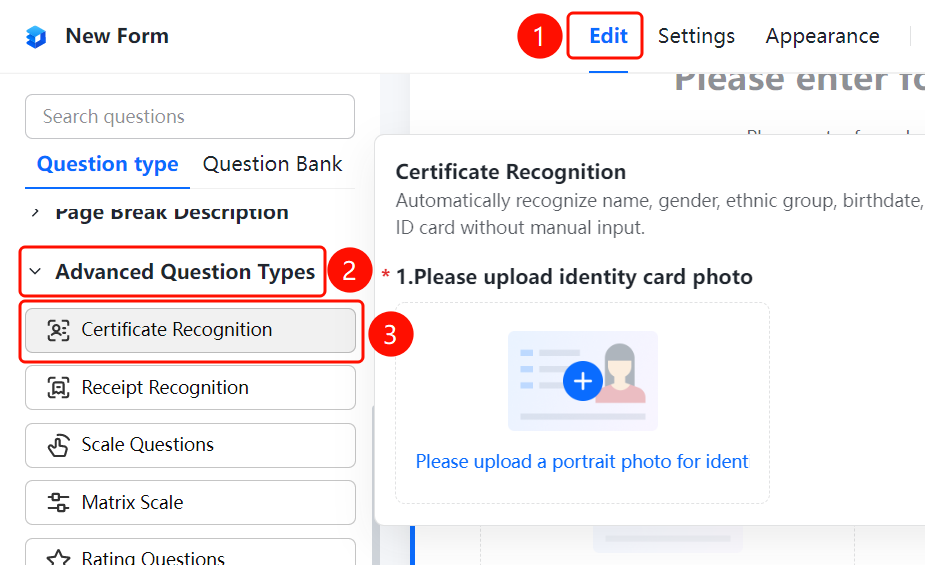
「Edit」 tab → 「Question Type」 → 「ID Recognition」 button
- Click the top 「Edit」 tab
- Expand the 「Question Type」 area in the left panel
- Click the 「ID Recognition」 button to add it to the form
Set the ID Type to be Recognized
Feature Entry
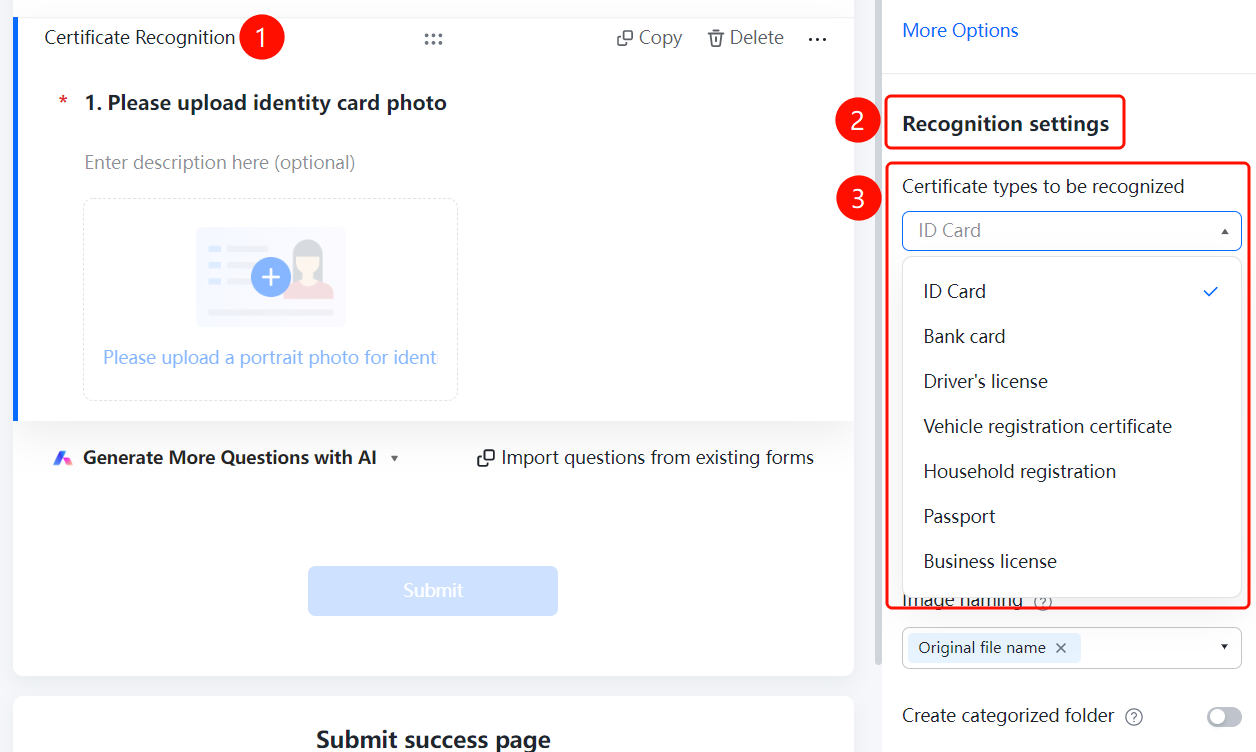
ID Recognition Question → 「Recognition Settings」 → 「ID Type to be Recognized」 option
- Click the added ID recognition question
- Click the 「ID Type to be Recognized」 option in the right 「Recognition Settings」 panel
- Select: ID Card / Bank Card / Driver's License / Vehicle Registration Certificate, etc.
Set the Information to be Recognized
Feature Entry
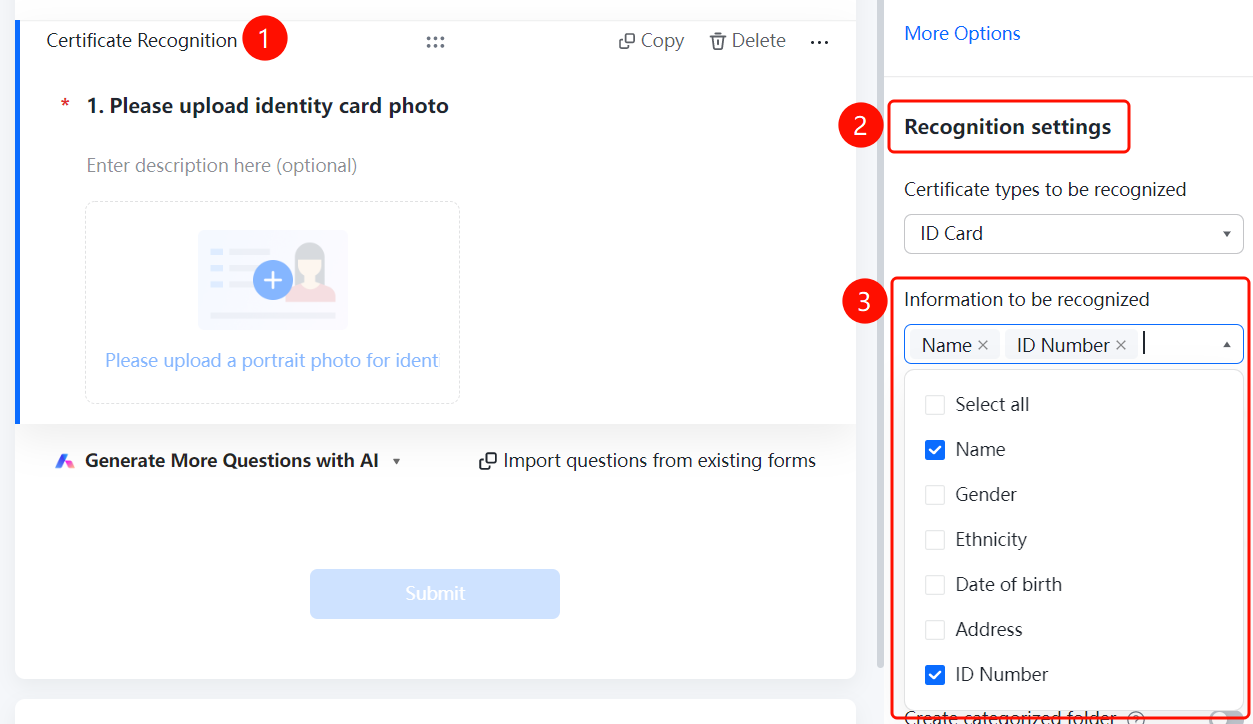
ID Recognition Question → 「Recognition Settings」 → 「Information to be Recognized」 option
- Click the added ID recognition question
- Click the 「Information to be Recognized」 option in the right 「Recognition Settings」 panel
- Check the fields that need to be recognized
Enable Manual Entry
Feature Entry
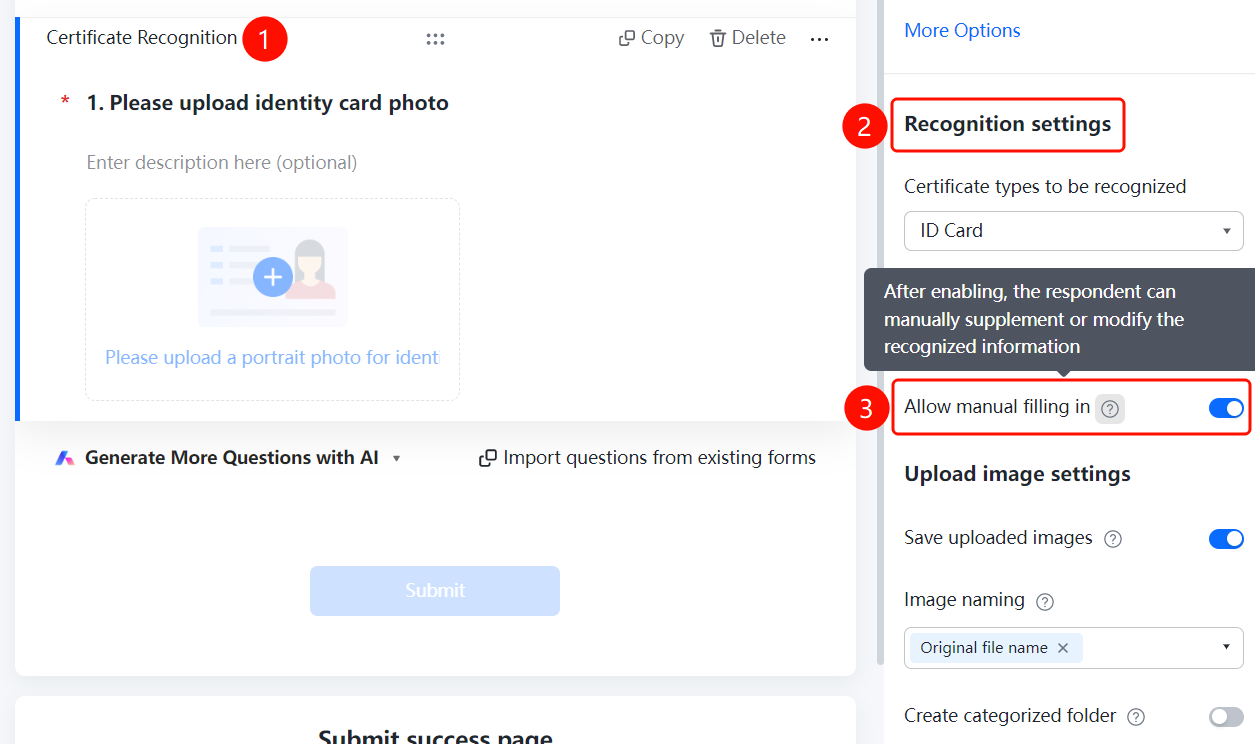
ID Recognition Question → 「Recognition Settings」 → 「Allow Manual Entry」 toggle
- Click the added ID recognition question
- Turn on the 「Allow Manual Entry」 toggle in the right 「Recognition Settings」 panel
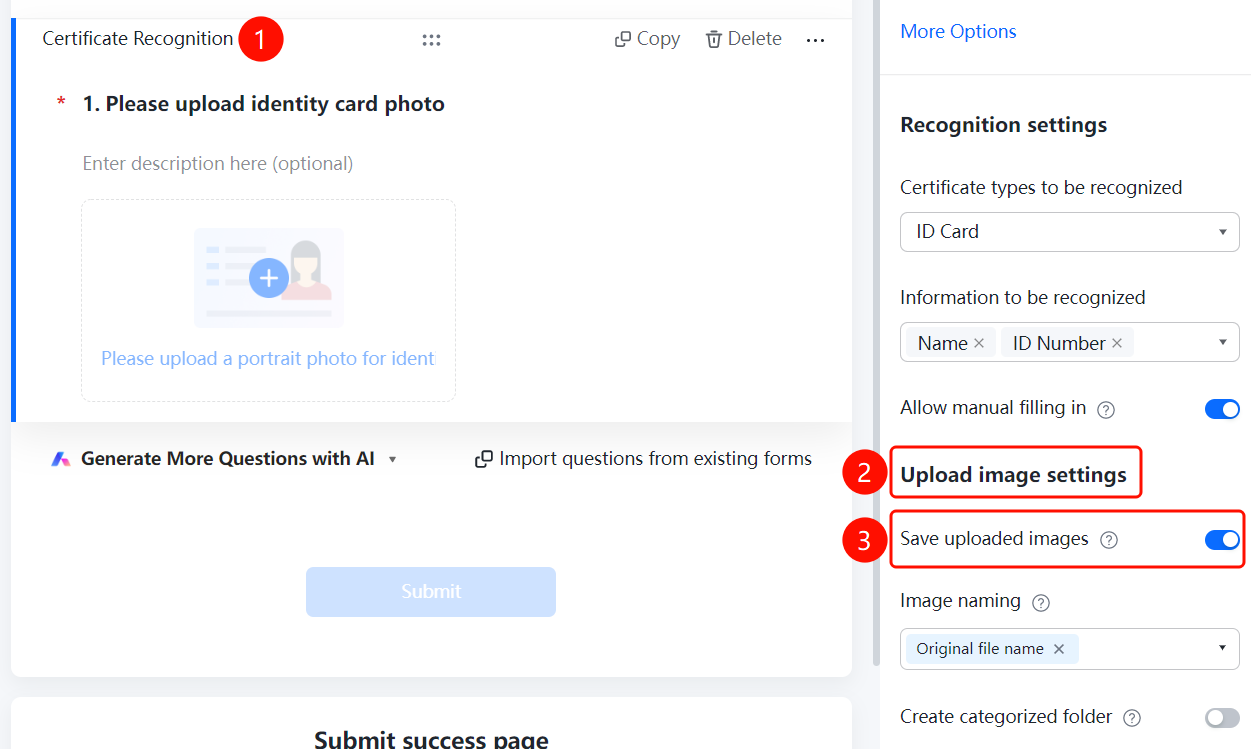
Enable Save Uploaded Image
Feature Entry
ID Recognition Question → 「Upload Image Settings」 → 「Save Uploaded Image」 toggle
- Click the added ID recognition question
- Turn on the 「Save Uploaded Image」 toggle in the right 「Upload Image Settings」 panel
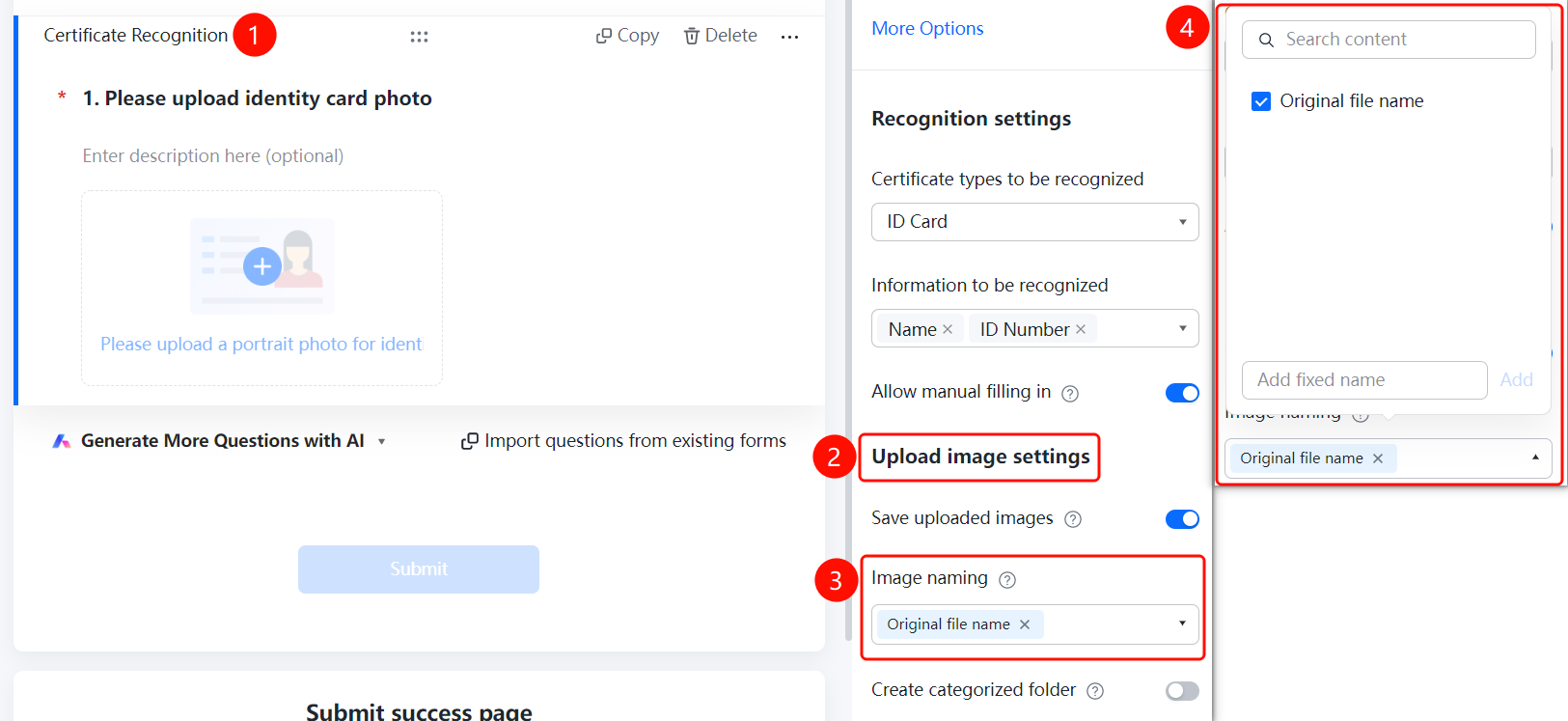
Set Image Naming Method
Feature Entry
ID Recognition Question → 「Upload Image Settings」 → 「Image Naming Method」 option
- Click the added ID recognition question
- Click the 「Image Naming Method」 option in the right 「Upload Image Settings」 panel
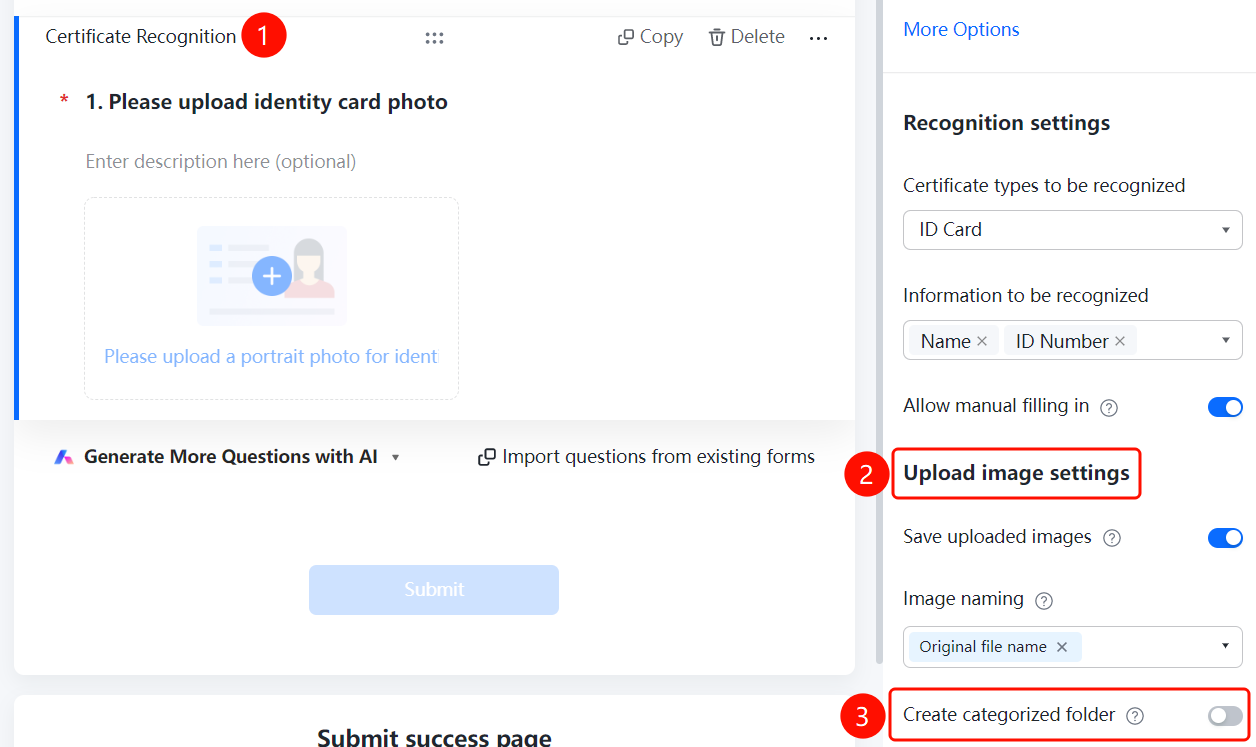
Enable Create Category Folder
Feature Entry
ID Recognition Question → 「Upload Image Settings」 → 「Create Category Folder」 toggle
- Click the added ID recognition question
- Turn on the 「Create Category Folder」 toggle in the right 「Upload Image Settings」 panel
FAQ
Q1: What types of IDs does ID recognition support?
- Solution: Supports ID cards, bank cards, driver's licenses, vehicle registration certificates, household registration booklets, passports, business licenses, etc.
Q2: How to set the ID information fields to be recognized?
- Solution: Click the ID recognition question, click 「Information to be Recognized」 in 「Recognition Settings」, and check the required fields.
Q3: How to modify when the recognition result is inaccurate?
- Solution: Turn on the 「Allow Manual Entry」 toggle in 「Recognition Settings」, and the respondent can manually supplement and modify.
Notes
- ID recognition requires no manual input; the system automatically recognizes the information on the ID.
- After enabling 「Save Uploaded Image」, you can view it on the data statistics page.