Feature Summary
Scale questions are commonly used for evaluating user satisfaction, NPS, scoring, and other scenarios. You can set the starting value and maximum value, and respondents evaluate by selecting a rating level.
Feature Description
| Feature Dimension | Description |
|---|---|
| Membership Restriction | No membership restriction |
| Version Restriction | No version restriction |
Operation Steps
Add a Scale Question
Feature Entry
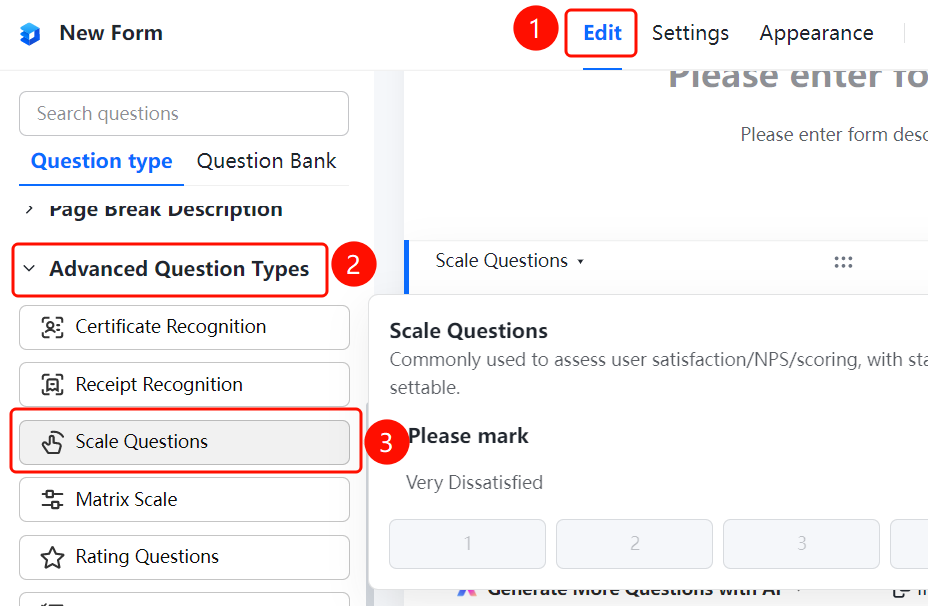
「Edit」 tab → 「Advanced Question Types」 → 「Scale Question」 button
- Click the top 「Edit」 tab
- Expand the 「Advanced Question Types」 area in the left panel
- Click the 「Scale Question」 button to add it to the form
Set Scale Type
Feature Entry
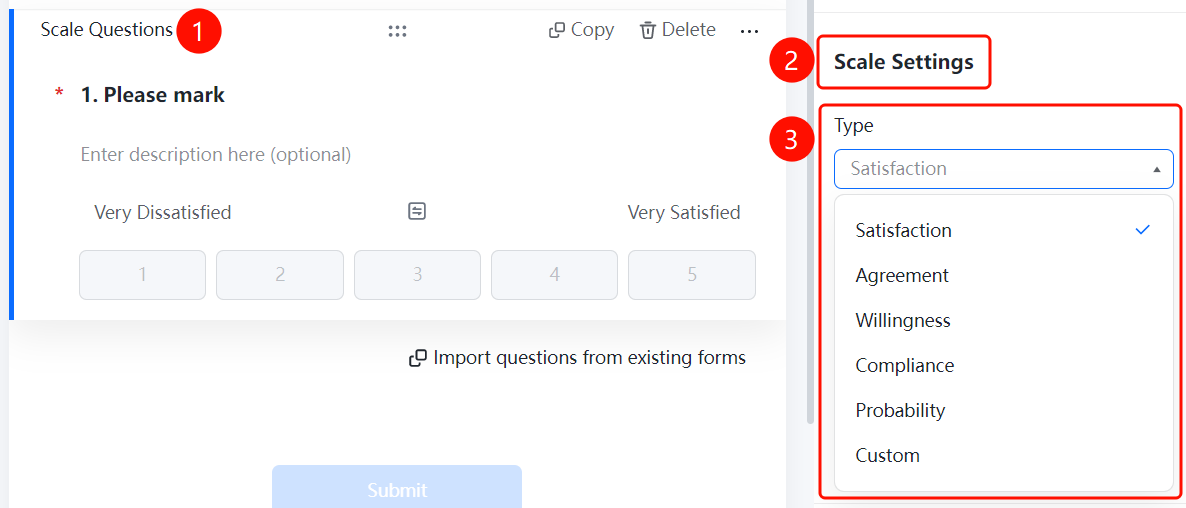
Scale question → 「Scale Settings」 → 「Scale Type」 option
- Click the added scale question
- In the right 「Scale Settings」 panel, click the 「Scale Type」 option
- Select: Satisfaction / Agreement / Willingness / Conformity / Likelihood / custom
Set Rating Levels
Feature Entry
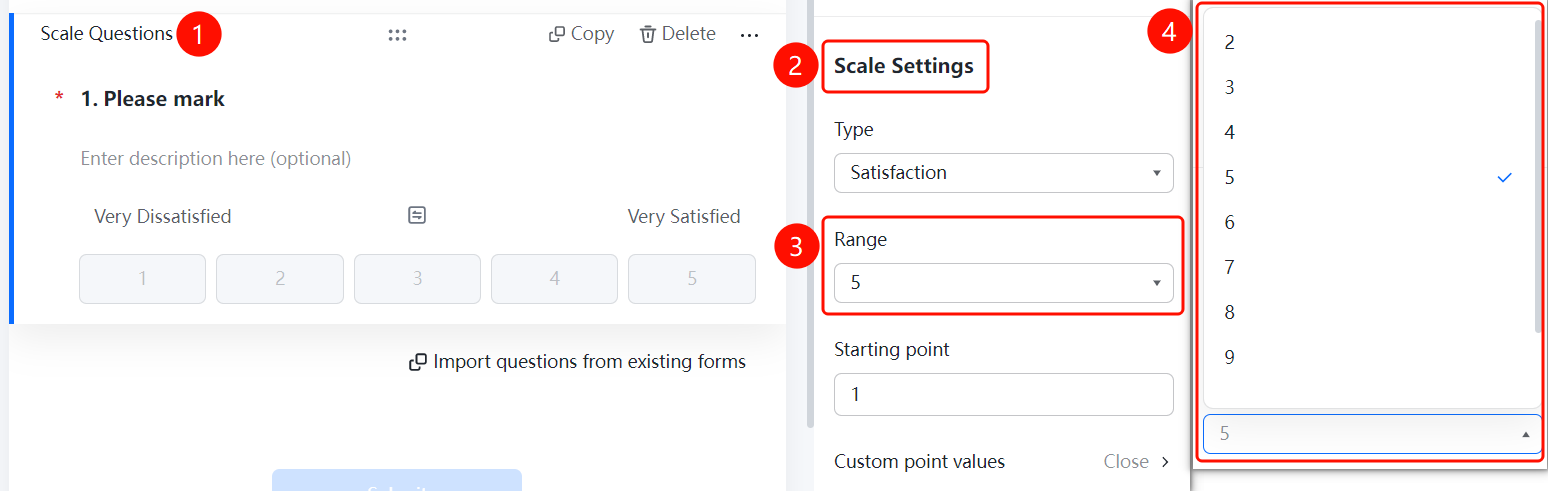
Scale question → 「Scale Settings」 → 「Level Settings」 option
- Click the added scale question
- In the right 「Scale Settings」 panel, click the 「Level Settings」 option
Set Starting Value
Feature Entry
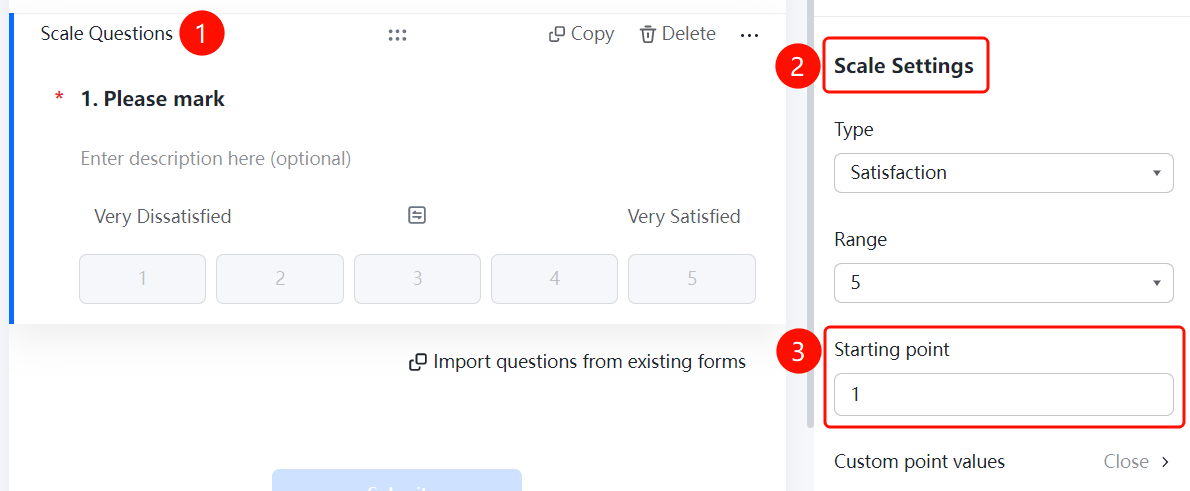
Scale question → 「Scale Settings」 → 「Starting Value」 option
- Click the added scale question
- In the right 「Scale Settings」 panel, click the 「Starting Value」 option
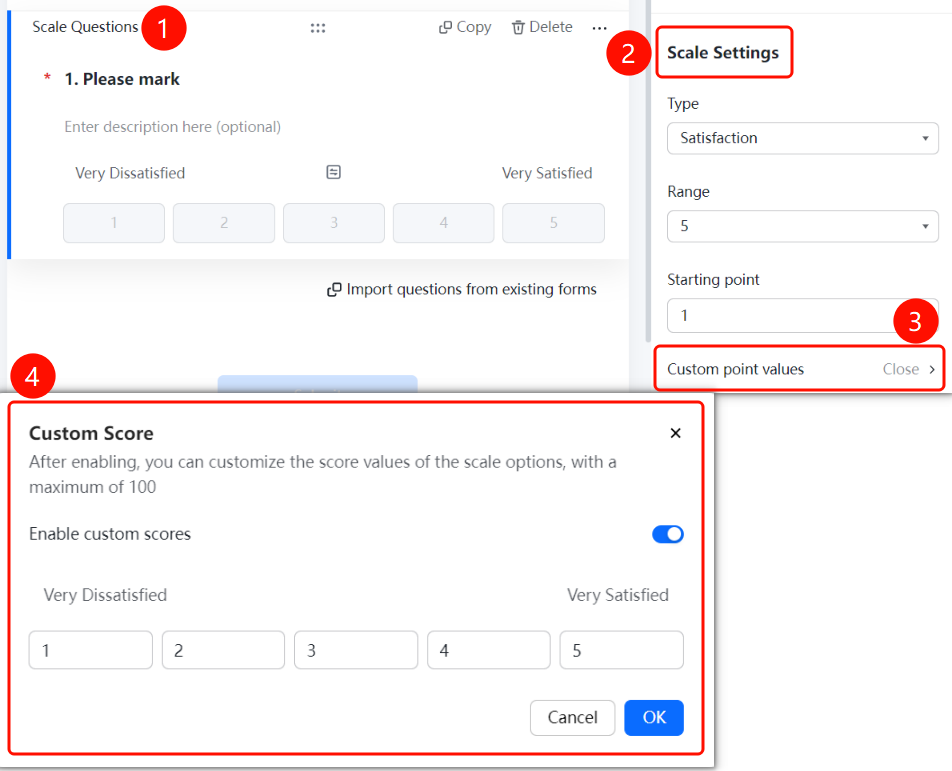
Enable Custom Score
Feature Entry
Scale question → 「Scale Settings」 → 「Custom Score Value」 → 「Enable Custom Score」 toggle
- Click the added scale question
- In the right 「Scale Settings」 panel, click 「Custom Score Value」
- Turn on the 「Enable Custom Score」 toggle
FAQ
Q1: What scale types are supported for scale questions?
- Solution: Satisfaction, Agreement, Willingness, Conformity, Likelihood, and other types are supported. You can also select 「custom」 to configure it yourself.
Q2: How to set the number of rating levels for the scale?
- Solution: Click the scale question, then click 「Level Settings」 in the 「Scale Settings」 panel.
Q3: How to customize the score value of scale items?
- Solution: Click the scale question, click 「Custom Score Value」 in the 「Scale Settings」 panel, and turn on the 「Enable Custom Score」 toggle.
Notes
- Scale questions are suitable for satisfaction surveys, NPS evaluation, scoring, and other scenarios
- You can set the starting value and maximum value to meet different scoring needs