Feature Summary
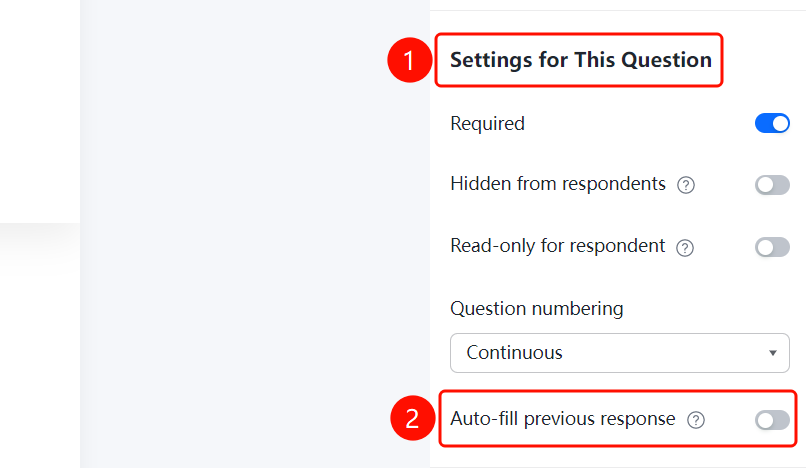
Basic settings allow you to configure fundamental parameters for individual questions, including whether the question is required, hidden from respondents, non-editable by respondents, question numbering, and automatic population with previously entered content. These settings apply to all question types.
Feature Description
| Function Dimension | Description |
|---|---|
| Membership Restrictions | No membership restrictions |
| Version Restrictions | No version restrictions |
Operating Steps
Set This Question as Required
Feature Access
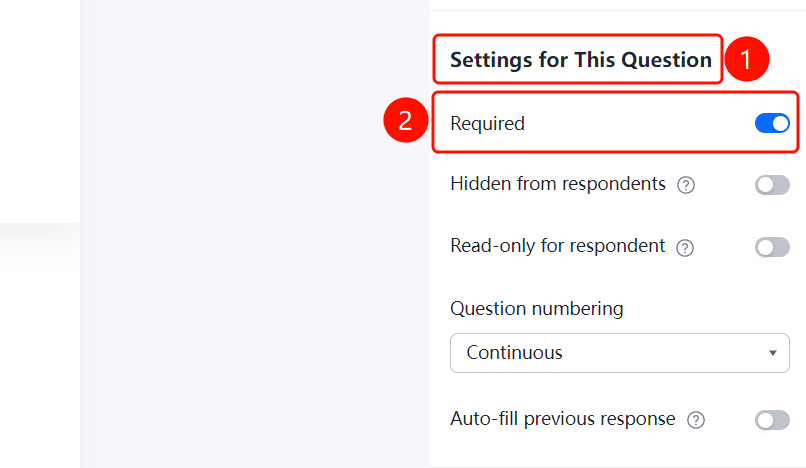
Question → "Basic Settings" → Toggle "This Question is Required"
- Click on the question you wish to configure
- In the right-hand "Basic Settings" panel, turn on the "This Question is Required" toggle
- Once enabled, respondents must answer this question before submitting
Hide this question from respondents
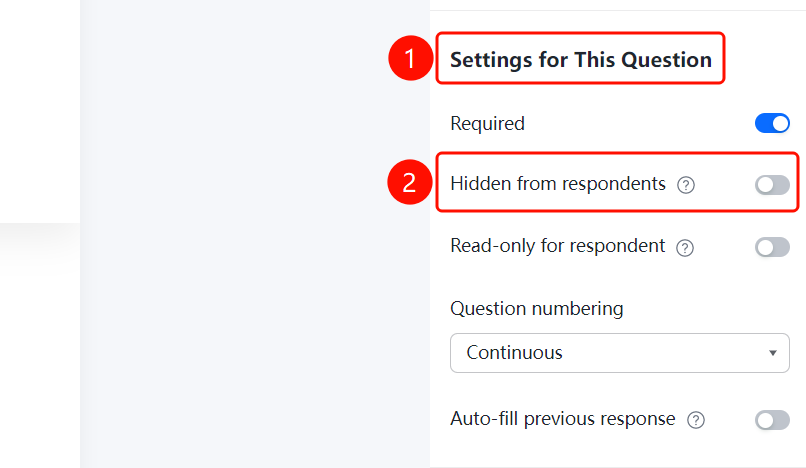
Access pathQuestion → "Basic Settings" → Toggle "Hide this question from respondents"
- Click on the question you wish to configure
- In the right-hand "Basic Settings" panel, turn on the "Hide this question from respondents" toggle
- Once enabled, respondents will not see this question when filling out the file collection form
Set this question as uneditable for respondents
Feature Access
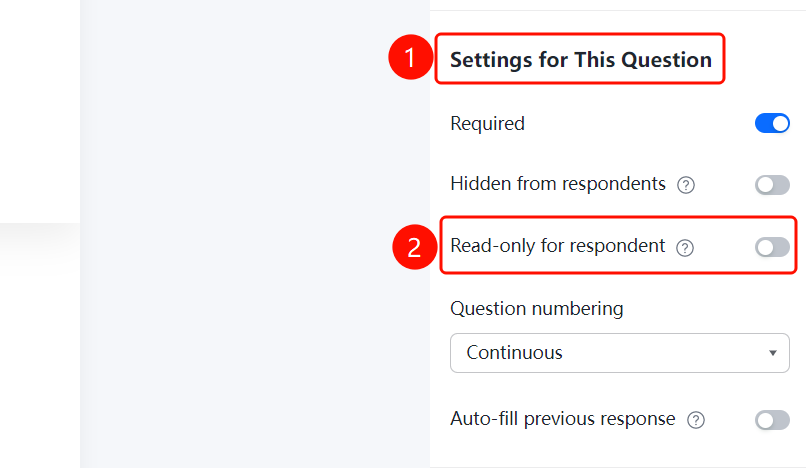
Question → "Basic Settings" → Toggle "This question is not editable by respondents"
- Click on the question you wish to configure
- In the right-hand "Basic Settings" panel, turn on the "This question is not editable by respondents" toggle
- Once enabled, the question will be displayed but respondents will not be able to edit it
Set Question Numbering
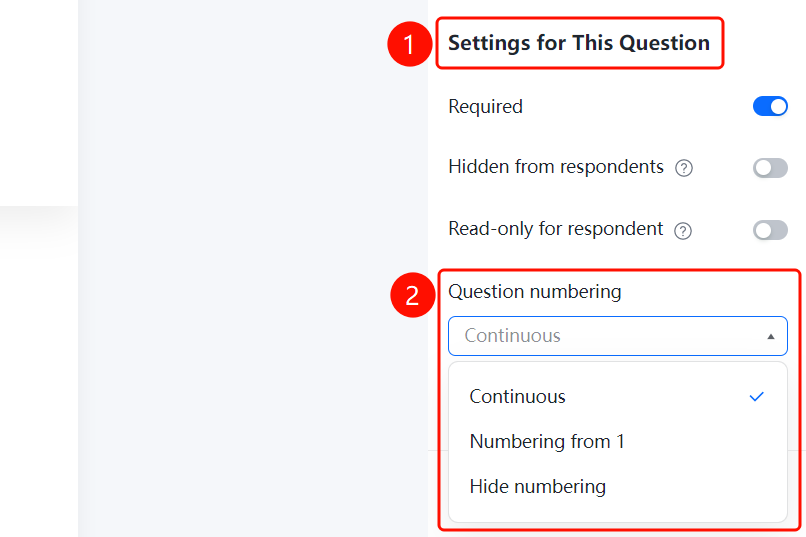
Access PathQuestion → "Basic Settings" → "Question Numbering" dropdown menu
- Click on the question you wish to configure
- In the right-hand "Basic Settings" panel, click the "Question Numbering" dropdown menu
- Select a numbering method: "Sequential Numbering" (default), "Start from 1", or "Hide Numbering"
Enable Auto-Fill of Previous Responses
Feature Access PathQuestion → "Basic Settings" → Toggle "Auto-fill previous response"
- Click on the question you wish to configure
- In the right-hand "Basic Settings" panel, turn on the "Auto-fill previous response" toggle
- Once enabled, the same responder will automatically have their previous answers filled in when they complete the form again
Frequently Asked Questions
Q1: Can "This question is required" and "The person filling this question cannot answer" be enabled at the same time?
- Solution: It is not recommended to enable both simultaneously, as their functions conflict.
Q2: What are the available options for question numbering?
- Solution: Three options are supported: continuous numbering, starting from 1, and hiding the numbering.
Notes
- Basic settings apply to all question types and serve as general configuration parameters for questions.