Feature Summary
Used to collect content entered directly by the respondent, this is a "basic question type" that allows format restrictions to specify the input format, such as phone numbers, ID numbers, bank account numbers, etc.
Feature Description
| Functional Dimension | Description |
|---|---|
| Membership Restrictions | No membership restrictions |
| Version Restrictions | No version restrictions |
Operating Steps
Adding a Fill-in-the-Blank Question
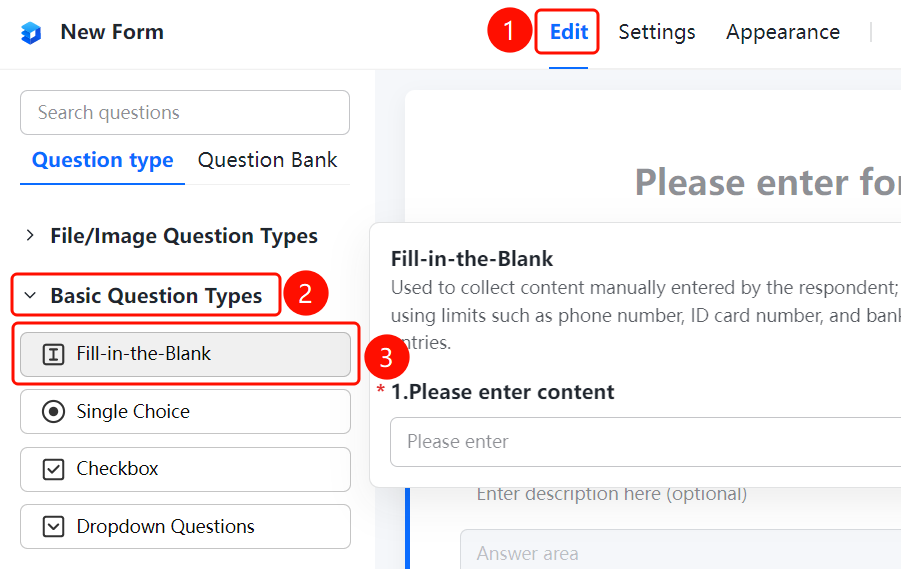
Access Path"Edit" tab → "Basic Question Types" → "Fill-in-the-Blank" button
- Click the "Edit" tab at the top
- Expand the "Basic Question Types" section in the left panel
- Click the "Fill-in-the-Blank" button to add a fill-in-the-blank question to the file collection
- Enter the question title in the question editing area; respondents will input their answers in the "Responder Answer Area"
Set Format Restrictions
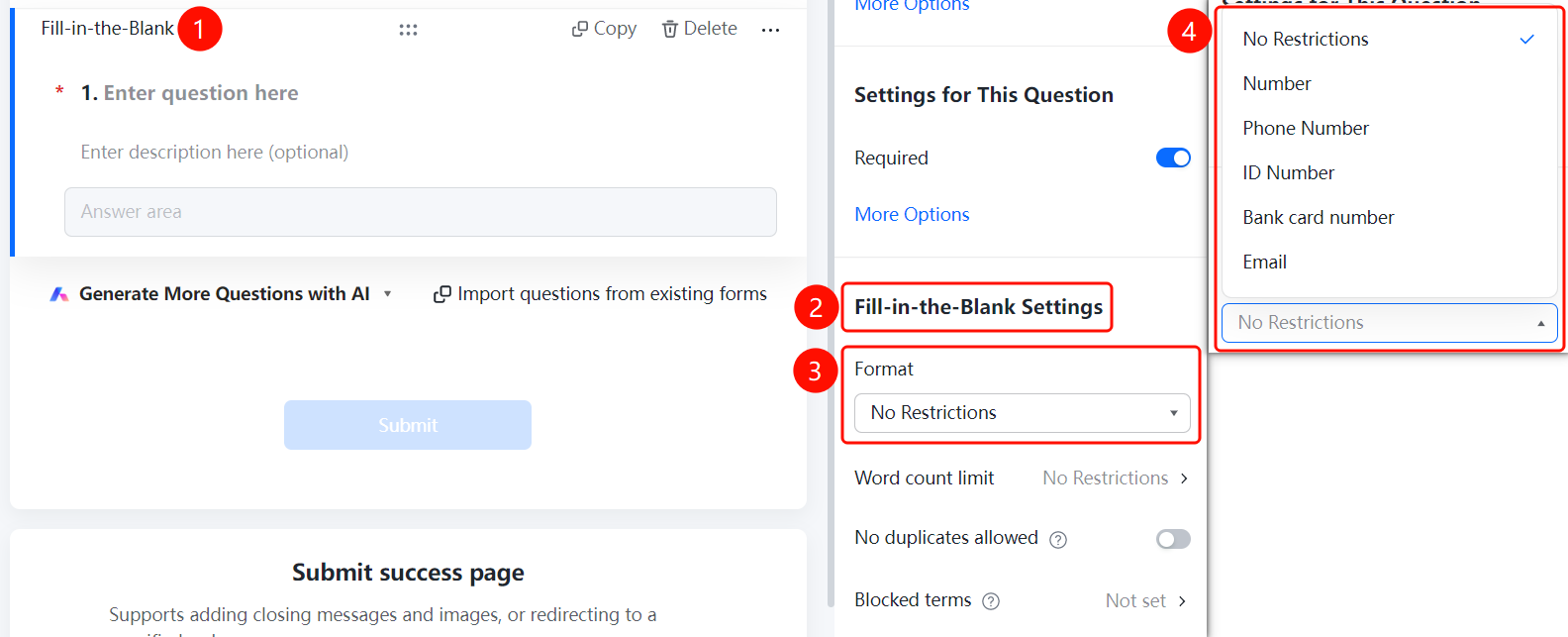
Feature Access PathFill-in-the-blank question → "Fill-in Settings" → "Format Restriction" dropdown menu
- Click on the added fill-in-the-blank question
- In the right-hand "Fill-in Settings" panel, click the "Format Restriction" dropdown
- Select a format restriction: "No Restriction" (default), "Number", "Phone Number", "ID Number", "Bank Card Number", or "Email"
Set Word count limit
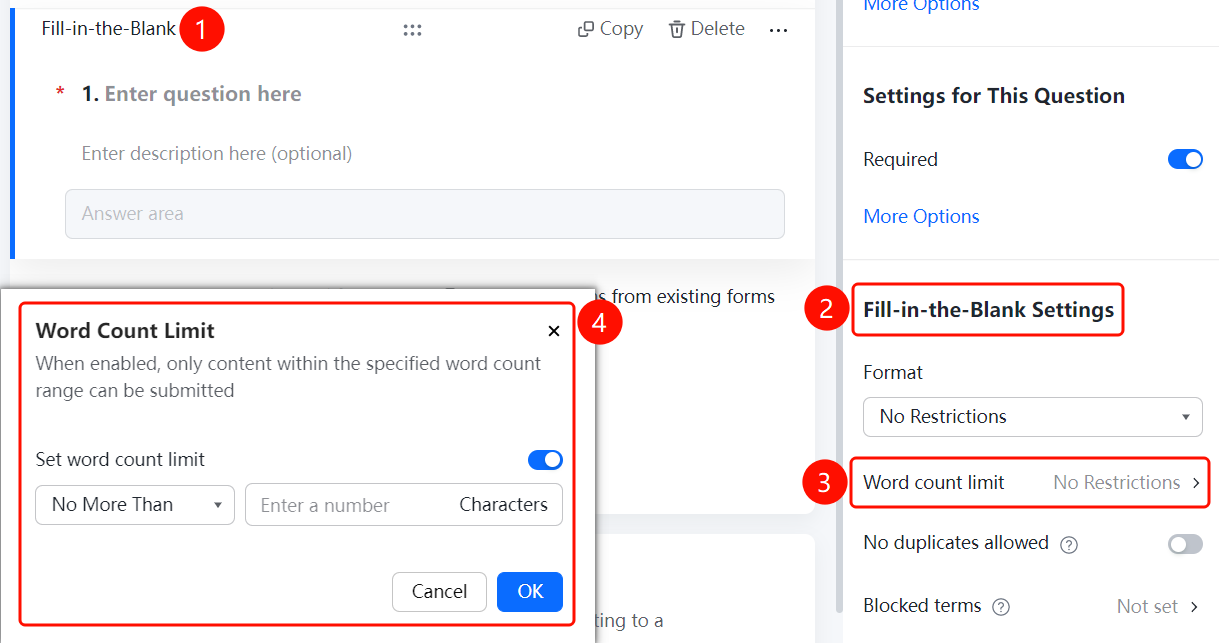
Feature Access PathFill-in-the-blank question → "Fill-in Settings" → "Word count limit" option
- Click on the added fill-in-the-blank question
- In the right-hand "Fill-in Settings" panel, click "Word count limit" (currently set to "Unlimited")
- In the pop-up dialog, turn on the "Set word count limit" toggle switch
Set No duplicates allowed
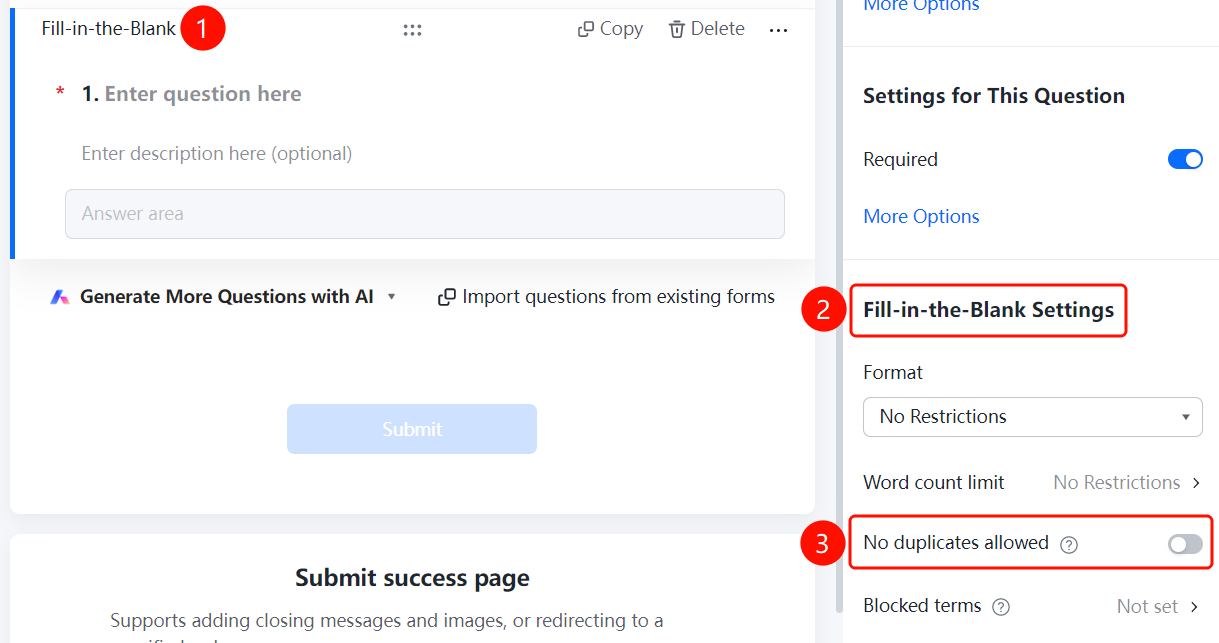
Feature Access PathFill-in-the-blank question → "Fill-in Settings" → Toggle "No duplicates allowed"
- Click on the added fill-in-the-blank question
- In the right-side "Fill-in Settings" panel, turn on the "No duplicates allowed" toggle
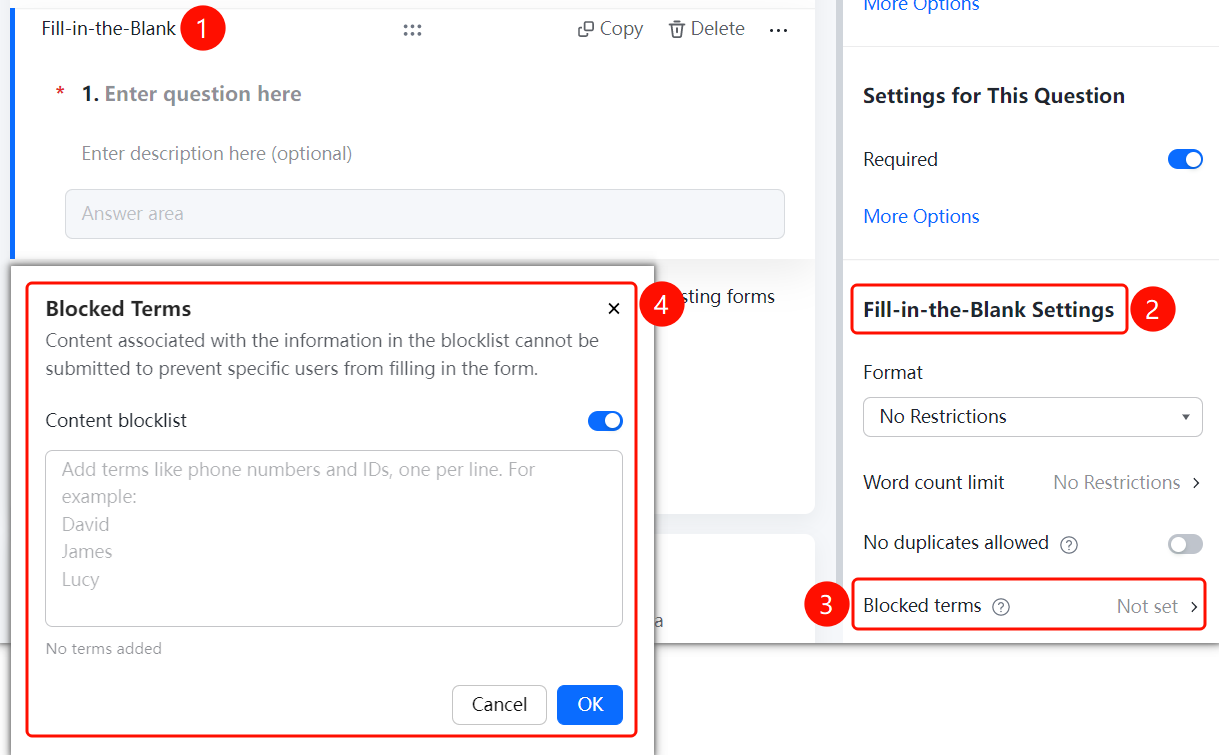
Set Prohibited Submission Content
Feature Access PathFill-in-the-blank question → "Fill-in Settings" → "Prohibited Submission Content"
- Click on the added fill-in-the-blank question
- In the right-hand "Fill-in Settings" panel, click "Prohibited Submission Content" (currently set to "Not Set")
- In the pop-up dialog, turn on the "Content Blacklist" switch
Frequently Asked Questions
Question 1: What is the difference between format restrictions and character limits?
- Solution: Format restrictions define the type of content allowed, while character limits specify the length range of the input.
Notes
- Fill-in-the-blank questions belong to the "Basic Question Types."
- Supports format restrictions, character limits, no duplicates allowed, and prohibited submission of certain content.