Feature Summary
The Name question is used to collect the respondent's name information, supporting settings such as format restrictions, character limits, disallowing duplicates, and blacklists.
Feature Description
| Feature Dimension | Description |
|---|---|
| Membership Restriction | No membership restriction |
| Version Restriction | No version restriction |
Steps
Adding a Name Question
Feature Entry
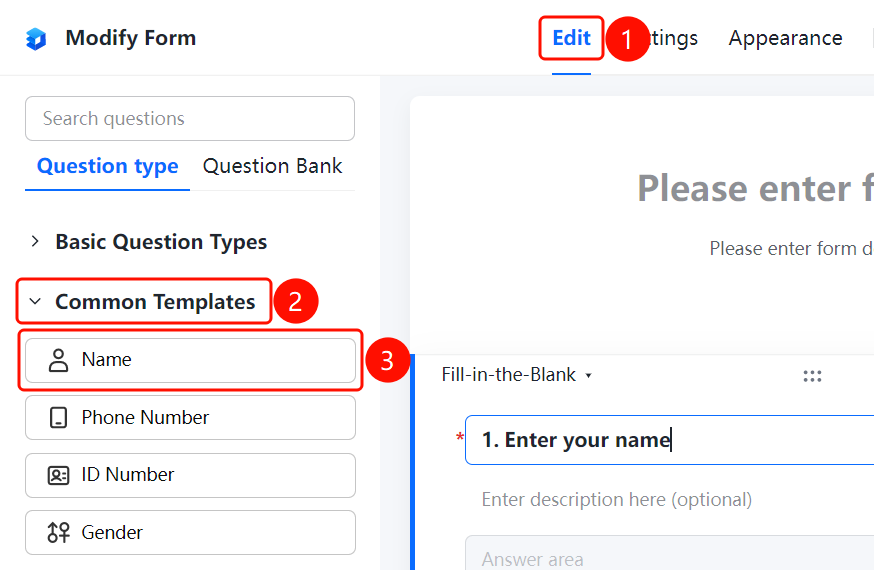
"Edit" tab → "Question Type" tab → "Common Templates" → "Name" button
- Click the top "Edit" tab
- Expand the "Common Templates" area in the left panel
- Click the "Name" button to add the Name question to the form
Setting Format Restrictions
Feature Entry
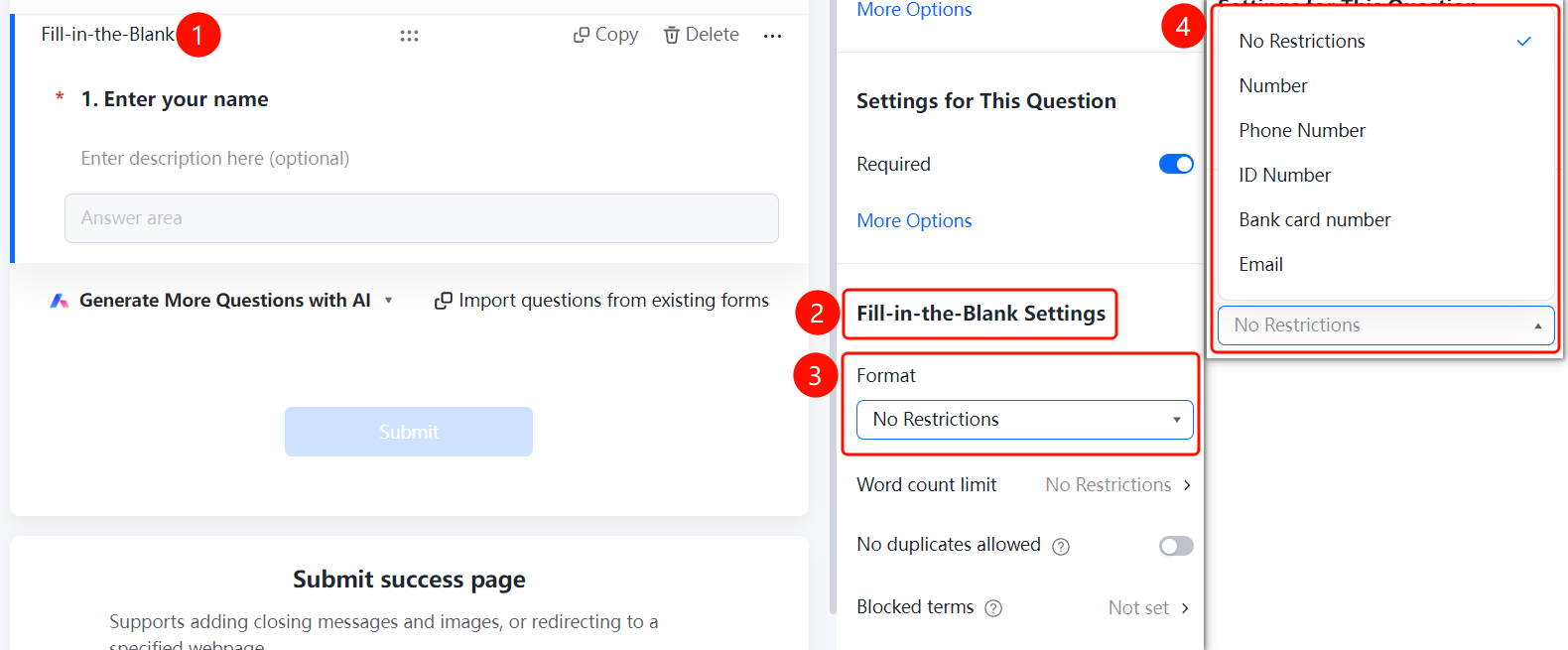
Name question → "Fill Settings" → "Format Restriction"
- Click the added Name question
- In the right "Fill Settings" panel, click the "Format Restriction" dropdown
- Select a format: No Restriction, Number, Phone Number, ID Number, Bank Card Number, Email
Setting Word count Limit
Feature Entry
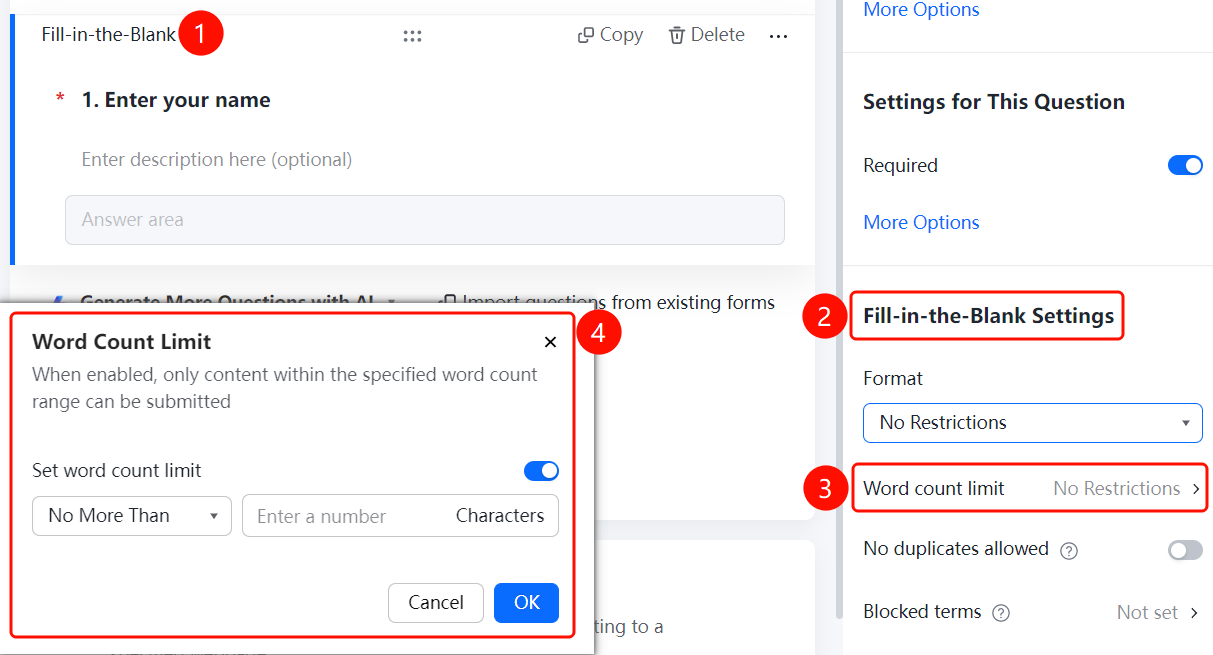
Name question → "Fill Settings" → "Character Limit"
- Click the added Name question
- In the right "Fill Settings" panel, click the "Word count Limit" option
- In the pop-up panel, enable the "Set word count Limit" toggle
- Set the minimum and maximum character limits
Set Noduplicates allowed
Feature Entry
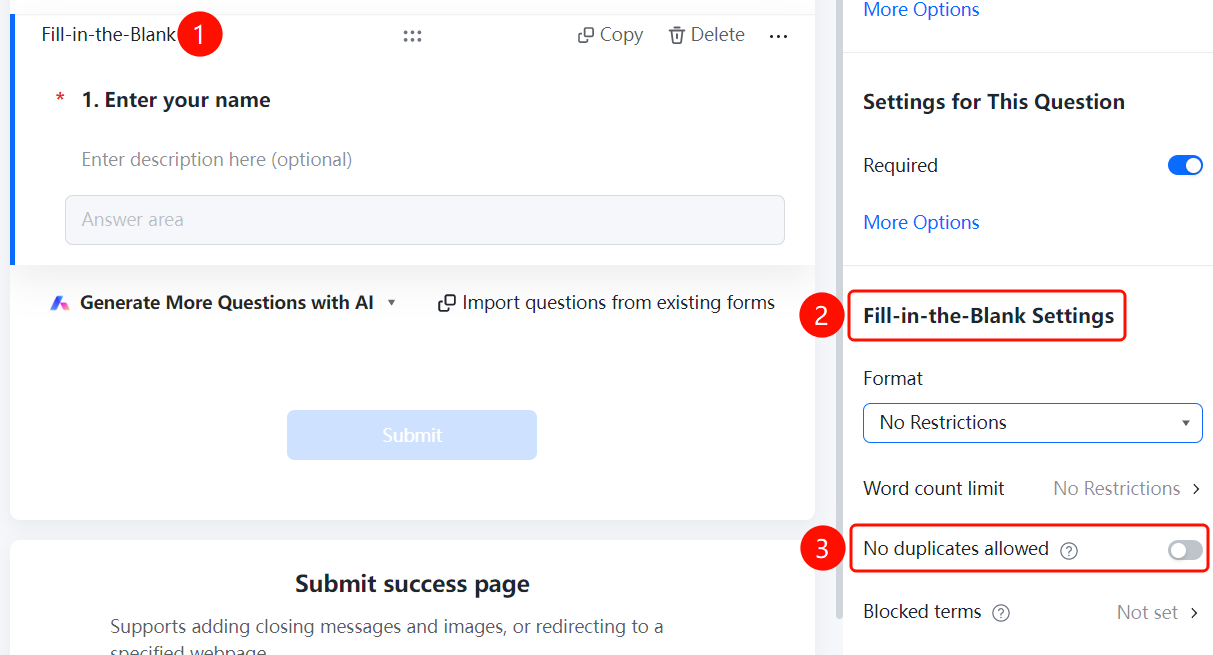
Name question → "Fill Settings" → "Noduplicates allowed"
- Click the added Name question
- In the right "Fill Settings" panel, find the "Noduplicates allowed" option
- After enabling the toggle, the same name cannot be submitted repeatedly
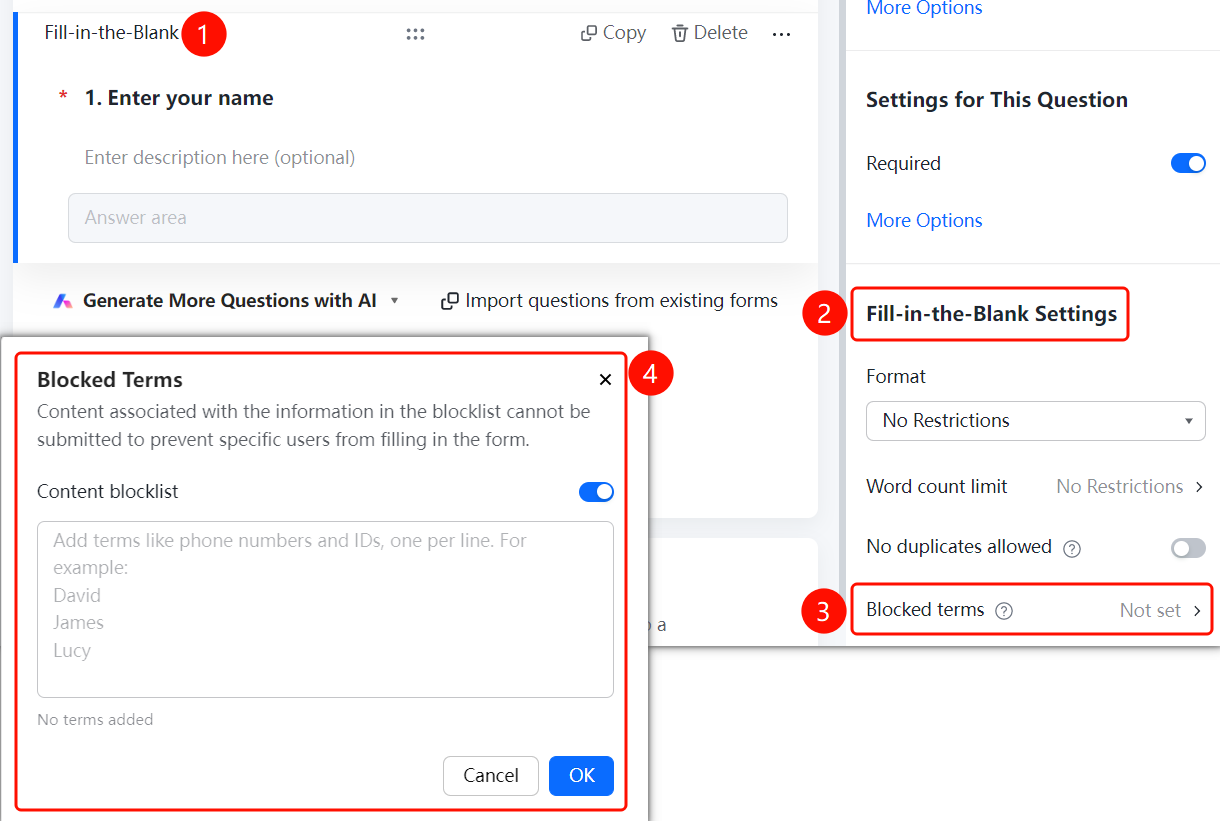
Set Blocked terms
Feature Entry
Name question → "Fill Settings" → "Blocked terms"
- Click the added Name question
- In the right "Fill Settings" panel, click the "Blocked terms" option
- Enable the "Content blocklist" toggle
- Add the name content to be prohibited, one per line
- Click the "OK" button to save
FAQ
Q1: What is the difference between the Name question and a regular fill-in-the-blank question?
- Solution: The Name question is a fill-in-the-blank question based on common templates, used by default to collect name information, with settings identical to those of a fill-in-the-blank question.
Q2: Can the character count of the name be restricted?
- Solution: Yes, you can set the minimum and maximum character limits in the Character Limit panel.
Q3: How to prevent duplicate name submissions?
- Solution: Enable the "Disallow Duplicates" toggle, and the system will automatically verify whether the name already exists.
Notes
- The Name question is suitable for collecting the respondent's real name
- Format restrictions and character limits can be set according to requirements