Feature Summary
The message reminder settings feature is used to configure message push options such as form submission notifications, reminding others to fill in, and group bot push.
Feature Description
| Feature Dimension | Description |
|---|---|
| Membership Restriction | No membership restriction |
| Version Restriction | No version restriction |
Operation Steps
Notify Me When Someone Submits
Feature Entry
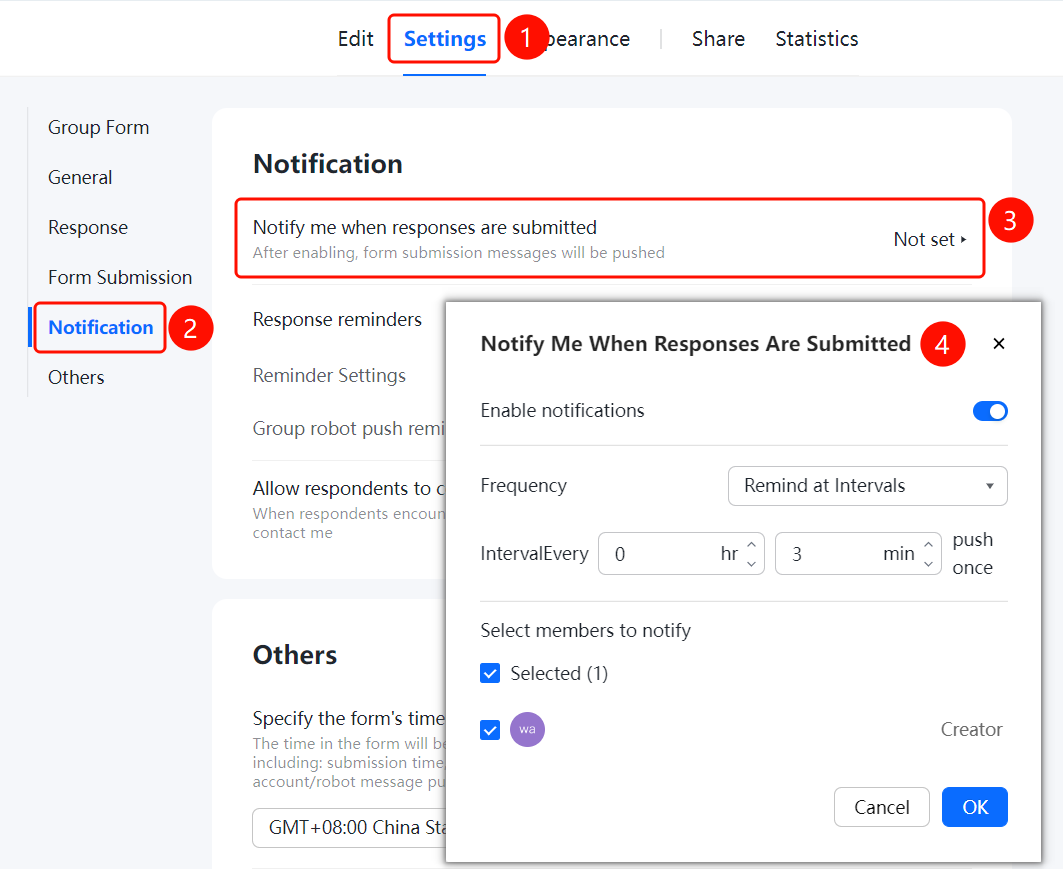
「Settings」 tab → 「Message Reminder Settings」 → 「Notify Me When Someone Submits」
- Click the top 「Settings」 tab
- Click 「Message Reminder Settings」 in the left menu
- Click the 「Notify Me When Someone Submits」 option
- Turn on the 「Enable Notification Push」 switch
- Set 「Push Frequency Settings」 and 「Interval Time Settings」
- Select the members to be pushed reminders, and click the 「Confirm」 button to save
Remind Others to Fill in the Form
Feature Entry
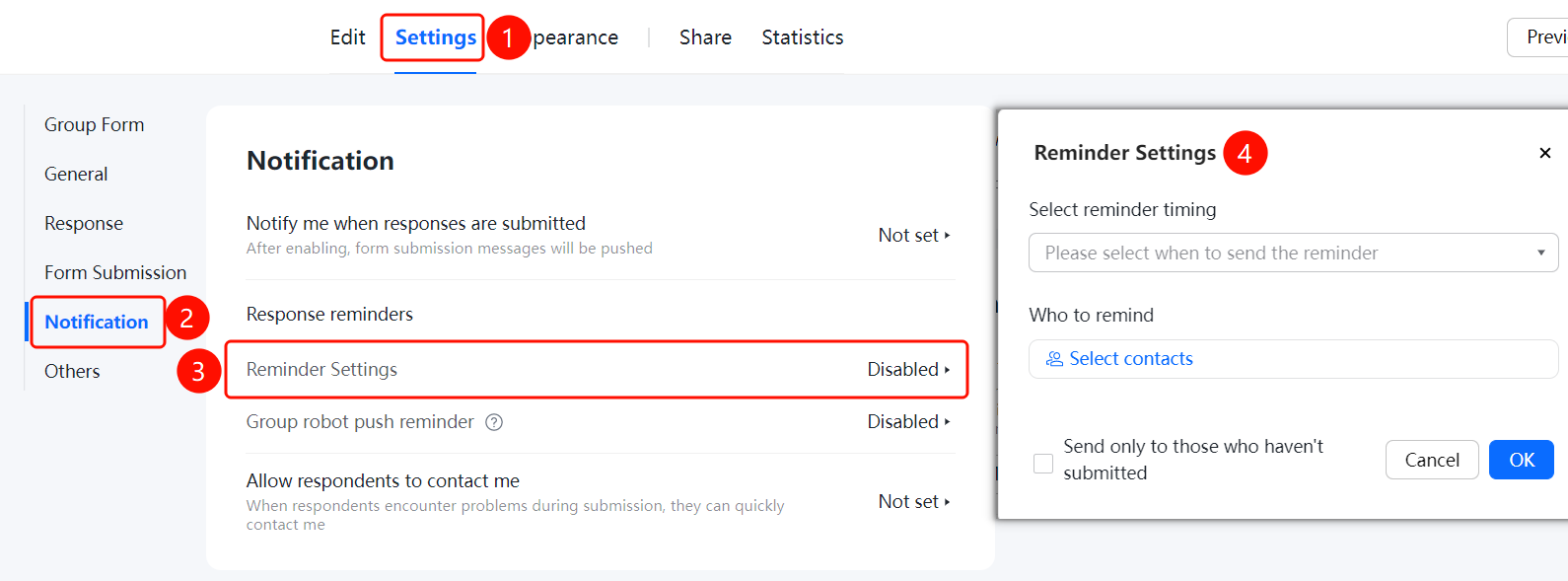
「Settings」 tab → 「Message Reminder Settings」 → 「Reminder Settings」
- On the 「Message Reminder Settings」 page, click the 「Reminder Settings」 option
- Set 「When to Send」 reminders
- Select 「Who to Remind」, click 「Select Contacts」 to add
- You can check 「Only send to contacts who have not submitted」
- Click the 「Confirm」 button to save
Group Bot Push Reminder
Feature Entry
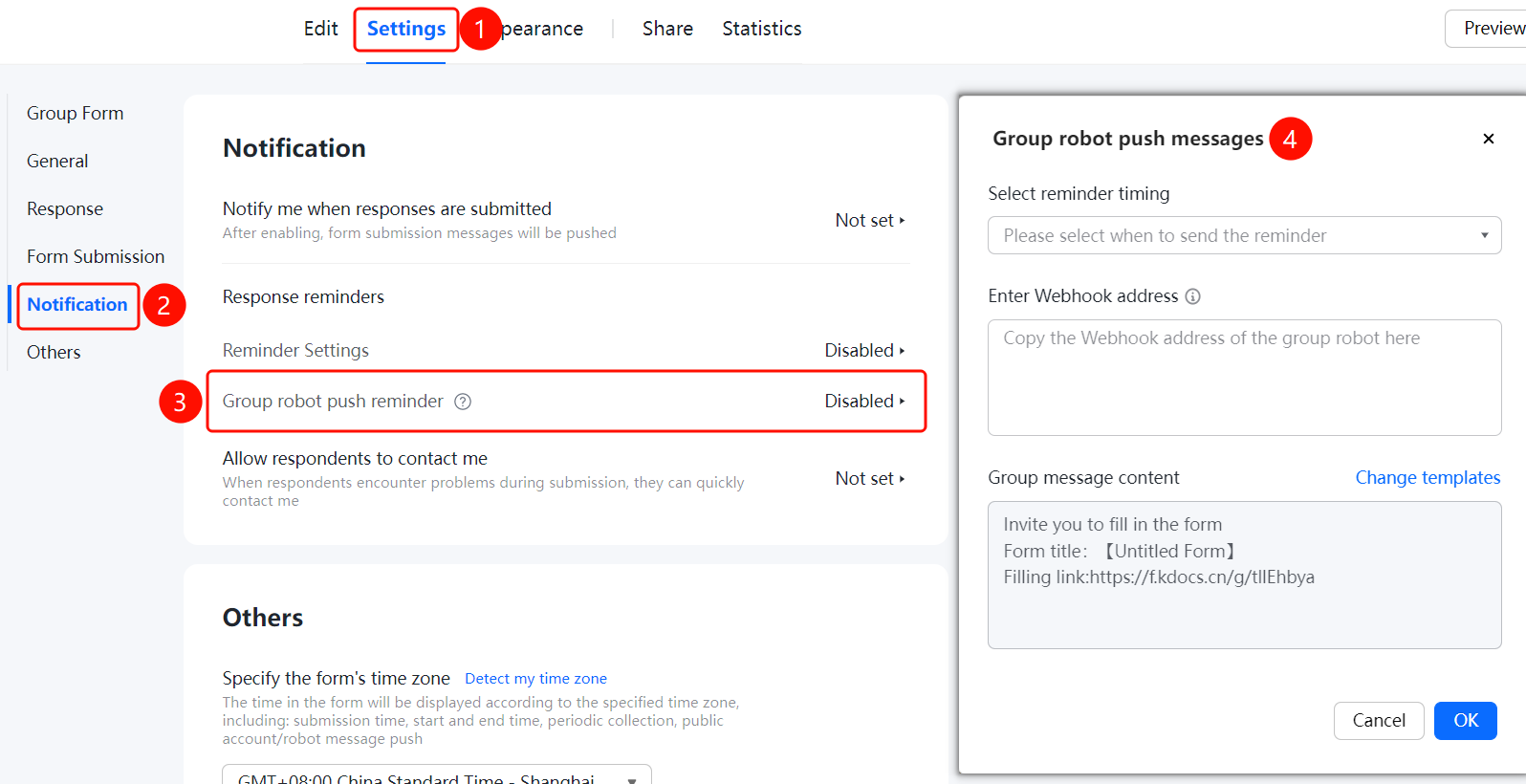
「Settings」 tab → 「Message Reminder Settings」 → 「Group Bot Push Reminder」
- On the 「Message Reminder Settings」 page, click the 「Group Bot Push Reminder」 option
- Set 「When to Send」 reminders
- Enter the 「Webhook Address」
- Edit the 「Group Message Content」, you can click 「Change Template」
- Click the 「Confirm」 button to save
Allow Fillers to Contact Me
Feature Entry
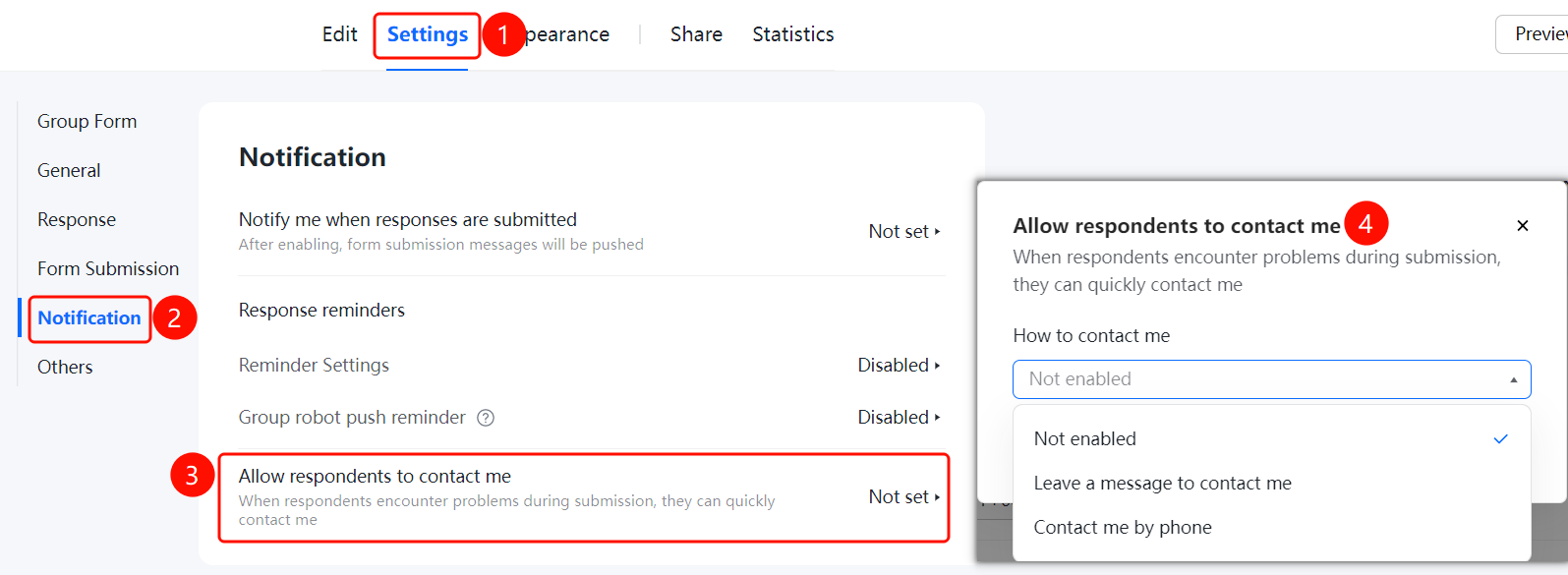
「Settings」 tab → 「Message Reminder Settings」 → 「Allow Fillers to Contact Me」
- On the 「Message Reminder Settings」 page, click the 「Allow Fillers to Contact Me」 option
- Set the 「How to Contact Me」 method
- Click the 「Confirm」 button to save
FAQ
Q1: What push methods are supported for message reminders?
- Solution: Supports multiple methods such as personal notification push, reminding others to fill in, and group bot Webhook push.
Q2: Can I set the push frequency?
- Solution: Yes, you can set reminders at intervals and customize the push frequency in the notification settings.
Q3: How to configure group bot push?
- Solution: Enter the group bot's Webhook address, set the sending time and message content to complete the configuration.
Notes
- For group bot push, you need to first add the bot in the group chat and obtain the Webhook address
- It is recommended to set a reasonable push frequency based on actual needs to avoid frequent interruptions