Feature Summary
The Contact feature is used to select contacts from the Contacts directory, suitable for scenarios requiring personnel association such as selecting task owners or evaluation subjects.
Feature Description
| Feature Dimension | Description |
|---|---|
| Membership Restriction | No membership restriction |
| Version Restriction | No version restriction |
Operation Steps
Add Contact
Feature Entry
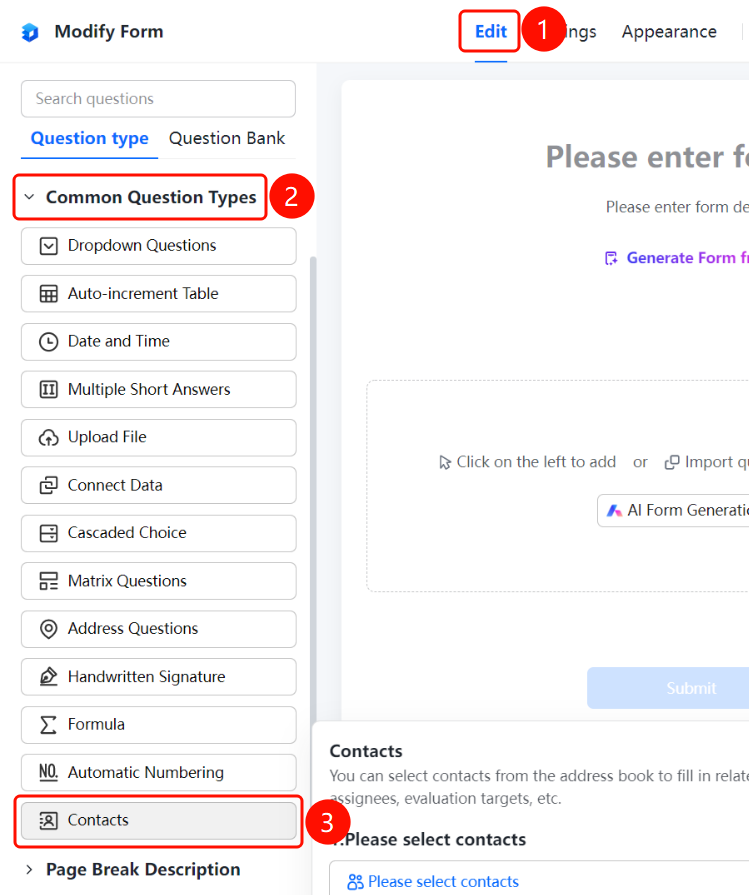
「Edit」 tab → 「Question Types」 tab → 「Common Question Types」 → 「Contact」 button
- Click the top 「Edit」 tab
- Expand the 「Common Question Types」 area in the left panel
- Click the 「Contact」 button to add the contact question to the form
Configure Contact Options
Feature Entry
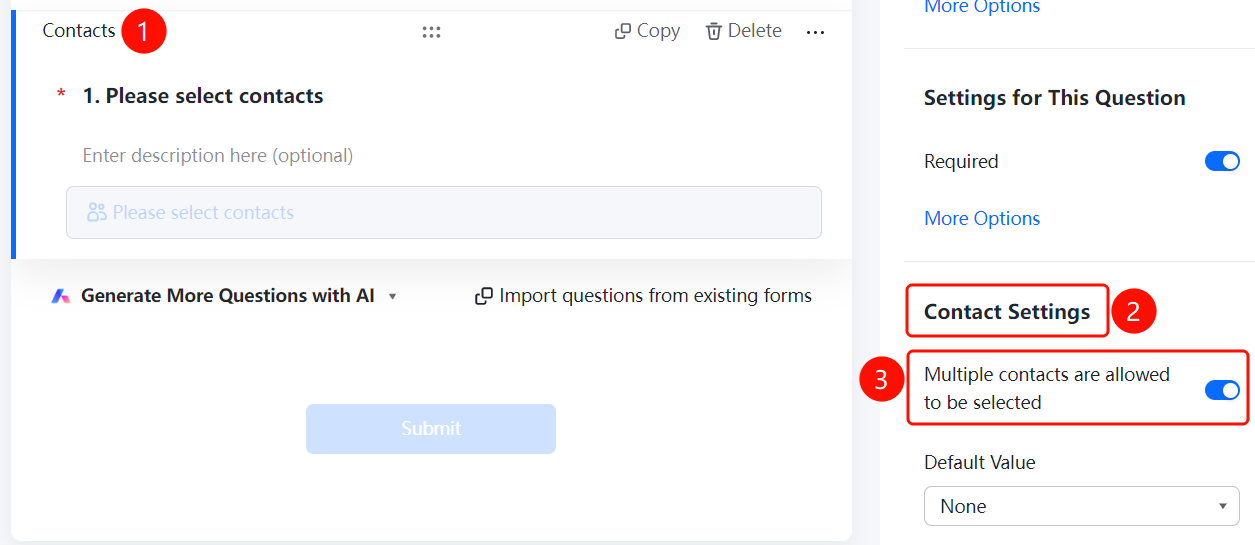
Contact question → 「Contact Settings」 panel
- Click the added contact question
- In the 「Contact Settings」 panel, enable the 「Allow Multiple Contacts」 toggle
- In the 「Default Value」 dropdown box, set the default option: None, Person filling this form, Specified person
Set Default Value
Feature Entry
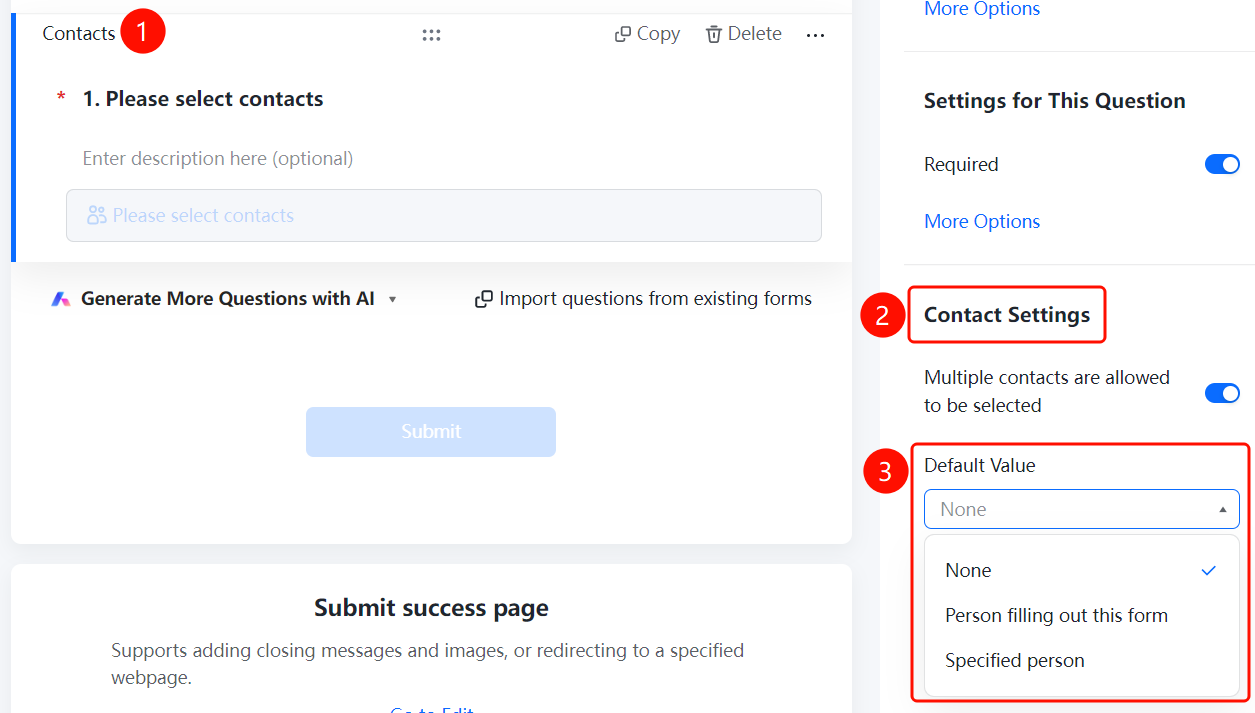
Contact question → 「Contact Settings」 → 「Default Value」
- Click the added contact question
- In the 「Contact Settings」 panel, click the 「Default Value」 dropdown box
- Select the default value option: None (no default), Person filling this form, Specified person
- When selecting 「Specified person」, you can further set the specific contact
FAQ
Q1: Where do the contacts come from?
- Solution: Contacts are obtained from the Contacts directory. Fillers can select contacts from the organization's Contacts directory.
Q2: Can multiple contacts be selected?
- Solution: Yes, enable the 「Allow Multiple Contacts」 toggle in the contact settings.
Q3: What is the purpose of the default value?
- Solution: The default value automatically fills in the contact when the filler opens the form, supporting setting it to the filler themselves or a specified person.
Notes
- The Contact feature relies on the organization's Contacts directory; ensure the Contacts data is accurate
- Suitable for scenarios requiring personnel association such as task assignment and evaluation subject selection