Feature Summary
The Industry question is used to collect information about the industry in which respondents work. It supports multi-level industry classification selection and comes with pre-loaded, complete industry classification data.
Feature Description
| Feature Dimension | Description |
|---|---|
| Membership Restriction | No membership restriction |
| Version Restriction | No version restriction |
Operation Steps
Adding an Industry Question
Feature Entry
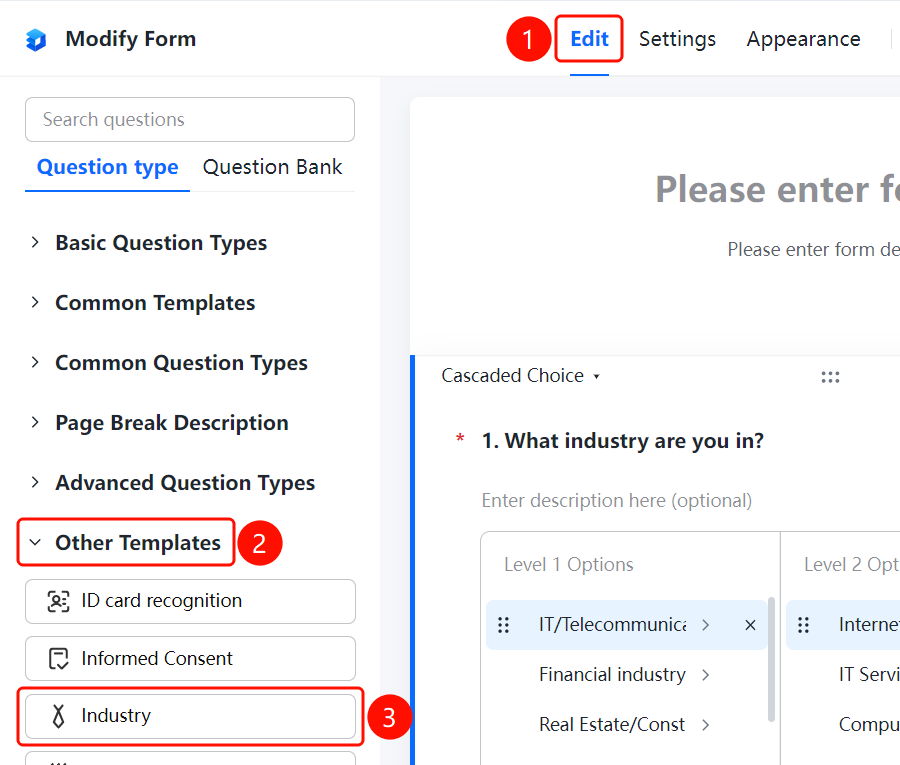
「Edit」tab → 「Question Type」tab → 「Other Templates」 → 「Industry」button
- Click the 「Edit」 tab at the top
- Expand the 「Other Templates」 area in the left panel
- Click the 「Industry」 button to add the Industry question to the form
Setting a Default Answer
Feature Entry
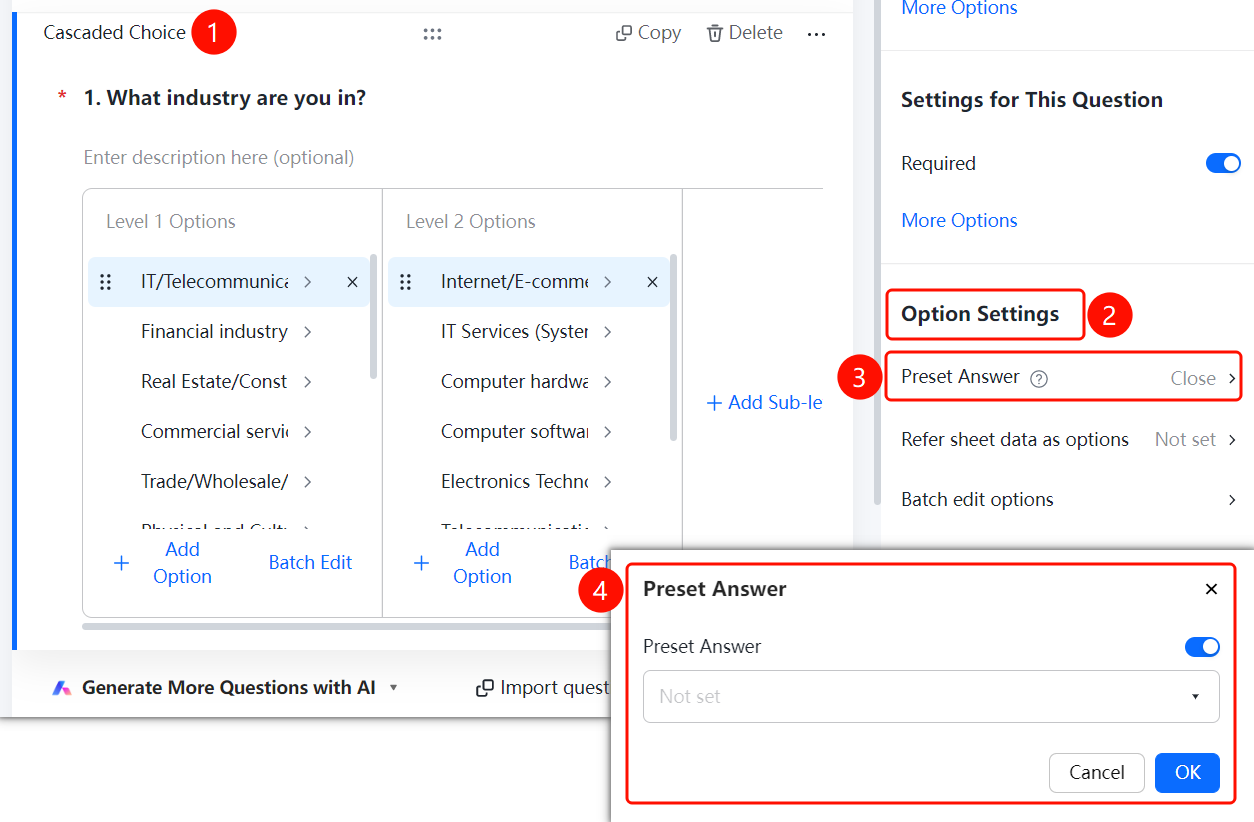
Industry question → 「Option Settings」 → 「Default Answer」
- Click the added Industry question
- In the 「Option Settings」 panel, click the 「Default Answer」 option
- Set the default selected industry in the pop-up panel
Referencing Sheets Data as Options
Feature Entry
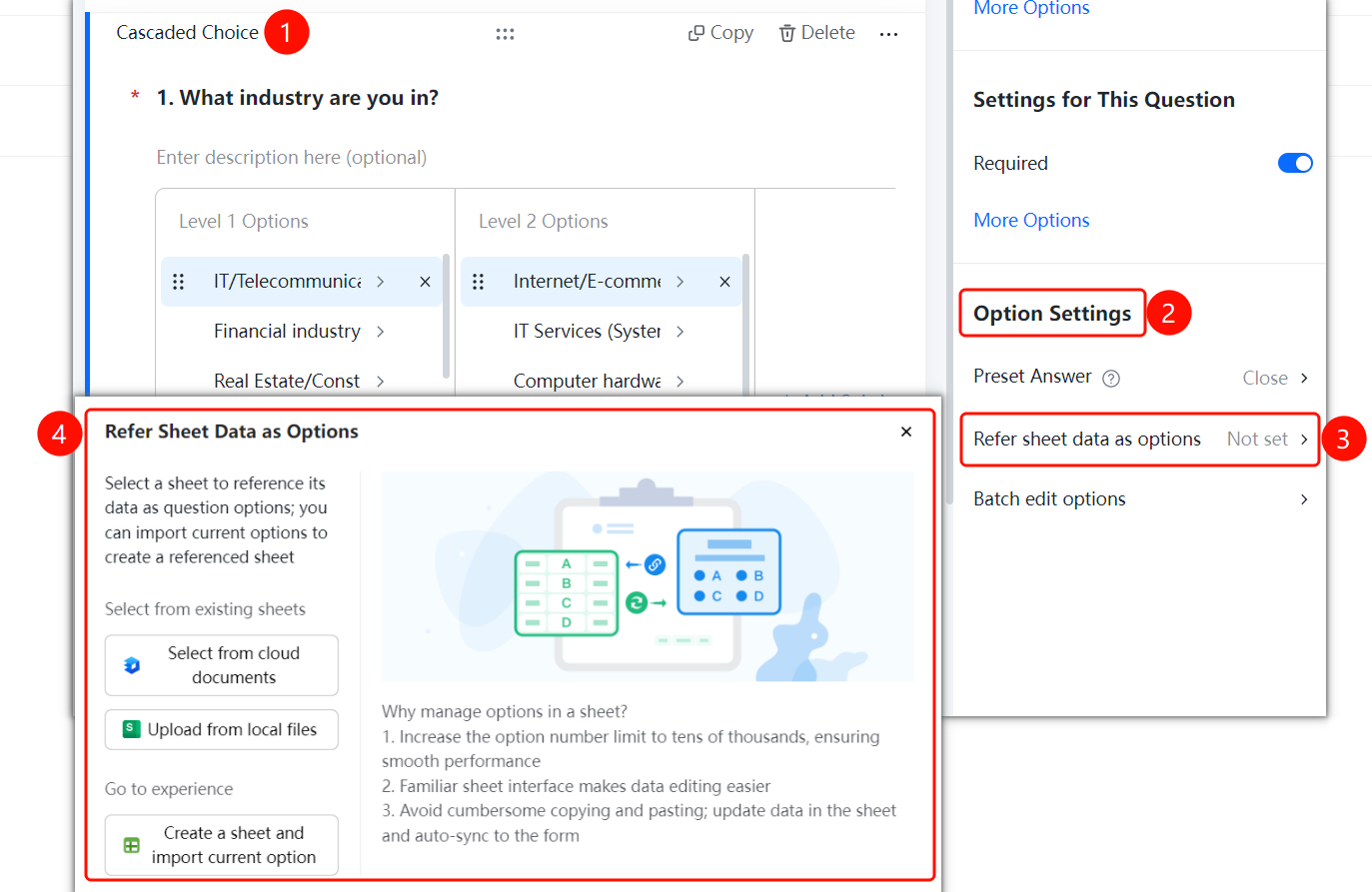
Industry question → 「Option Settings」 → 「Reference Sheets Data as Options」
- Click the added Industry question
- In the 「Option Settings」 panel, click the 「Reference Sheets Data as Options」 option
- In the pop-up panel, select the sheet source: choose from cloud documents, upload from a local file, or create a new sheet and import the current options
Batch Editing Options
Feature Entry
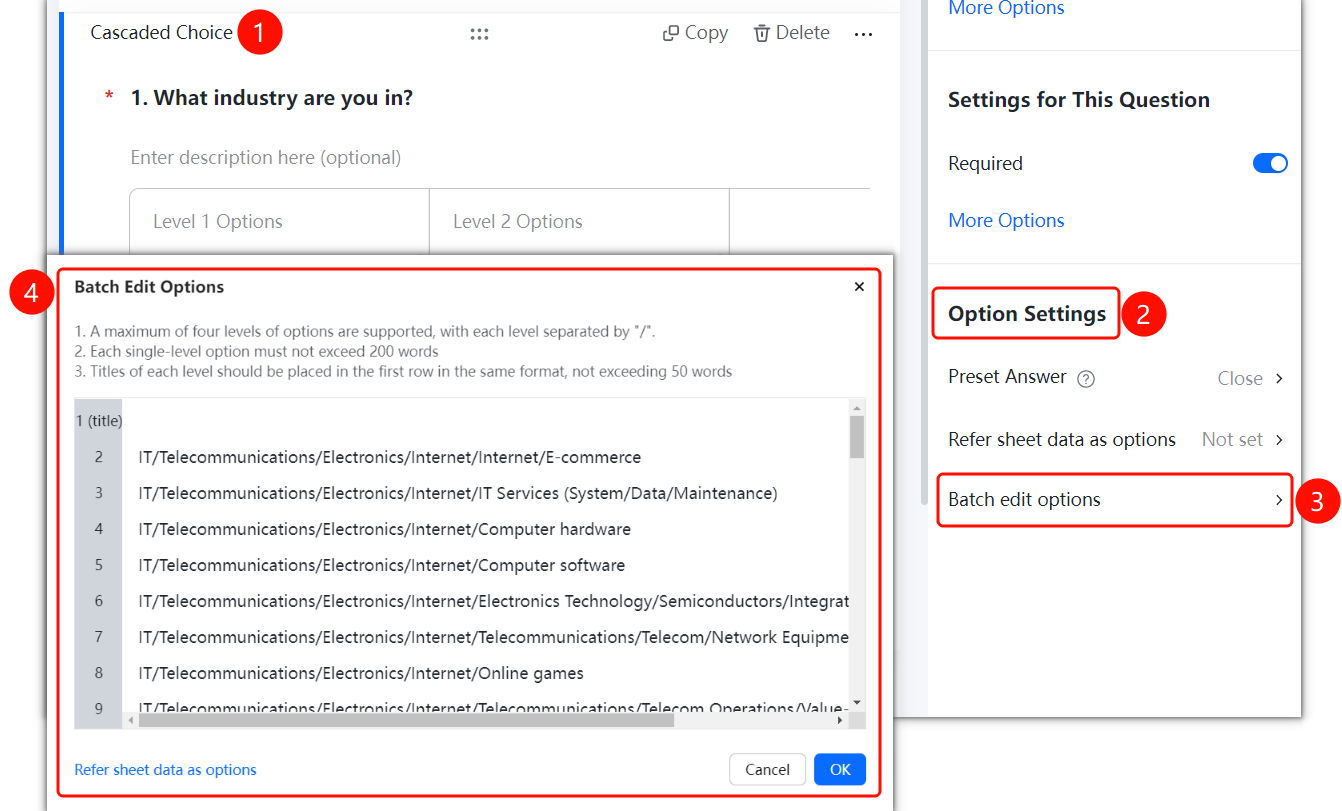
Industry question → 「Option Settings」 → 「Batch Edit Options」
- Click the added Industry question
- In the 「Option Settings」 panel, click the 「Batch Edit Options」 option
- Enter industry options according to the rules: up to four levels of options are supported, with each option separated by "/"
- Click the 「Confirm」 button to save the settings
FAQ
Q1: What industries are pre-loaded in the Industry question?
- Solution: The Industry question is pre-loaded with multiple industry classifications, including IT/Communications/Electronics/Internet, Finance, Real Estate/Construction, Business Services, and more.
Q2: Can I customize the industry options?
- Solution: Yes, you can customize the industry classification content using the Batch Edit Options feature.
Q3: How many levels of classification does the Industry question support?
- Solution: The Industry question supports up to four levels of industry classification, e.g., Level 1 Industry → Level 2 Industry → Level 3 Industry → Level 4 Industry.
Notes
- The Industry question uses a multi-select question type and supports multi-level industry classification
- You can import custom industry data via the Reference Sheets Data feature