Feature Summary
The ID Number feature is used to collect respondents' ID numbers, supporting format validation, ID photo recognition, duplicate submission prevention, and blocklist settings.
Feature Description
| Feature Dimension | Description |
|---|---|
| Membership Restriction | No membership restriction |
| Version Restriction | No version restriction |
Steps
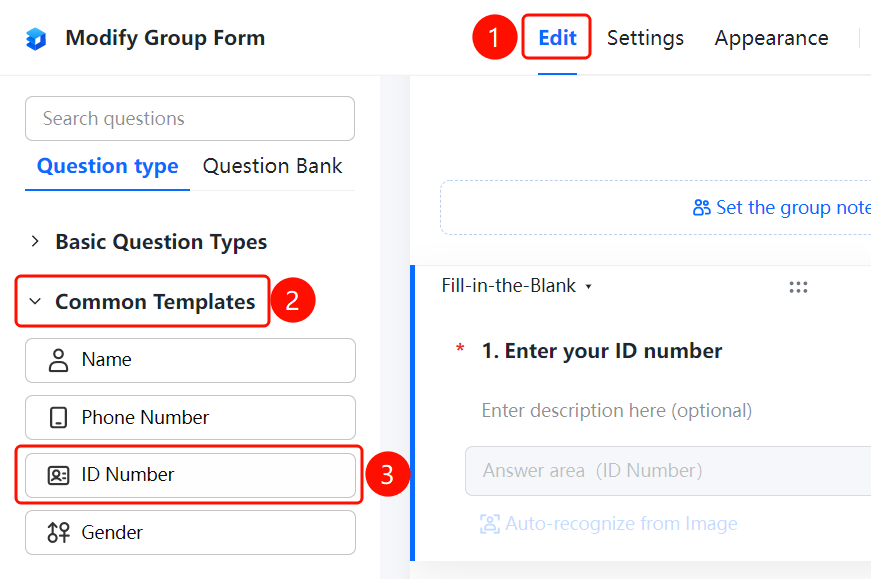
Adding an ID Number
Feature Entry
「Edit」 tab → 「Question Types」 tab → 「Common Templates」 → 「ID Number」 button
- Click the top 「Edit」 tab
- Expand the 「Common Templates」 area in the left panel
- Click the 「ID Number」 button to add the ID number question to the form
Setting Format Restrictions
Feature Entry
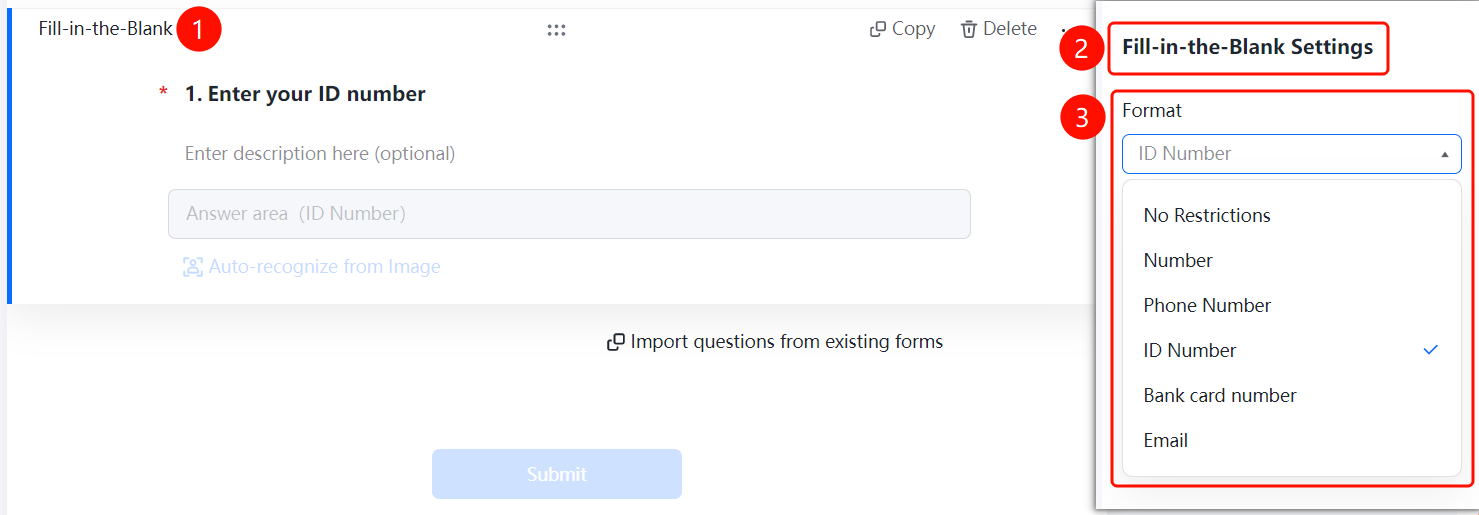
ID Number question → 「Fill-in Settings」 → 「Format Restriction」
- Click the added ID number question
- In the 「Fill-in Settings」 panel, click the 「Format Restriction」 dropdown
- Select the 「ID Number」 format (also supports No Restriction, Number, Mobile Number, Bank Card Number, Email, etc.)
Setting Duplicate Prevention
Feature Entry
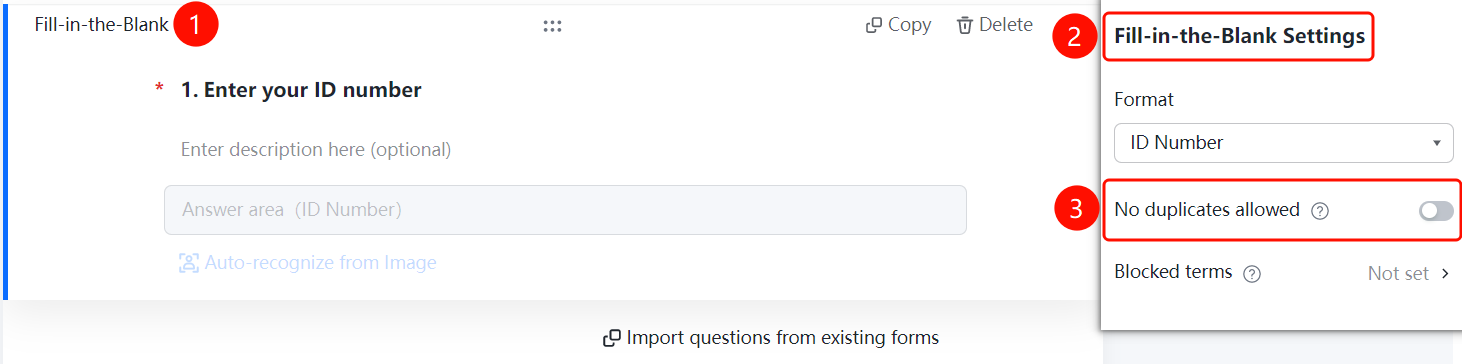
ID Number question → 「Fill-in Settings」 → 「Do Not Allow Duplicates」
- In the 「Fill-in Settings」 panel, find the 「Do Not Allow Duplicates」 option
- After enabling the toggle, the same ID number cannot be submitted more than once
Setting Prohibited Content
Feature Entry
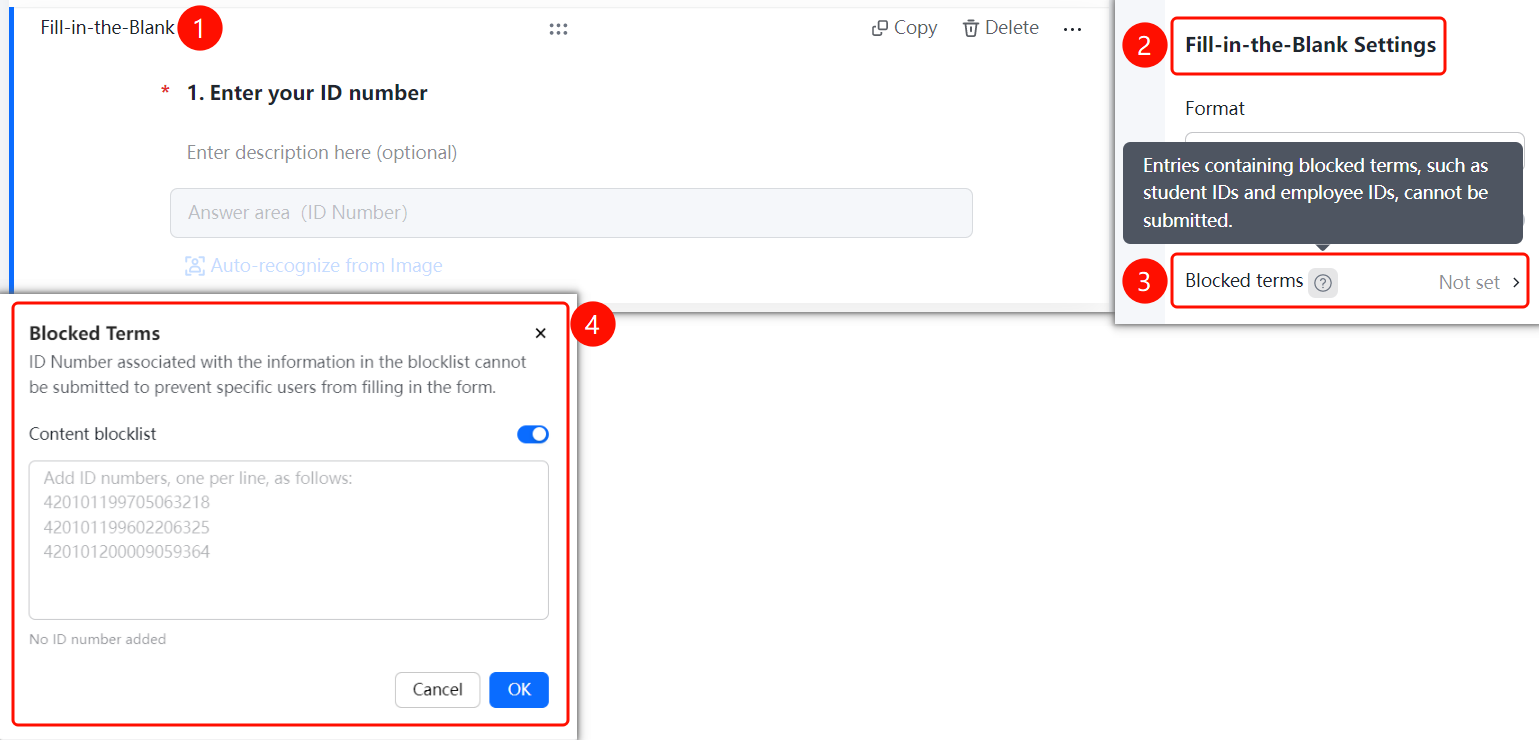
ID Number question → 「Fill-in Settings」 → 「Prohibited Content」
- In the 「Fill-in Settings」 panel, click the 「Prohibited Content」 option
- Enable the 「Content Blocklist」 toggle
- Add the ID numbers to be prohibited in the input box, one per line
- Click the 「Confirm」 button to save
FAQ
Q1: Does the ID Number support photo recognition?
- Solution: Yes, respondents can upload an ID photo via the 「Recognize ID Photo」 feature to automatically extract the number.
Q2: How to prevent duplicate ID number submissions?
- Solution: Enable the 「Do Not Allow Duplicates」 toggle in Fill-in Settings, and the system will automatically verify whether the ID number already exists.
Q3: How to prohibit specific ID numbers from being submitted?
- Solution: Enable the Content Blocklist in 「Prohibited Content」 and add the ID numbers you wish to block.
Notes
- The ID number format restriction will automatically verify whether the entered number conforms to the specification
- ID numbers in the blocklist cannot be used to submit the form