Feature Summary
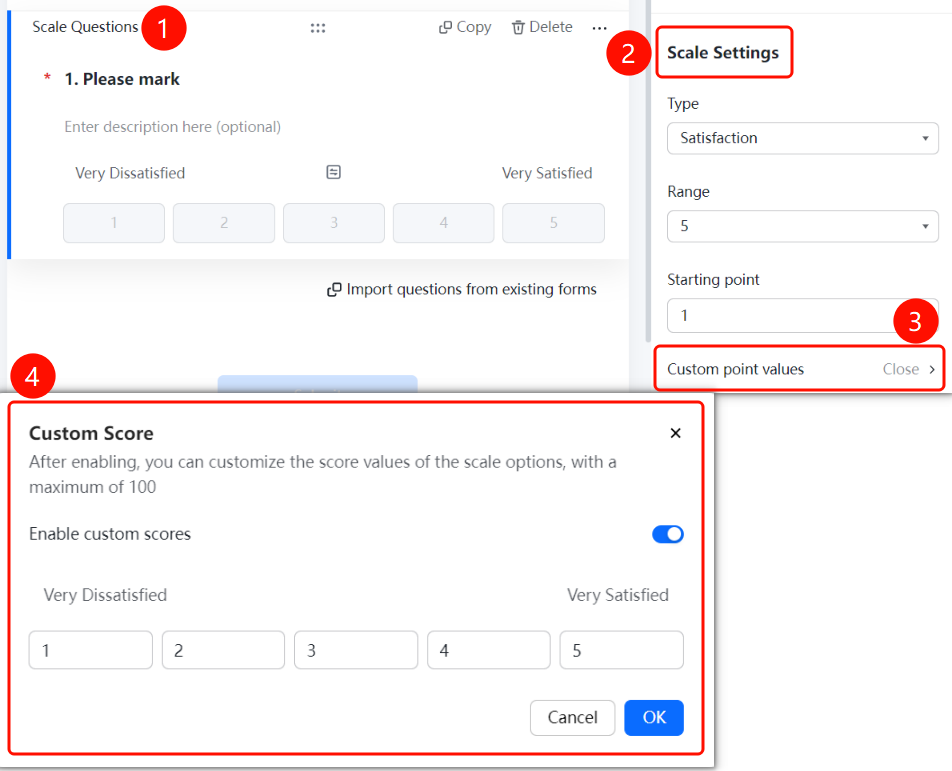
Rating scale questions are commonly used to evaluate user satisfaction/NPS/scoring. You can set the starting value and maximum value, and configure features such as scale type, scale level, starting value, and custom score values.
Feature Description
| Feature Dimension | Description |
|---|---|
| Membership Restriction | No membership restriction |
| Version Restriction | No version restriction |
Operation Steps
Add a Rating Scale Question
Feature Entry
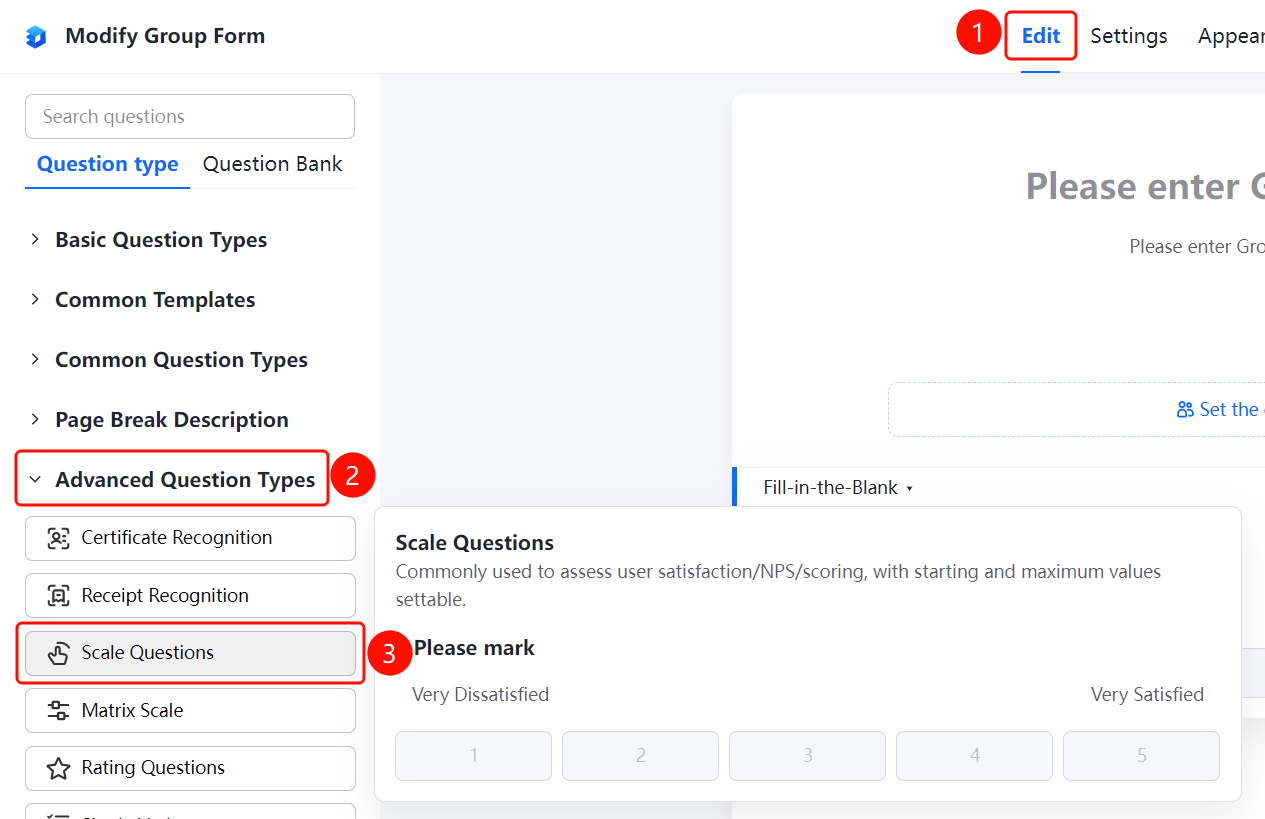
「Edit」 tab → 「Advanced Question Types」 → 「Rating Scale」 button
- Click the top 「Edit」 tab
- Expand the 「Advanced Question Types」 area in the left panel
- Click the 「Rating Scale」 button to add a rating scale question to the form
Set Scale Type
Feature Entry
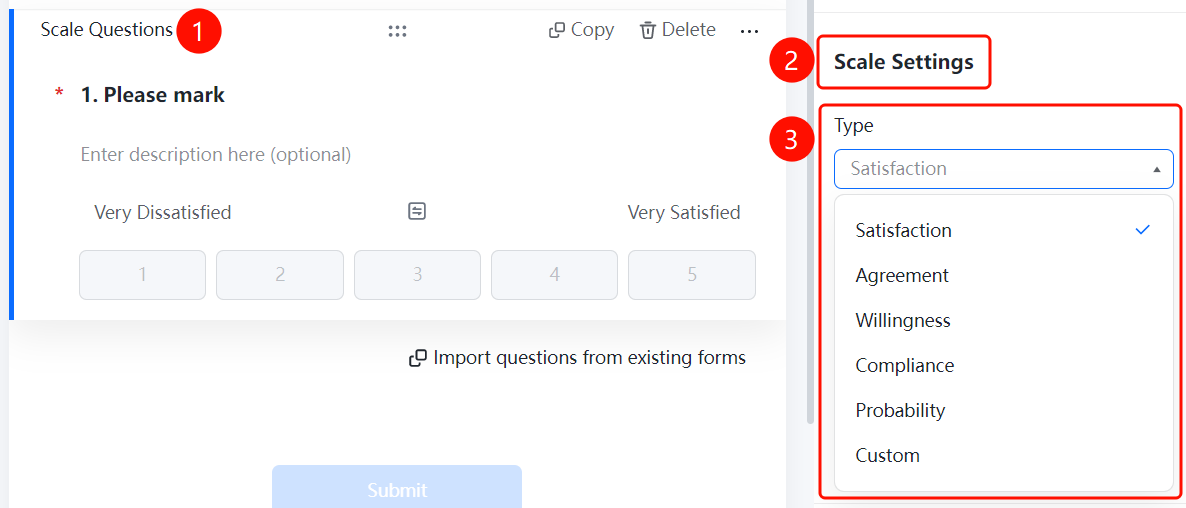
Rating Scale Question → 「Scale Settings」 → 「Scale Type」 dropdown menu
- Click the added rating scale question
- In the 「Scale Settings」 panel on the right, click the 「Scale Type」 dropdown menu
- Select the scale type: 「Satisfaction」, 「Agreement」, 「Willingness」, 「Conformity」, 「Likelihood」, or 「Custom」
Set Scale Level
Feature Entry
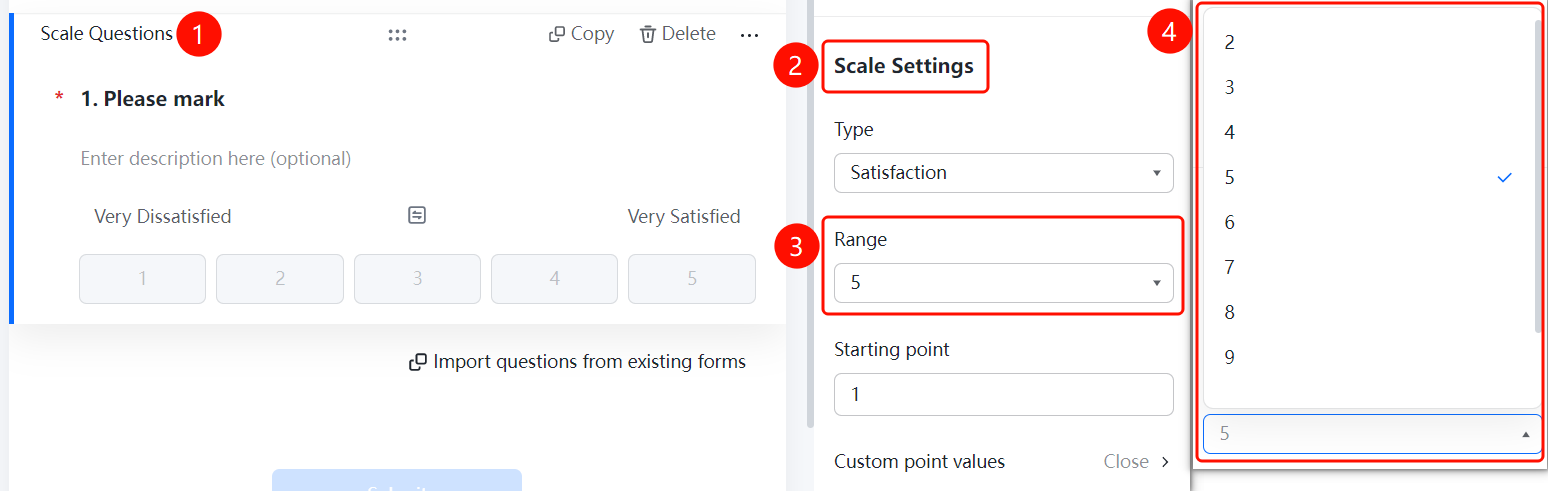
Rating Scale Question → 「Scale Settings」 → 「Scale Level Setting」 dropdown menu
- Click the added rating scale question
- In the 「Scale Settings」 panel on the right, click the 「Scale Level Setting」 dropdown menu
- Select the number of scale levels: 2, 3, 4, 5, 6, 7, 8, or 9
Set Starting point
Feature Entry
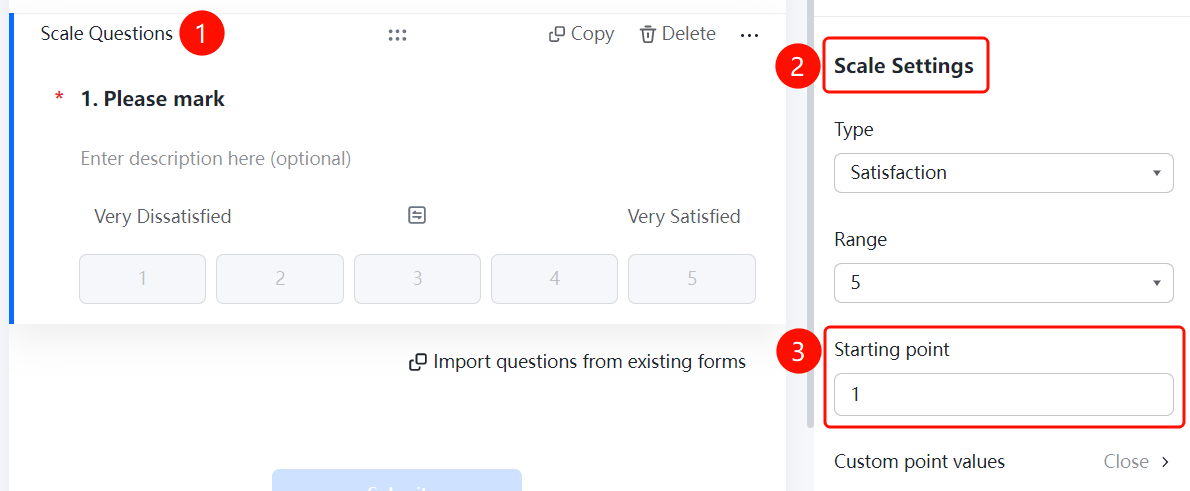
Rating Scale Question → 「Scale Settings」 → 「Starting point」 input box
- Click the added rating scale question
- In the 「Scale Settings」 panel on the right, click the 「Starting point」 input box
- Enter the starting value of the scale (e.g., 1)
Set Custom Score Values
Feature Entry
Rating Scale Question → 「Scale Settings」 → 「Custom Score Values」 option
- Click the added rating scale question
- In the 「Scale Settings」 panel on the right, click the 「Custom Score Values」 option
- In the pop-up panel, enable the 「Enable Custom Scores」 toggle
- Set custom score values for each scale level (maximum value cannot exceed 100)
- Click the 「Confirm」 button to complete the settings
FAQ
Q1: What scenarios are rating scale questions suitable for?
- Solution: Rating scale questions are suitable for evaluating user satisfaction, NPS surveys, scoring, and other scenarios, allowing you to quickly collect user evaluation data.
Q2: What options are available for scale types?
- Solution: The scale type supports six types: Satisfaction, Agreement, Willingness, Conformity, Likelihood, and Custom. You can choose based on your actual needs.
Q3: How to customize the score value for each scale level?
- Solution: In the 「Scale Settings」 panel, click 「Custom Score Values」, enable the 「Enable Custom Scores」 toggle, and then you can set custom score values for each scale level, with a maximum value not exceeding 100.
Notes
- Scale level setting supports 2-9 levels; you can choose the appropriate number of levels based on your actual needs
- The starting value defaults to 1 and can be modified as needed
- Custom score values cannot exceed 100; please set them reasonably