Feature Summary
The question settings feature is used to configure the behavior of individual questions, including required settings, hidden settings, non-fillable settings, and numbering settings.
Feature Description
| Feature Dimension | Description |
|---|---|
| Membership Restriction | No membership restriction |
| Version Restriction | No version restriction |
Operation Steps
Set This Question as Required
Feature Entry
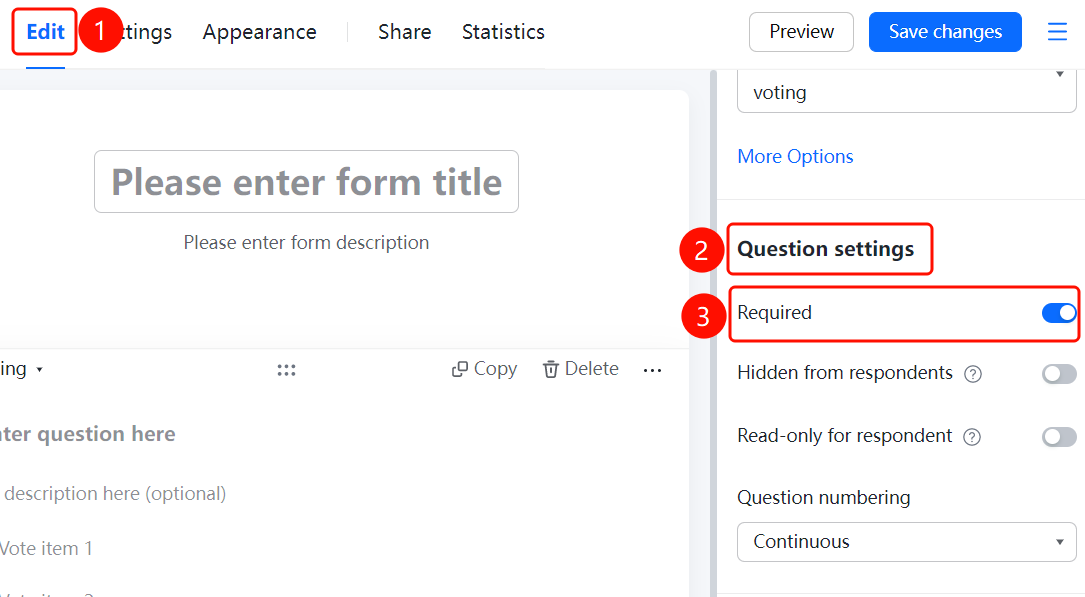
Question → 「Question Settings」 → 「This Question is Required」
- Click the question you want to set
- Find the 「This Question is Required」 option in the 「Question Settings」 panel on the right
- After turning on the switch, respondents must fill in this question to submit
Set This Question as Hidden from Respondents
Feature Entry
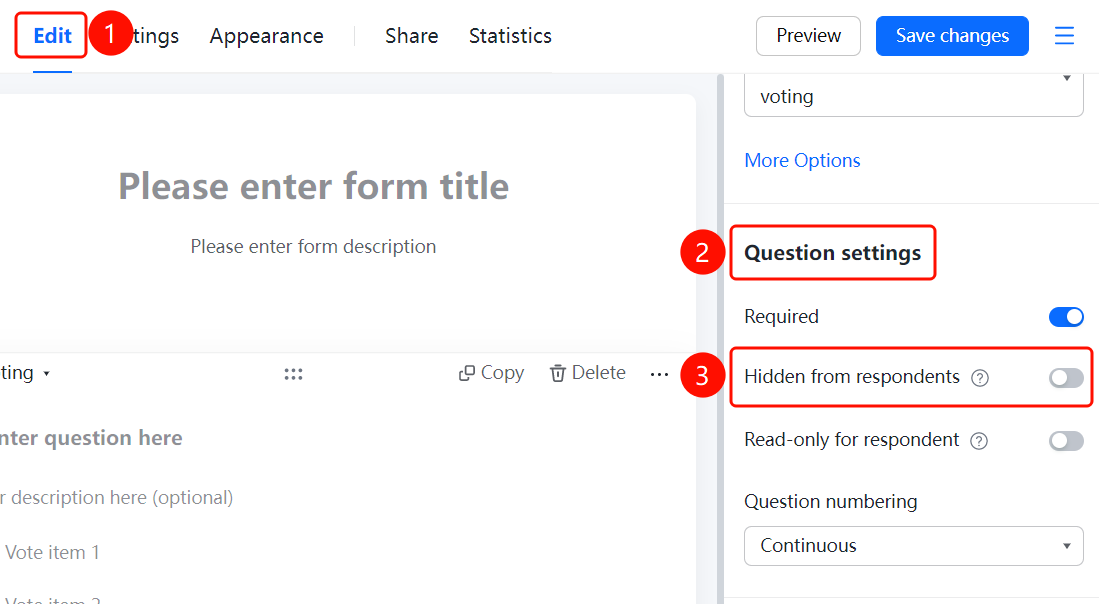
Question → 「Question Settings」 → 「This Question is Hidden from Respondents」
- Find the 「This Question is Hidden from Respondents」 option in the 「Question Settings」 panel
- After turning on the switch, respondents cannot see this question
- Suitable for adding hidden information to submitted responses, such as remarks, evaluations, etc.
Set This Question as Non-Fillable for Respondents
Feature Entry
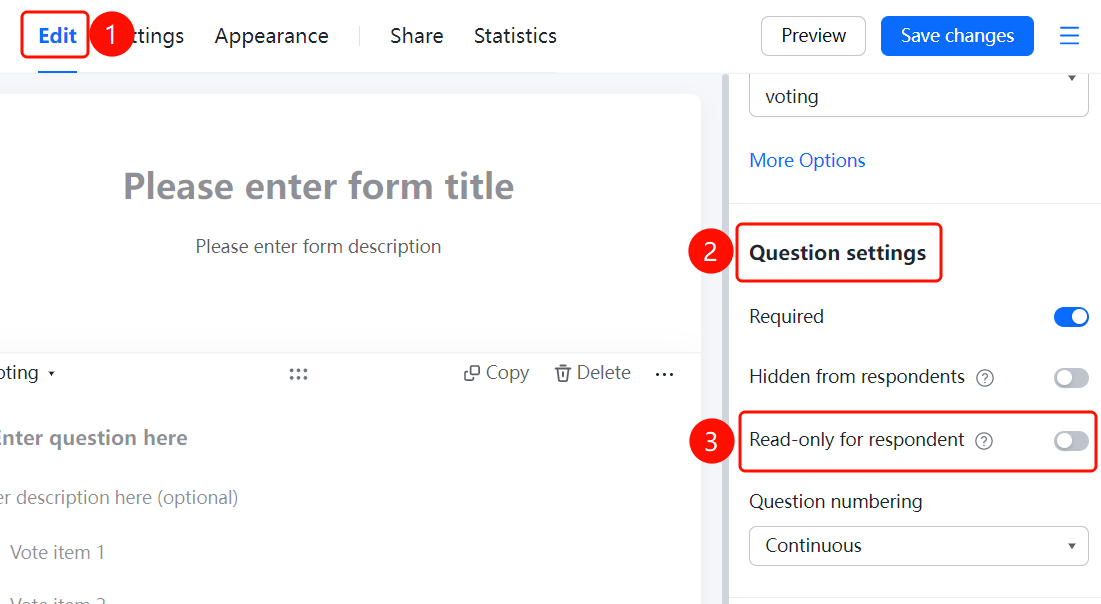
Question → 「Question Settings」 → 「This Question is Non-Fillable for Respondents」
- Find the 「This Question is Non-Fillable for Respondents」 option in the 「Question Settings」 panel
- After turning on the switch, respondents can see but cannot fill in this question
- Suitable for adding replies to submitted responses and displaying them, such as appointment results, etc.
Set Question Numbering
Feature Entry
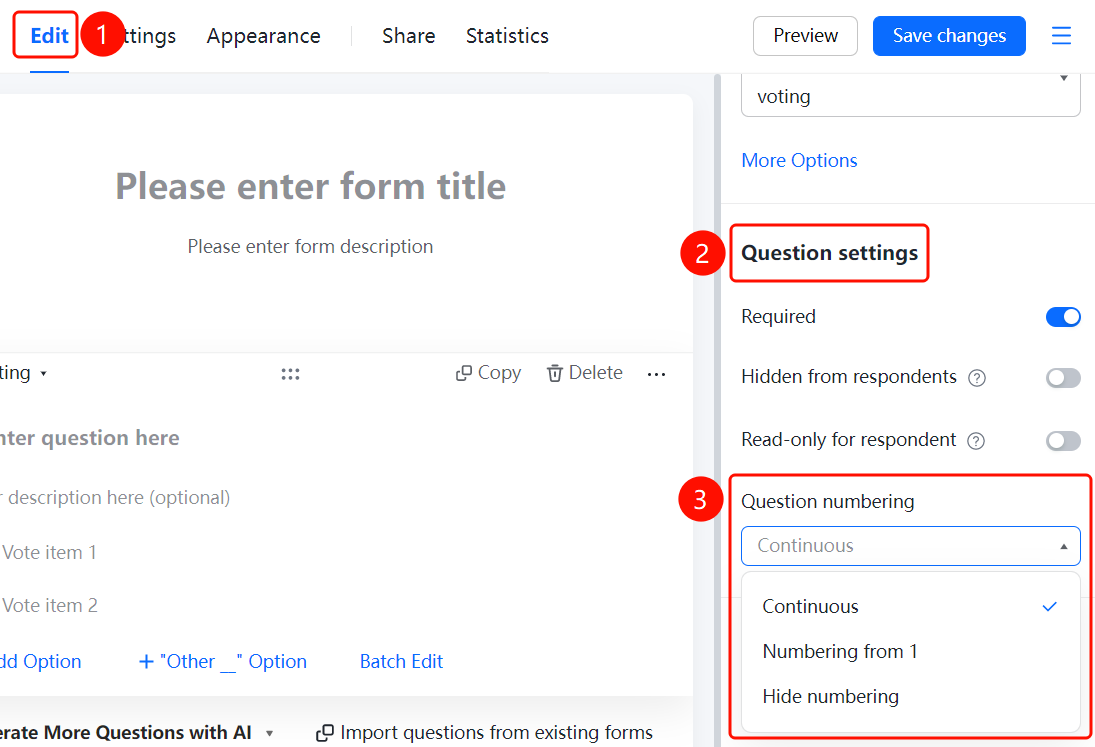
Question → 「Question Settings」 → 「Question Numbering Settings」
- Click the 「Question Numbering Settings」 dropdown in the 「Question Settings」 panel
- Select numbering method: Continuous numbering, Start numbering from 1, Do not display numbering
FAQ
Q1: What is the purpose of hiding a question from respondents?
- Solution: After enabling, respondents cannot see this question. It is suitable for Admins to add hidden remarks or evaluation information to responses.
Q2: What scenarios are suitable for making a question non-fillable for respondents?
- Solution: Suitable for scenarios where information needs to be displayed but does not require respondent input, such as displaying appointment results, review replies, etc.
Q3: What numbering methods are available for questions?
- Solution: Three methods are supported: Continuous numbering (numbered in order), Start numbering from 1 (each question starts from 1), and Do not display numbering.
Notes
- Hidden questions and non-fillable questions are still visible on the editing page for Admin management convenience
- Question numbering settings affect the numbering display of the entire form