Feature Summary
The Linked Data question is linked to a Sheets. Respondents can select one or more rows of data from the sheet as the content to fill in and submit. The data updates in real time, ensuring the collected data is accurate and error-free.
Feature Description
| Feature Dimension | Description |
|---|---|
| Membership Restriction | No membership restriction |
| Version Restriction | No version restriction |
Operation Steps
Adding a Linked Data Question
Feature Entry
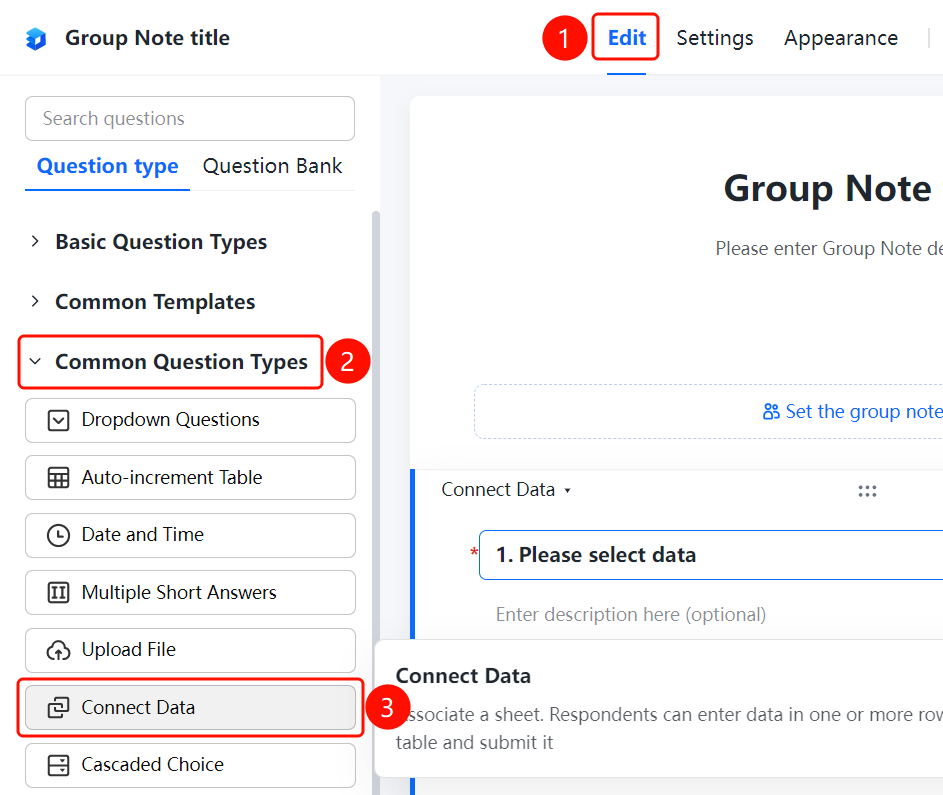
"Edit" tab → "Common Question Types" → "Linked Data" button
- Click the "Edit" tab at the top
- Expand the "Common Question Types" area in the left panel
- Click the "Linked Data" button to add the Linked Data question to the Group Form
- Enter the question content in the question editing area, such as "Please select data"
Linking a Sheet
Feature Entry
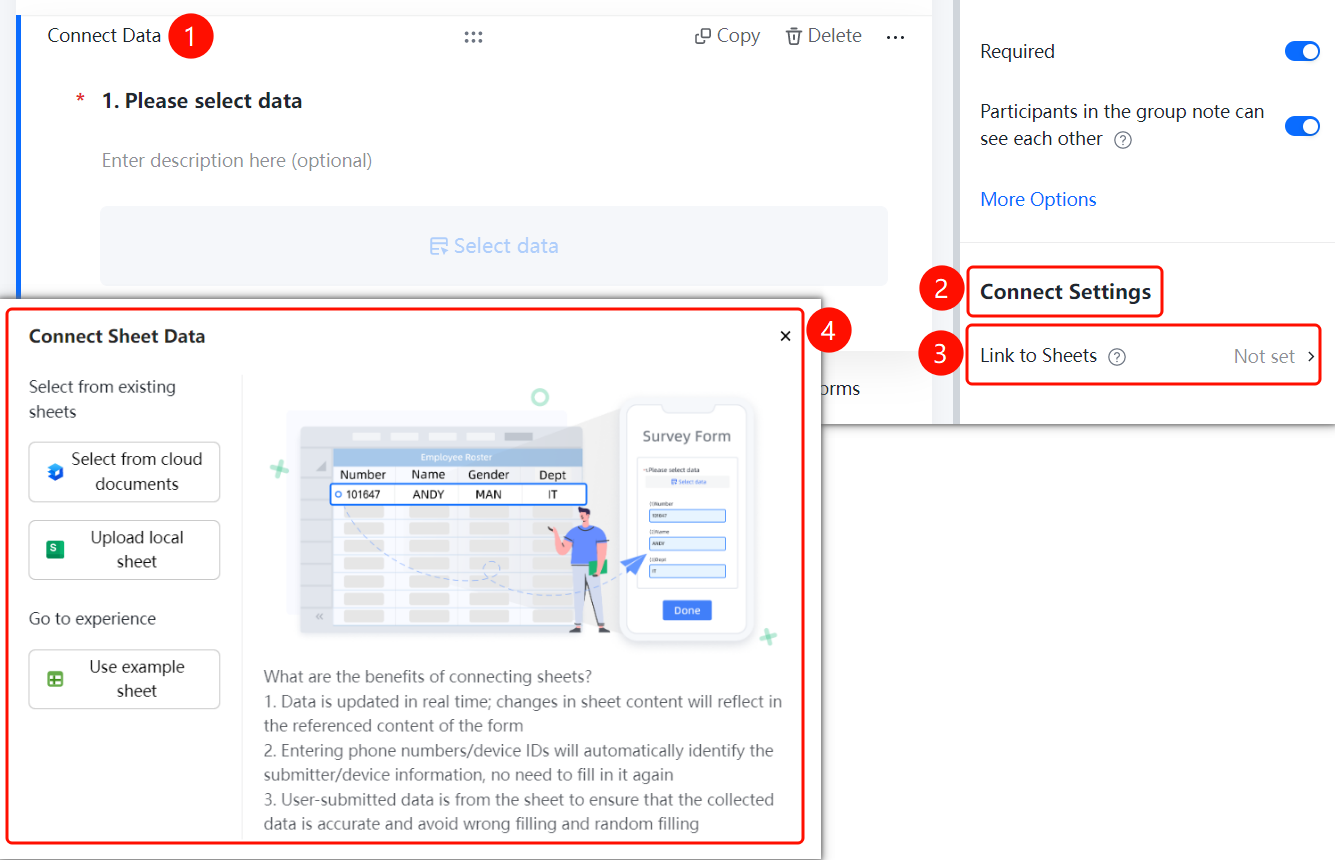
Linked Data question → "Link Settings" → "Link Sheet" option
- Click the added Linked Data question
- Click the "Link Sheet" option in the "Link Settings" panel on the right
- Select the linking method: "Select from Cloud Document", "Upload Local Sheet", or use the "Sample Sheet"
- Select the data in the target sheet and click "Submit" to complete the linking
FAQ
Q1: What are the benefits of Linked Data?
- Solution: Linked Data supports real-time data updates. When the sheet content changes, the content referenced by the form changes accordingly; entering a mobile number/device ID can automatically identify the submitter's information; the data submitted by users all comes from the sheet, ensuring the data is accurate and error-free.
Q2: What data sources does Linked Data support?
- Solution: It supports selecting from Cloud Documents, uploading local sheets, or using sample sheets for linking.
Q3: Will the sheet update automatically sync after linking data?
- Solution: Yes. After linking data, when the sheet content changes, the content referenced by the form changes accordingly, ensuring real-time data updates.
Notes
- Linked Data ensures the collected data is accurate and error-free, avoiding incorrect or random entries
- Data changes in the linked sheet will automatically sync to the form