Feature Summary
The phone number feature is used to collect respondents' phone numbers, supporting format validation, phone number verification, duplicate prevention, and blacklist settings.
Feature Description
| Feature Dimension | Description |
|---|---|
| Membership Restriction | No membership restriction |
| Version Restriction | No version restriction |
Operation Steps
Adding a Phone Number
Feature Entry
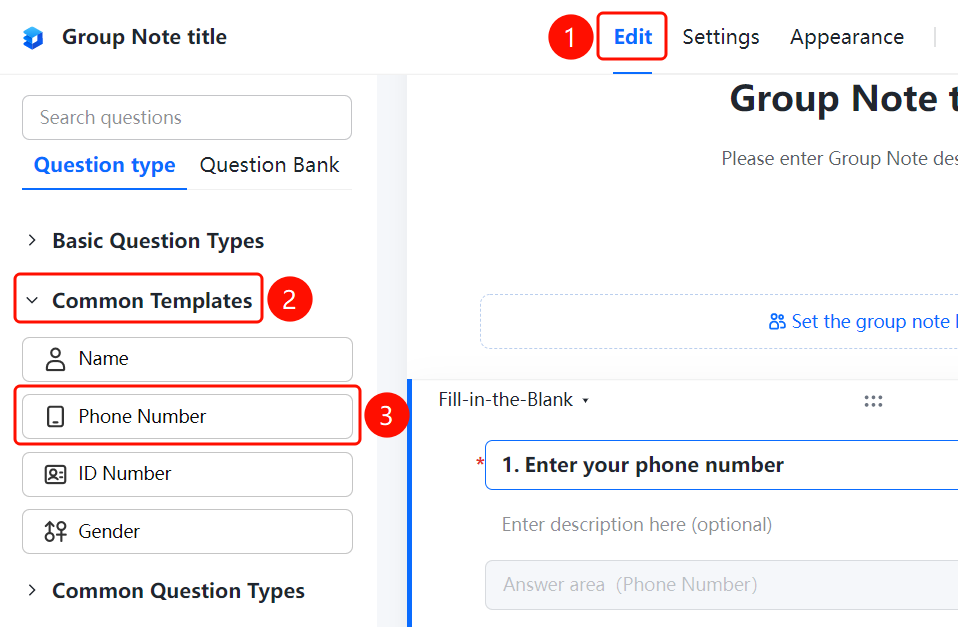
「Edit」 tab → 「Question Type」 tab → 「Common Templates」 → 「Phone Number」 button
- Click the top 「Edit」 tab
- Expand the 「Common Templates」 area in the left panel
- Click the 「Phone Number」 button to add the phone number question to the form
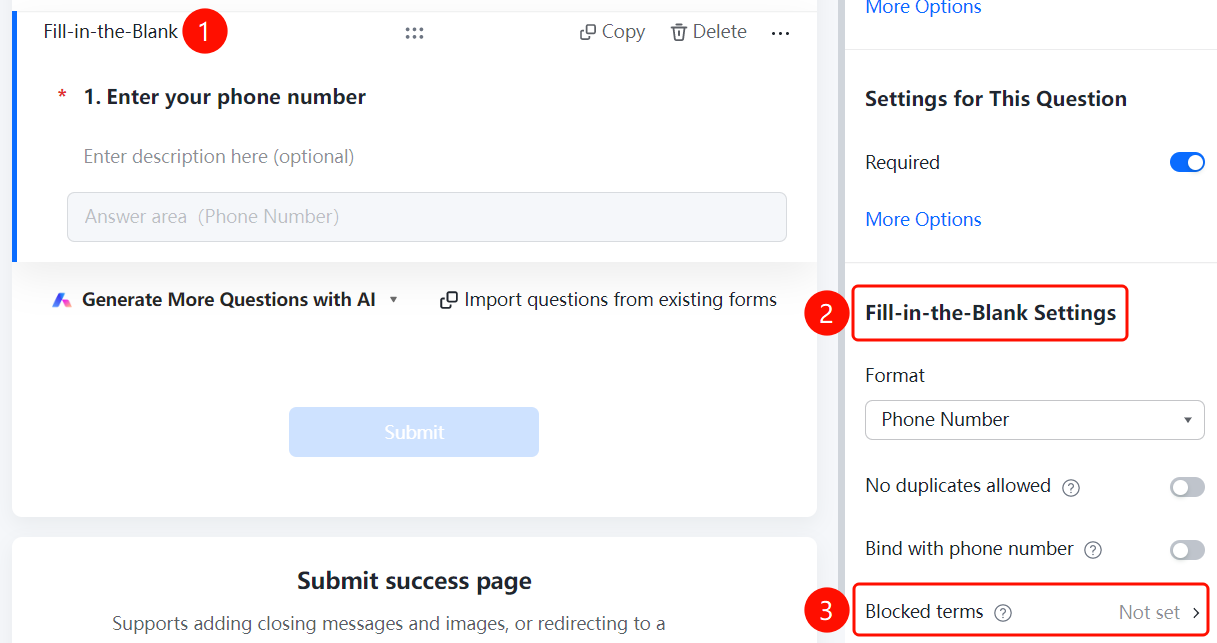
Setting Format Restrictions
Feature Entry
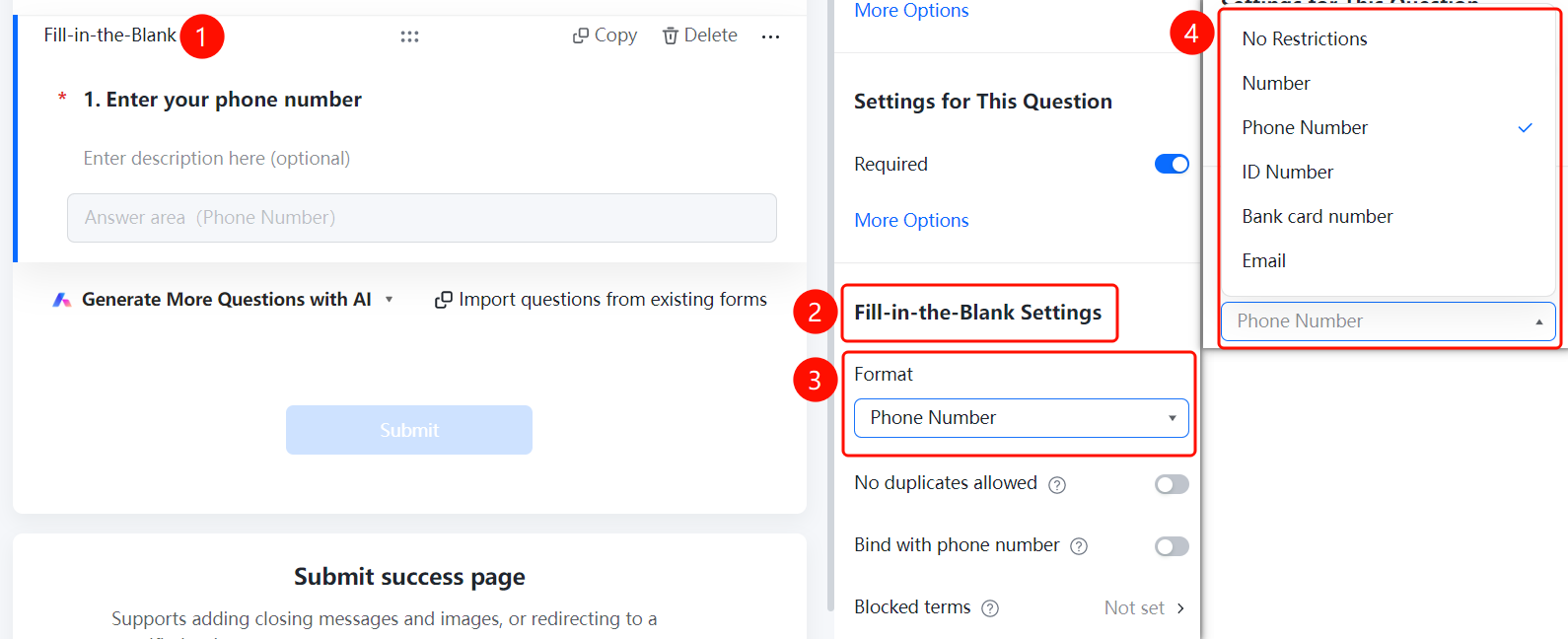
Phone number question → 「Fill Settings」 → 「Format Restriction」
- Click the added phone number question
- In the right 「Fill Settings」 panel, check that 「Format Restriction」 has been automatically set to 「Phone Number」
- You can also manually change it to other formats: No Restriction, Number, ID Card Number, Bank Card Number, Email
Setting Duplicate Prevention
Feature Entry
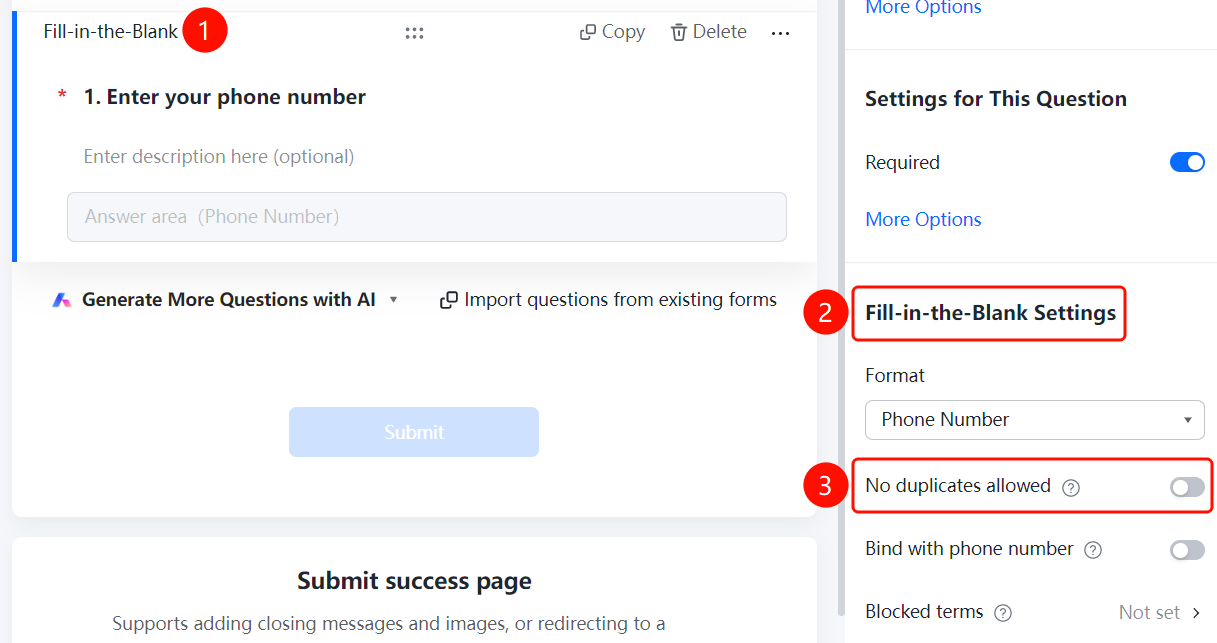
Phone number question → 「Fill Settings」 → 「Prevent Duplicates」
- Click the added phone number question
- Find the 「Prevent Duplicates」 option in the right 「Fill Settings」 panel
- After turning on the switch, the same phone number cannot be submitted repeatedly
Verifying Phone Number
Feature Entry
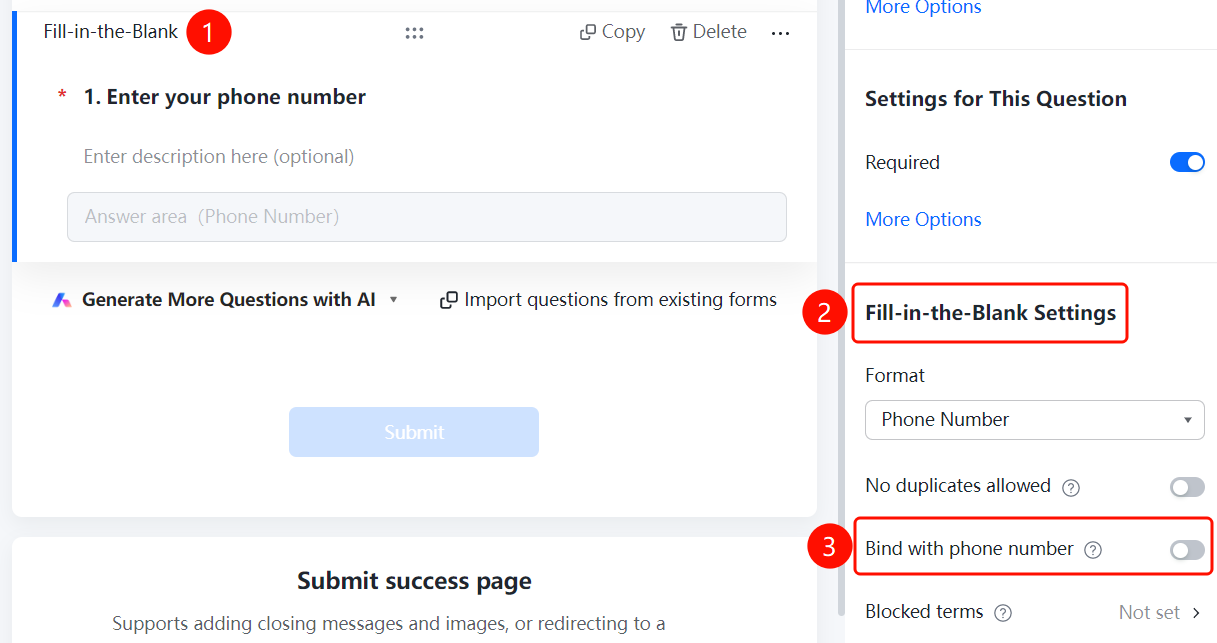
Phone number question → 「Fill Settings」 → 「Verify Phone Number」
- Click the added phone number question
- Find the 「Verify Phone Number」 option in the right 「Fill Settings」 panel
- After turning on the switch, the system will send a verification code for phone number verification
Setting Prohibited Submission Content
Feature Entry
Phone number question → 「Fill Settings」 → 「Prohibited Submission Content」
- Click the added phone number question
- Click the 「Prohibited Submission Content」 option in the right 「Fill Settings」 panel
- Turn on the 「Content Blacklist」 switch
- Add phone numbers that are prohibited from submission, one per line
- Click the 「Confirm」 button to save
FAQ
Q1: Will the phone number format be automatically validated?
- Solution: Yes, the phone number template will automatically set the format restriction to 「Phone Number」 and automatically validate the input format.
Q2: What is the phone number verification feature?
- Solution: After enabling it, the system will send a verification code to the respondent's phone to ensure the authenticity and validity of the phone number.
Q3: How to prevent duplicate phone number submissions?
- Solution: Turn on the 「Prevent Duplicates」 switch, and the system will automatically check whether the phone number already exists.
Notes
- The phone number verification feature requires SMS service support
- It is recommended to enable phone number verification to ensure data authenticity