Feature Summary
Check questions are commonly used for equipment spot checks. When checking multiple devices or multiple indicators, they allow you to quickly browse inspection records and follow up on abnormal indicators, and support adding image and text descriptions to check results.
Feature Description
| Feature Dimension | Description |
|---|---|
| Membership Restriction | No membership restriction |
| Version Restriction | No version restriction |
Operation Steps
Adding a Check Question
Feature Entry
「Edit」 tab → 「Advanced Question Types」 → 「Check Question」 button
- Click the top 「Edit」 tab
- In the left panel, expand the 「Advanced Question Types」 area
- Click the 「Check Question」 button to add the check question to the form
- Enter the question content in the question editing area, such as "Please complete the following check items"
- Click 「Add Check Item」 to add items that need to be checked
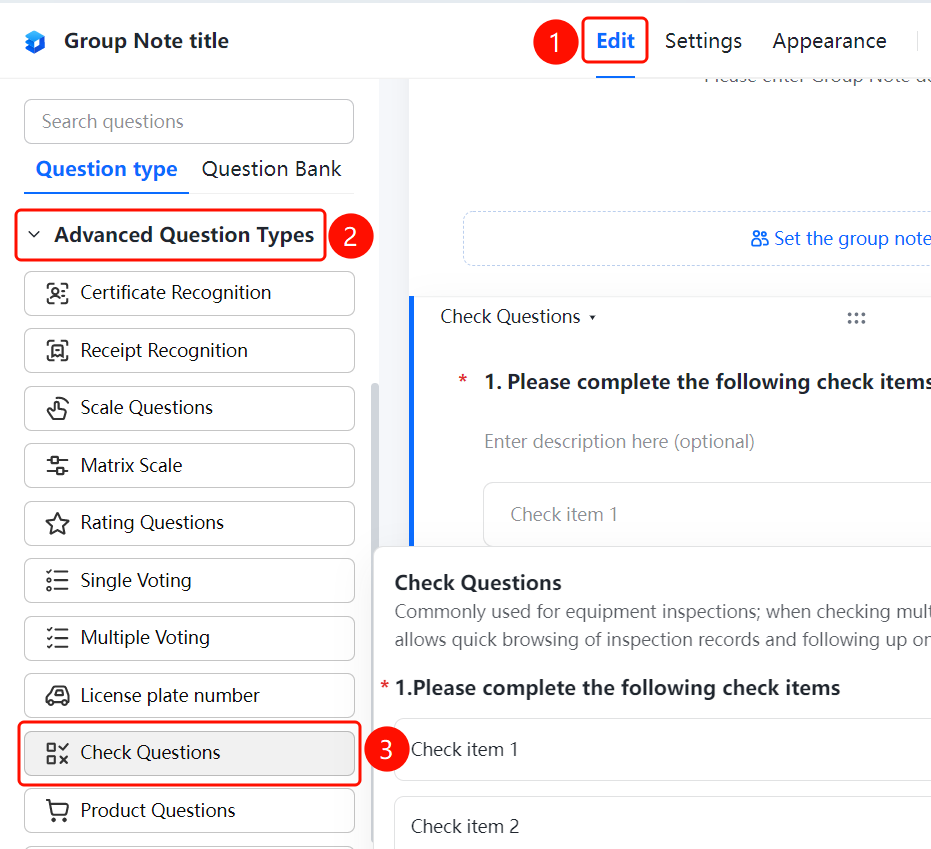
Setting Check Items to Allow Adding Image and Text Descriptions
Feature Entry
Check Question → 「Check Item Settings」 → 「Check Items Can Add Image and Text Descriptions」 toggle
- Click the added check question
- In the right 「Check Item Settings」 panel, enable the 「Check Items Can Add Image and Text Descriptions」 toggle
- After enabling, adding image and text description content is supported for check results
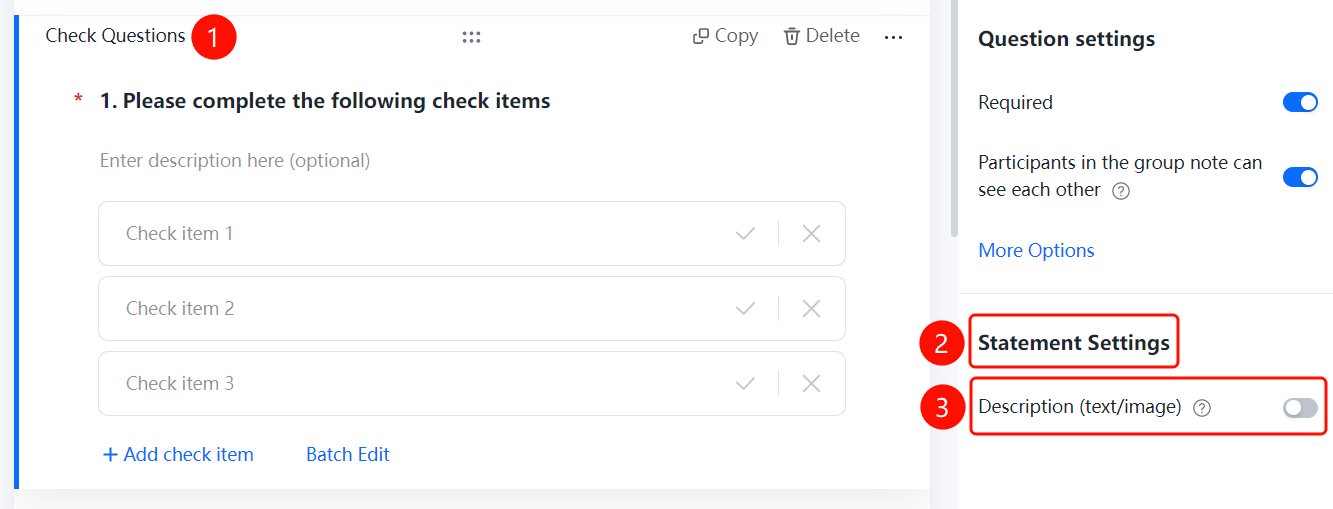
FAQ
Q1: What scenarios are check questions suitable for?
- Solution: Check questions are commonly used for equipment spot checks. When checking multiple devices or multiple indicators, they allow you to quickly browse inspection records and follow up on abnormal indicators.
Q2: How to add multiple check items?
- Solution: Click the check question, click 「Add Check Item」 to add a new check item, or use 「Batch Edit」 to quickly add multiple check items.
Q3: Can text or image descriptions be added to check results?
- Solution: Yes. Enable 「Check Items Can Add Image and Text Descriptions」 in 「Check Item Settings」, and adding image and text description content is supported for check results.
Notes
- Check items are marked as Pass/Fail, and abnormal indicators can be quickly followed up
- Batch editing of check items is supported to improve editing efficiency