Feature Summary
Message notification settings are used to configure notifications for Group Forms. Features include notifying you when someone submits a response and reminding others to fill out forms, helping admins track the collection progress in real time.
Feature Specifications
| Dimension | Description |
|---|---|
| Member Limit | No member limit |
| Version Limit | No version limit |
Operating Steps
Notify Me on Submission
Feature Entry
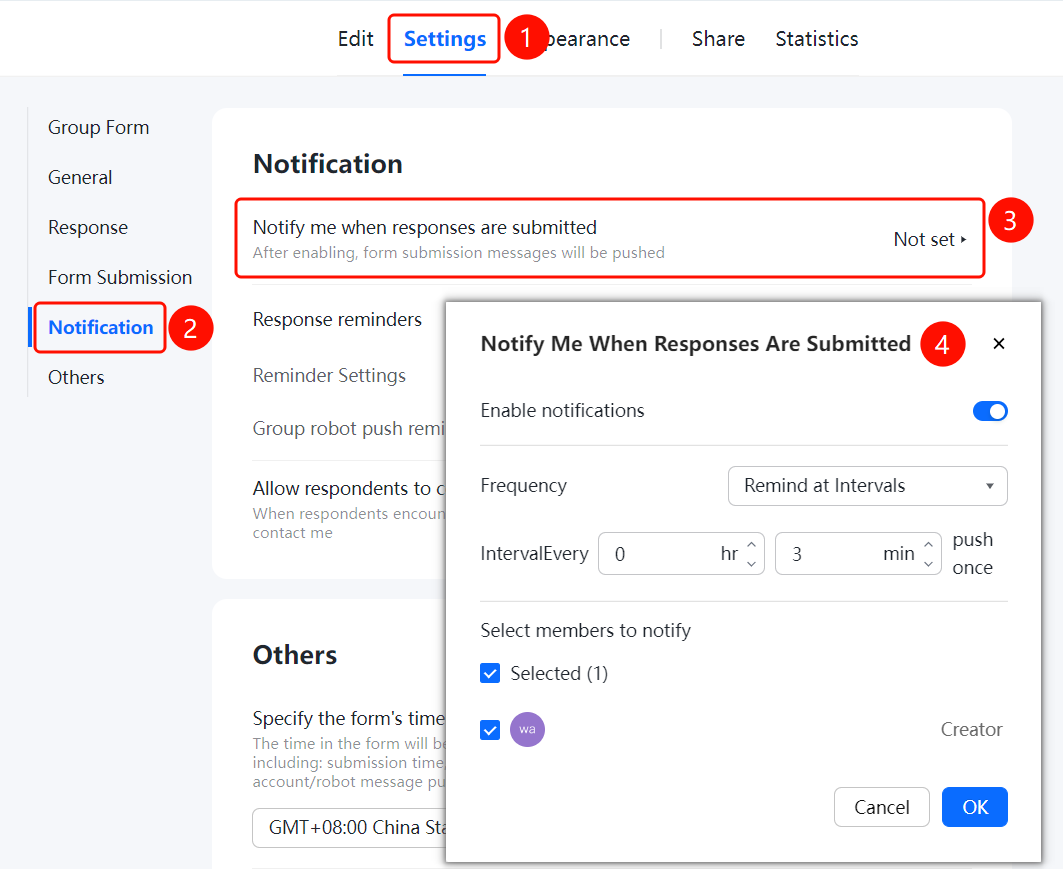
Settings tab > Message Notification Settings > Notify Me on Submission option
- Click the Settings tab at the top.
- Click Message Notification Settings in the left panel.
- Click Notify Me on Submission, and turn on push notifications in the pop-up window.
- Set the notification frequency. For example, if you choose to be notified at intervals, set the interval in Hours and Minutes.
- Select the members to receive notifications, and click OK to save.
Reminder Settings
Feature Entry
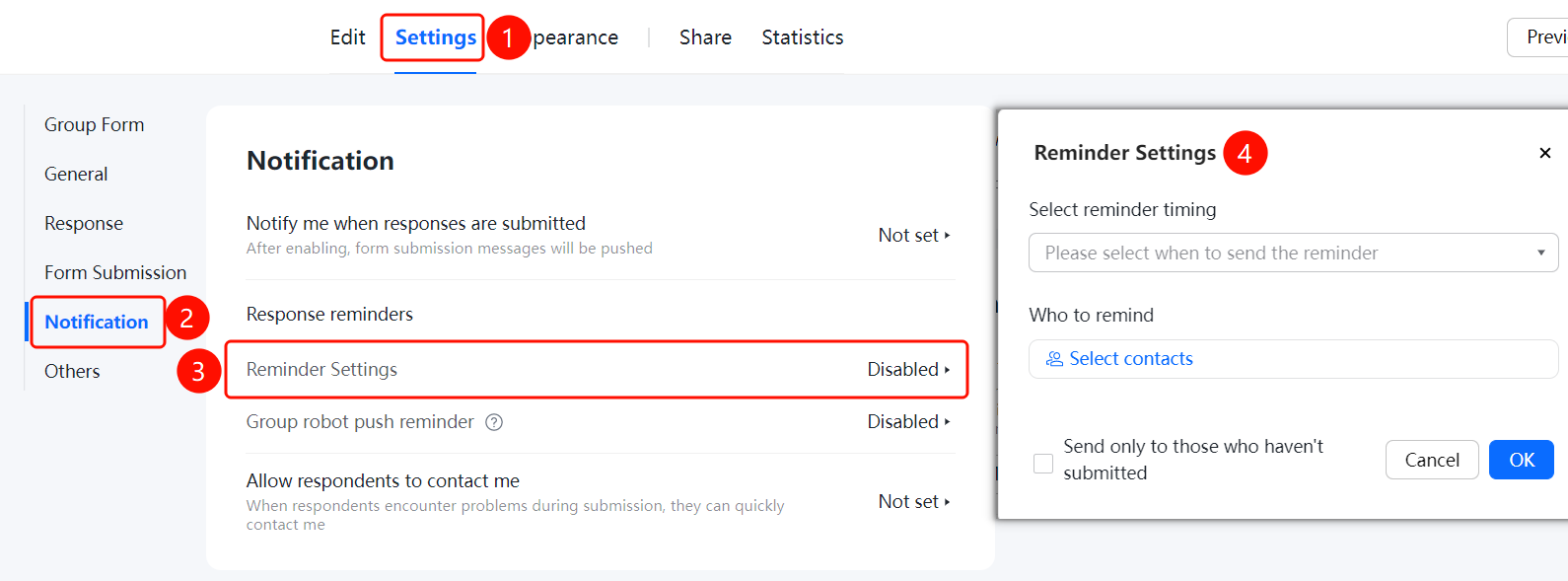
Settings tab > Message Notification Settings > Reminder Settings
- Click the Settings tab at the top.
- Click Message Notification Settings in the left panel.
- Click Reminder Settings, and set the reminder time and recipients.
Group robot push reminder
Feature Entry
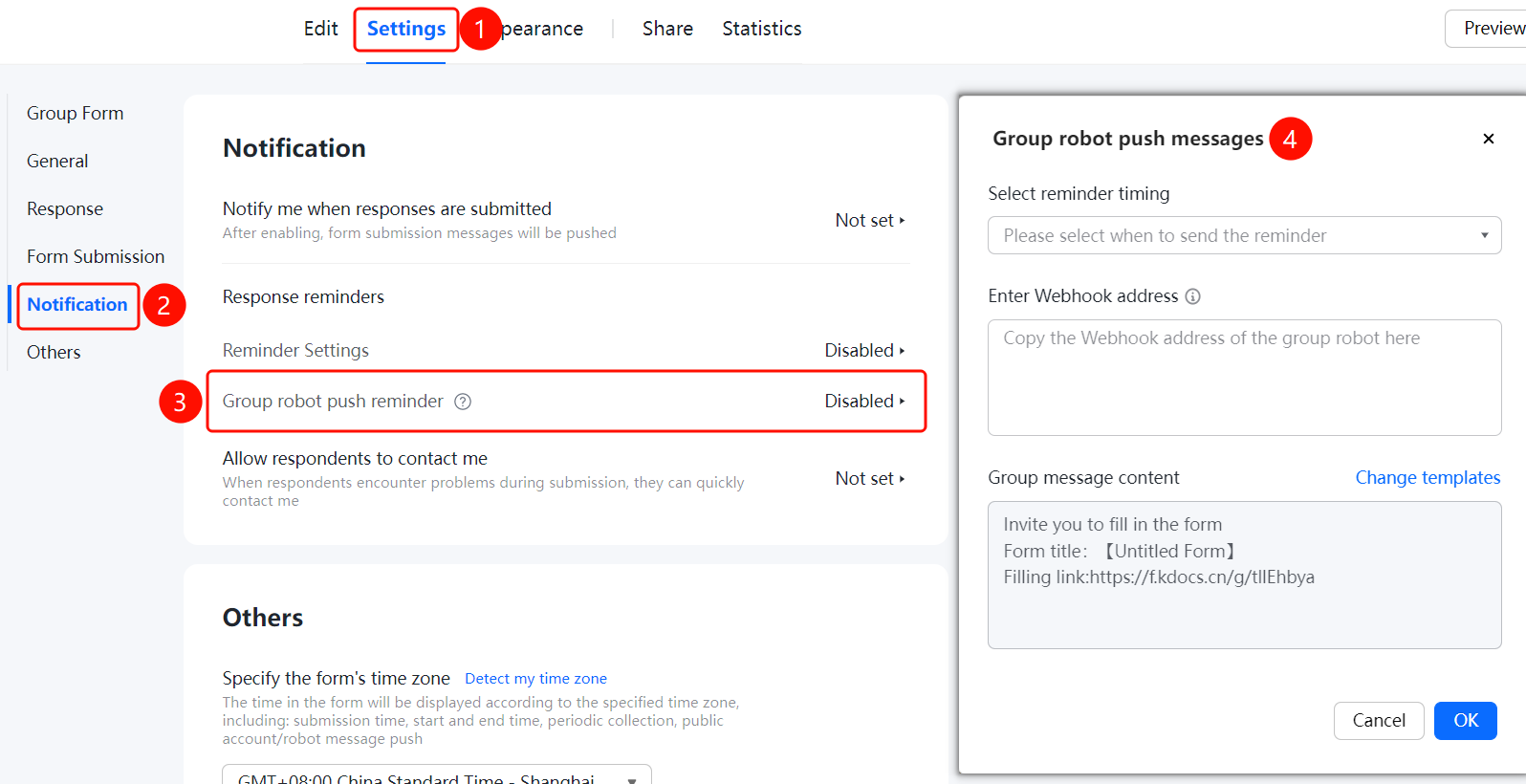
Settings tab > Message Notification Settings > Notify Me on Submission > Group robot push reminder
- In the Notify Me on Submission settings, turn on Group robot push reminder.
- Select a group bot and set the push conditions.
Allow Respondents to Contact Me
Feature Entry
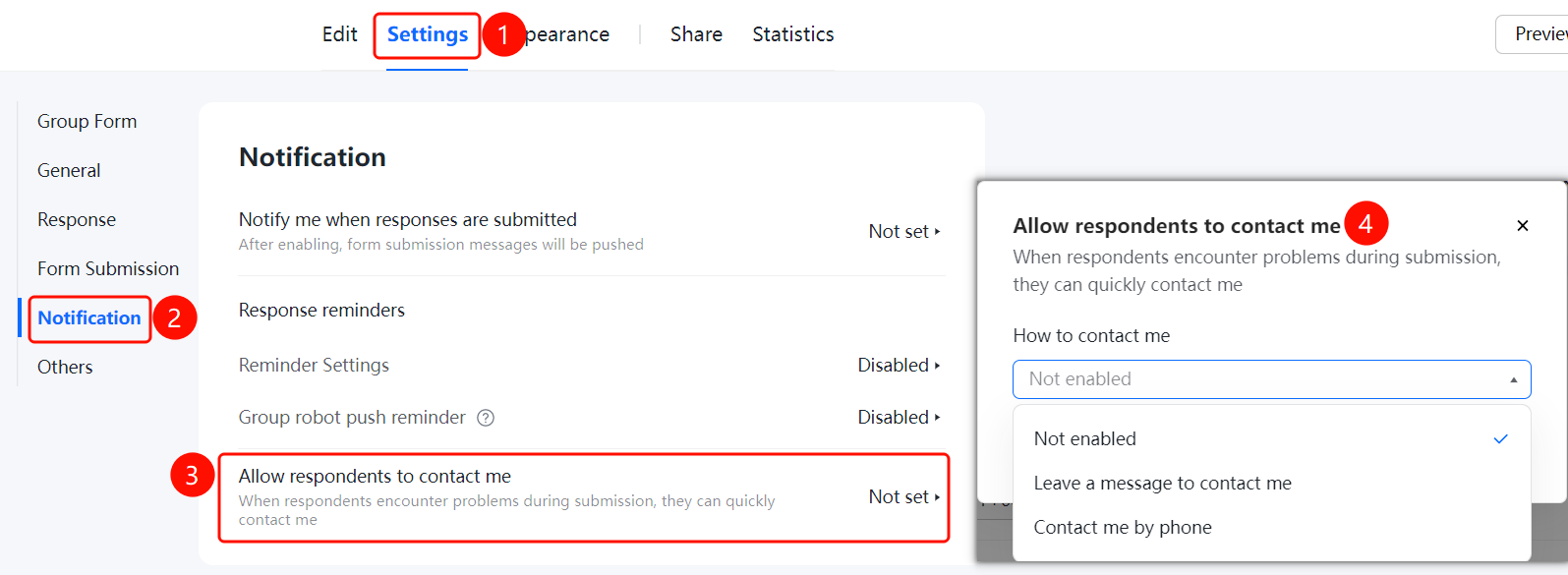
Settings tab > Message Notification Settings > Allow Respondents to Contact Me switch
- Click the Settings tab at the top.
- Turn on the Allow Respondents to Contact Me switch in the Message Notification Settings panel.
- This allows respondents to quickly contact the admin if they encounter issues during submission.
FAQ
Q1: How do I set up notifications for when someone submits a response?
- Solution: Go to Settings > Message Notification Settings, click Notify Me on Submission, turn on push notifications, and set the frequency.
Q2: How do I set the notification frequency?
- Solution: In the Notify Me on Submission settings, select Remind at Intervals, and set the interval in hours and minutes.
Q3: Can I allow respondents to contact me?
- Solution: Yes. Turn on Allow Respondents to Contact Me in Message Notification Settings. Respondents can then quickly contact you if they encounter issues during submission.
Notes
- Message notifications help admins track the collection progress in real time.
- You must configure a group bot before enabling Group Bot Push Notifications.