Feature Summary
ID numbers are used to collect the ID card number information of respondents. It is part of the respondent information and helps identify respondents.
Feature Description
| Feature Dimension | Description |
|---|---|
| Member limits | No member limits |
| Version limits | No version limits |
Steps
Add ID Numbers
Feature Entry
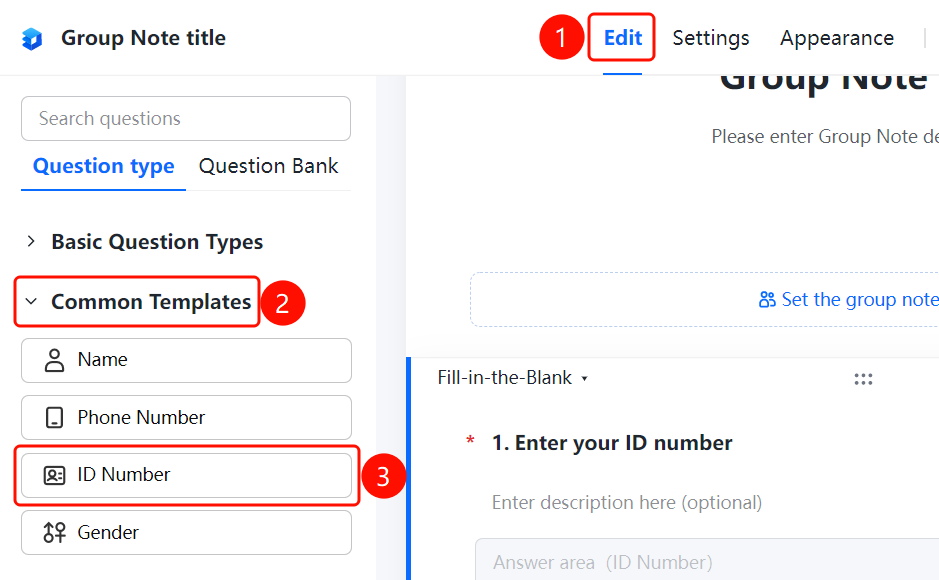
Edit tab → Common Templates → ID Numbers option
- Click the Edit tab at the top.
- In the left panel, expand the Common Templates range and select the ID Numbers question.
- The ID numbers question will be added to the Group Form.
Set Format Limits
Feature Entry
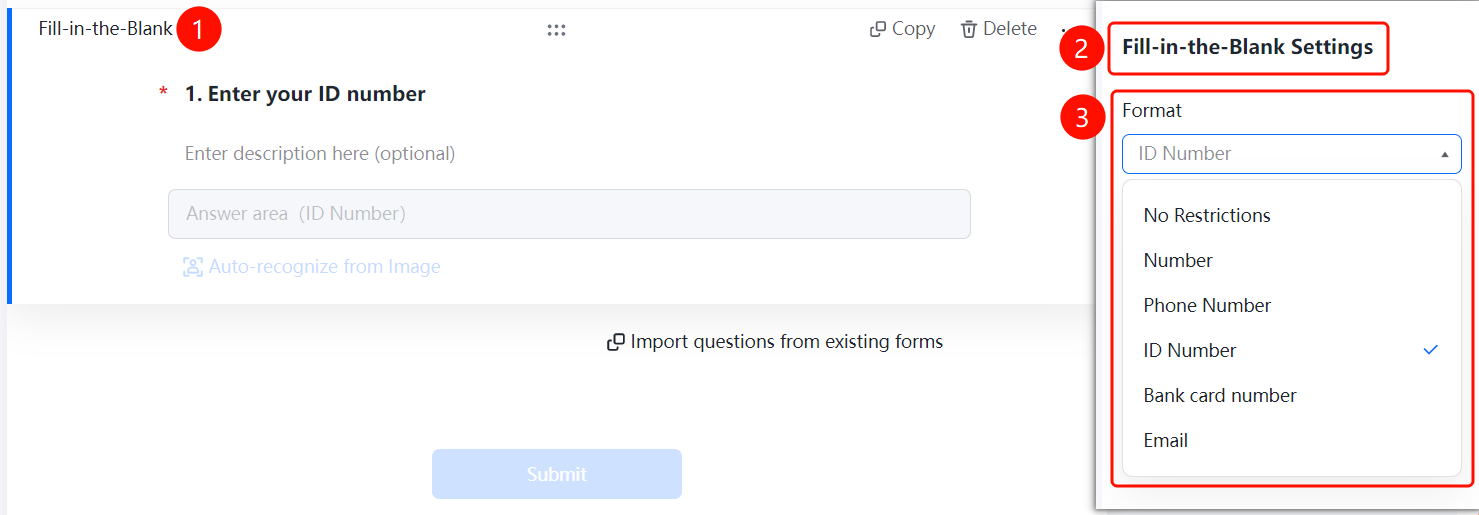
ID Numbers → Text Field Settings → Format Limits option
- Click the added ID numbers field.
- In the Text Field Settings panel on the right, click Format Limits (currently set to ID Numbers).
- You can switch the format type: No Limits, Digits, Phone Number, ID Numbers, Bank Card Number, or Email.
Set No Duplicates Allowed
Feature Entry
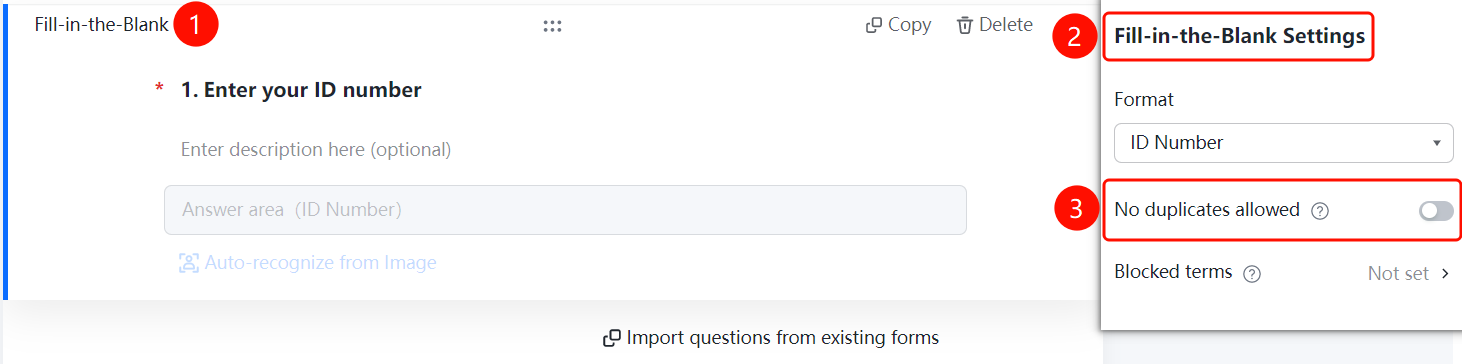
ID Numbers → Text Field Settings → No Duplicates Allowed switch
- Click the added ID numbers field.
- In the Text Field Settings panel on the right, turn on the No Duplicates Allowed switch.
- Once enabled, each ID number can only be submitted once, effectively preventing duplicate submissions.
Set Blocked Content (Blocklist)
Feature Entry
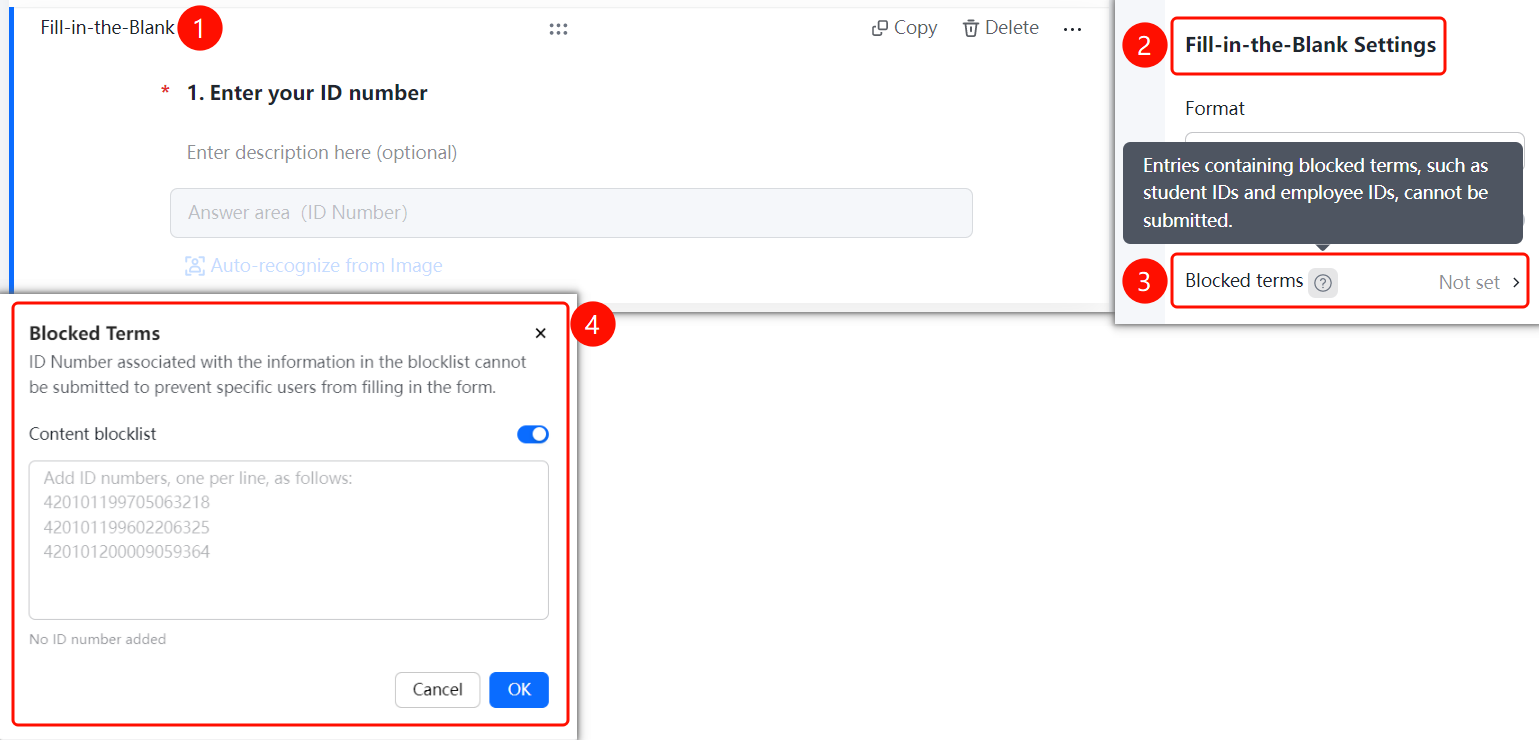
ID Numbers → Text Field Settings → Blocked Content option
- Click the added ID numbers field.
- In the Text Field Settings panel on the right, click Blocked Content.
- In the Blocked Content window that appears, you can add ID numbers in the Content Blocklist text box.
- ID numbers on the blocklist cannot be submitted, effectively blocking certain people from filling out the form.
- Click OK to save.
FAQ
Q1: How do I add an ID numbers field?
- Solution: Click the Edit tab, and select the ID Numbers option in the Respondent Information range.
Q2: Will the ID numbers format be automatically verified?
- Solution: Yes. After respondents enter their ID numbers in the answer area, the system will automatically verify the format to ensure the collected information is valid.
Q3: Can the ID numbers field be set as required?
- Solution: Yes. Click the ID numbers field, and turn on the Required switch in Basic Settings.
Notes
- ID numbers are usually collected as part of respondent information to identify respondents.
- Comply with relevant privacy protection regulations when collecting ID card number information.