Feature Overview
The linked data question connects to a table, allowing voters to select one or more rows from the table as their response and submit them. The data is updated in real time.
Feature Description
| Feature Dimension | Description |
|---|---|
| Membership Restrictions | No membership restrictions |
| Version Restrictions | No version restrictions |
Operating Steps
Adding a Related Data Question
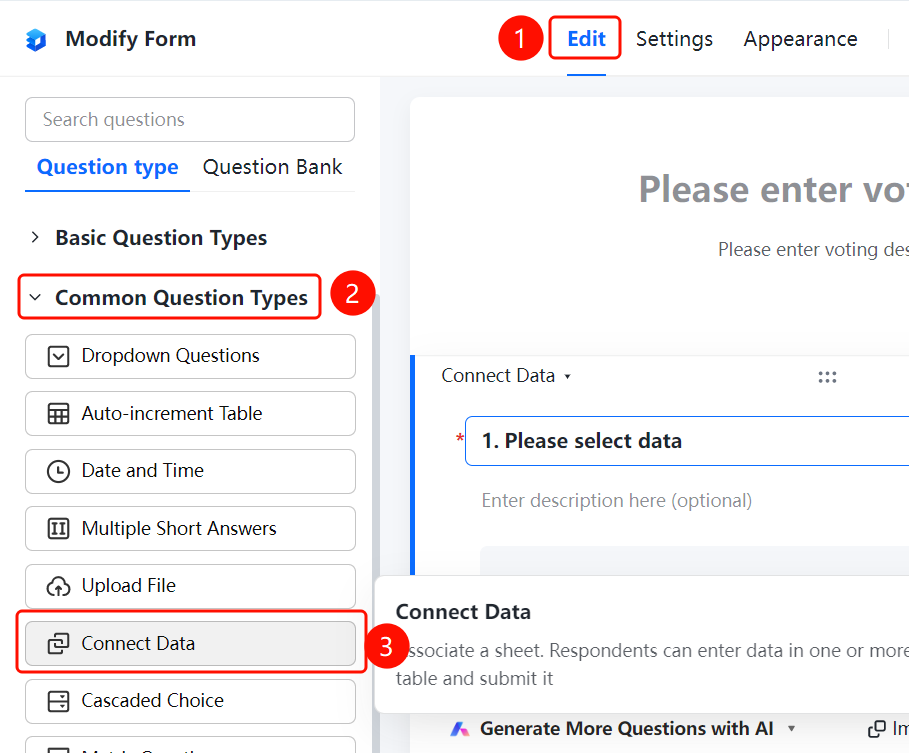
Access Path"Edit" tab → "Common Question Types" → "Related Data" button
- Click the "Edit" tab at the top
- Expand the "Common Question Types" section in the left panel
- Click the "Related Data" button to add it to the form
Associated Table
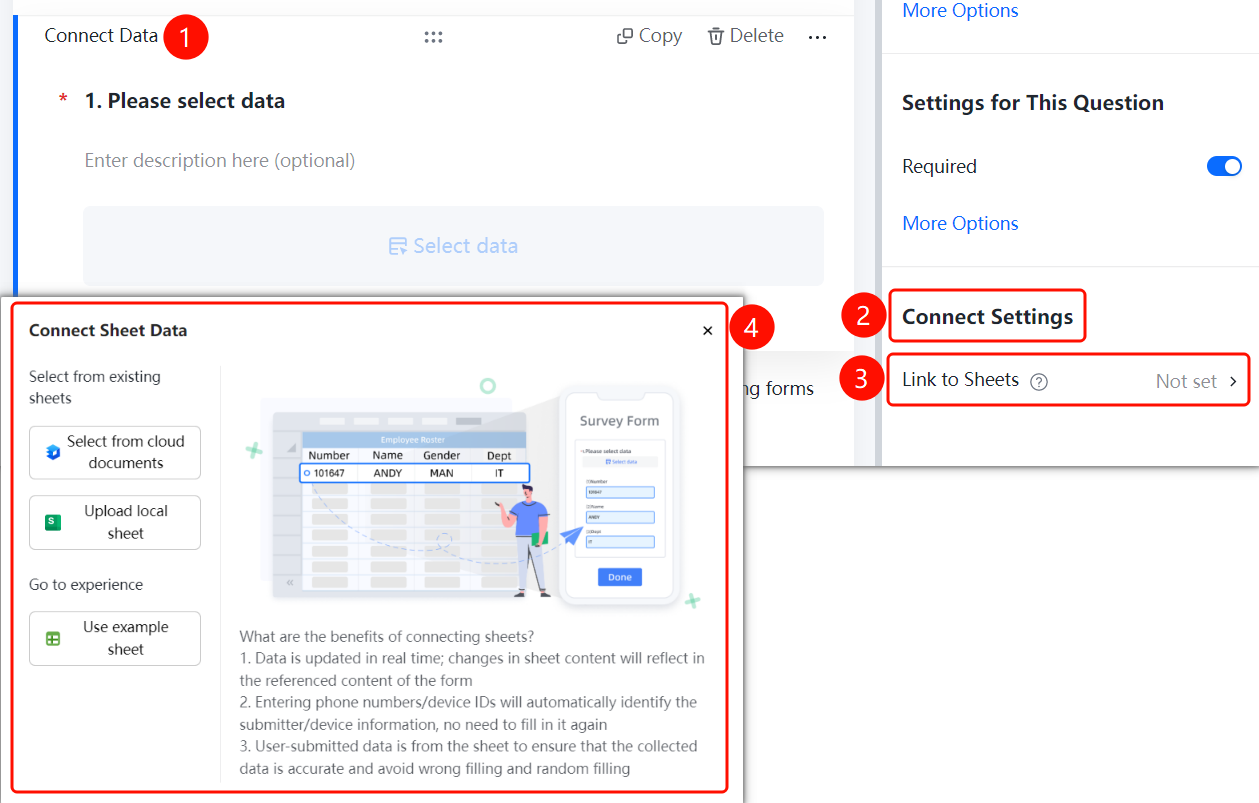
Feature Access PathAssociated Data Question → "Association Settings" → "Associated Table" option
- Click on the already added associated data question
- In the right-hand "Association Settings" panel, click the "Associated Table" option
- Select an association method: choose from cloud documents / upload local table / use sample table
Frequently Asked Questions
Q1: What are the benefits of data association?
- Solution: Data is updated in real time—when table content changes, the form references automatically update as well. All user-submitted data comes directly from the table, ensuring accuracy and reliability.
Q2: What data sources does data association support?
- Solution: Supports selecting from cloud documents, uploading local spreadsheets, or using sample tables for association.
Q3: Will updates to the associated table be automatically synchronized?
- Solution: Yes. After data association, any changes made to the table will automatically reflect in the form.
Notes
- Data association ensures collected data is accurate and error-free.
- Changes in the associated table's data are automatically synced to the form.