Feature Summary
Other settings allow you to configure additional parameters for your vote, including specifying the form time zone, enabling respondents to request withdrawal of their submissions, and sharing form templates.
Feature Description
| Feature Dimension | Description |
|---|---|
| Membership Restrictions | No membership restrictions |
| Version Restrictions | No version restrictions |
Operating Steps
Specify Form Time Zone
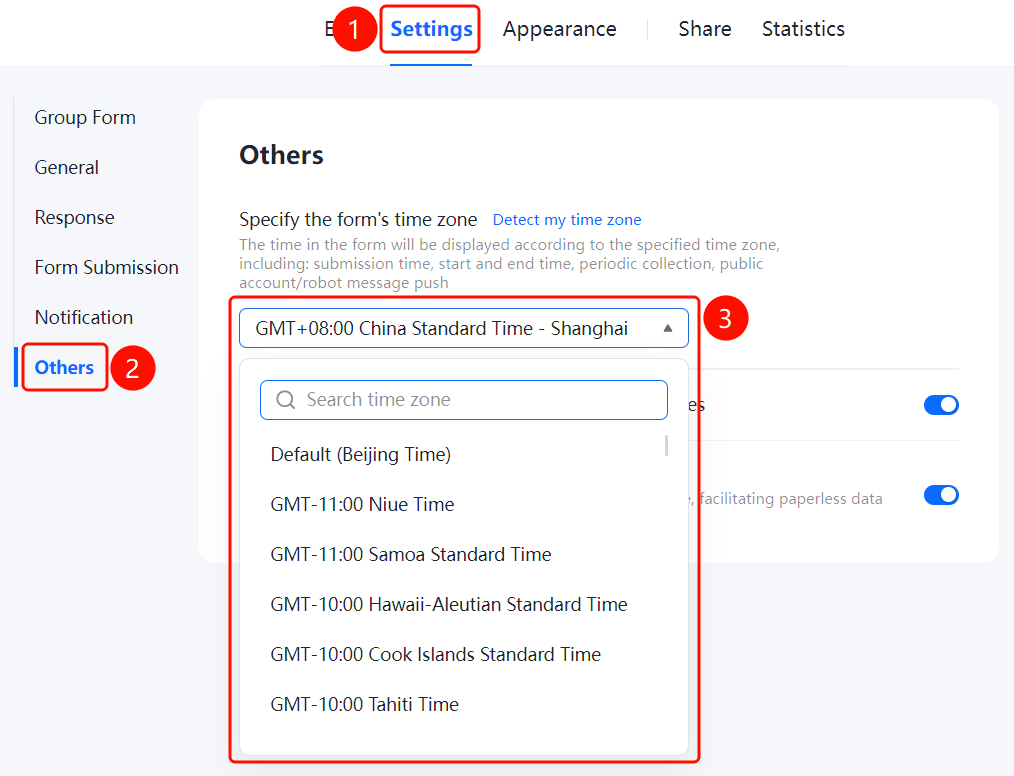
Access PathSettings tab → Left menu → "Other Settings" → "Specify Form Time Zone" option
- Click the "Settings" tab at the top
- In the left menu, click "Other Settings"
- Click the "Specify Form Time Zone" dropdown and select your target time zone
- Click the "Get Current Time Zone" link to automatically detect your current time zone
- All time-related data in the form will be displayed according to the specified time zone, including: submission time, start/end times, recurring collection schedules, and message push from official accounts or bots
Allow Respondents to Request to Withdraw Their Submissions
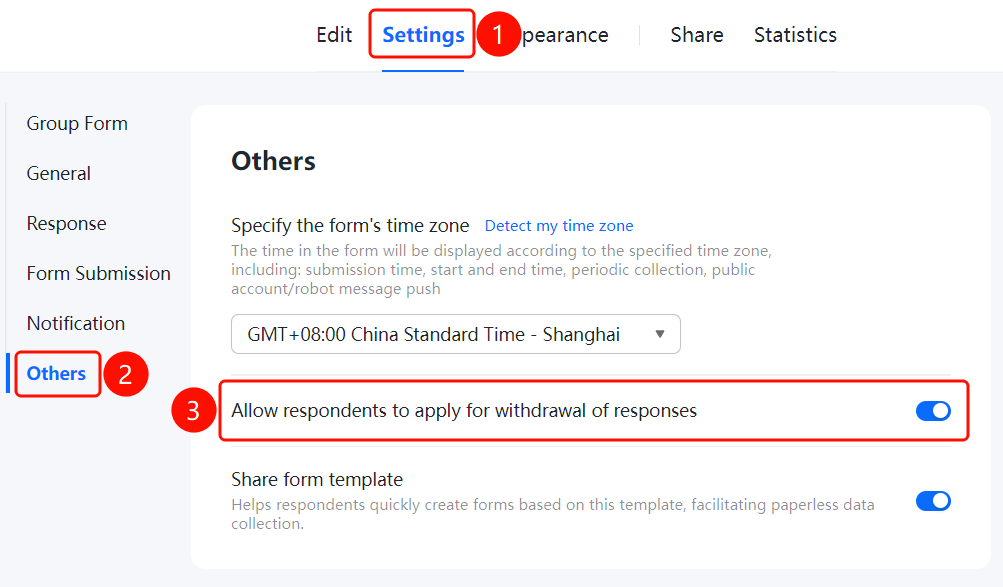
Feature Access PathSettings tab → Left menu → "Other Settings" → Toggle switch for "Allow respondents to request to withdraw their submissions"
- Click the "Settings" tab at the top
- In the left menu, click "Other Settings"
- Turn on the toggle switch for "Allow respondents to request to withdraw their submissions"
- Once enabled, respondents can apply to withdraw their submitted responses
Share Form Template
Feature Access
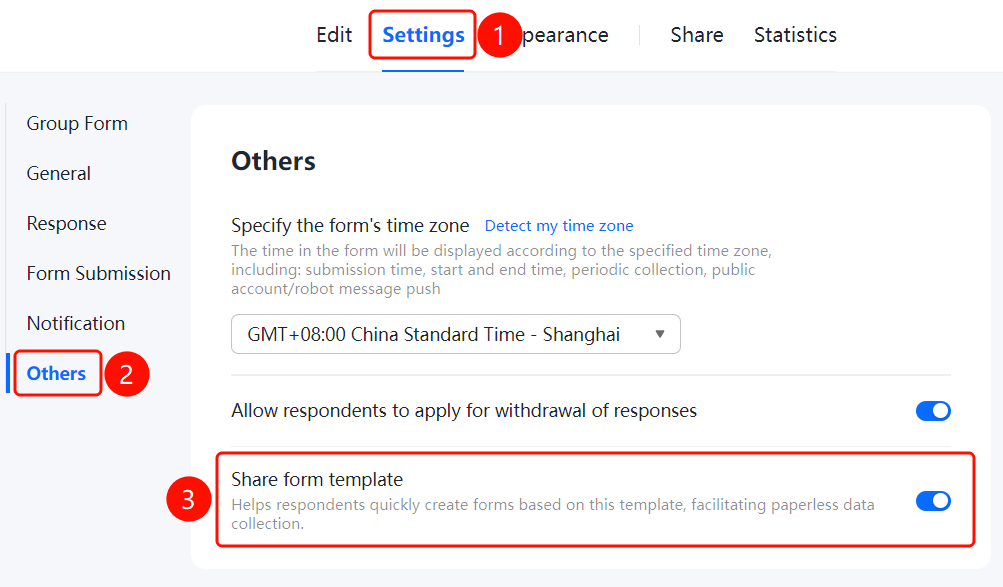
Settings tab → Left menu → "Other Settings" → Toggle for "Share Form Template"
- Click the "Settings" tab at the top
- In the left menu, click "Other Settings"
- Turn on the "Share Form Template" toggle
- Once enabled, this allows form fillers to quickly create new forms based on this template, facilitating paperless data collection
Frequently Asked Questions
Q1: How to set the time zone for a poll?
- Solution: Go to "Settings" → "Other Settings," click the dropdown menu under "Specify Form Time Zone," and select your desired time zone.
Q2: What is the purpose of allowing form withdrawal?
- Solution: When enabled, respondents can request to withdraw their submitted responses. This is useful when corrections to the entered data are needed.
Q3: What is the use of sharing a form template?
- Solution: When enabled, respondents can quickly create new forms based on this template. This is ideal for scenarios where multiple users need to create similar forms.
Notes
- The form time zone setting affects all displayed times.
- Once shared form templates are enabled, respondents can create new forms based on the template.