Feature Summary
The handwritten signature question is used to collect voters' handwritten signatures, which can serve as confirmation credentials. It supports Add Watermark and custom signature image naming methods.
Feature Description
| Feature Dimension | Description |
|---|---|
| Membership Restriction | No membership restriction |
| Version Restriction | No version restriction |
Operation Steps
Add Handwritten Signature Question
Feature Entry
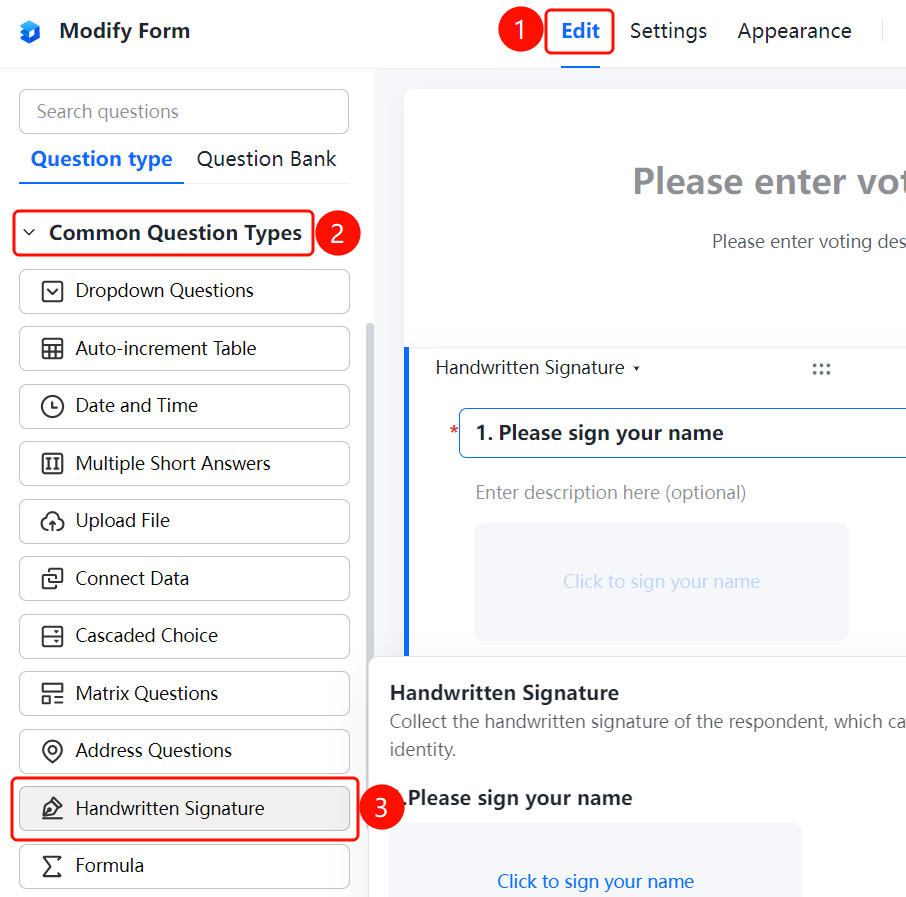
「Edit」tab → 「Common question types」 → 「Handwritten Signature」 button
- Click the top 「Edit」 tab
- Expand the 「Question Type」 area in the left panel
- Click the 「Handwritten Signature」 button to add it to the form
Add Watermark
Feature Entry
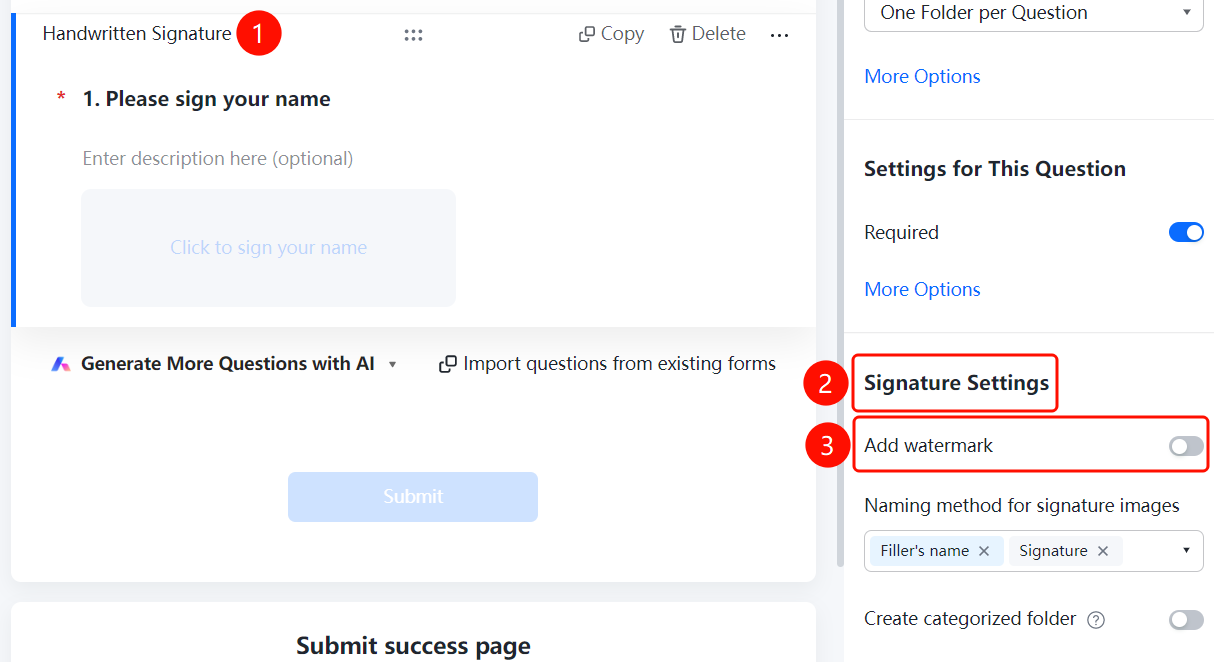
Handwritten Signature question → 「Signature Settings」 → 「Add Watermark」 option
- Click the added handwritten signature question
- Click the 「Add Watermark」 option in the 「Signature Settings」 panel on the right
Set Signature Image Naming Method
Feature Entry
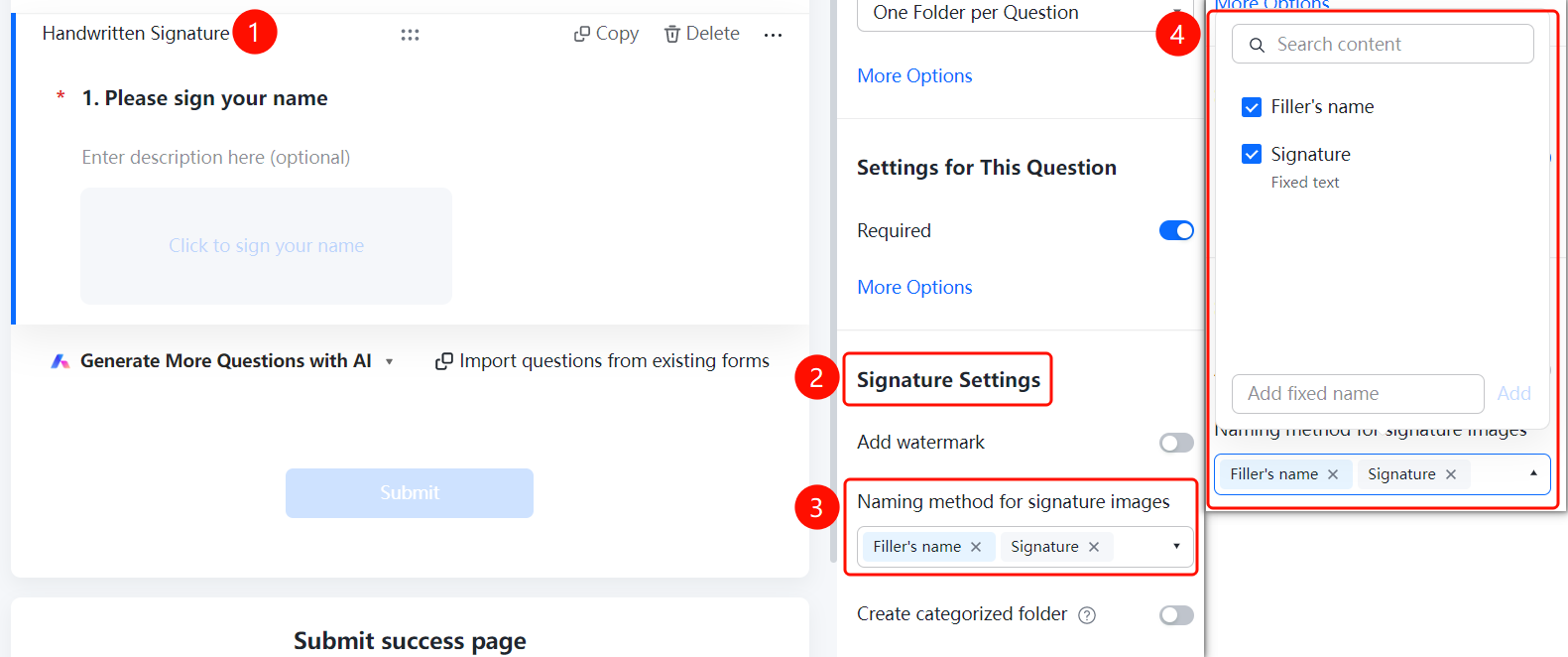
Handwritten Signature question → 「Signature Settings」 → 「Signature Image Naming Method」 option
- Click the added handwritten signature question
- Click the 「Signature Image Naming Method」 option in the 「Signature Settings」 panel on the right
- Select a naming method or add a custom name
Create Category Folder
Feature Entry
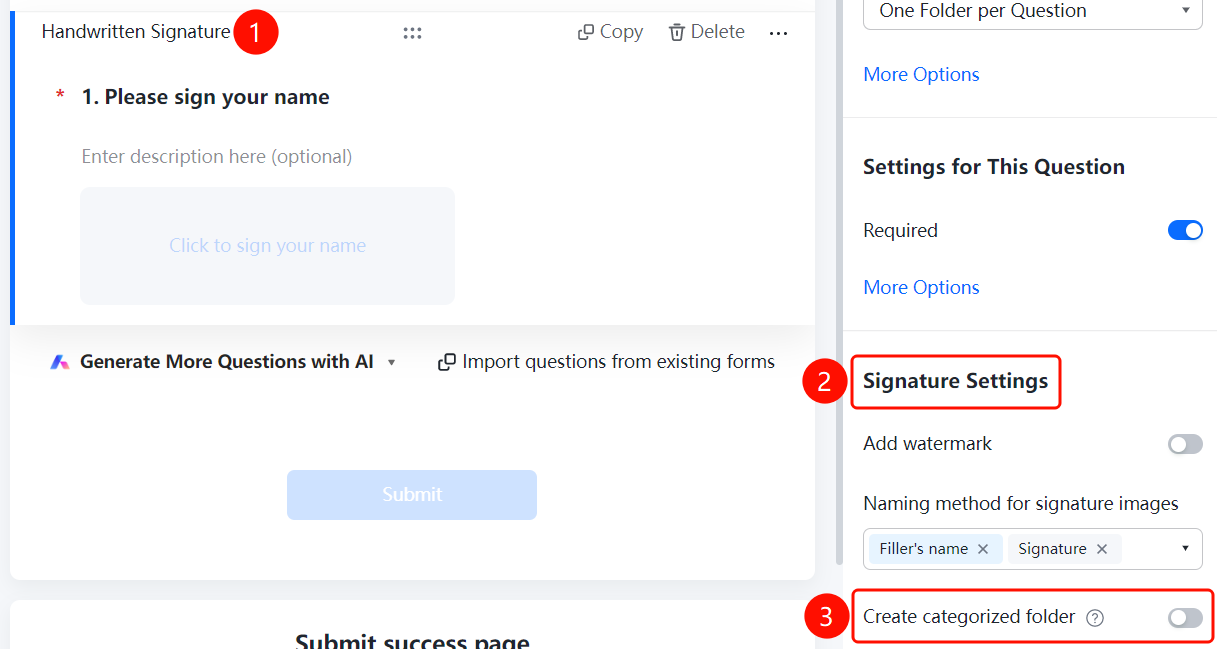
Handwritten Signature question → 「Signature Settings」 → 「Create Category Folder」 toggle
- Click the added handwritten signature question
- Enable the 「Create Category Folder」 toggle in the 「Signature Settings」 panel on the right
FAQ
Q1: How to add a watermark to a signature?
- Solution: Click the handwritten signature question, then click 「Add Watermark」 in the 「Signature Settings」 panel.
Q2: What are the naming methods for signature images?
- Solution: Naming methods such as respondent nickname, signature, and fixed text are supported. You can also add a custom fixed name.
Q3: How to categorize and manage collected signatures?
- Solution: Enable the 「Create Category Folder」 toggle in the 「Signature Settings」 panel.
Notes
- Handwritten signatures can serve as confirmation credentials
- Signature images support Add Watermark to enhance security