Feature Summary
Post-submission settings are used to configure the behavior after a voter submits a poll, such as generating a response QR code after submission, which can be used for scenarios like scanning to view submission details, scanning to check in, etc.
Feature Description
| Feature Dimension | Description |
|---|---|
| Membership Restriction | No membership restriction |
| Version Restriction | No version restriction |
Operation Steps
Setting Post-Submission Behavior
Feature Entry
「Settings」 tab → 「Post-Submission」 option
- Click the top 「Settings」 tab
- Click the 「Post-Submission」 option
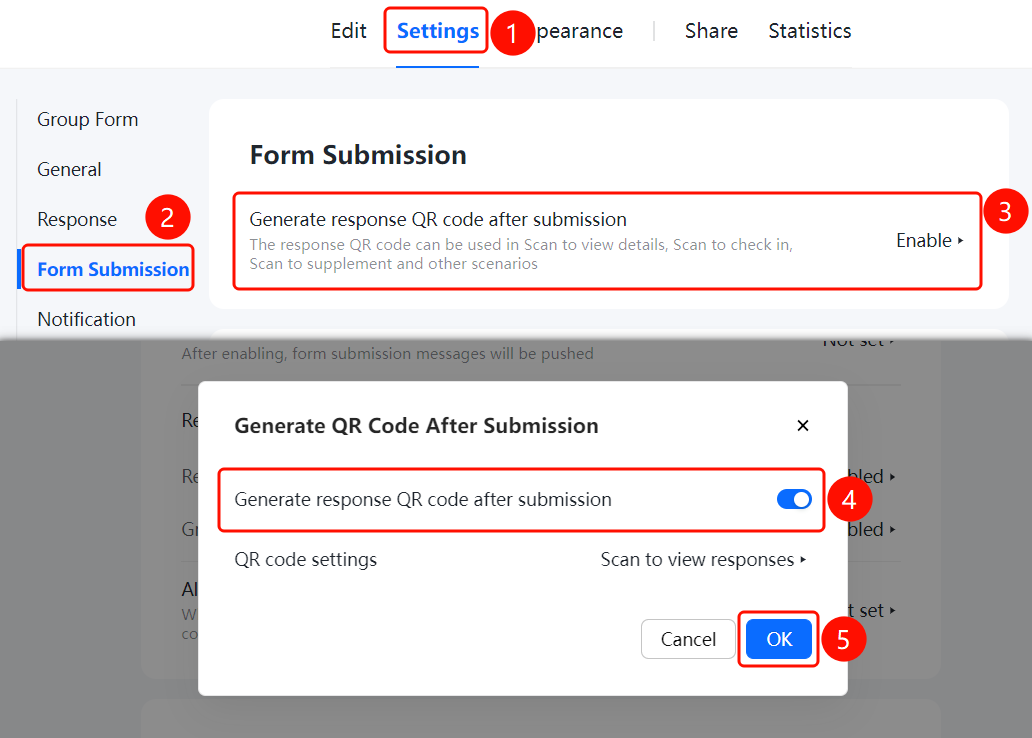
Generate Response QR Code After Submission
Feature Entry
「Settings」 tab → 「Post-Submission」 → 「Generate Response QR Code After Submission」 toggle
- Click the top 「Settings」 tab
- Click the 「Post-Submission」 option
- Turn on the 「Generate Response QR Code After Submission」 toggle
- Configure QR code settings, such as whether to allow scanning to view response content
- Click 「Confirm」 to save
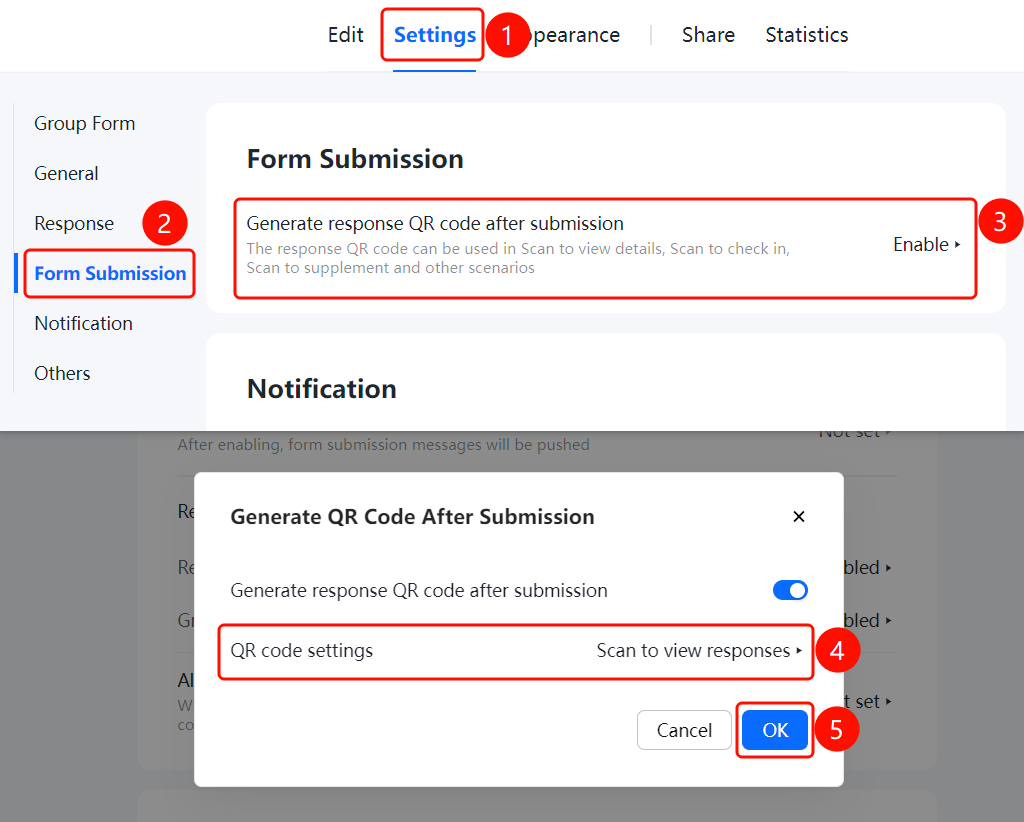
FAQ
Q1: What is the use of generating a response QR code after submission?
- Solution: The response QR code can be used for scenarios such as scanning to view submission details, scanning to check in, and scanning to supplement submissions.
Q2: How to set whether the response content can be viewed after scanning the code?
- Solution: After enabling 「Generate Response QR Code After Submission」, configure whether to allow scanning to view response content in 「QR Code Settings」.
Q3: Can the settings be modified after submitting a poll?
- Solution: Yes. You can modify them at any time in 「Settings」 tab → 「Post-Submission」.
Notes
- The response QR code makes it convenient for voters to view their own voting details
- You can configure the scanning permission to view content as needed