Feature Summary
Question settings are used to personalize the configuration of questions in a poll form, including setting questions as required, hiding them from voters, making them read-only for voters, and configuring question numbering.
Feature Description
| Feature Dimension | Description |
|---|---|
| Member Restrictions | No member restrictions |
| Version Restrictions | No version restrictions |
Operation Steps
Set a Question as Required
Feature Entry
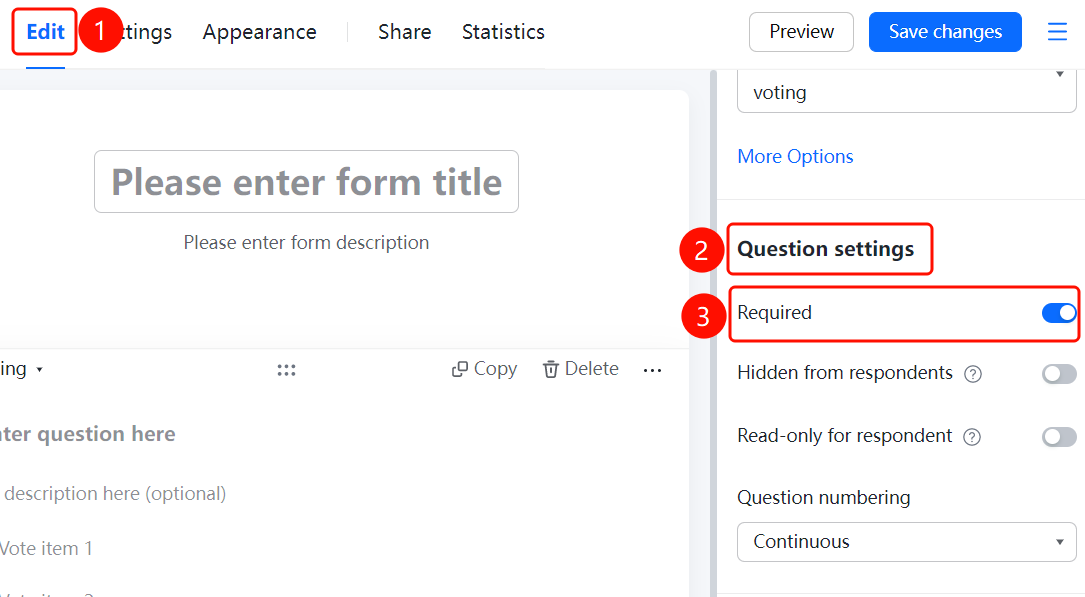
Edit → "Question Settings" → "This question is required" toggle
- Click the question you want to set
- In the "Question Settings" panel on the right, turn on the "This question is required" toggle
Set a Question to be Hidden from Voters
Feature Entry
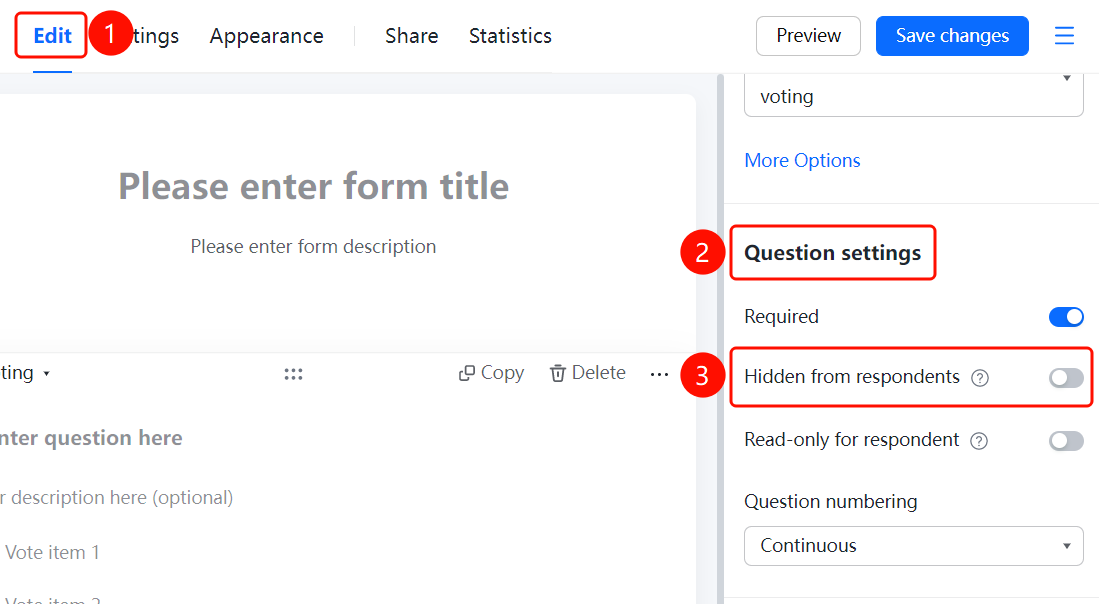
Edit → "Question Settings" → "Hide this question from respondents" toggle
- Click the question you want to set
- In the "Question Settings" panel on the right, turn on the "Hide this question from respondents" toggle
Set a Question as Read-Only for Voters
Feature Entry
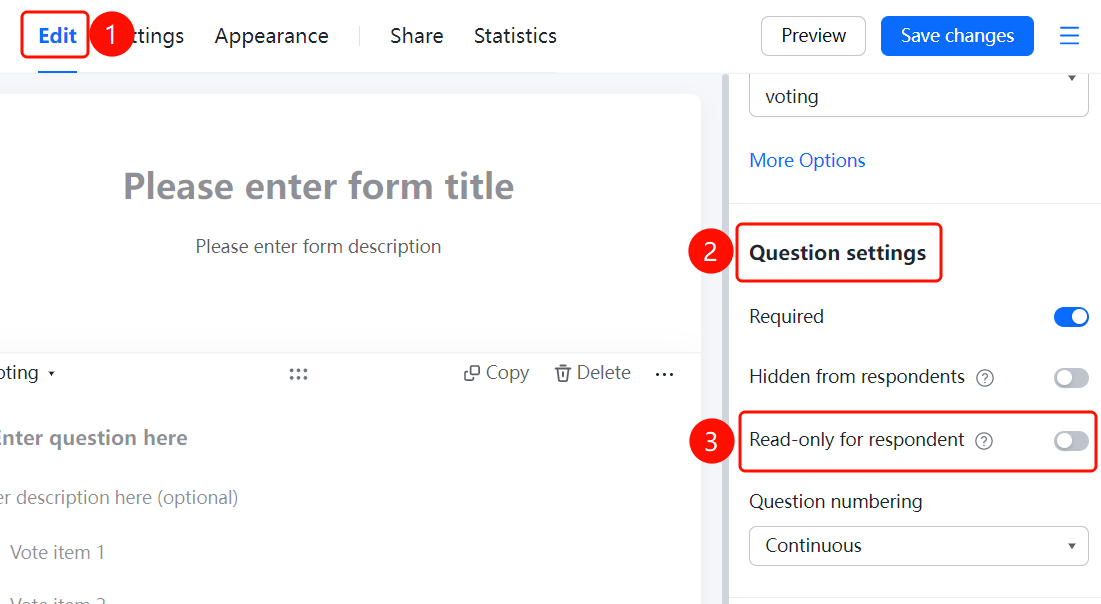
Edit → "Question Settings" → "This question is read-only for respondents" toggle
- Click the question you want to set
- In the "Question Settings" panel on the right, turn on the "This question is read-only for respondents" toggle
Set Question Numbering
Feature Entry
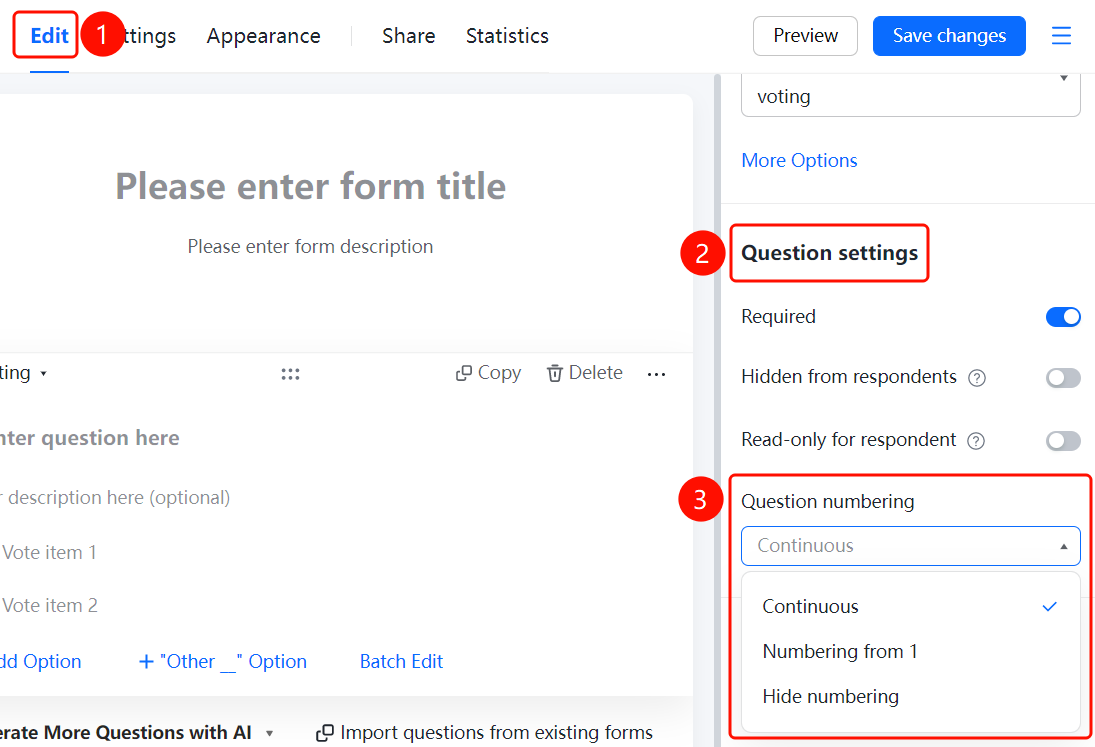
Edit → "Question Settings" → "Question Numbering Settings" → "Continuous numbering" option
- Click the question you want to set
- In the "Question Settings" panel on the right, click the "Question Numbering Settings" option
- Select: Continuous numbering / Start numbering from 1 / Do not display numbering
FAQ
Q1: How do I set a question as required?
- Solution: Click the question, and turn on the "This question is required" toggle in the "Question Settings" panel.
Q2: How do I hide a question so voters cannot see it?
- Solution: Click the question, and turn on the "Hide this question from respondents" toggle in the "Question Settings" panel.
Q3: How do I make a question visible to voters but not fillable?
- Solution: Click the question, and turn on the "This question is read-only for respondents" toggle in the "Question Settings" panel.
Notes
- "Hide this question from respondents" and "This question is read-only for respondents" are suitable for different scenarios
- Question numbering settings support three modes: continuous numbering, start numbering from 1, and do not display numbering