Feature Summary
The WPS client supports switching between multiple interface languages, including Simplified Chinese, Traditional Chinese, English, French, Spanish, Portuguese, Russian, and more. A restart is required for the change to take effect, adapting to different language environments.
Feature Description
| Feature Dimension | Description |
|---|---|
| Membership Restriction | No membership restriction |
| Version Restriction | No version restriction |
Operation Steps
Switching the Interface Language
Feature Entry
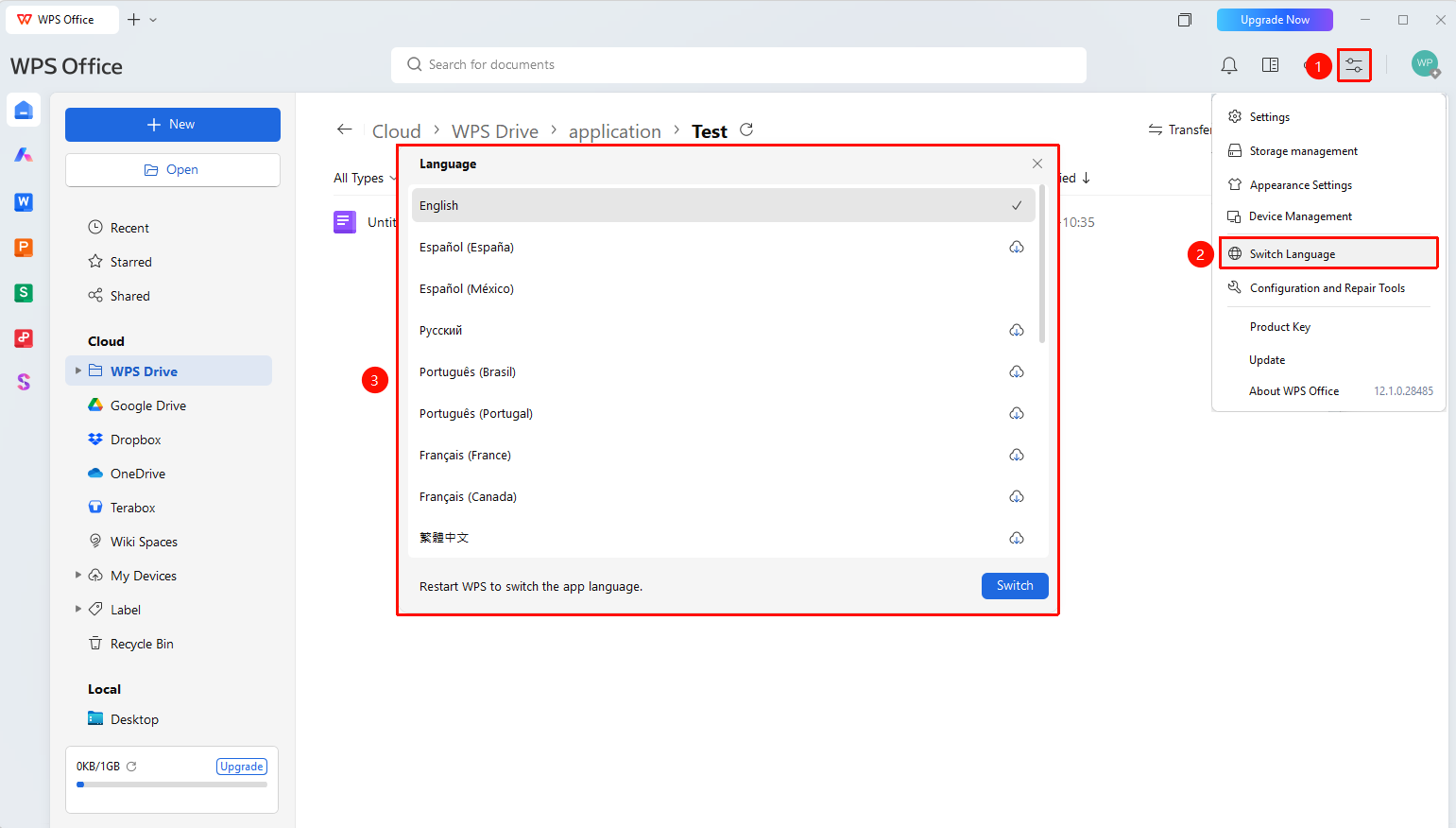
「Global Settings」 button → 「Change Language」 option
- Open the WPS client
- Click the 「Global Settings」 button in the upper right corner
- Select 「Change Language」 from the expanded menu
- Choose the target language from the pop-up language list
- Click the 「Apply」 button
- The interface language will take effect after restarting WPS
FAQ
Q1: Which interface languages are supported?
- Solution: Supports Simplified Chinese, Traditional Chinese, English, French, Spanish, Portuguese (Brazil/Portugal), Russian, and many other languages.
Q2: Is a restart required after switching the language?
- Solution: Yes, you need to restart the WPS client for the language change to fully take effect.
Q3: Will switching the language affect the document content?
- Solution: No, switching the language only changes the interface display language and does not affect the document content.
Notes
- You must restart the WPS client for the language change to take effect.
- The language switch only affects the interface display and does not affect the document content.
- Supports multiple languages covering major global languages.