Feature Summary
Sandbox Protection is a security isolation feature of WPS that isolates potential risks to enhance system security. Once enabled, it prevents malicious documents from damaging the system. Changes to this setting require restarting WPS to take effect.
Feature Description
| Feature Dimension | Description |
|---|---|
| Membership Restriction | No membership restriction |
| Version Restriction | No version restriction |
Operation Steps
Enable/Disable Sandbox Protection
Feature Entry
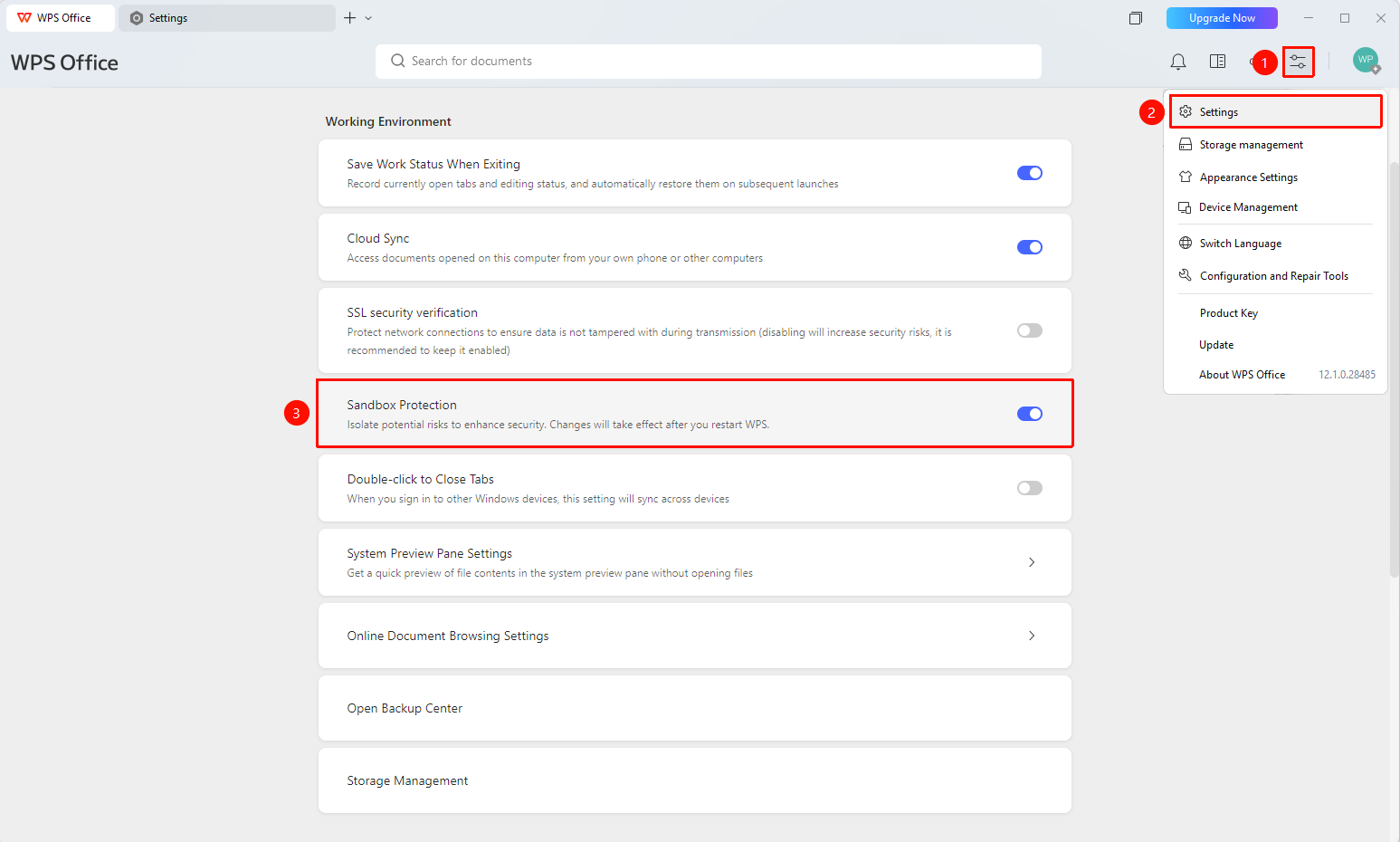
「Global Settings」button → 「Settings」option → 「Interface」 → 「Sandbox Protection」switch
- Open the WPS client
- Click the 「Global Settings」 button in the upper right corner
- Select the 「Settings」 option
- Find the 「Interface」 section on the settings page
- Under the 「Working Environment」 group, locate the 「Sandbox Protection」 checkbox
- Click the 「Sandbox Protection」 switch button to toggle the status on or off
- The setting takes effect after restarting the WPS client
FAQ
Q1: What is the function of Sandbox Protection?
- Solution: Sandbox Protection isolates potential risks and enhances system security. Files opened in the sandbox cannot directly access system resources, so even if they contain malicious code, they cannot damage the system.
Q2: Is a restart required after changing the Sandbox Protection settings?
- Solution: Yes, you need to restart the WPS client for the changes to the Sandbox Protection settings to take effect. Disabling Sandbox Protection increases security risks, so it is recommended to keep it enabled.
Notes
- After changing the Sandbox Protection settings, you must restart the WPS client for the changes to take effect.
- Disabling Sandbox Protection increases security risks; it is recommended to keep it enabled.