Feature Summary
Likert scale questions are commonly used to evaluate user satisfaction, NPS, or ratings. You can set the starting value and maximum value. This is a common questionnaire question type where respondents rate by clicking numeric buttons.
Feature Description
| Feature Dimension | Description |
|---|---|
| Member Limit | No member limit |
| Version Limit | No version limit |
Steps
Add a Likert Scale Question
Entry
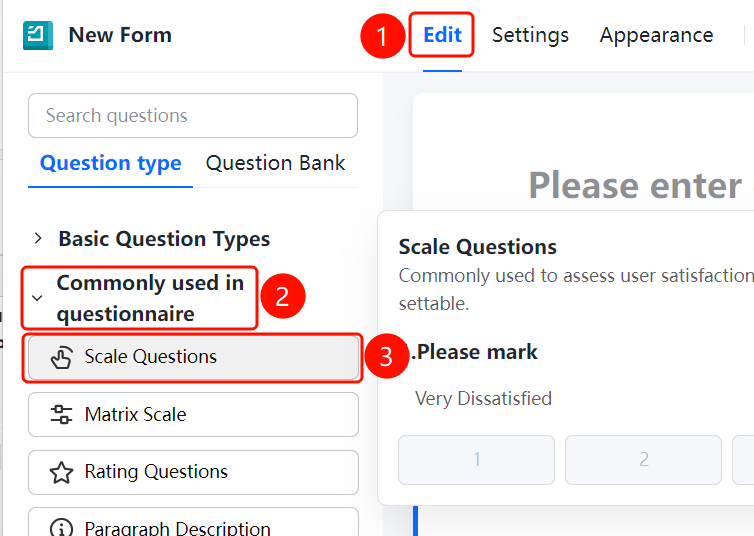
Edit tab > Common Questions > Likert Scale button
- Click the Edit tab at the top.
- Expand the Common Questions area in the left panel.
- Click the Likert Scale button to add a Likert scale question to the questionnaire.
- The default question is Please Rate. Respondents rate by clicking numeric buttons.
Set Scale Type
Entry
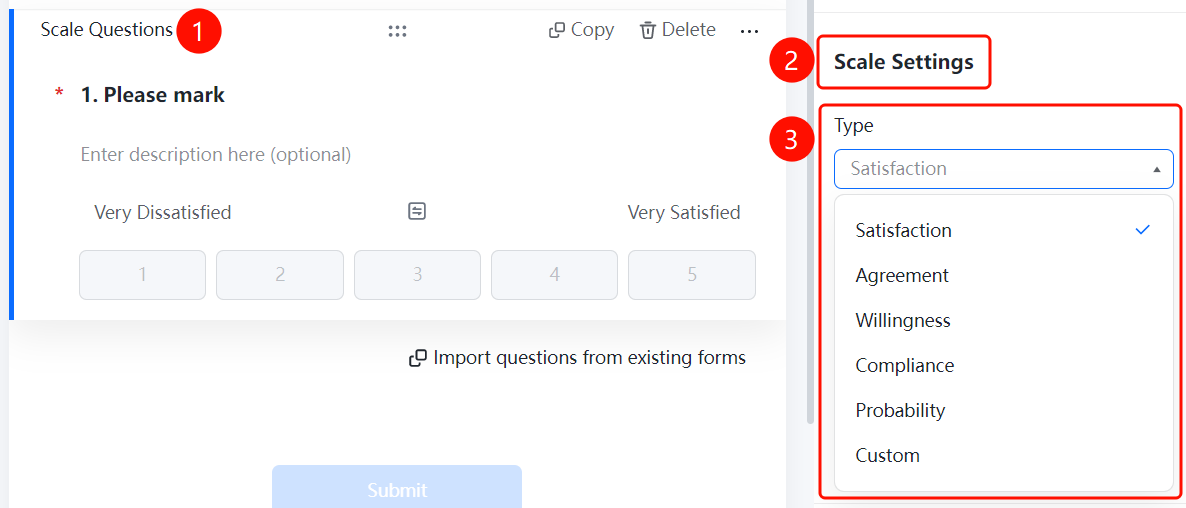
Likert Scale > Scale Settings > Scale Type drop-down list
- Click the added Likert Scale question.
- Click the Scale Type drop-down list in the Scale Settings panel below.
- Select a scale type: Satisfaction (default), Agreement, Willingness, Conformity, Probability, or Custom.
- Selecting different types will automatically update the label text on both ends.
Set Scale Level
Entry
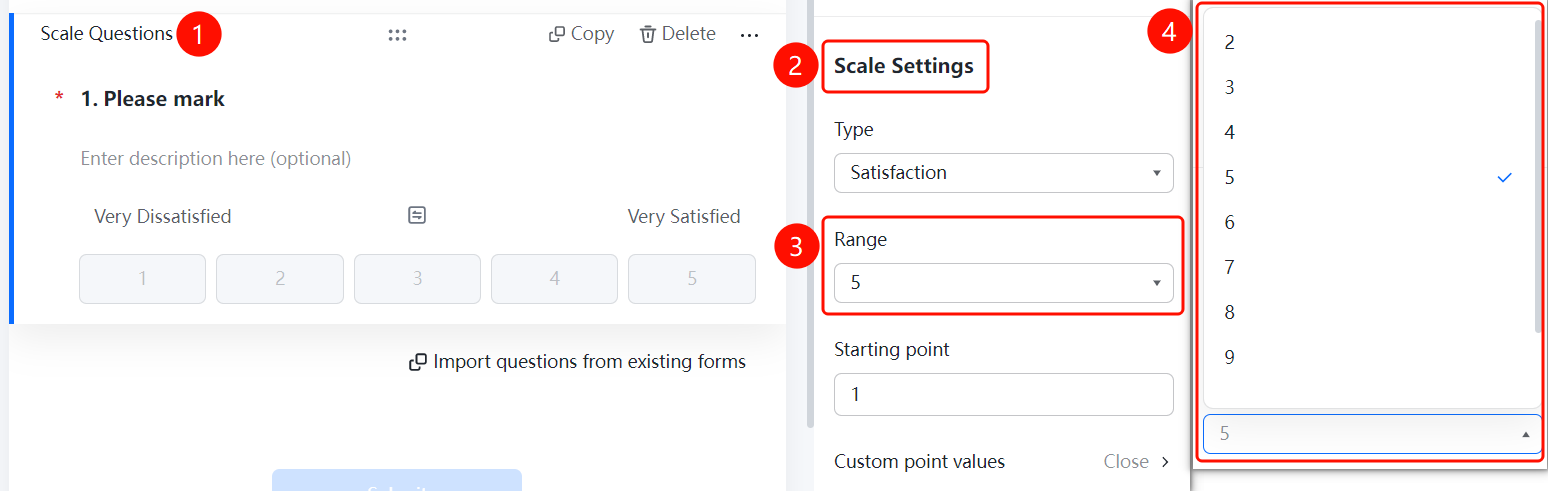
Likert Scale > Scale Settings > Scale Level drop-down list
- Click the added Likert Scale question.
- Click the Scale Level drop-down list in the Scale Settings panel below.
- Select the number of levels (such as 2-9). The default is 5.
- The scale level determines the number of rating buttons.
Set Starting Value
Entry
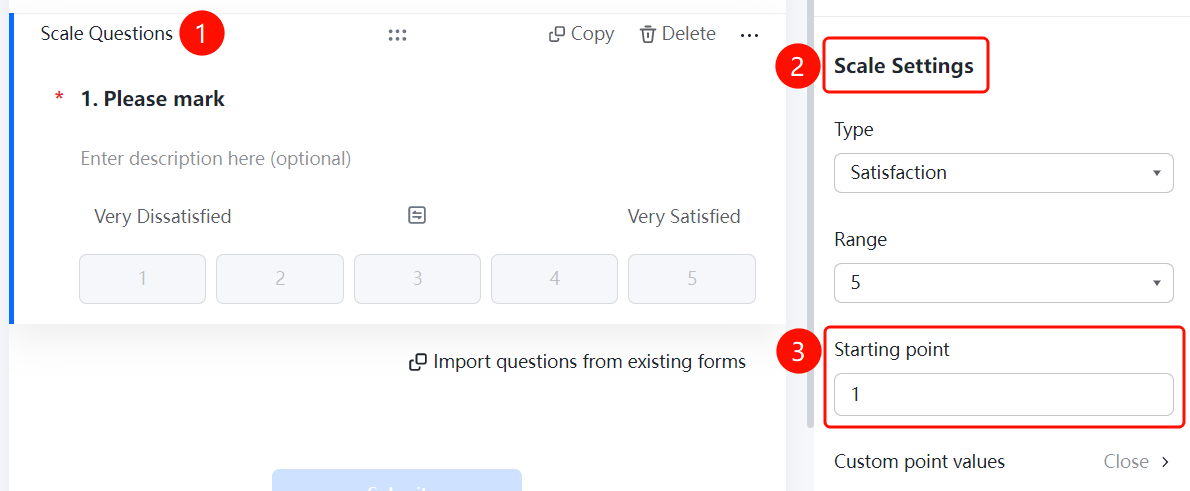
Likert Scale > Scale Settings > Starting Value input box
- Click the added Likert Scale question.
- Find Starting Value in the Scale Settings panel below.
- Enter the starting value. The default is 1.
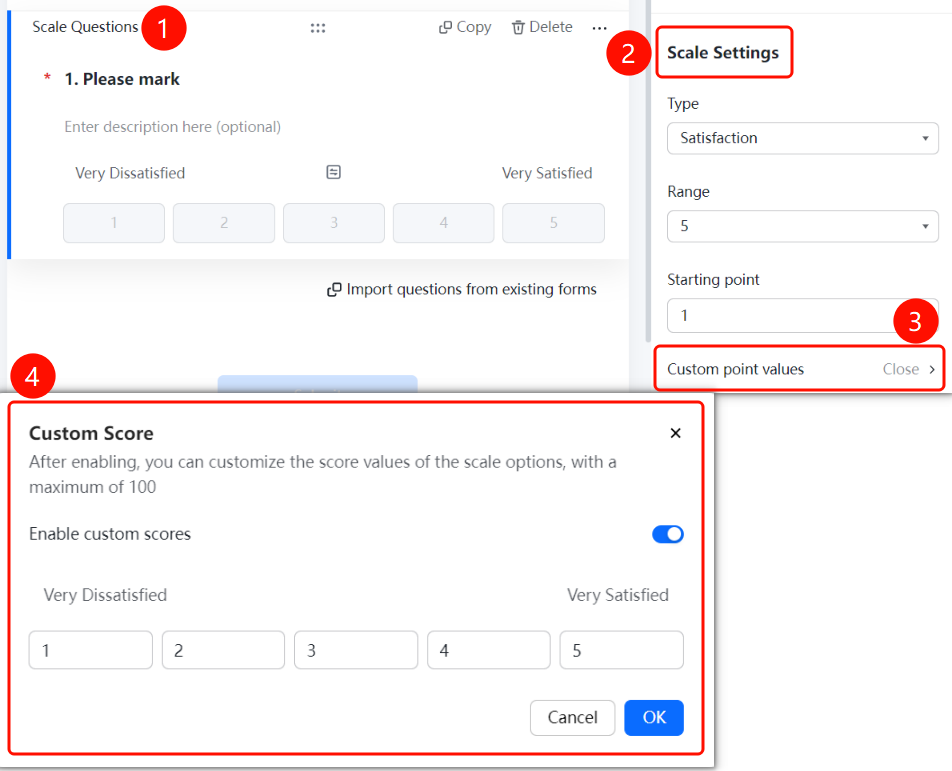
Custom Score Values
Entry
Likert Scale > Scale Settings > Custom Score Values option
- Click the added Likert Scale question.
- Click Custom Score Values (currently Off) in the Scale Settings panel below.
- Turn on the Enable Custom Scores switch in the Custom Scores dialog box that appears.
- Once enabled, you can customize the score value for each scale item, up to a maximum of 100.
- The score value for each level item can be set independently. Click OK to save.
FAQ
Question 1: What is the difference between Likert scale questions and rating questions?
- Solution: Likert scale questions display numeric buttons (1, 2, 3...), while rating questions display star icons. Likert scale questions support custom ranges and scale types.
Question 2: What scale types are available?
- Solution: It supports types such as satisfaction, agreement, willingness, conformity, probability, and custom. Different types automatically match labels on both ends.
Notes
- Likert scale questions are suitable for satisfaction surveys, NPS evaluations, and other scenarios.
- Custom score values cannot exceed 100.