Feature Summary
Other Settings is used to configure parameters such as the time zone of the questionnaire, retracting responses, and sharing form templates, assisting in paperless collection.
Feature Description
| Feature Dimension | Description |
|---|---|
| Member Limit | No member limit |
| Version Limit | No version limit |
Operation Steps
Specify Form Time Zone
Feature Entry
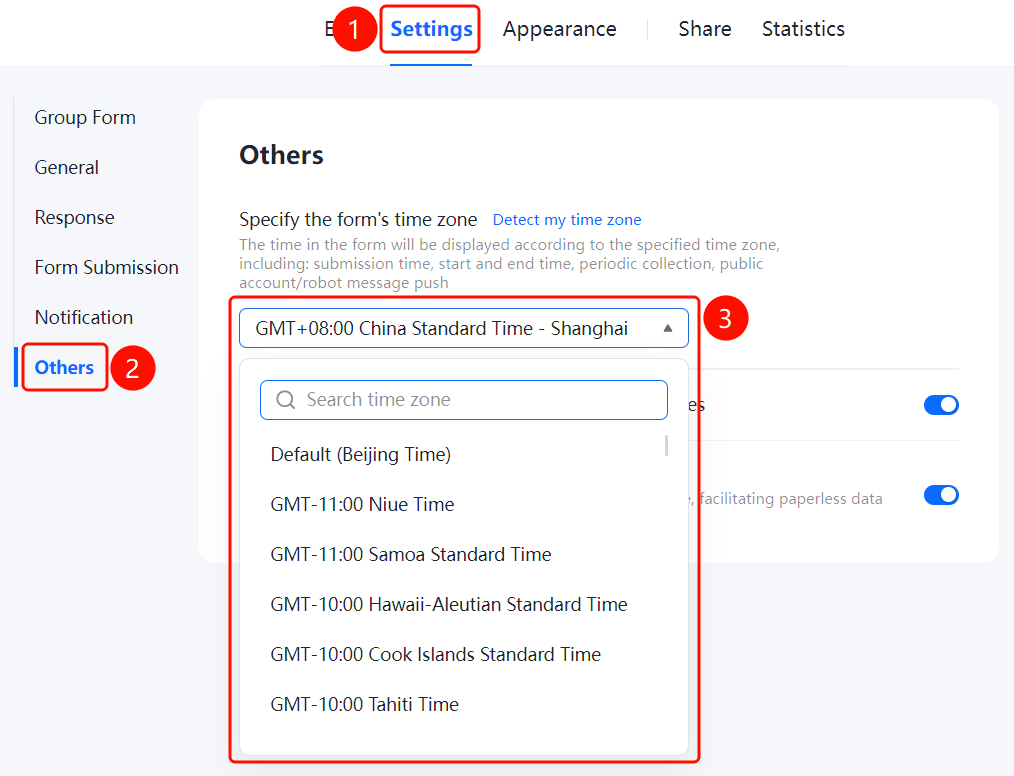
"Settings" tab -> Left menu -> "Other Settings" option
- Click the "Settings" tab at the top.
- Click "Other Settings" in the left menu.
- Find "Specify Form Time Zone" in the settings area on the right.
- Click the time zone selection drop-down box and select the target time zone. You can also click the "Get Current Time Zone" link to obtain it automatically.
- The time in the form will be displayed according to the specified time zone, including: submission time, start and end times, periodic collection, and official account/Bot message push.
Allow Respondents to Apply for Retracting Responses
Feature Entry
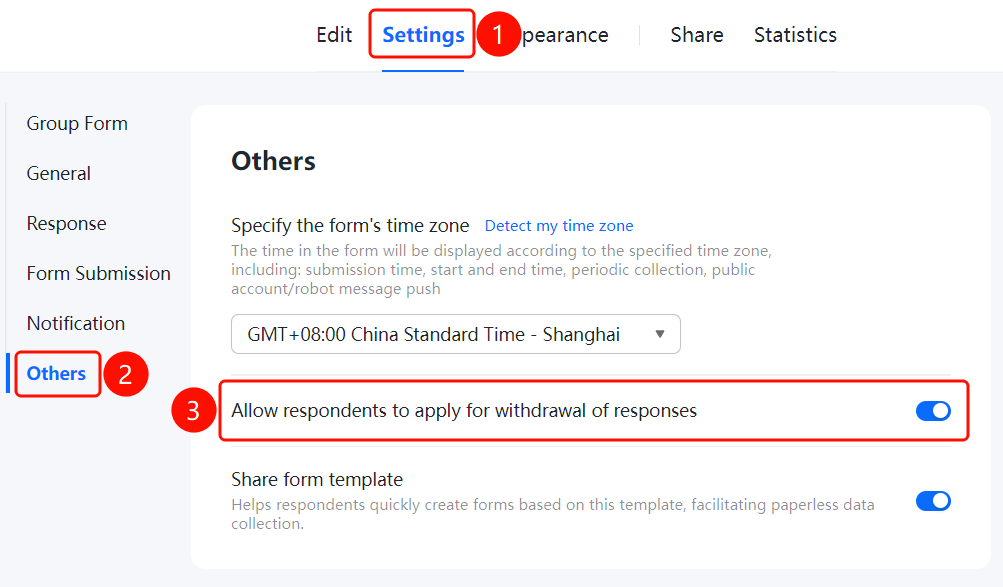
"Settings" tab -> Left menu -> "Other Settings" option
- Click the "Settings" tab at the top.
- Click "Other Settings" in the left menu.
- Turn on the "Allow Respondents to Apply for Retracting Responses" switch.
- After respondents submit their responses, they can apply for retraction. The retraction is completed after the Admin approves it.
Share Form Template
Feature Entry
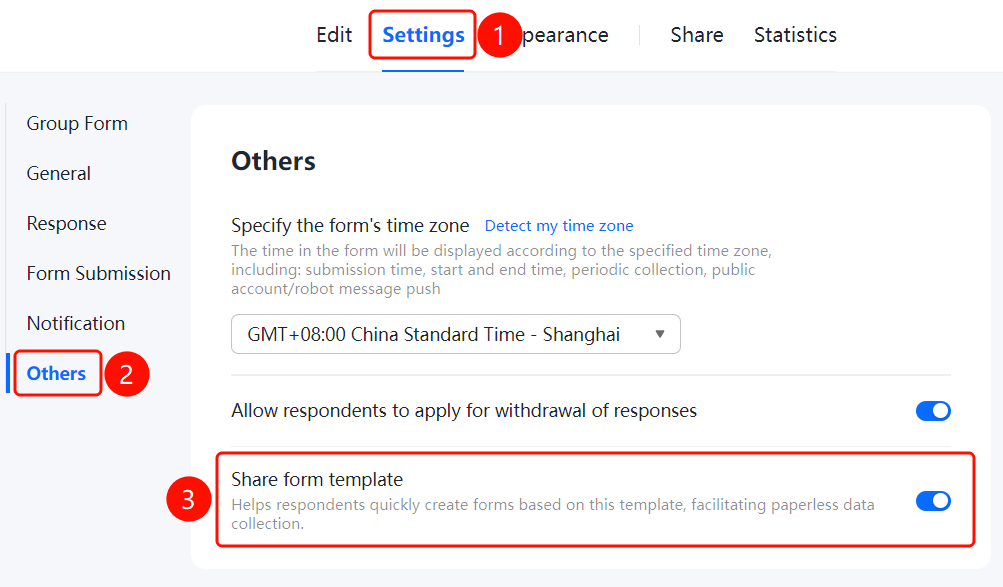
"Settings" tab -> Left menu -> "Other Settings" option
- Click the "Settings" tab at the top.
- Click "Other Settings" in the left menu.
- Turn on the "Share Form Template" switch.
- Once enabled, it helps respondents quickly create forms based on this template, assisting in paperless collection.
FAQ
Question 1: What is the purpose of specifying the form time zone?
- Solution: After specifying the form time zone, the time in the form will be displayed according to that time zone, including submission time, start and end times, periodic collection, official account/Bot message push, etc.
Question 2: How to quickly get the current time zone?
- Solution: Click the "Get Current Time Zone" link, and the system will automatically set the time zone to the current time zone.
Question 3: What is the default time zone?
- Solution: The default time zone is Beijing Time (GMT+08:00 China Standard Time - Shanghai).
Notes
- After modifying the time zone, the time of submitted data will not change, only affecting the display of newly submitted data.
- It is recommended to set an appropriate time zone according to the region where the respondents are located.