Feature Summary
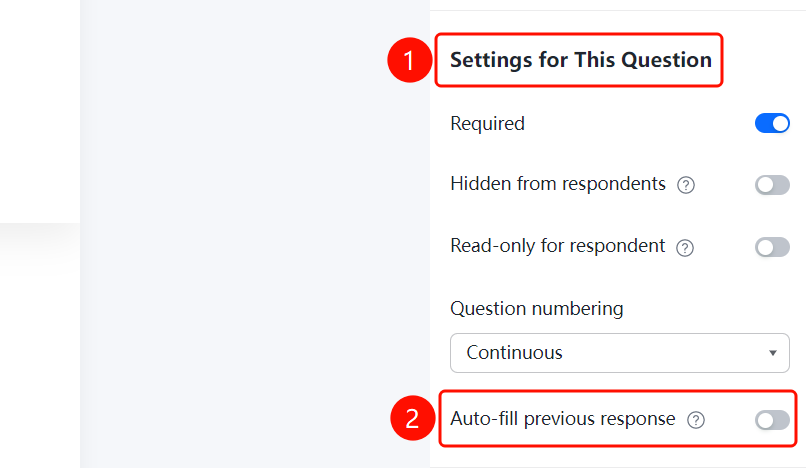
Basic Settings is used to configure the basic parameters of questions, including whether they are required, hidden from respondents, read-only for respondents, question numbering settings, and auto-filling of previous answers. It applies to all question types.
Feature Description
| Feature Dimension | Description |
|---|---|
| Membership Restrictions | No membership restrictions |
| Version Restrictions | No version restrictions |
Steps
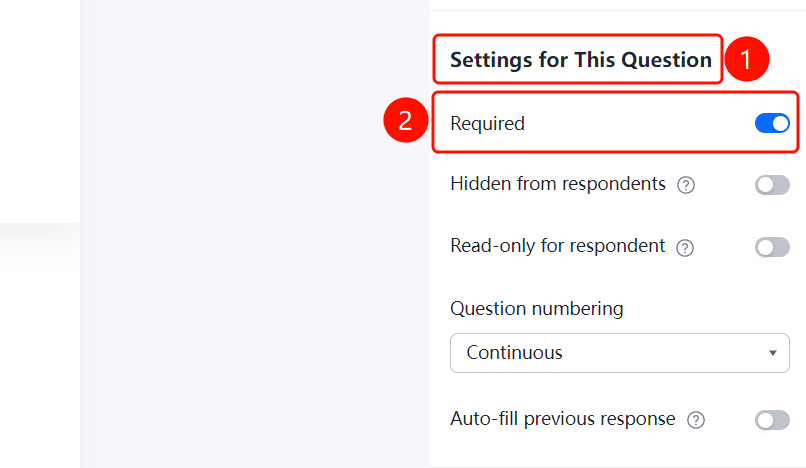
Set Question as Required
Feature Entry
Question > Basic Settings > Required switch
- Click the question you want to set up.
- In the Basic Settings panel on the right, turn on the Required switch.
- Once enabled, respondents must answer this question to submit the questionnaire.
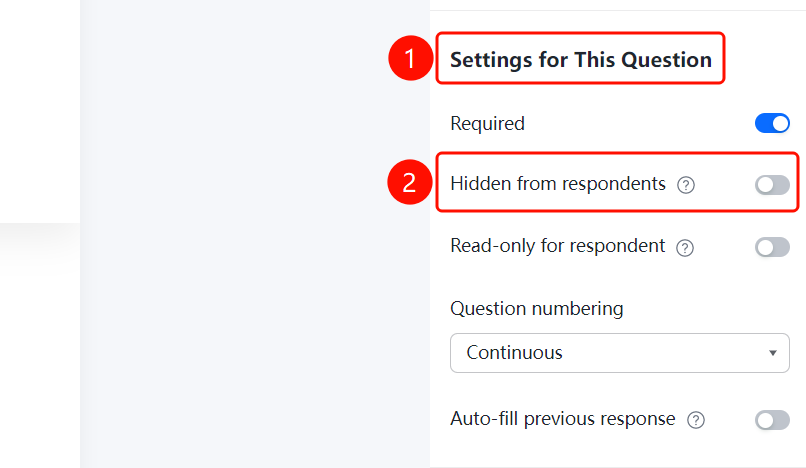
Hide Question from Respondents
Feature Entry
Question > Basic Settings > Hide from Respondents switch
- Click the question you want to set up.
- In the Basic Settings panel on the right, turn on the Hide from Respondents switch.
- Once enabled, respondents will not see this question when filling out the questionnaire.
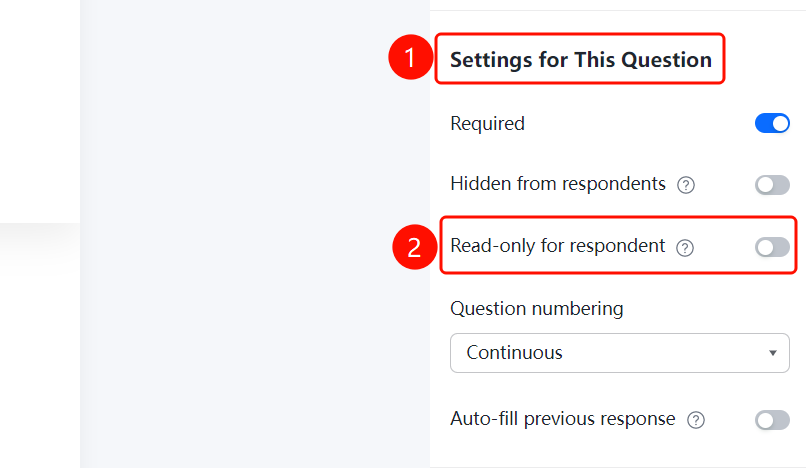
Make Question Read-Only for Respondents
Feature Entry
Question > Basic Settings > Read-Only for Respondents switch
- Click the question you want to set up.
- In the Basic Settings panel on the right, turn on the Read-Only for Respondents switch.
- Once enabled, the question will be displayed but respondents will not be able to edit it.
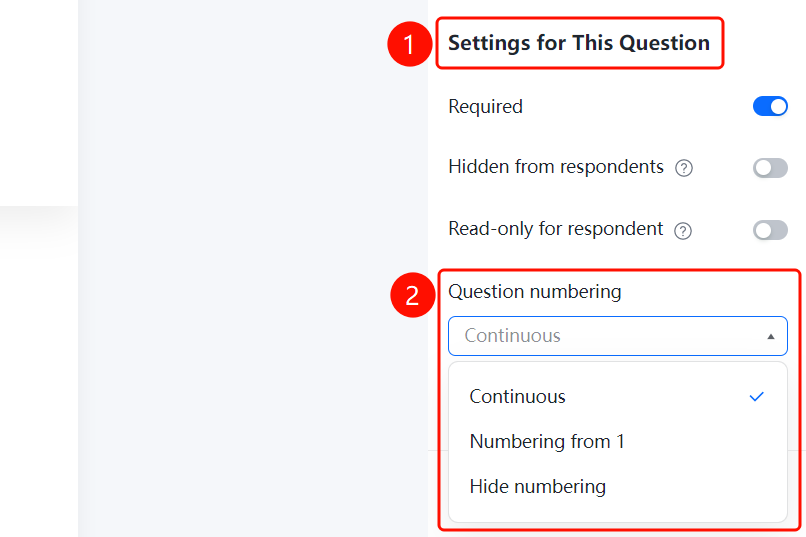
Set Question Numbering
Feature Entry
Question > Basic Settings > Question Numbering Settings drop-down list
- Click the question you want to set up.
- In the Basic Settings panel on the right, click the Question Numbering Settings drop-down list.
- Choose a numbering method: Continuous Numbering (default), Start Numbering from 1, or Do Not Show Numbering.
Set Auto-Fill with Previous Answer
Feature Entry
Question > Basic Settings > Auto-Fill with Previous Answer switch
- Click the question you want to set up.
- In the Basic Settings panel on the right, turn on the Auto-Fill with Previous Answer switch.
- Once enabled, when the same respondent fills out the questionnaire again, their previous answer will be automatically filled in.
FAQ
Q1: Can "Required" and "Read-Only for Respondents" be enabled at the same time?
- Solution: It is not recommended to enable both at the same time as their functions conflict. "Required" requires respondents to answer, while "Read-Only for Respondents" prevents editing.
Q2: What is the purpose of "Hide from Respondents"?
- Solution: Once hidden, respondents cannot see the question, but admins can still view it in the Admin Console. This is suitable for scenarios where you need to record data without the respondents' awareness.
Q3: What are the settings for question numbering?
- Solution: Three methods are supported: Continuous Numbering (auto-increment), Start Numbering from 1 (each section starts from 1), and Do Not Show Numbering.
Notes
- Basic Settings applies to all question types and is a general question parameter configuration.
- Multiple basic settings can be enabled for the same question at the same time.